
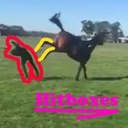
HorseMod
SoulCalibur VI training overlay: hitboxes, hurtboxes, free-fly camera, slow-motion, reset-position override.
| Date uploaded | 3 months ago |
| Version | 0.10.0 |
| Download link | Fotten-HorseMod-0.10.0.zip |
| Downloads | 26 |
| Dependency string | Fotten-HorseMod-0.10.0 |
README
HorseMod
A SoulCalibur VI training mod that visualises hitboxes, hurtboxes, and body volumes in real time, plus an in-game ImGui overlay with controls for camera, freeze-frame / slow-motion, and a custom reset-position override.
Features
- Hitbox / hurtbox / body overlay — per-player toggles, separate Foreground (always-on-top) and Persistent (trail) renderers.
- Free-fly camera (F7) — WASD + mouse / right-stick + triggers, with configurable move/look speed and FOV.
- Camera lock — freezes the battle camera in place by patching the engine's per-tick POV-commit instructions.
- Speed control — slow-motion / freeze-frame with a slider, plus single-frame step (F6).
- Reset-position override (Training) — capture both characters' current positions, then have the game's normal reset bind teleport them back to the captured pose instead of the round-spawn.
- Hide weapons / Hide characters — flicker-free visibility patches for capturing clean hitbox shots.
- In-game ImGui overlay — F2 (keyboard) or Back / Select (gamepad) toggles the overlay; D-pad / arrow-keys + L1/R1 to navigate.
Requirements
- SoulCalibur VI on Steam
- UE4SS installed in the game's
Binaries/Win64directory.
Installation
Manual
-
Extract the zip so that the
HorseLabfolder lands inside<Steam>/steamapps/common/SoulcaliburVI/SoulcaliburVI/Binaries/Win64/ue4ss/Mods/. The final layout should be:<game>/Binaries/Win64/ue4ss/Mods/HorseLab/ ├── enabled.txt └── dlls/ └── main.dll -
Launch SoulCalibur VI. The mod loads automatically when UE4SS starts.
-
Press F2 (keyboard) or Back / Select (gamepad) to open the overlay.
Mod Manager (Thunderstore)
Use a Thunderstore-compatible mod manager (e.g. r2modman or the Thunderstore Mod Manager) and install HorseMod from the relevant community page.
Quick start
- F2 — show / hide the overlay
- F5 — toggle the hitbox overlay
- F6 — single-frame step (auto-enables Freeze-frame on first press)
- F7 — toggle free-fly camera
Disabling the mod
Rename enabled.txt to enabled.txt.DISABLED (or delete it) inside the
HorseLab folder. UE4SS will skip loading the mod on the next launch.
Credits
- Several engine-level features (visibility patches, speed control, VFX
off) port the cheat-engine work originally done by
@somberness in the
SC6nepafu.CTtable. - Built on top of UE4SS, Dear ImGui, and PolyHook 2.
