
This package has been marked as deprecated, and it's suggested another
alternative is used.
You are viewing a potentially older version of this package.
View all versions.
CrosshairOverlay
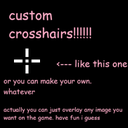
Allows you to overlay custom crosshairs (or any image you want) onto the game.
By kestrel
| Date uploaded | a year ago |
| Version | 1.1.2 |
| Download link | kestrel-CrosshairOverlay-1.1.2.zip |
| Downloads | 41 |
| Dependency string | kestrel-CrosshairOverlay-1.1.2 |
This mod requires the following mods to function

BepInEx-BepInExPack
BepInEx pack for Mono Unity games. Preconfigured and ready to use.
Preferred version: 5.4.2100README
Crosshair Overlay
This mod allows you to overlay your own custom crosshair (or any image you want) over the game.
Usage
All customisation options are available through the mod's config file~ these include:
- Tinting the image, and modifying the opacity
- Changing the size of the image
- Changing the offset of the image from the center of the screen
- Whether to hide the default crosshair
- Whether to overlay or underlay the image relative to UI
- Whether the crosshair should be hidden in the main menu
To change the crosshair, place a png or jpeg image in the mod's install directory, and
change the config option File name to the name of the image (with extension).
Manual Installation Instructions
(you should probably just use a mod manager like r2modman or gale though)
- Download and install Bepinex 5.4.21
(if you have no idea what the versions mean try BepInEx_x64_5.4.21.0 and it might work. maybe) - Once BepInEx is installed, extract the zip into the BepInEx/plugins folder in the game's root directory.
have fun :3

CHANGELOG
v1.1.2
- Fixed mod for Straftat v1.3.3
- If you use a mod manager, this update likely deleted your crosshair. Sorry!
- This will probably be the last update the mod gets for a while~ it's in a. fairly stable state (and something better might be coming...)
v1.1.1
- Added option to disable the crosshair overlay when using a scope (on by default)
