

WorkerPresets
Save two named staffing layouts per kingdom run. Compare staffing by building and plot, see worker and carrier shortfalls, and confirm before applying.
| Date uploaded | 4 days ago |
| Version | 0.1.2 |
| Download link | GKJ-WorkerPresets-0.1.2.zip |
| Downloads | 14 |
| Dependency string | GKJ-WorkerPresets-0.1.2 |
This mod requires the following mods to function

BepInEx-HideManagerGameObject_Config
BepInEx config that sets HideManagerGameObject to true.
Preferred version: 5.4.2304
BepInEx-BepInExPack
BepInEx pack for Mono Unity games. Preconfigured and ready to use.
Preferred version: 5.4.2305README
Worker Presets
Save two named staffing layouts for a kingdom run, then switch between them from a building’s job assignment panel. Preview each change before applying it through the game’s own worker controls.
Features
- Keep two layouts, initially Day Shift and Night Shift. Rename them to suit your kingdom.
- Compare Now and After counts. Duplicate buildings show their plot coordinates, so two Lumberyards can have different targets.
- See worker and carrier shortfalls before applying. Newly built workplaces keep their current staffing. Demolished buildings are skipped, even if you rebuild the same type on the same plot.
- Carry both layouts forward with the kingdom’s next normal save and Continue.
How to Use
- Open a building’s job assignment panel. Select Presets beside the job count, or Worker Presets below a longer job label.
- Choose a slot and select Save current staffing. Overwriting a saved layout asks for confirmation. Rename offers a controller-friendly name picker and a text field for custom names.
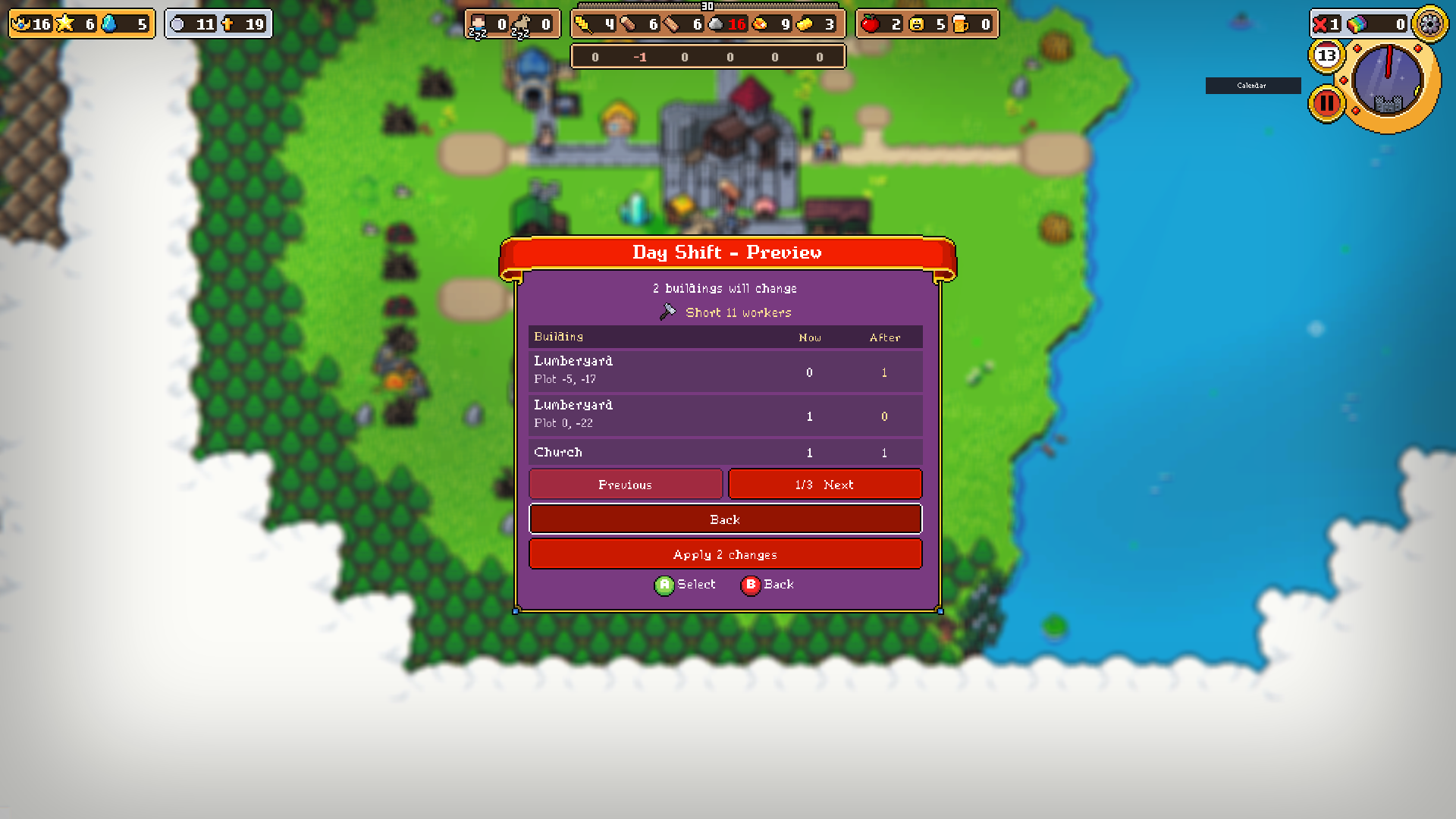
- Choose Preview layout. Check the plot, the Now and After columns, and any shortage. You can apply a layout with more jobs than available people. The game assigns the staff it has.
- Select Apply with the displayed change count to confirm. Back leaves staffing as it was and returns one screen at a time.
Screenshots
At 1×, Day Shift would move one assignment between two Lumberyards. Their plot coordinates distinguish them.
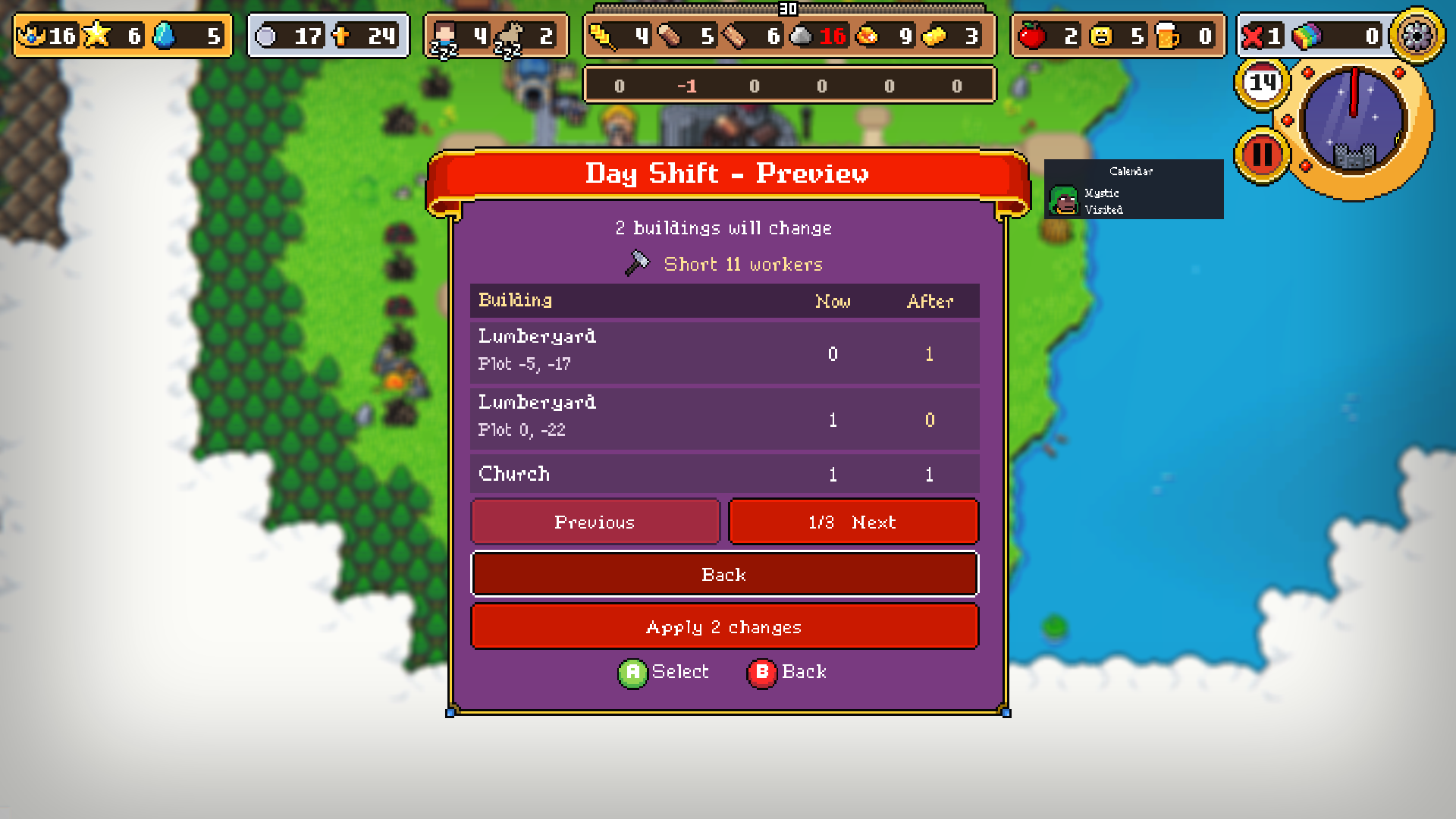
At 1.5× after Continue, the preview shows an 11-worker shortfall. Back has focus, and the resource counters and Visitor Calendar remain visible.
Compatibility
Tested on Super Fantasy Kingdom 0.8.068 at 1920×1080 with a virtual gamepad at 1× and 1.5× UI scale.
- Production Bottlenecks can still focus the selected Lumberyard when two share the same name.
- Pin a Build Cost shares the building panel. Its resource pin and the native assignment controls stay accessible.
- The staffing preview leaves the Daybook counters and Visitor Calendar visible.
Installation
Install Worker Presets from the Super Fantasy Kingdom community in your Thunderstore-compatible mod manager, then launch the game with that profile.
For manual installation, install BepInExPack and HideManagerGameObject Config. Copy plugins/WorkerPresets.dll from the ZIP to BepInEx/plugins/GKJ-WorkerPresets/WorkerPresets.dll.
CHANGELOG
Changelog
0.1.5
-
Restore Worker Presets save and Continue support on game 0.8.070.
-
Add more staffing layouts from the picker and browse them two at a time.
-
Remove layouts with confirmation, including the last layout in a run.
-
Use Layout 1 and Layout 2 as the default names.
-
Remove the repeated shortcut row and use native Back and action button styles in preset screens.
-
Use the same red across layout cards, paging controls, and Back. Hover and focus show the native stepped white frame with a black inner edge.
-
Match the launcher and layout-editing buttons to the same focus behavior, and use native pressed and disabled art on action buttons.
-
Refresh the package icon and screenshots for Human and Undead.
0.1.4
Clarify the mod’s description and compatibility for players.
0.1.3
- Updated the package icon with the in-game worker portrait, staffing hammer, and two assignment slots.
0.1.2
- Show current and proposed staffing in aligned columns, with plot coordinates for duplicate buildings and the number of changes on Apply.
- Show saved building counts in the layout picker and mark workforce shortfalls with the native staffing icon.
- Keep Visitor Calendar and the resource counters visible at 1.5× UI scale.
- Return one screen at a time with controller Back, keeping the selected layout focused.
0.1.1
- Open the slot picker once the game's assignment overlay is visible. Returning to jobs restores controller focus to Worker Presets.
- Place the launcher beside short job labels to leave more room for the building panel at larger UI scales.
- Fit a tall assignment panel between the resource HUD and the screen edge. Other overlays return to their usual size.
- Show the active controller's Select and Close glyphs. Preview rows spell out changes such as “0 to 1” in the game's pixel font.
0.1.0
- Added two named staffing layouts per kingdom run.
- Added per-building previews, worker and carrier shortfall estimates, demolition tracking and explicit application from the native worker panel.
