
You are viewing a potentially older version of this package.
View all versions.
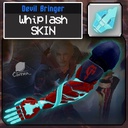
DMC4 DevilBringer Whiplash Skin
THE TIME HAS COME AND SO HAVE I. Replaces the Whiplash texture with a makeover based around Nero's Devil Bringer from Devil May Cry 4.'
| Date uploaded | a year ago |
| Version | 1.0.0 |
| Download link | CintraSkins-DMC4_DevilBringer_Whiplash_Skin-1.0.0.zip |
| Downloads | 586 |
| Dependency string | CintraSkins-DMC4_DevilBringer_Whiplash_Skin-1.0.0 |
This mod requires the following mods to function


tetriscat66-USGCColorOverride
An addon mod for UltraSkins GC, allowing you to add custom color palettes for individual weapon skins.
Preferred version: 1.0.0README
README:
This skin is to be downloaded manually, and requires ULTRASKINS-GC to run.
Instructions:
- Extract this mod's ZIP file somewhere.
- go to
%APPDATA%\bobthecorn2000\ULTRAKILL\ultraskinsGCand create a New Folder with whatever name you want (e.g:My Skins). - Drag and drop all of the files from the extracted ZIP (except for
README.md, manifest.json, and icon.png) into this new folder. - Boot up the game with ULTRASKINS-GC loaded.
- Open up the
USmenu next toSettings. - Select the new folder to load its contents into the game as your new skin(s) ingame.
Screenshots:
Normal Version:


Emissive Version:


About this Skin:
This skin is a retexture based on Nero's Devil Bringer from Devil May Cry 4.
This mod contains a custom emissive texture, as well as an emissive palette for when tetriscat66's upcoming Ultraskins plugin drops.
want to make your own ultraskin? go to my skin template repo
CHANGELOG
1.0.0
- released
1.1.0
- added custom palette for USGC Color Override support.
- changed
readme.mdto have updated screenshots reflecting this change.
1.2.0
- updated for Ultraskins-GC 7.0.0
