

CybergrindMusicExplorer
Add your custom songs to Cyber Grind playlist
| Date uploaded | 2 years ago |
| Version | 1.4.0 |
| Download link | Flazhik-CybergrindMusicExplorer-1.4.0.zip |
| Downloads | 2008 |
| Dependency string | Flazhik-CybergrindMusicExplorer-1.4.0 |
This mod requires the following mods to function

BepInEx-BepInExPack
BepInEx pack for Mono Unity games. Preconfigured and ready to use.
Preferred version: 5.4.2100
Flazhik-CGMEDownloader
A library used by CybergrindMusicExplorer downloader. Does NOTHING by itself.
Preferred version: 2.2.0README
Custom CyberGrind Music Explorer
Add your custom tracks in Cyber Grind playlist.
Disclaimer
Custom music in Cyber Grind playlist is an upcoming feature of ULTRAKILL, so you can use this mod until custom tracks are officially supported.
It doesn't interfere with leaderboards and doesn't alter your gameplay in any way apart from custom music.
This mod does not affect the folder with original soundtrack, so you can combine it with your custom tracks.
Installation
- Download the BepInEx release from here. It's recommended to choose BepInEx_x64 release unless you're certain you have a 32-bit system
- Extract the contents of BepInEx archive in your local ULTRAKILL folder. If you're not sure where this folder is located, find ULTRAKILL in your Steam Library > Right mouse click > Properties > Local files > Browse
- Download the CybergrindMusicExplorer manually, then extract the plugins folder at ULTRAKILL/BepInEx
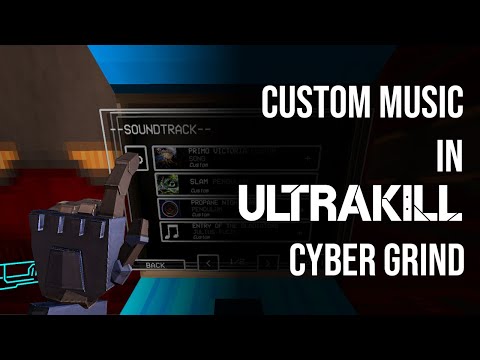
Or you can just use r2modman for that. Both methods are described in the video below (click to open):
Using the mod
- Move your custom tracks/folders to ULTRAKILL/Cybergrind/Music
- Launch the game and go to the blue Cyber Grind settings terminal
- Music section of the terminal should now contain two folders for original score and your own tracks
- Fill the playlist the way you want and enjoy
- Optional: Music Explorer settings menu is available by pressing F4 (by default)
Settings
All the settings for the mod are available by pressing CGME Menu hotkey (F4 by default). The menu contains the following options:
- Show current track panel indefinitely: once checked, this option will make the "Now playing" panel to be present the whole time the track is playing.
- Display subtitles: enable subtitles if present. Yes, the mod supports it, but more on that later.
- Volume boost for custom tracks: if your track is still too quiet, you can always add up to 10dB to it. Please use it carefully.
- Hotkey configuration: configures hotkeys for the main CGME menu, next track and Playback menu.
Playback menu
Allows you to switch between the tracks mid-game. Available by pressing Tab by default.
If the whole menu is an overkill for you, just switch between tracks using Next track hotkey.
Segmented tracks
You can also add multi-segmented looped tracks with an intro and loop parts. In order to make such a track, place your intro and loop files in the same folder and add _intro and _loop postfixes into their file names respectively. Please note that these parts must have the same extension!
Like this.
If everything's been done correctly, it now should be displayed as a single track.
Effects replacement
Create a folder called CGME inside your ULTRAKILL/Cybergrind/Music directory (or use the one created by the mod), and you'll be able to replace some of the sound effects in Cybergrind. This folder is ignored by Music terminal. Please note that these files must have an .mp3 extension.
Here's the list of file names and the references to the sound effects these files are intended to replace:
- cheer.mp3: The sound of cheering when you perform a parry
- cheer_long.mp3: The sound of cheering when you finished a wave
- aww.mp3: The sound of utter dissapointment when you died
- end.mp3: Results screen music
Subtitles support
If a regular Cyber Grind experience is too boring for you, you can turn it into a bloody karaoke (he-he, "bloody"). Place subtitles file named exactly as your track in the same folder where this track is located. Currently, only .srt and .vtt files are supported. The hierarchy and naming should be something like this:
ULTRAKILL/
├─ Cybergrind/
├─ Music/
│  ├─ Darude/
│  │  ├─ Darude - Sandstorm.mp3
│  │  ├─ Darude - Sandstorm.srt
Please note that if your track has into and loop segments, there must be two separate subtitles files
ULTRAKILL/
├─ Cybergrind/
│  ├─ Music/
│  │  ├─ Darude/
│  │  │  ├─ Darude - Sandstorm_loop.mp3
│  │  │  ├─ Darude - Sandstorm_loop.srt
│  │  │  ├─ Darude - Sandstorm_intro.mp3
│  │  │  ├─ Darude - Sandstorm_intro.srt
Additional Credits:
Created by Flazhik
Cyber Grind Music Explorer uses following libraries:
- TagLibSharp - Licensed under LGPL-2.1
- SubtitlesParser - by AlexPoint, licensed under MIT License
CHANGELOG
-
2.2.1
- Hotfix for fonts falling back to Arial
-
2.2.0
- Added yt-dlp updater: there will no longer be dedicated CGME updates when YouTube suddenly decides to change its API, you will simply be prompted to automatically update yt-dlp.
- Added a seek bar inside a Playback menu.
- Added "Resume the last song from where it left off" setting
- Added all the Fraud enemies in Themes section
- Fixed a bug where calm themes turned off after restart
- Fixed a bug where all the post-Fraud OSTs were missing
- Added calm themes for Violence and Fraud
- Fixed a bug where certain song titles were able to crash Discord rich presence
-
2.1.2
- Fraud update fixes
- Updated yt-dlp version
-
2.1.1
- Updated yt-dlp version
-
2.0.8
- Calm/battle themes can now be configured with radiant enemies being taken into account
- Now you can save volume boost setting for each individual track
- Fixed a bunch of minor bugs
-
2.0.7
- Fixed the bug where the calm/battle divided tracks haven't started from the beginning
-
2.0.6
- Fixed a couple more bugs. Sorry for these minor version releases lol
-
2.0.5
- Fixed the bug with playlist editor going nuts over removed songs
- Fixed the bug with setting default sound effects
-
2.0.4
- Preveting a user from binding anything to LMB + rolling back existing binds
-
2.0.2
- Got rid of unnecessary dependencies + some changes in order not to alert thunder security checks
-
2.0.0
- Everything's been remade. Like 95% of the mod was bascially written from scratch.
- Don't even see the point in describing every bit that's been changed
- Naturally all the issues caused by Revamp update are fixed
