
Please disclose if any significant portion of your mod was created using AI tools by adding the 'AI Generated' category. Failing to do so may result in the mod being removed from Thunderstore.

BotanicOwnerDebug
See who owns buildings, dropped items and mobs to debug and configure ownership mods. F10 cycles mobs only, mobs and interactive objects, all buildings, dropped items and mobs, then off. Includes owner colours and a live player legend.
By Botaniclas
| Date uploaded | 2 weeks ago |
| Version | 1.0.10 |
| Download link | Botaniclas-BotanicOwnerDebug-1.0.10.zip |
| Downloads | 45 |
| Dependency string | Botaniclas-BotanicOwnerDebug-1.0.10 |
This mod requires the following mods to function

denikson-BepInExPack_Valheim
BepInEx pack for Valheim. Preconfigured with the correct entry point for mods and preferred defaults for the community.
Preferred version: 5.4.2351README
BotanicOwnerDebug
An optional client-side ownership visualizer for Valheim. Colours buildings, dropped items and NPC mobs by their current network owner, with a live player legend. Useful for inspecting ownership distribution and transfers in multiplayer bases.
What it's for
Use BotanicOwnerDebug to identify object and mob owners, debug ownership transfers and configure ownership mods. Watch who owns nearby objects as players move around, then check whether your settings assign them to the intended player or server.
How it works
Press F10 during gameplay, with menus closed, to cycle:
Mobs only → Mobs + interactive objects → All objects and mobs → Off
The overlay starts off by default. The first press selects Mobs only.
- White: server. Dark grey: unowned. Bright colours: players. Blue-grey: unknown owner.
- Colours follow ownership changes and remain visible through other objects. The legend refreshes every second; network delivery can delay new player information.
- The interactive filter includes dropped items and hides non-interactive pieces such as walls and floors. Both wild and tamed mobs remain visible.
- Players, effects, transparent surfaces and PUP FPS clusters are excluded.
The overlay is local and leaves ownership, original materials and colliders unchanged. Active overlays add rendering work; turn them off after inspection.
Ownership in action
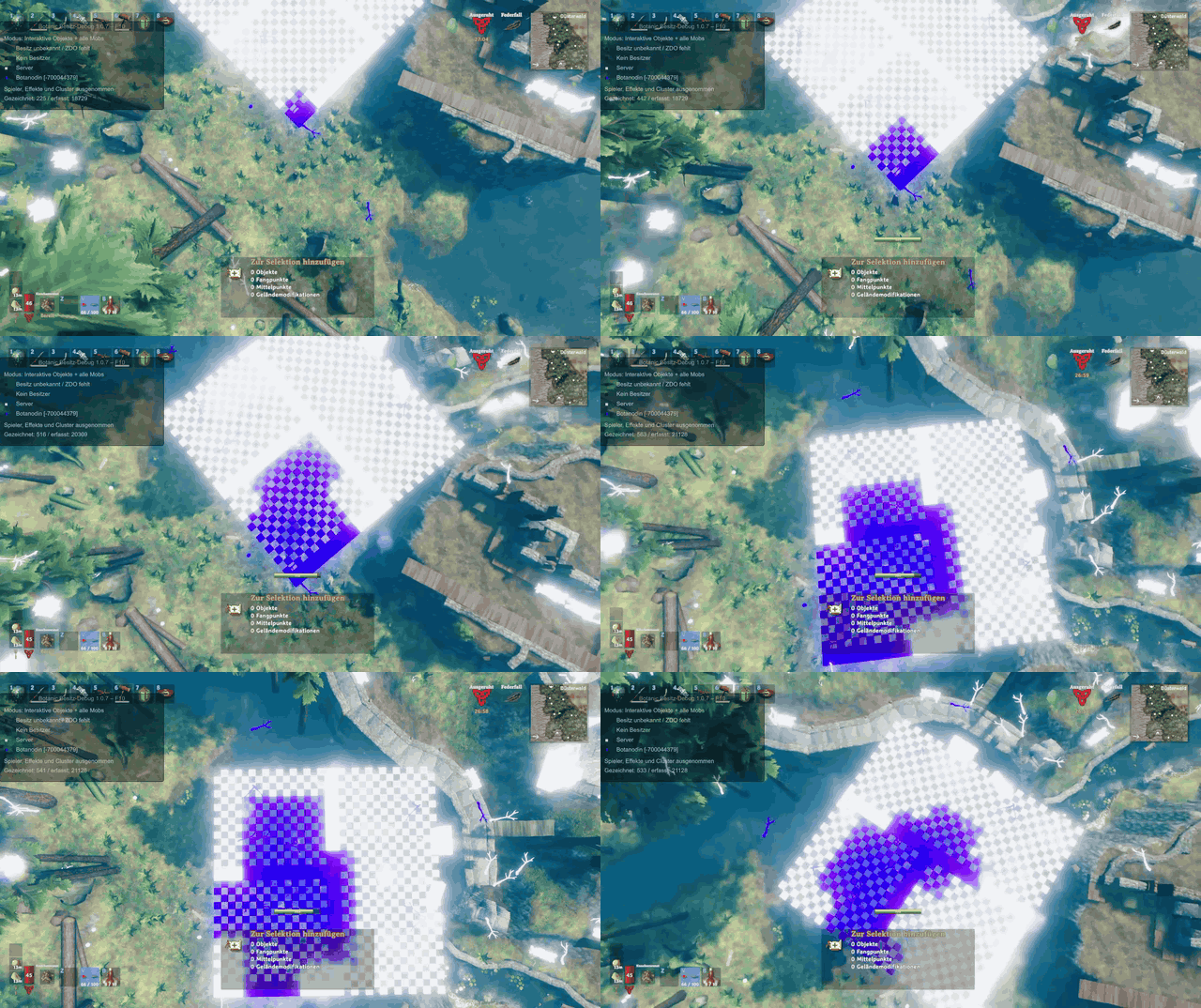
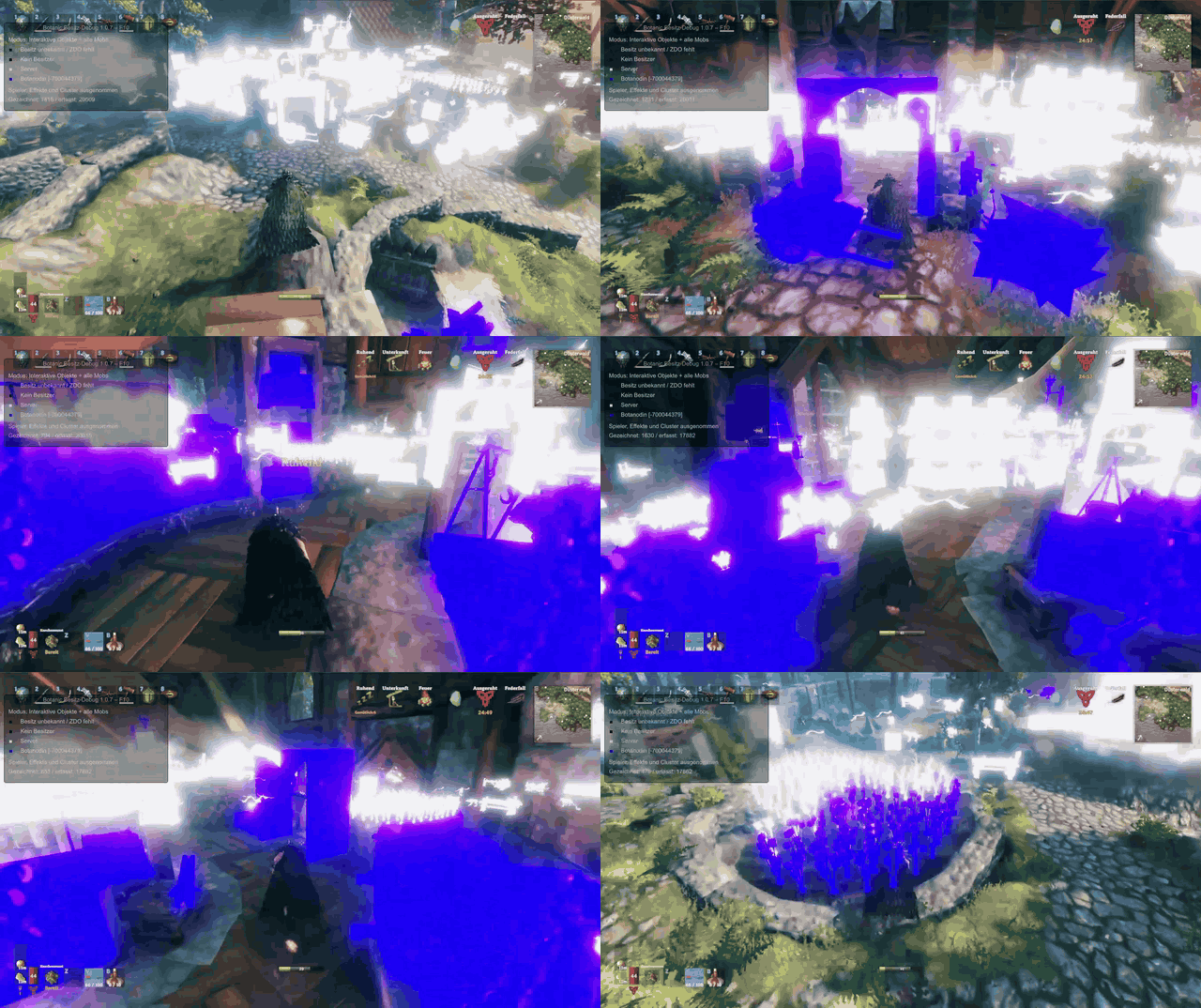
These examples show BotanicOwnerDebug displaying ownership while TooManyLags - FiresGhettoNetworking Addon manages the ownership grid. White objects belong to the server; purple objects belong to the player in these recordings.
Ownership from above
Ownership while moving
Configuration
Edit BepInEx/config/botanic.owner.debug.cfg, then restart the game. F10 updates the display and filter settings automatically.
| Feature | Defaults and options |
|---|---|
| Display | ShowOwnerColours: off. ToggleKey: F10. First press shows mobs only. |
| Filters | InteractiveObjectsOnly and MobsOnly; mobs-only takes priority. |
| Legend | ShowLegend: on. Displays owner colours and player names. |
| Range | MaximumDistance: 200 metres from the camera. |
| Colours | ColourStrength: 1. ColourSeed: 1337; six distinct fixed colours, then six variants; stable per connection. The seed rotates the palette. |
| Diagnostics | EnableLogs: off. |
Requirements and installation
- Install BepInEx on your client. Copy
BotanicOwnerDebug.dllintoBepInEx/plugins/BotanicOwnerDebug/. - Start the game to generate the config. Press F10 to show mobs, again to include interactive objects and dropped items, again for all objects and mobs, then again to turn the overlay off.
No server installation is needed.
CHANGELOG
Changelog
1.0.12
- Replaces F10 mode cycling with a settings menu, six independent category switches and an immediately updated radius. Category switches start off; the old broad filter settings are no longer used.
- Adds optional TooManyLags ai_test phase colours: ordinary owner colours before/after transfer, red for fake playback and orange for final smoothing. Active handoffs colour the native mob draw and restore original material slots after rendering; no extra geometry or CPU skinning is used.
- Assigns purple, green, blue and yellow randomly without repetition to the first four players, with stable colours for the connection. Prepares the overlay after final camera pose callbacks and clears stale camera passes.
1.0.11
- Adds destructible world objects and physical network roots to All objects and mobs, including standing trees, rocks, ore and fallen logs. Live movement and ownership colours use the existing overlay; effects and player visuals remain excluded.
1.0.10
- Includes dropped items in the interactive-object and All overlays, with live ownership colours and pickup cleanup. Mobs only still hides them; carried item visuals and effects remain excluded.
