
Please disclose if any significant portion of your mod was created using AI tools by adding the 'AI Generated' category. Failing to do so may result in the mod being removed from Thunderstore.

ChestTag
Labels for your chests: a name and an item icon on the front or sides of player-built chests, with colors and fonts.
| Date uploaded | 2 days ago |
| Version | 1.0.1 |
| Download link | DarthVladi-ChestTag-1.0.1.zip |
| Downloads | 175 |
| Dependency string | DarthVladi-ChestTag-1.0.1 |
This mod requires the following mods to function

denikson-BepInExPack_Valheim
BepInEx pack for Valheim. Preconfigured and includes unstripped Unity DLLs.
Preferred version: 5.4.2202README
Chest Tag
Name your chests and put an item icon on them, right on the chest itself.
No more opening ten chests to find the nails. Chest Tag shows a readable label on the front or side of the chests you build, so you can see what's inside at a glance.
Screenshots
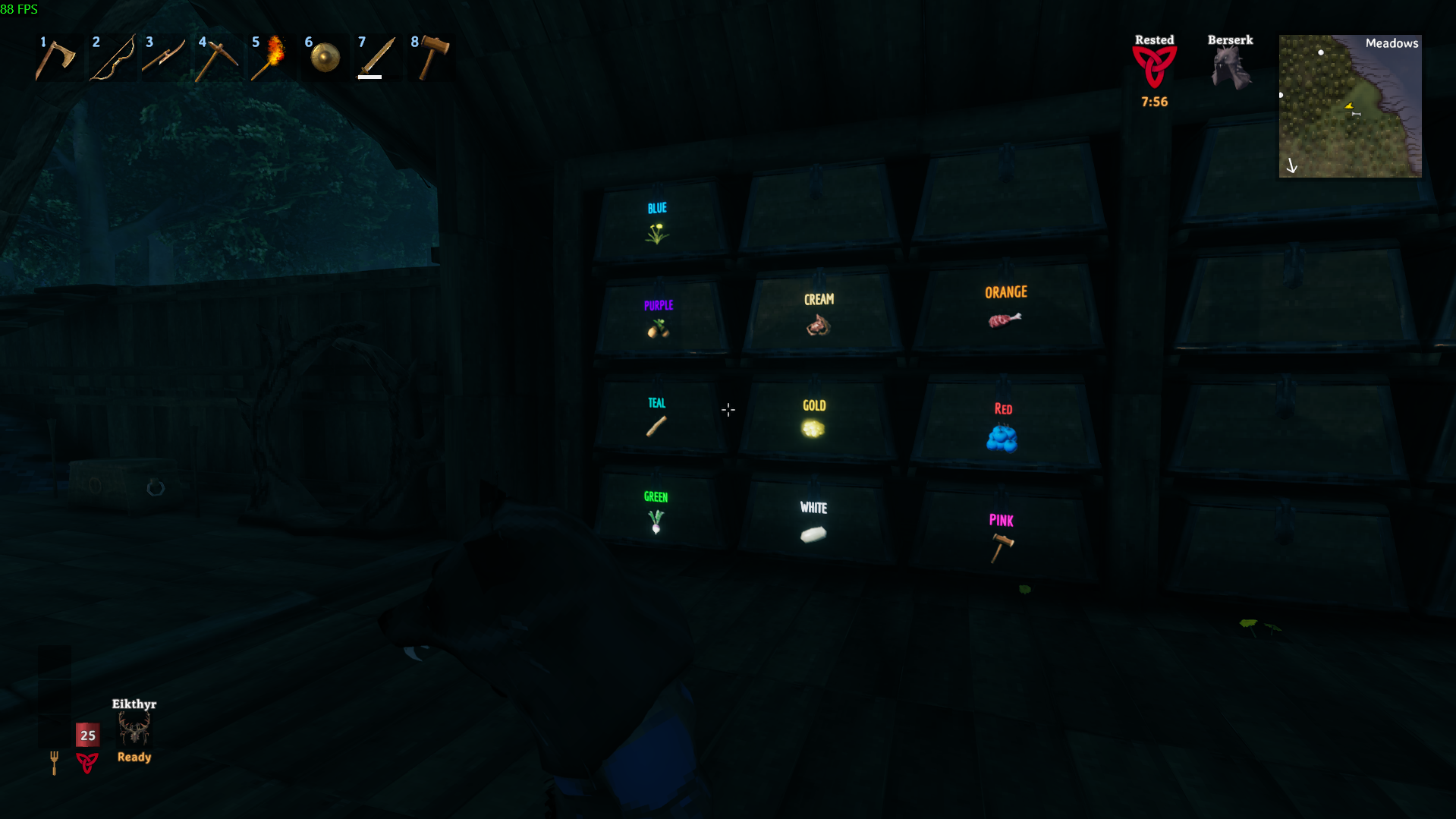
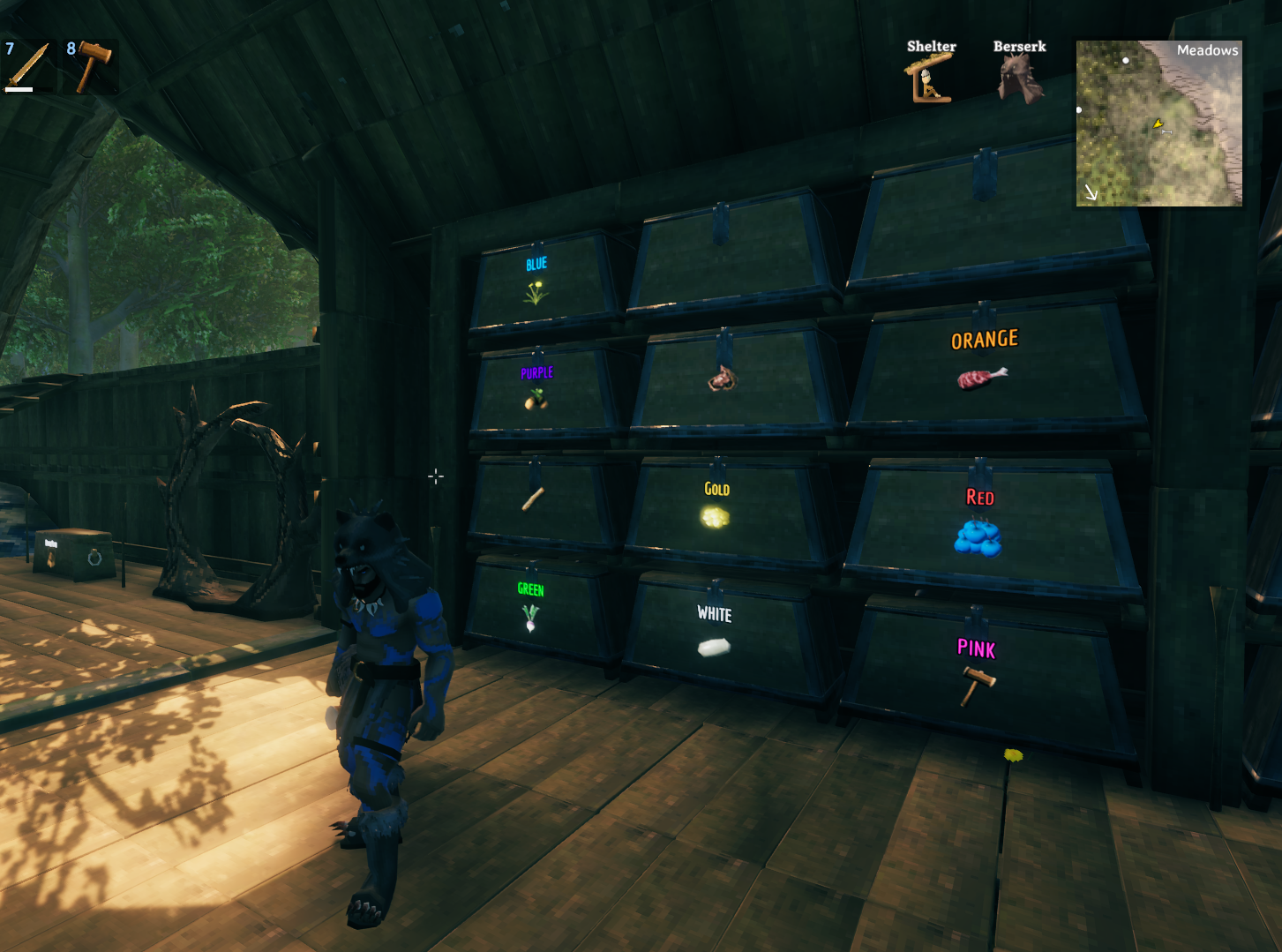
Features
- Names on chests: write any text on a chest you built. It is saved with the chest, so it stays across sessions.
- Item icons: use any item as the chest's icon. You can use an icon with or without a name.
- Three label faces: Front, left side or right side of the chest.
- 10 colors: change the color with the mouse wheel. New chests start with the last color you used.
- Works with every chest you can build, including modded chests that appear in a build menu.
- Fonts: Economica (default) and Russo One are included. You can also use the game's font or drop your own
.ttf/.otfinto thefontsfolder. - Style settings: bold, small caps, outline thickness, opacity, and where the icon goes (left, right, above or below the text).
- Tuned per chest type: text size, label position, icon size and icon position, so every model looks right.
- Light on performance: labels farther than a set distance are hidden (30 m by default).
- Multiplayer-aware: see the example below.
How to use
- Name a chest: look at it, hold Left Alt and press E. Type the name and press Enter. An empty text clears the name.
- Change the face: hold Left Alt and press Q to switch between Front, L Side and R Side.
- Change the color: hold Left Alt and scroll the mouse wheel while looking at the chest.
- Set an icon: open the chest, hover any item (in the chest or in your inventory) and press G. That item becomes the chest's icon. It stays even if you move the item or run out of it.
- Remove the icon: press G again on the same item, or hold Left Alt and press G (with the chest open or just looking at it). No item needed.
Default keys
| Action | Keys |
|---|---|
| Name the chest | Left Alt + E |
| Change the face | Left Alt + Q |
| Change the color | Left Alt + Mouse wheel |
| Set / remove the icon | G (chest open, item hovered) |
| Remove the icon (no item needed) | Left Alt + G |
Every key can be changed in the config file (BepInEx/config/DarthVladi.ChestTag.cfg) or with the in-game Configuration Manager.
Multiplayer: an example
Anna and Ben play on the same server, and both have Chest Tag installed.
- Anna builds a chest in the base and names it "Iron", with an iron ore icon.
- Ben logs in and walks to the base. He sees "Iron" and the icon on the chest, because the label is saved in the chest itself and everyone with the mod sees it.
- Ben decides the chest should hold all metals. He changes the name and the color. His change goes to the chest's owner and is applied right away, and Anna sees the new label.
Notes
- Every player who should see or edit labels needs the mod. The server does not need it.
- World chests (treasure, crypt) are not labeled, only chests you can build.
Credits
Fonts: Economica (Vicente Lamonaca) and Russo One (Jovanny Lemonad), both under the SIL Open Font License. The license files are included.
CHANGELOG
Changelog
1.0.1
- Package update: new icon and screenshots on the page. The mod itself is unchanged from 1.0.0.
1.0.0
- First public release.
- Left Alt + G removes a chest icon without needing the item.
0.8.0
- Defaults tuned: Economica font, outline thickness 2.8, small caps on, icon below the text, per-type icon sizes.
- New chests start with the last color you picked.
- Labels farther than
maxDistance(30 m by default) are hidden. - Text size no longer depends on the icon.
0.7.x
- Fonts bundled (Economica, Russo One); outline thickness (0 to 2.8) and opacity settings.
- Icon offsets per chest type; icon position (left, right, above, below).
0.6.x
- Chest icons: hover an item with the chest open and press G.
0.1 - 0.5
- Text labels, three faces, colors, safe multiplayer editing, global styles.
