
Please disclose if any significant portion of your mod was created using AI tools by adding the 'AI Generated' category. Failing to do so may result in the mod being removed from Thunderstore.

ValHUD
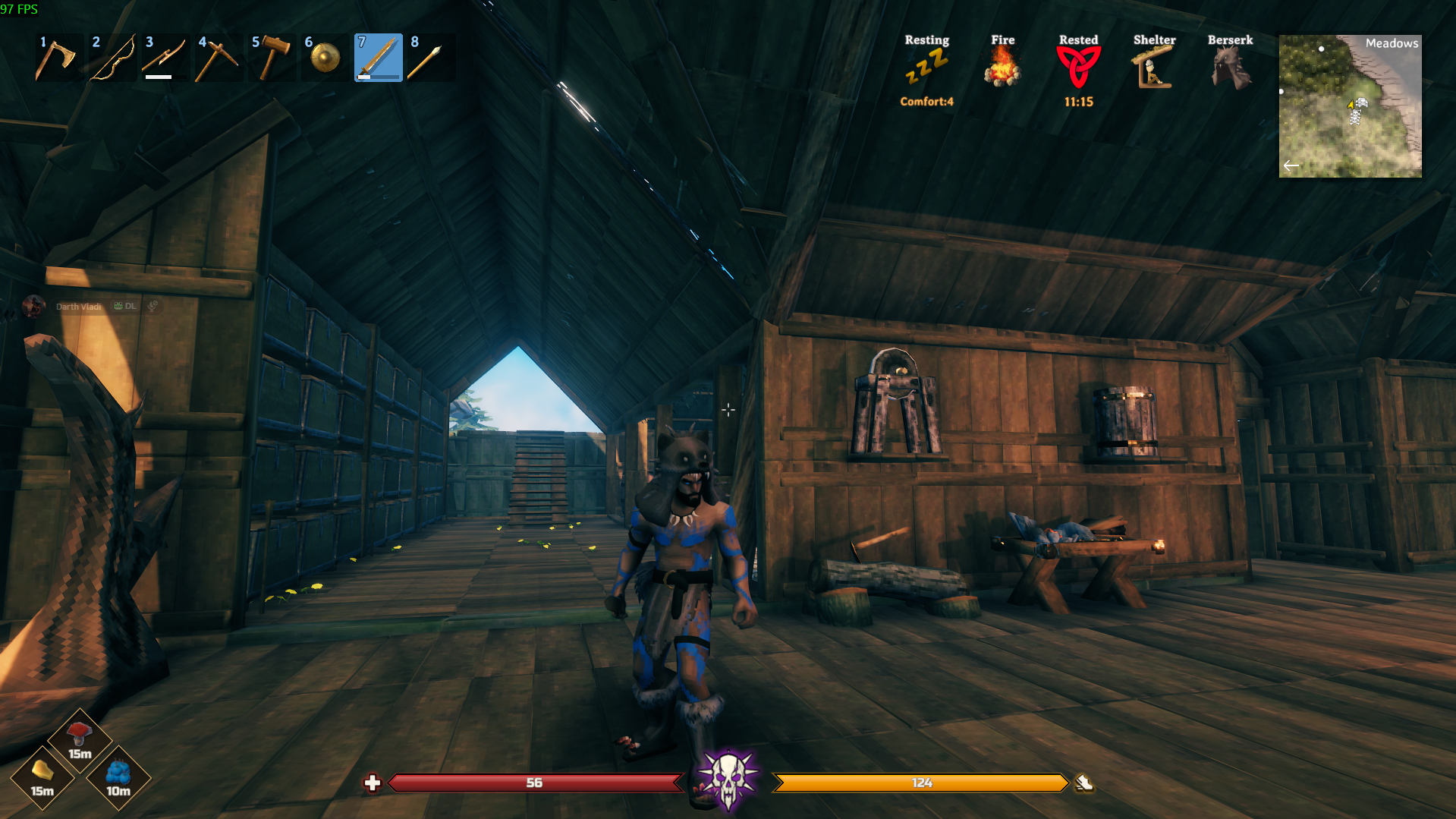
Fully customizable HUD: health, stamina, eitr and adrenaline bars, food and Forsaken power slots, glows, custom icons and fonts, and shareable layouts.
By DarthVladi
| Date uploaded | 2 days ago |
| Version | 1.0.3 |
| Download link | DarthVladi-ValHUD-1.0.3.zip |
| Downloads | 113 |
| Dependency string | DarthVladi-ValHUD-1.0.3 |
This mod requires the following mods to function

denikson-BepInExPack_Valheim
BepInEx pack for Valheim. Preconfigured with the correct entry point for mods and preferred defaults for the community.
Preferred version: 5.4.2350README
⚔️ ValHUD — Build the HUD you want
ValHUD isn't just another HUD replacement.
It's a customizable HUD toolkit for Valheim, built to give you the tools to create your own interface instead of forcing you to use another author's design.
Move elements wherever you want. Resize them. Change their colors, shapes, gradients, icons, fonts and visual effects. Start from scratch, or pick one of the included layouts and make it your own.
Everything is configurable in-game, and you see your changes immediately.
- Want a clean minimalist HUD? Go for it.
- Want something inspired by another game? Sure.
- Want to spend three hours moving a health bar two pixels to the left because it just looks better? We've all been there. 😏
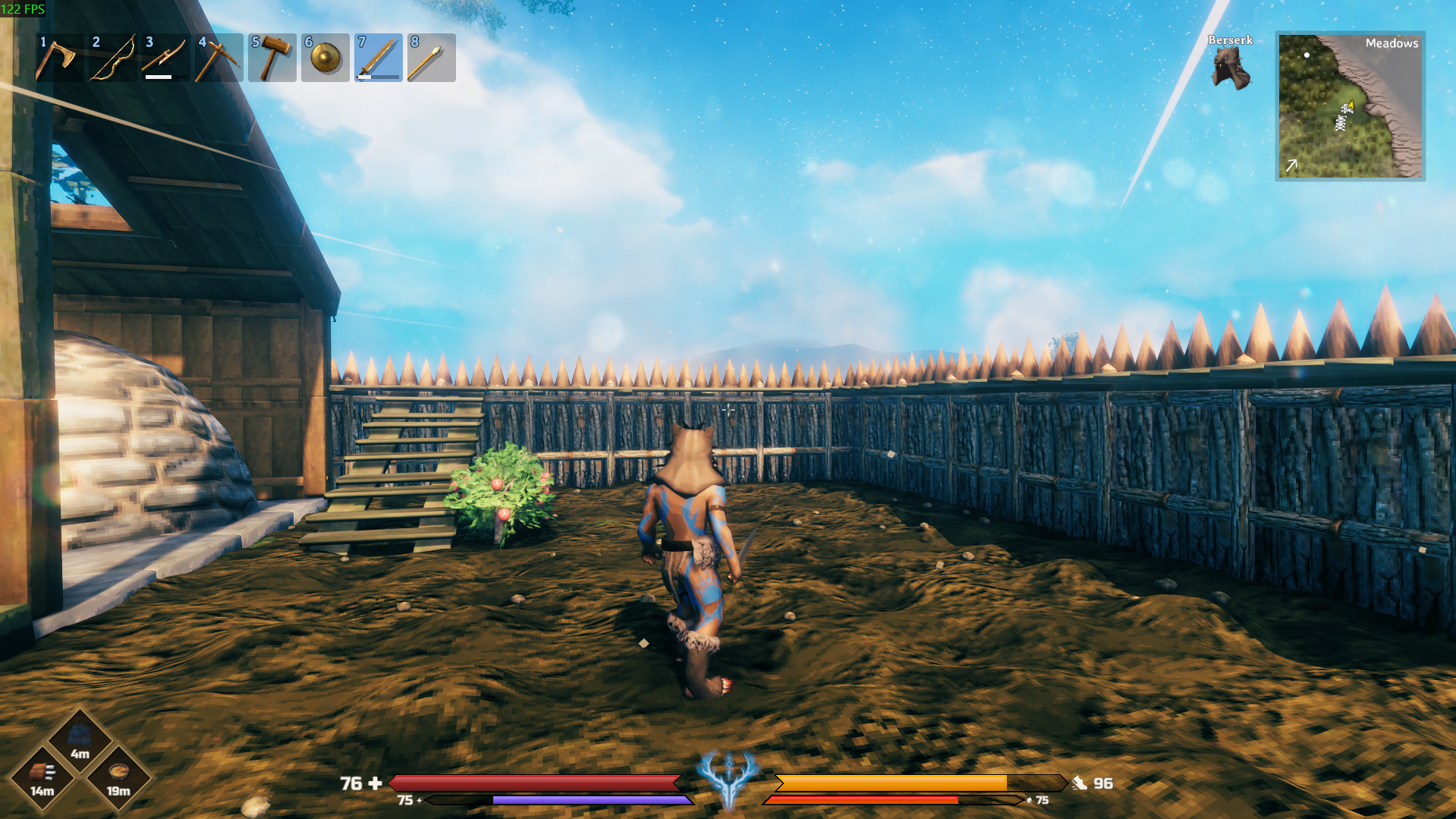
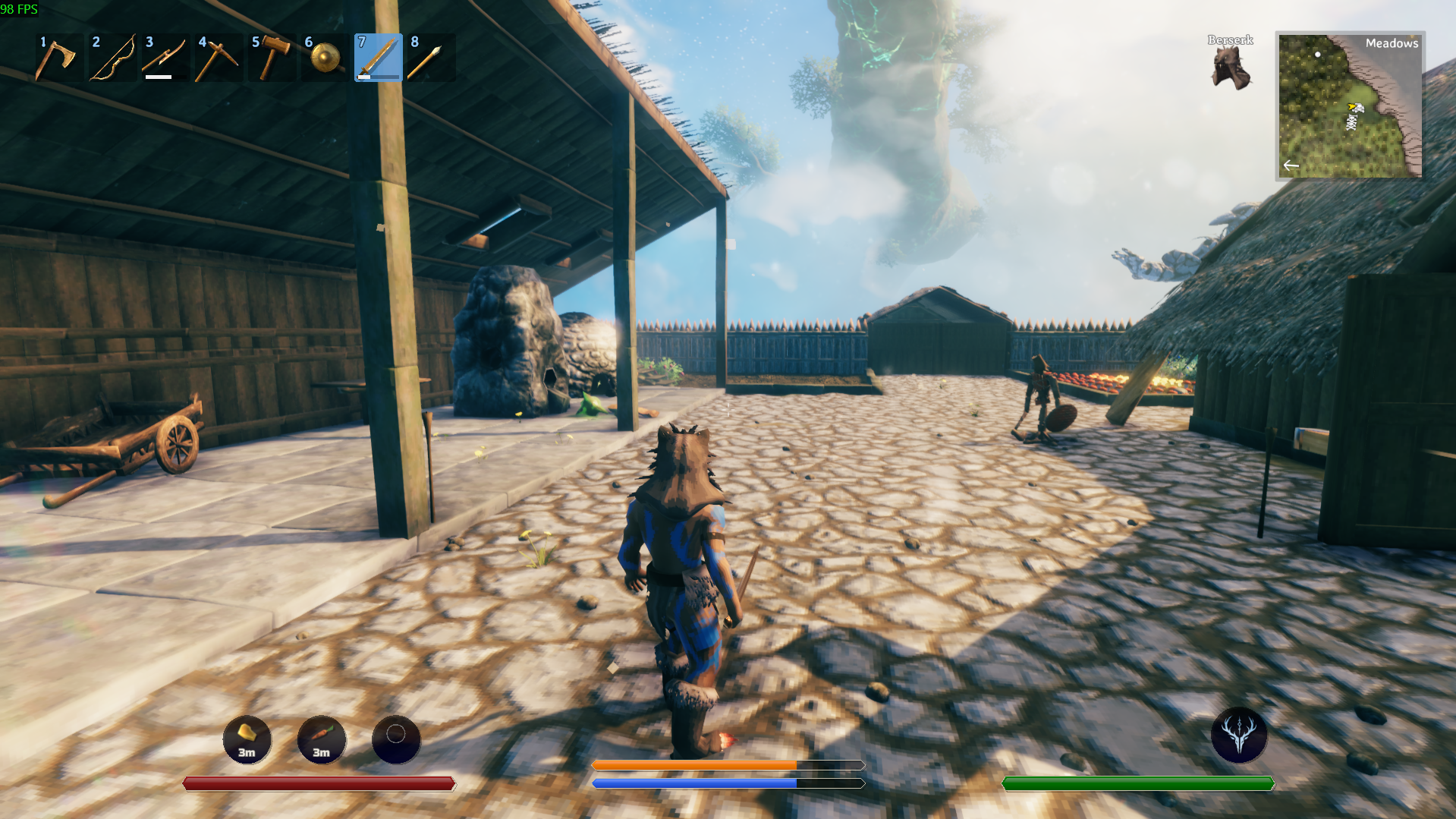
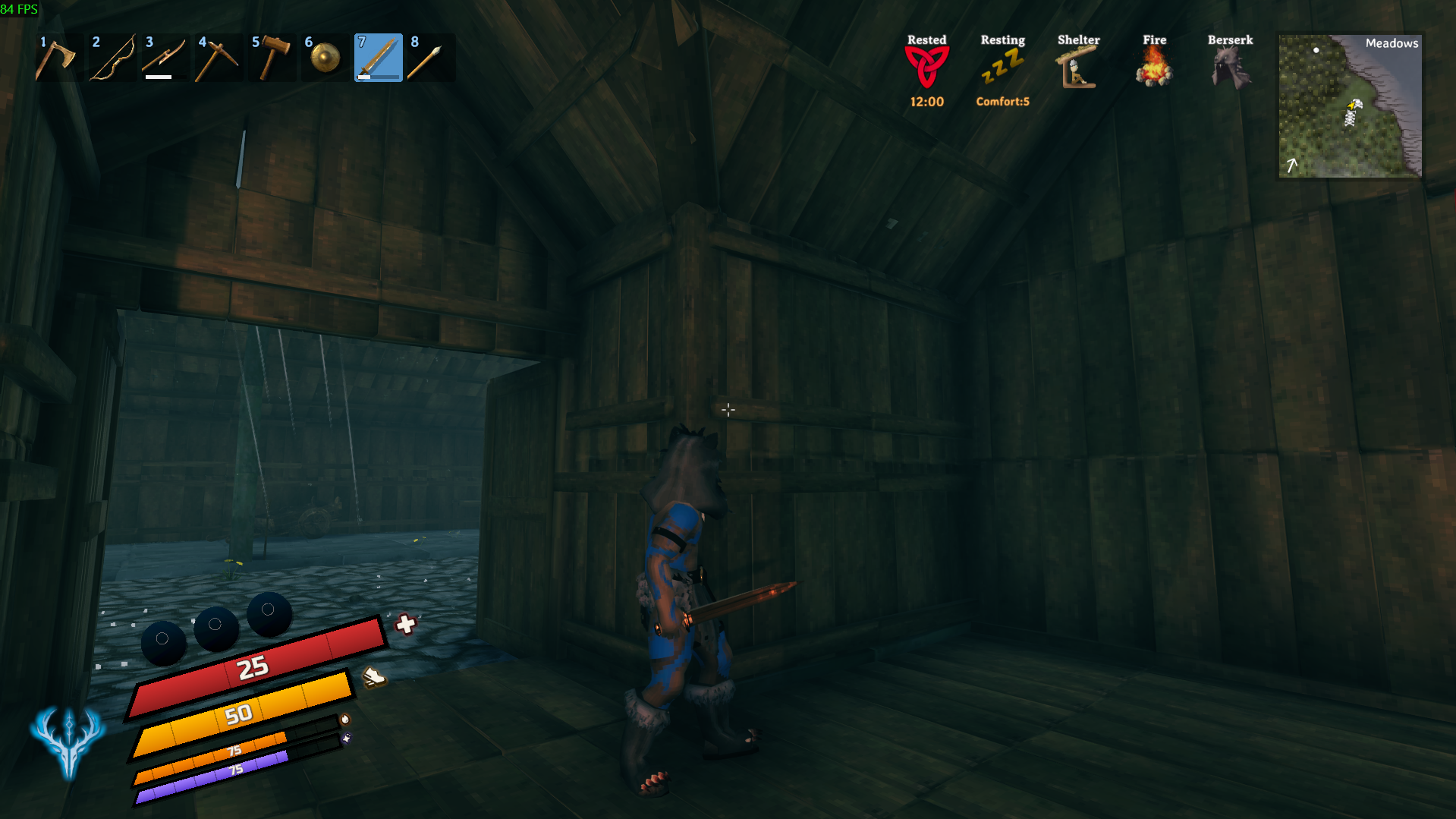
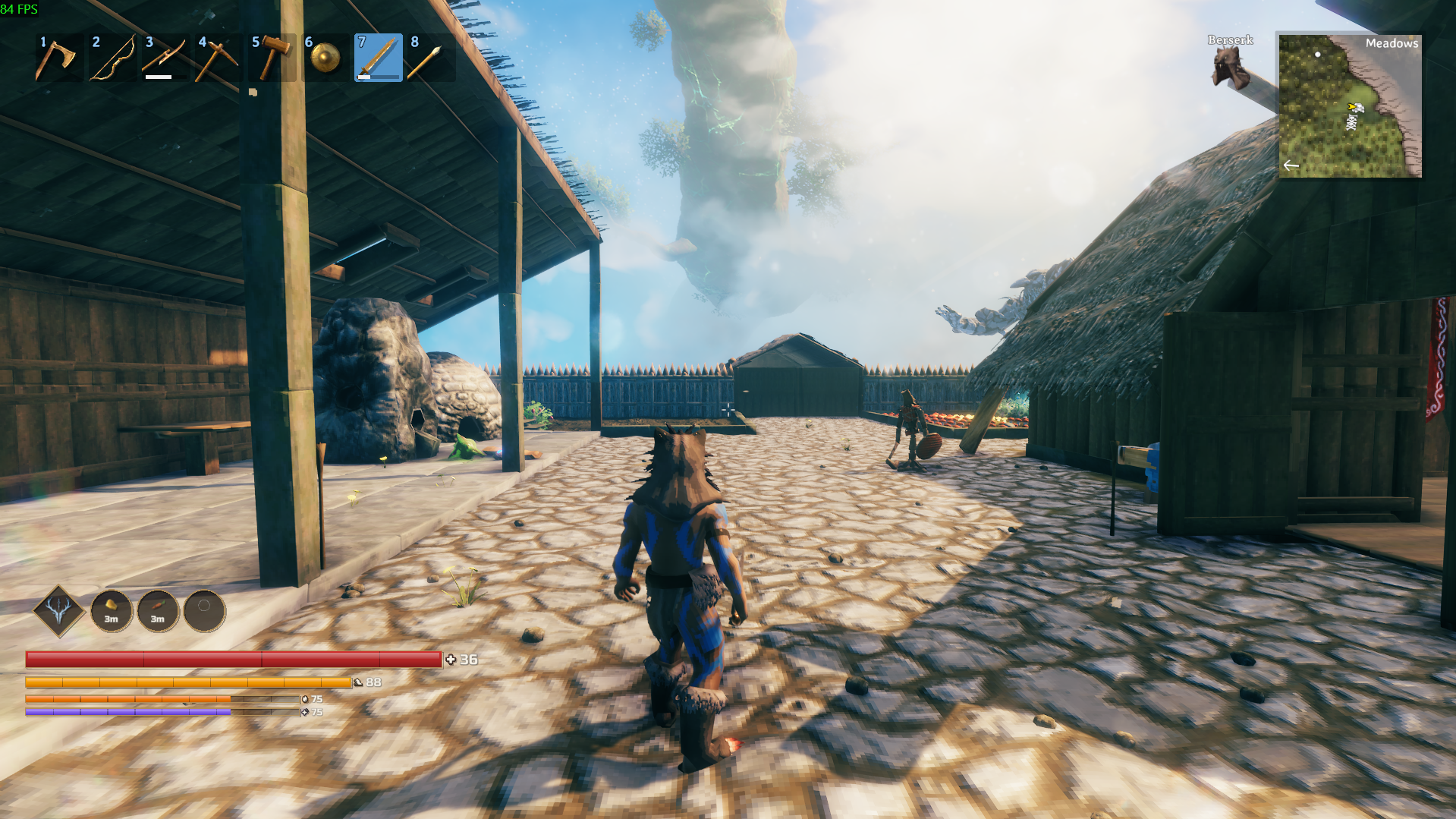
📸 Screenshots
✨ Features
💾 Layouts
Create, save, switch between and share your own HUD layouts. Five are included, ready to use:
- DarthVladi — the default
- DarthVladi Green
- Flat
- Skyrim
- Tilted
They're examples of what the toolkit can do, not limits on what you can build.
❤️ Fully customizable bars
Health, Stamina, Eitr and Adrenaline each have their own settings: position, size, colors and gradients, transparency, slanted or pointed ends, dividing marks, numbers, icons, rotation, glow, shadows and outlines. Every bar is independent, so you're never locked into one style.
⚡ Forsaken Power
Give your Forsaken Power its own place on the HUD, with cooldown, a glow when it's ready, and a custom icon for all seven bosses — each with its own glow color and outline.
🍖 Food slots
Your three food slots get their own display: position, size, icons, timers, colors, glow, shadows and outlines. Style one and apply it to all three in one click. When you can eat a food again, its icon can blink (as vanilla, or 2x or 3x slower so it isn't distracting), dim, or stay as it is.
🔤 Your own fonts and icons
Swap any icon for your own PNG and add your own fonts, then pick them straight from the settings. Your HUD doesn't have to look like everyone else's.
🧹 A cleaner screen
Hide the vanilla elements ValHUD replaces. You choose exactly what stays. (For the control hints, use the game's own "Key hints" option.) The game's status icons (wet, rested, comfort...) are untouched.
🧪 Set up Eitr & Adrenaline before you have them
Turn on ForceVisible to keep the bar on screen while you place and style it. It's visual only: it doesn't give you anything or touch your real stats.
🛠️ Installation
- Install BepInExPack Valheim.
- Install ValHUD with your mod manager.
- Launch Valheim and press F1 to open the settings. This needs a configuration manager; we recommend Configuration Manager by shudnal.
- Go to 00. General, choose a layout and start customizing.
Changes apply immediately, so you can tweak your HUD without restarting the game.
🔧 Compatibility
ValHUD changes your own HUD only. It doesn't touch gameplay, combat, player stats or the server, so it doesn't need to be installed on the server and other players don't need it.
- Other HUD mods: ValHUD replaces the health, stamina, food and Forsaken Power displays. If another mod also changes them, they can overlap or show up doubled. Turn off that element in the other mod, or hide the matching one in ValHUD with its Visible option (sections 01 to 05).
- Mods that add info to the vanilla bars: since ValHUD hides those bars, that extra info may not show. To keep a vanilla element, choose what to hide in 92. Vanilla HUD.
- Food HUD mods: ValHUD replaces the vanilla food display, so mods that decorate those icons may have nothing left to change.
Found a mod that doesn't play nice? Tell me which one and I'll look into it.
📜 Credits
- Icons: Phosphor Icons — MIT License
- Font: Russo One — SIL Open Font License 1.1
- Forsaken Power icons: redesigned versions inspired by Valheim's original artwork
- Built by DarthVladi together with Claude.
ValHUD is a toolkit, not a single "perfect" HUD. If you create something better, stranger, cleaner, or completely ridiculous, that's exactly the point.
Build the HUD you want. ⚔️
CHANGELOG
1.2.1
- New NumberBold and TextBold settings (in 00. General, next to the fonts) to make the numbers and the names bold. Names stay bold by default and numbers stay regular, so nothing changes unless you turn them on or off. Both are saved in layouts.
- The Game font now takes the font the vanilla HUD uses for each kind of text (numbers and names) instead of the first font found in the HUD.
1.2.1
- New NumberBold and TextBold settings (00. General) to make the numbers and the names bold. Names are bold by default, as before; they are saved in layouts.
- The Game font now takes the font of the matching vanilla text (the power's name for names, the health value for numbers) instead of the first font found in the HUD.
1.2.0
- New edit mode: press F8 in game (the key is configurable with
EditModeKey) and move the HUD with your mouse. Drag an element to move it, use the mouse wheel to rotate it (Shift for fine steps), the arrow keys to nudge it (Shift for bigger steps), R to reset it, F8 to save and exit, Esc to undo your changes. - A grid helps you line elements up, and snap pulls them to it (hold Ctrl to move freely). G shows/hides the grid, S turns snap on/off and H hides the on-screen help. New settings
ShowGrid,GridSizeandSnapToGrid(not saved in layouts). - While edit mode is open the game ignores your keyboard and mouse, so the inventory, map, chat, console and build menu can't be opened by accident. Edit mode closes by itself, and says why in the log, if the game needs your attention (for example when you die or open the settings window).
- Eitr and Adrenaline bars are shown while editing even if your character has none, so you can place them.
1.1.0
- New AutoHide option for every bar (with
AutoHideDelayandFadeTime). Health, Stamina and Eitr hide when they are full and come back as soon as they drop; Adrenaline hides when it is 0 and appears when you gain some. The bar waits a few seconds, then fades smoothly. It is off by default, and these settings are not saved in layouts, so loading a layout never changes them.
1.0.3
- The settings file is now
DarthVladi.ValHUD.cfg(it wasvalhud.customhud.cfg). Your old settings are copied automatically on the first launch. - Food icons:
BlinkWhenEdibleis replaced byEdibleStyle(Blink,DimorNone), plus a newBlinkSpeeddrop-down (Vanilla,TwiceVanilla,ThreeTimesVanilla) to make the blink slower and less distracting.BlinkWhenEdible = falseis carried over asNone. - Removed
HideKeyHints: it cost a lot of FPS. Use the game's own "Key hints" option instead. - Icon glow and outline no longer pile up in memory when moving the sliders, and the outline is about 15 times faster.
- If one HUD element fails, only that element is hidden; if the whole HUD can't be built, the vanilla HUD is shown. The log lists each different error once, and thousands of "LiberationSans" warnings are gone.
- Layouts are saved through a temporary file, "Save as" explains names Windows doesn't allow (CON, NUL...), an invalid
ValueFormatno longer throws errors, andDivisionRuleaccepts limits in any order. - All setting descriptions rewritten in plainer language, with examples.
1.0.2
- Fixed the package layout so mod managers keep the icons and fonts folders next to ValHUD.dll (the Forsaken power icons were not found).
1.0.1
- New description page with screenshots. No changes to the mod itself.
1.0.0
- First public release.
- Customizable bars (health, stamina, eitr, adrenaline), food slots and Forsaken power slot.
- Layouts: save, load, revert and share as .json; five built-in layouts (DarthVladi, DarthVladi Green, Flat, Skyrim, Tilted).
- Custom icons for every Forsaken power, with per-boss glow and outline.
- Fonts: Russo One bundled; add any .ttf/.otf.
- Option to hide the vanilla HUD and key hints.
