
Please disclose if any significant portion of your mod was created using AI tools by adding the 'AI Generated' category. Failing to do so may result in the mod being removed from Thunderstore.
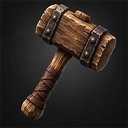
LetsBuild
A builder's hammer that never wears out. While you hold it, building is free and you can fly; put it away and everything is as it was.
By DezzyCode
| Date uploaded | 6 days ago |
| Version | 0.2.0 |
| Download link | DezzyCode-LetsBuild-0.2.0.zip |
| Downloads | 36 |
| Dependency string | DezzyCode-LetsBuild-0.2.0 |
This mod requires the following mods to function

denikson-BepInExPack_Valheim
BepInEx pack for Valheim. Preconfigured with the correct entry point for mods and preferred defaults for the community.
Preferred version: 5.4.2350
ValheimModding-Jotunn
Jötunn (/ˈjɔːtʊn/, 'giant'), the Valheim Library was created with the goal of making the lives of mod developers easier. It enables you to create mods for Valheim using an abstracted API so you can focus on the actual content creation.
Preferred version: 2.30.0README
Lets Build
A builder's hammer that never wears out.
While it is in your hands, building costs nothing and you can fly. Put it away and the game is exactly as it was before you picked it up.
What it does
Never wears out. Not by having a huge durability number — by having none at all, so there is no bar quietly draining either.
Free building and flight while held. Equipping it switches on the game's own devcommands, debug mode, free placement and flight. Unequipping puts every one of them back.
Back, not off. If you had flight or free building on before you picked the hammer up, putting it away leaves them on. It restores what it found rather than switching things off, so it cannot cancel something you asked for yourself.
Flight ends when you land. Cutting flight in mid air would be a fall you did not agree to, so it waits for solid ground. Until then you build normally and can still fly.
Build from the free camera. Type freefly in the console and the camera detaches,
as usual — but with the hammer in hand you can still place, remove, rotate and open the
build menu, wherever the camera looks. The camera keeps looking around and flying (mouse,
WASD, jump and crouch); the mouse buttons and wheel go to building instead of to the
camera's filming tools. You can build as far as the world is loaded around your character,
which is about as far as you would normally see.
Your normal hammer is untouched. This is a separate item, not a change to the vanilla one. Nobody wants their building tool to start enabling cheats because a mod is installed.
Worth knowing
It enables cheats. That is the point, and it has consequences the hammer cannot undo: Valheim marks a session that used devcommands, and achievements know about it.
On a server you need to be an admin. Valheim's devcommands is server side and
admin gated. Admin only is on by default for the same reason: a craftable item that
grants flight is an item that can be handed to somebody else.
Other players see you fly. Flight is stored on your character for everyone, not just for you.
Settings
Local only — this mod affects whoever holds the hammer and nobody else, so there is nothing to synchronise.
| Setting | Default | What it does |
|---|---|---|
| Craftable | on | A recipe at the workbench, one wood. Off leaves it spawn only |
| Admin only | on | Restrict the effects to admins |
| Enable flight | on | Off makes building free without touching flight |
Spawn it by hand with spawn LetsBuild_Hammer.
Requirements
- BepInExPack Valheim
- Jötunn 2.30 or newer
Credits
Author: DezzyCode
CHANGELOG
Changelog
0.6.8
Precision building
- The grid follows what you look at. Aimed at a building piece it takes that piece's turn and tilt and lines up with its edges: along a turned floor, down a roof slope, across a slanted wall. Aimed at terrain it stays on the world's north/south and east/west axes.
0.6.7
Precision building
- Every piece in the build menu now snaps to the grid on solid ground. Pieces that must not stand in water (fires, among others) were left out before.
- Past the edge of a beam or floor a piece stays on the grid, in the plane of the surface you aim at, instead of dropping off it.
- A piece at the edge of your reach no longer falls off the grid.
- No grid on water: aimed at water, placing works as in the game.
0.6.6
Precision building
- With the grid on, pieces snap to the grid only. The game no longer pulls them onto neighbouring pieces, which moved them off the grid. Q/E still choose which point of the piece sits on the grid. With the grid off, snapping is the game's own again.
0.6.5
Builder's hammer
- You choose whether to "cheat": press O with the hammer in hand to switch creative building (flight and free building) on or off. Off, it is an ordinary hammer that never wears out. The choice is kept, and the key hints show it.
- The free camera (P) works with creative building on and off.
0.6.4
Precision building
- The grid is drawn only in the plane of the surface you aim at. Before, each grid line followed the ground below it, so past the edge of a beam or floor the lines dropped onto whatever lay underneath.
0.6.3
Planting
- At most 200 plants per click. Every preview is checked each frame, and larger grids could make the game stutter. Existing settings above 200 are lowered automatically.
- Unused code removed.
0.6.2
Planting
- Bushes, mushrooms and flowers can no longer be planted into something that already stands there: another bush, a rock, a tree trunk or a building. Such spots show red, like a crop without room to grow.
0.6.1
Precision building
- The grid and the finer rotation steps now only work with the hammer (the game's hammer and the builder's hammer). With the hoe or the cultivator, building is exactly the game's own.
0.6.0
Planting
- Fixed the planting grid starting with an arbitrary camera-angle offset. The grid now starts aligned to the world while keeping Valheim's normal rotation steps.
0.5.9
A big update: Lets Build is now a building and farming mod, not just a hammer.
Builder's hammer
- A hammer that went missing comes back. The game drops any item whose mod is not loaded when a character loads, so one session without Lets Build (another mod profile, a mod that failed to start) used to lose it for good. The mod now remembers how many hammers you carried and gives back any that were lost that way. Hammers stored in chests are never duplicated.
- Flying and free building while held, as before. The game's own English switch messages are replaced by one message in your language.
- A new inventory icon.
Language
- Everything follows the game's language: German in a German game, English in every other language. Key names use the game's own words where it has them.
Precision building (with the hammer)
- H grid on/off, N grid size (0.125–2 m), J rotation step (90° down to 1°), U snap to grid corners or cell centres.
- The grid lies on whatever you aim at, including walls, is anchored to the world, follows uneven ground and fades out softly towards its edge.
- The game's own snap points still win. With the grid off, building is exactly the game's: 22.5° rotation, and N, J and U do nothing.
Planting (with the cultivator)
- Plant in rows and columns: arrow keys set the size, H lines new plants up with the ones already standing. The mouse wheel turns the grid, also while snapped.
- The spacing comes from the game's own growth rule, so every plant grows and none is wasted.
- Spots where a plant could not grow are red, with the reason shown.
- Every plant costs seeds, stamina and cultivator wear and trains farming, exactly like planting them one by one.
- Shift + E harvests everything ripe around you, beehives included. Optional replanting after harvest.
- The hover text shows how far a plant has grown and when a picked bush bears again.
More to plant
- Raspberry, blueberry, cloudberry and lingonberry bushes, mushrooms, thistle, dandelion, smoke puffs and fiddleheads.
- New saplings: ancient (swamp tree), yggdrasil, autumn birch and ashwood.
- Only what a player planted can be removed, and the cost is never refunded, so nothing can be duplicated.
- The server decides where crops and trees grow, whether they need cultivated ground, open sky and space, how fast they grow and what wild plants cost. These settings are synced to every player.
Key hints
- All keys are shown lower right, in the game's own key hint style, lined up with the game's hint bar.
Required on the server and every client. The new saplings are objects a player without the mod cannot see, and the planting rules come from the server. Jötunn checks this when you connect.
0.4.0
The character now travels with the loose camera, unseen. The world loads wherever you fly and building reach is the normal reach from where you look. Returning with P keeps you where the camera was while flying, or puts you back where you stood so there is no fall.
0.3.1
Fixed an error when leaving a world with the hammer in hand. The mod also reported the wrong version in the log.
0.3.0
A loose build camera on P, replacing the free-fly approach of 0.2.0. Building works exactly as always, from wherever the camera is.
0.2.0
Building from the free-fly camera.
0.1.1
An apostrophe in a config name stopped the whole mod from loading. Fixed, and such names are now checked so it cannot happen again.
0.1.0
First release: a builder's hammer that never wears out. While you hold it, building is free and you can fly; put it away and everything is as it was before.
