
Please disclose if any significant portion of your mod was created using AI tools by adding the 'AI Generated' category. Failing to do so may result in the mod being removed from Thunderstore.
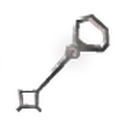
EndosCryptKeySlotMod
Adds a custom equipment-styled slot for your Crypt Key to save inventory space, featuring native clink sounds and a swampy green glow effect.
By EndoCo
| Date uploaded | 6 hours ago |
| Version | 1.0.0 |
| Download link | EndoCo-EndosCryptKeySlotMod-1.0.0.zip |
| Downloads | 10 |
| Dependency string | EndoCo-EndosCryptKeySlotMod-1.0.0 |
This mod requires the following mods to function

denikson-BepInExPack_Valheim
BepInEx pack for Valheim. Preconfigured and includes unstripped Unity DLLs.
Preferred version: 5.4.2202README
Endos Crypt Key Slot Mod
Tired of the Swamp Key taking up a crucial inventory space during your swamp runs? This mod introduces a dedicated, standalone slot for your Crypt Key designed to perfectly match Valheim's native equipment style (like the shield/stat badge).
Features
- Dedicated Custom Slot: Keeps your Crypt Key active and equipped outside of your normal 32 inventory spaces.
- Immersive Visuals: The slot displays a semi-transparent key silhouette when empty and pulses with a magical swamp-green glow when the key is successfully slotted.
- Seamless Door Interactions: Open Sunken Crypt gates instantly by pressing
Ewhile the key is in your bundle slot. - Persistent Saves: The key safely saves with your character data, stays secure upon death, and stays put during server logouts.
- Configurable: Fully compatible with BepInEx configuration managers to adjust screen coordinates to fit any custom UI layout.
Installation
Manual Installation
- Ensure you have BepInEx installed for Valheim.
- Move the
SwampKeyBundle.dllfile into yourSteam/steamapps/common/Valheim/BepInEx/plugins/directory. - Launch the game!
Configuration
Upon launching the game for the first time, a configuration file named EndosCryptKeySlot.cfg will generate inside your BepInEx/config/ folder. You can open this file with any text editor to adjust:
- Slot X Position: Move the UI horizontally.
- Slot Y Position: Move the UI vertically.
Changelog
v1.0.0
- Initial release. Full English translation, custom data persistence hooks, and 1-frame injection door patches.
