
Please disclose if any significant portion of your mod was created using AI tools by adding the 'AI Generated' category. Failing to do so may result in the mod being removed from Thunderstore.

NoMapWayfinding
Hides the minimap and puts the world map on the cartography table, where it shows the group's shared exploration. A compass takes the minimap's place.
| Date uploaded | 2 weeks ago |
| Version | 1.1.1 |
| Download link | IronTree-NoMapWayfinding-1.1.1.zip |
| Downloads | 810 |
| Dependency string | IronTree-NoMapWayfinding-1.1.1 |
This mod requires the following mods to function

denikson-BepInExPack_Valheim
BepInEx pack for Valheim. Preconfigured with the correct entry point for mods and preferred defaults for the community.
Preferred version: 5.4.2350README
NoMap Wayfinding
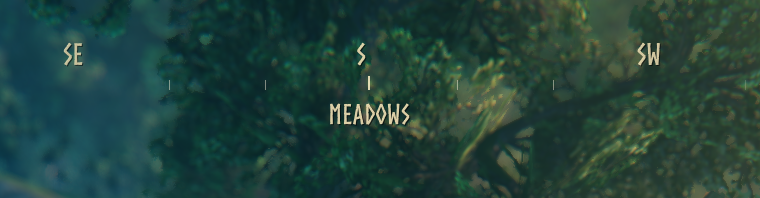
Takes the minimap away and puts the world map where it belongs: on a cartography table, showing everything your group has found between them.
What it does
- No minimap. You navigate by looking at the world.
- A compass instead, with the biome you are standing in named underneath it.
- The map key does nothing. Walk up to a cartography table and the map opens; walk away and it closes.
- One touch shares everything. Using a table merges exploration in both directions, so anyone who visits leaves with everything the group has found.
- Shouts show up on the compass. When someone shouts, the direction it came from is marked for two minutes with the game's own shout icon, and turning towards it names who called.
- Tables are not a portable GPS. A newly built table has to stand a while before it can be read, so one cannot be carried around, planted to check your position, and dismantled again.
Exploration is still recorded the whole time you are out there. You just cannot look at it until you reach a table.
The map, at a table
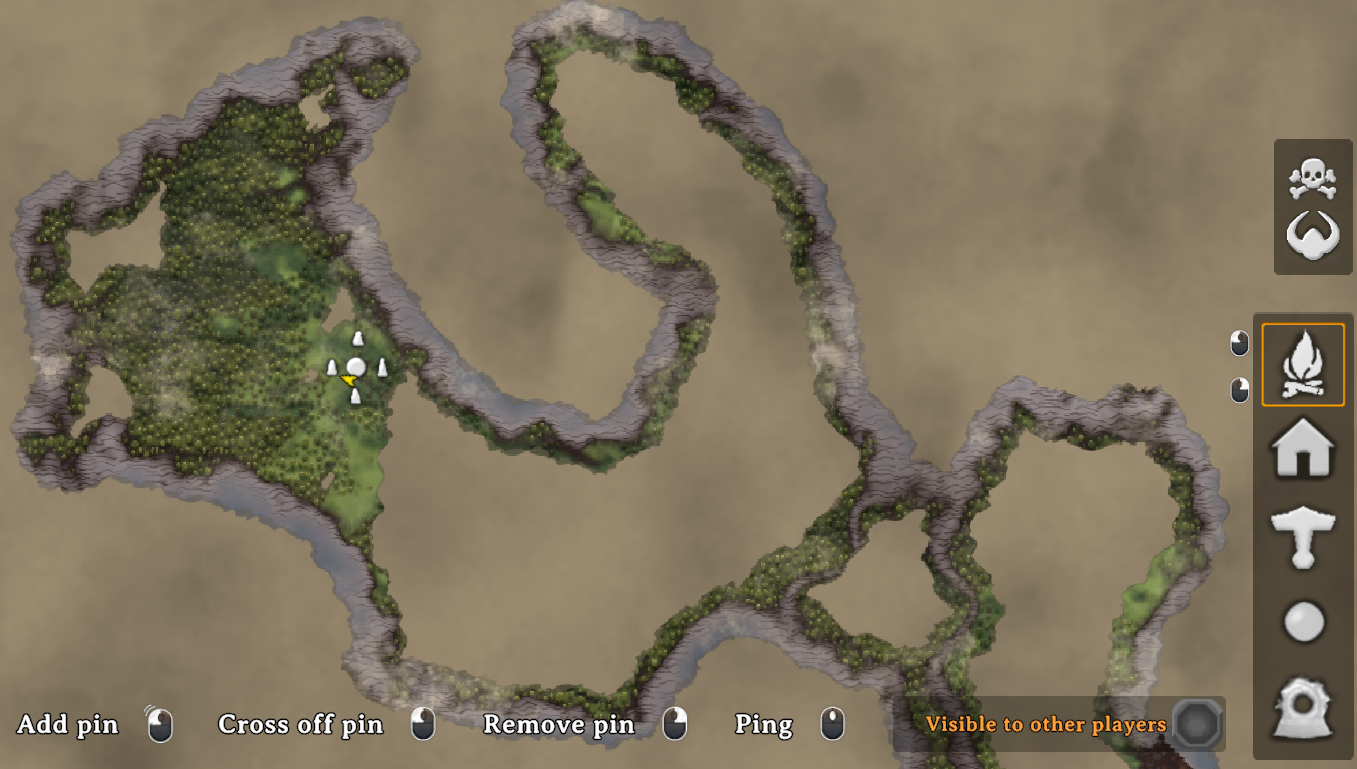
Everything the group has explored, merged. Pins are shared too, so a marker one player left on a hidden crypt is waiting for the rest of them at the table.
Tuning the compass without leaving the game
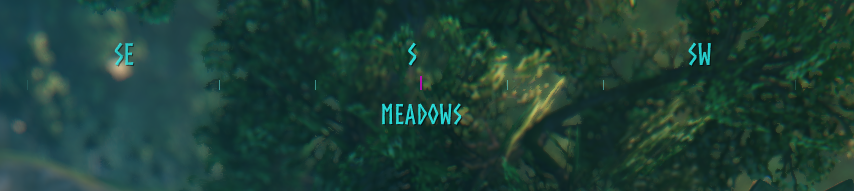
Press F7 for a panel with sliders. The compass recolours live behind it, so you can see what you are choosing rather than guessing at hex values in a text file.
The settling delay
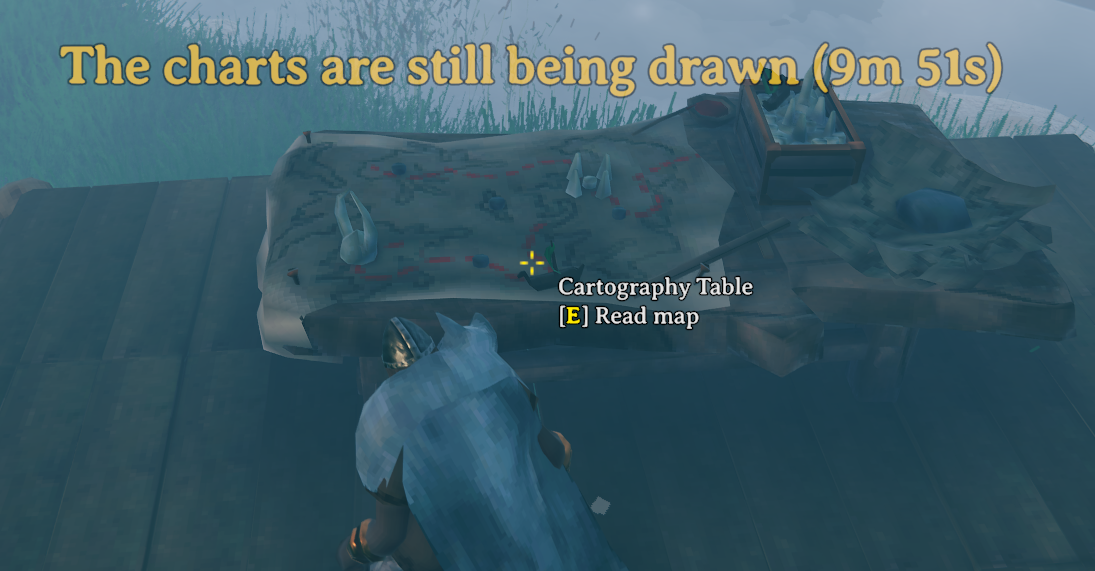
A table you built and left standing is unaffected, and so is every table that already existed
before you installed the mod. Set Table.SettlingSeconds to 0 if you would rather not have
it at all.
Install
Use a mod manager, or copy NoMapWayfinding.dll into <Valheim>\BepInEx\plugins\.
Settings appear at <Valheim>\BepInEx\config\nomapwayfinding.cfg after the first launch and
are read live, so a config manager can change them without a restart.
Multiplayer
Client-side. It changes no world state and no network protocol, so it works on vanilla servers and alongside players who are not running it.
Install it on a dedicated server as well and the server hands its Map and Table settings to
connecting players who have the mod, for as long as they are connected. Compass appearance is
never sent - that stays each player's own.
A server cannot hide the minimap of a player who does not have the mod. The minimap is drawn on their machine. If you want the rule to hold for everyone, set the vanilla NoMap world key: the game itself then removes the minimap and the map key from every client, unmodded ones included, and this mod adds back the only thing it cannot do - reading the shared map at a table.
Settings
| Setting | Default | Effect |
|---|---|---|
General.Enabled |
true |
Master switch. Off means vanilla behaviour. |
Map.HideMinimap |
true |
Never draw the corner minimap. |
Map.RequireTableForMap |
true |
The map key stops working; only a table opens the map. |
Table.AutoSyncOnUse |
true |
Merge exploration both ways in one interaction. |
Table.Range |
8 |
Metres you can walk from the table before the map closes. |
Table.SettlingSeconds |
600 |
How long a new table must stand before it can be read. |
Table.NoRefundOnRemove |
false |
Removing a table returns nothing. |
Compass.Enabled |
true |
Draw the compass ribbon. |
Compass.ShowBiomeName |
true |
Name the current biome under the compass. |
Compass.Scale |
2.0 |
Overall size of the compass. |
Compass.Width |
460 |
Ribbon width, before scale. |
Compass.TopOffset |
16 |
Distance from the top, before scale. |
Compass.PixelsPerDegree |
3.2 |
How far apart the headings sit. |
Compass.Opacity |
0.85 |
Opacity at the centre. |
Compass.Color |
#FFF7E0 |
Headings, ticks and biome name. |
Compass.MarkerColor |
#FFF0C7 |
The centre marker showing the way you face. |
Compass.ShoutMarkerSeconds |
120 |
Mark where another player shouted from, for this long. 0 disables. |
Compass.SettingsKey |
F7 |
Opens the colour panel. None disables it. |
Server.EnforceOnClients |
true |
Server side. Send this server's rules to modded clients. |
Server.RequireModdedClients |
false |
Server side. Turn away players without the mod. |
Server.ClientGraceSeconds |
20 |
Server side. How long a joiner has to identify itself. |
Everything under Map, Table and Server is a rule and can be set by a server. Everything
under Compass is presentation and always stays yours.
Source
CHANGELOG
Changelog
1.1.1
- Fixed your own shouts appearing on the compass. The check compared the routed-RPC peer id against a character id - two different numbers, so it never matched.
- Fixed the shout marker never being named. The label was positioned above the icon band, which is already clamped to the top of the screen, so at the default offset it was drawn off-screen. It now sits on its own line under the compass.
1.1.0
- When another player shouts, the compass marks the direction it came from for two minutes,
using the game's own shout icon. Turning towards a marker names whoever called. Configurable
with
Compass.ShoutMarkerSeconds, or0to turn it off.
1.0.0
First release.
- The minimap is hidden, and a compass ribbon with the current biome takes its place.
- The world map opens only at a cartography table, and closes when you walk away from it.
- Using a table merges exploration in both directions, so a group shares one map.
- Map pins are shared through the table along with the explored ground.
- A newly built table must stand for ten minutes before it can be read, so one cannot be carried around as a portable position finder. Configurable, and tables that already existed are never affected.
- Optionally, removing a cartography table returns nothing.
- An in-game panel on F7 recolours the compass live.
- Servers running the mod hand their Map and Table settings to modded clients, and can optionally turn away players who do not have it.
