
Please disclose if any significant portion of your mod was created using AI tools by adding the 'AI Generated' category. Failing to do so may result in the mod being removed from Thunderstore.

Enigma Mode QoL
Minimal UI QoL modpack for Valheim and Enigma Mode
| Date uploaded | a month ago |
| Version | 2.2.2 |
| Download link | JPValheim-Enigma_Mode_QoL-2.2.2.zip |
| Downloads | 19 |
| Dependency string | JPValheim-Enigma_Mode_QoL-2.2.2 |
This mod requires the following mods to function

denikson-BepInExPack_Valheim
BepInEx pack for Valheim. Preconfigured with the correct entry point for mods and preferred defaults for the community.
Preferred version: 5.4.2350
Azumatt-FirstPersonMode
Simple mod that allows First Person. It moves the camera into the player's head. It hides what is needed either through culling the character model or hiding the head by shrinking it (configuration value)
Preferred version: 1.3.12


ValheimModding-Jotunn
Jötunn (/ˈjɔːtʊn/, 'giant'), the Valheim Library was created with the goal of making the lives of mod developers easier. It enables you to create mods for Valheim using an abstracted API so you can focus on the actual content creation.
Preferred version: 2.30.0
ValheimModding-JsonDotNET
Shared version 13.0.3 of Json.NET from Newtonsoft, net45 package for use in Valheim mods. Maintained by the ValheimModding team.
Preferred version: 13.0.4
Azumatt-AzuCraftyBoxes
AzuCraftyBoxes is a Valheim mod that allows players to access and use resources from nearby containers when crafting and building, based on a configurable range and item restrictions. Restrictions are controlled by the yaml file Azumatt.AzuCraftyBoxes.yml
Preferred version: 1.8.19
ValheimModding-YamlDotNet
Shared version 16.3.0 of YamlDotNet from Antoine Aubry and contributors, net47 package for use in Valheim mods. Maintained by the ValheimModding team.
Preferred version: 16.3.1
shudnal-ConditionalConfigSync
Shared config synchronization and server policy library for Valheim mods. Installed as a dependency and compatible with Jotunn and ServerSync.
Preferred version: 1.0.8
shudnal-ExtraSlots
More inventory slots dedicated for equipment, food, ammo and misc items. Extra utility slots. Quick slots. Custom slots API. Player inventory resize. Gamepad friendly. Slot obtaining progression.
Preferred version: 1.2.6
sleepack-ImmersiveHud_Fixed
Hide or dynamicly hide UI elements based on conditions.
Preferred version: 1.3.5
JereKuusela-Expand_World_Music
Allows changing event, environment and location musics. Also allows adding new sound effects.
Preferred version: 1.15.0
MidnightMods-ValheimCommunityPatch
Vanilla bug fixes and performance fixes for Valheim. No gameplay changes.
Preferred version: 0.27.1
warpalicious-Discord_Screenshots
Send screenshots to Discord when player dies or via hotkey
Preferred version: 1.6.7
JPValheim-Scrubbed_Title_Screen
Cleans Valheim's title screen and can display a configurable custom PNG.
Preferred version: 1.1.0
Azumatt-FastLink
Vanilla UI to quickly join servers configured in a YAML file. Live edit using BepInEx Configuration manager or directly to the file.
Preferred version: 1.4.8
Advize-PlantEverything
Allows your cultivator to plant berry bushes, thistle, dandelions, mushrooms, previously unavailable tree types, and other decorative flora. Includes many other miscellaneous features (see description). Highly configurable with localization support.
Preferred version: 1.21.2
shudnal-MyLittleUI
Bunch of little UI tweaks. Tooltips for production timers, player status, items. Custom chest names, buff list, multicraft, weather forecast, crafting sorting, filtering and so on.
Preferred version: 1.2.19
5nae4ka-AchievementEnabler
This plugin allows you to play with mods and earn achievements.
Preferred version: 1.0.0
VentureValheim-No_Unlock_Spam
Adds the ability to dismiss (with a hotkey) or fully disable the large unlock popup messages when you discover new crafting materials, recipes, pieces, and items.
Preferred version: 1.0.0README
Enigma Mode QoL

Less UI. More Valheim.
Enigma Mode QoL is an optional client-side modpack for Enigma Mode and regular Valheim.
It reduces inventory management and keeps more of the screen focused on the game world.
The main Enigma package gives Valheim flat progression. This QoL pack only changes the client experience.
Main Features
Extra Inventory and Quickslots
Adds dedicated slots for equipment, food, ammunition, utility items, and quick access.
Craft From Chests
Craft and build with materials stored in nearby containers. Extra crafting controls also make large batches easier.
Cleaner HUD
UI elements hide when they are not needed and return when they become useful.
First Person
Switch to first person while exploring, building, sailing, or entering dungeons.
Cartography Table Map
The normal Nomap experience remains active.
A simplified map can be viewed at a Cartography Table with Comfort 7 or higher. This gives groups a place to review explored territory without carrying a permanent map.
Chat and Visibility
Includes improved chat and configurable visibility for dark interiors and nights.
Multiplayer Support
Includes networking tools that can improve synchronization and reduce strain in multiplayer.
Results still depend on the server, connection, machine, and number of nearby structures.
Death Screenshots
Can take a screenshot when the player dies and send it through Discord integration.
The webhook can be changed or the feature can be disabled.
Enigma Mode and QoL Are Separate
The main Enigma Mode package adds:
- Bosschests and flat progression
- Dvergr trade and services
- Enigma Paths, Rifts, and Floating Islands
- Builder systems, player Arenas, and Townfall
- Reworked dungeons, monsters, and world locations
The QoL pack does not add those systems. It is optional.
Players without QoL can still join an Enigma server. This includes vanilla and crossplay clients.
Installation
Updating the Main Enigma Pack to 3.0.0
This warning only applies if you are updating the main Enigma Mode package.
- Back up
config/expand_world/ewp_data.yamloutside the old Enigma folders. - Delete the old Enigma
configanddatafolders completely. - Install the Enigma 3.0.0 folders.
- Restore your saved
ewp_data.yaml. - Remove the Cron Job mod. Enigma 3.0.0 handles scheduled features through Expand World Prefabs.
ewp_data.yaml stores the world's and characters' Enigma progression. Do not delete it with the old folders.
Singleplayer
Install Enigma Mode QoL on your local client.
Install the main Enigma Mode package too if you want Enigma progression and world changes in singleplayer.
Multiplayer
Install Enigma Mode QoL on the client only.
Do not install it on the dedicated server. Other players do not need the pack.
Start Playing Enigma
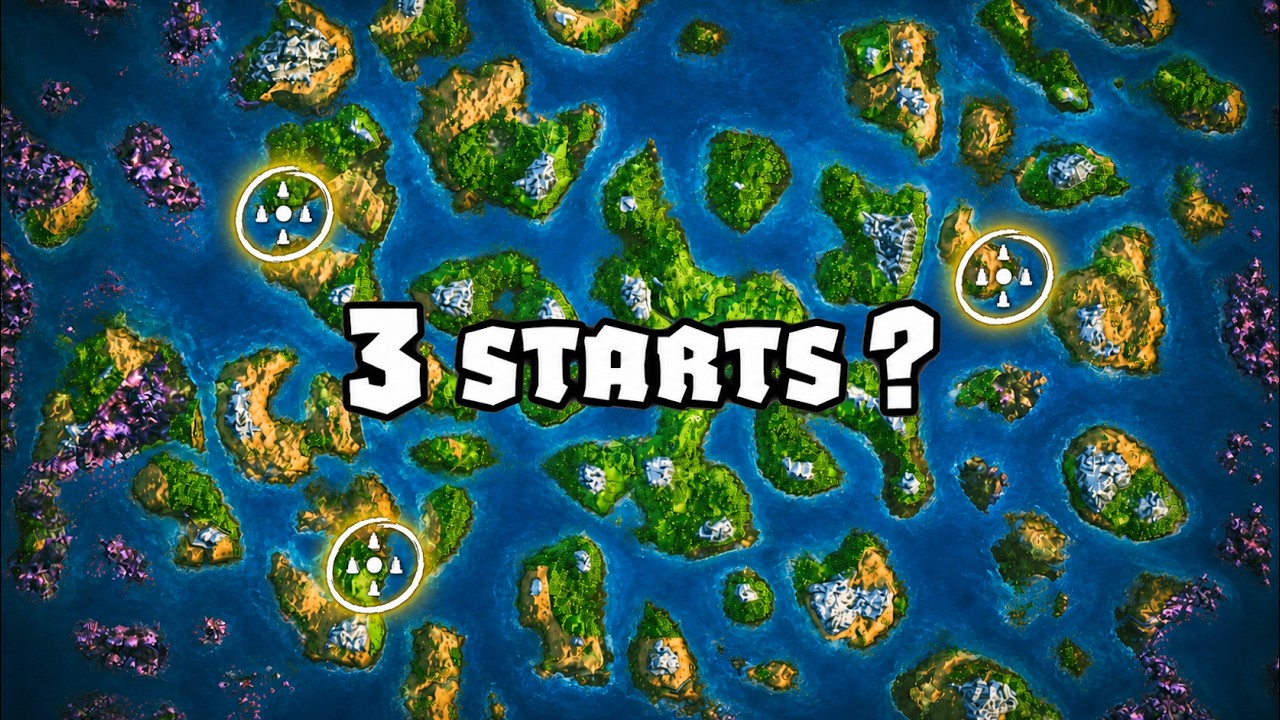
Valheim normally moves from boss to biome in a fixed order. Enigma replaces that line with several useful progression paths.
This 15-minute guide explains the beginning:
Islands of Magic
The QoL pack configures automatic access to Islands of Magic, the public Enigma playtesting server.
Hold ALT at character selection to bypass automatic login.
Join The Poolside community Discord for server information and feedback.
Credits and Links
This pack uses work maintained by Azumatt, Comfy, Shudnal, Taakefyrsten, Jere, ColdSpirit, Fire / VerdantsAscent, Warpalicious, ZenDragon, denikson, and TheJotunnTeam.
CHANGELOG
Enigma Mode Quality of Life Changelog
2.3.2
- Removed Nomap Printer (Just making this modpack more compatible for typical players)
2.3.0
- Updated Modpack for Deep North Valheim 1.0
- Switched from AAA crafting to MyLittleUI
- Updated Scrubbed Title Screen
- Added AchievementEnabler to allow getting achievements using the modpack
2.2.4
- Added Plant everything
2.2.3
- Adjusted default config settings for Immersive HUD
- Made Health always show because by default
- Added the new Islands of Magic public server link running Enigma Mode 3.0.0
2.2.2
- Updated mod versions
2.2.1
- Added No Unlock Spam by venture Valheim
- This removes the screen messages that show up when you find new materials
- You can configure it if you want them back
- Vibe scripted a new mod that clears up the title screen
- Removes ZenModLib
2.2.0
- Updated versions
2.1.9
- Updated versions
- Added link to Enigma Onboaring video in readme
2.1.7
- Added Fastlink to say Public Enigma Playtesting server
- Added Zenlogin back for the decluttering of title screen
- Disabled automatic login to server
- Players can mouse over Public Enigma Playtesting server if they want to join
2.1.6
- Removed Fastlink and Autologin from modpack
- JP will launch them as a separate modpack so people can use this one as general Valheim QoL
2.1.4
- Temporarily removed the auto login to IoM until JP launches next public server
2.1.3
- Updated the IoM server to the new temporary server
2.1.1
- Removed AutopPickup Ignorer (too tedious to configure)
- Adjusted ZenMod config to remove icons in bottom left when using devcommands
2.1.0
- Warp fixed Death Screenshots!
- Added Death Screenshots back to the modpack
- Added AutoPickup Ignorer
- Players can configure this to prevent items from getting picked up with autopickup on
2.0.9
- Updated Version Numbers
- Adjusted the music tracks that play at home to include more of Valheims music from Ashlands and one extra track from Shadow Hearts
2.0.8
- Updated Version Numbers
2.0.7
Fire's Ghetto Networking
- Set default Update Rate to 100%
- Everybody's networking situation is unique.
- If you experience problems in multiplayer, try adjusting some of the settings in fGN
Cartography Table changes
- Adjusted Cartography Table settings in nomap Printer
- Players can press M to veiw the map, if conditions are met
- Player must be within 20 meters of cartography table
- Player must have 7 comfort or more
- Interact with "record discoveries" to open the map and add pins to it
Discord Screenshots
- I removed this mod because 1.6.0 causes Valheim to crash on server login
- You can use 1.5.0 if you download add it to the modpack manually, it will work
- I left the config in so you wont need to configure anything
- Do NOT use 1.6.0 it will cause Unity Crash
2.0.5
- Adjusted the default settings for Fire's Ghetto Networking
- Consider trying different settings and letting me know what works for you
- The networking mods work best when adjusted to your specific situation
2.0.4
- Added another vgm music track to the world generation screen / loading screen on login / death
- Made a new icon
2.0.2
- Cranked title theme volume to 11
- Can you guess what game the theme is from?
- Comment on my YouTube channel with your guess https://www.youtube.com/@JPValheim
2.0.1
- Added Islands of Magic auto login to this modpack
- Added Enigma Mode subtext
- Added Daggerfall Theme music to title screen
- Switched Networking Mod from BN to Fire's Ghetto Networking
- Temporarily removed discord screenshots until latest version is fixed
1.3.2
- Updated prefered mod versions
1.3.1
- Updated prefered mod versions
1.3.0
- Updated prefered mod versions
1.2.9
- Updated prefered mod versions
1.2.8
-
Misc
- Added over 400 variants of death messages for Discord Death screenshots
- Doubled default pull rate of CraftyBoxes
- Updated mod versions
-
Adjusted NoMap Printer default settings to the following
- Map available only when interacting with Cartography Table
- Comfort Level of player interacting must be at least 7 to view map
- No player GPS icon
-
Added ImmersiveHUD mod to the modpack
- Adjusted default settings for Immersive HUD to accomodate Quickslots properly
- Disable ImmersiveHUD if you want to see your UI more (I dont)
1.2.6
- Updated prefered mod versions
1.2.5
- Updated prefered mod versions
1.2.4
- Updated First Person Mode modversion
1.2.4
- Updated image links in ReadMe
1.2.2
- Updated prefered mod versions
1.2.1
- Adjusted Readme
1.2.0
- Added Death Screenshots by warp
- Added NoMap Printer managed by shud
- You will need to configure this for your Discord Server
- You can now look at a map at a Cartography Table
- Minimum Comfort is 7
- You see a map of your explored area only not your current location
1.1.1
- Updated for Enigma Mode 2.1.3
1.1.0
- Updated for Enigma Mode 2
1.0.7
- Updated prefered mod versions
1.0.6
- Replaced glawks reupload of Better Networking with Somnis upload of Better Networking which was patched for Call to Arms
1.0.5
- Added AAA Crafting by Azu
1.0.4
- Updated prefered mod versions
1.0.3
- Updated prefered mod versions
1.0.2
- Added forced config for chatter to reduce spam from center messages on Enigma
1.0.1
- Updated prefered mod versions
