
Please disclose if any significant portion of your mod was created using AI tools by adding the 'AI Generated' category. Failing to do so may result in the mod being removed from Thunderstore.

LightColor
Press L while looking at an object that gives off light (e.g., sconce, campfire, portal, mounted Dverger circlet) to enter a color, brightness, and range. Also makes the text on signs glow with a colored halo, lit letters or an outline.
| Date uploaded | 5 days ago |
| Version | 1.4.1 |
| Download link | Kriona-LightColor-1.4.1.zip |
| Downloads | 53 |
| Dependency string | Kriona-LightColor-1.4.1 |
This mod requires the following mods to function

denikson-BepInExPack_Valheim
BepInEx pack for Valheim. Preconfigured with the correct entry point for mods and preferred defaults for the community.
Preferred version: 5.4.2360README
Hover over an object that gives off light (e.g., sconce, campfire, portal) and press L to enter a color for its light, brightness, and range. It makes the text on signs glow with a colored halo, lit letters or an outline.
- Type a color name like
red,yellow, orpurple, or a hex color like#0F0or#002B49 - Add a brightness and range after the color, like
blue 150% 20m- see Brightness and Range - Works on item stands too - the color applies to the mounted Dverger circlet, torch or anything else that glows, and the color stays with the stand when you swap the item
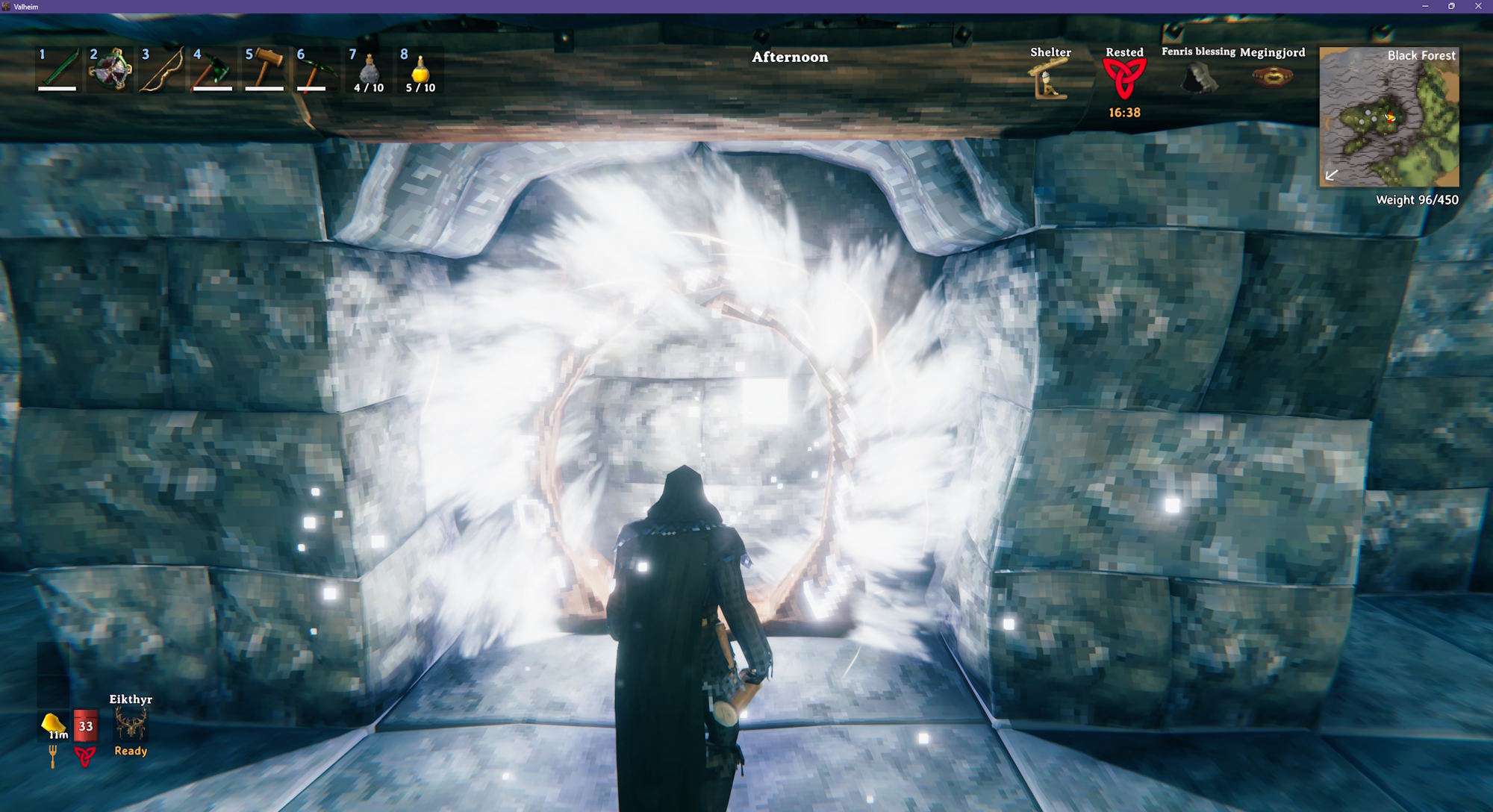
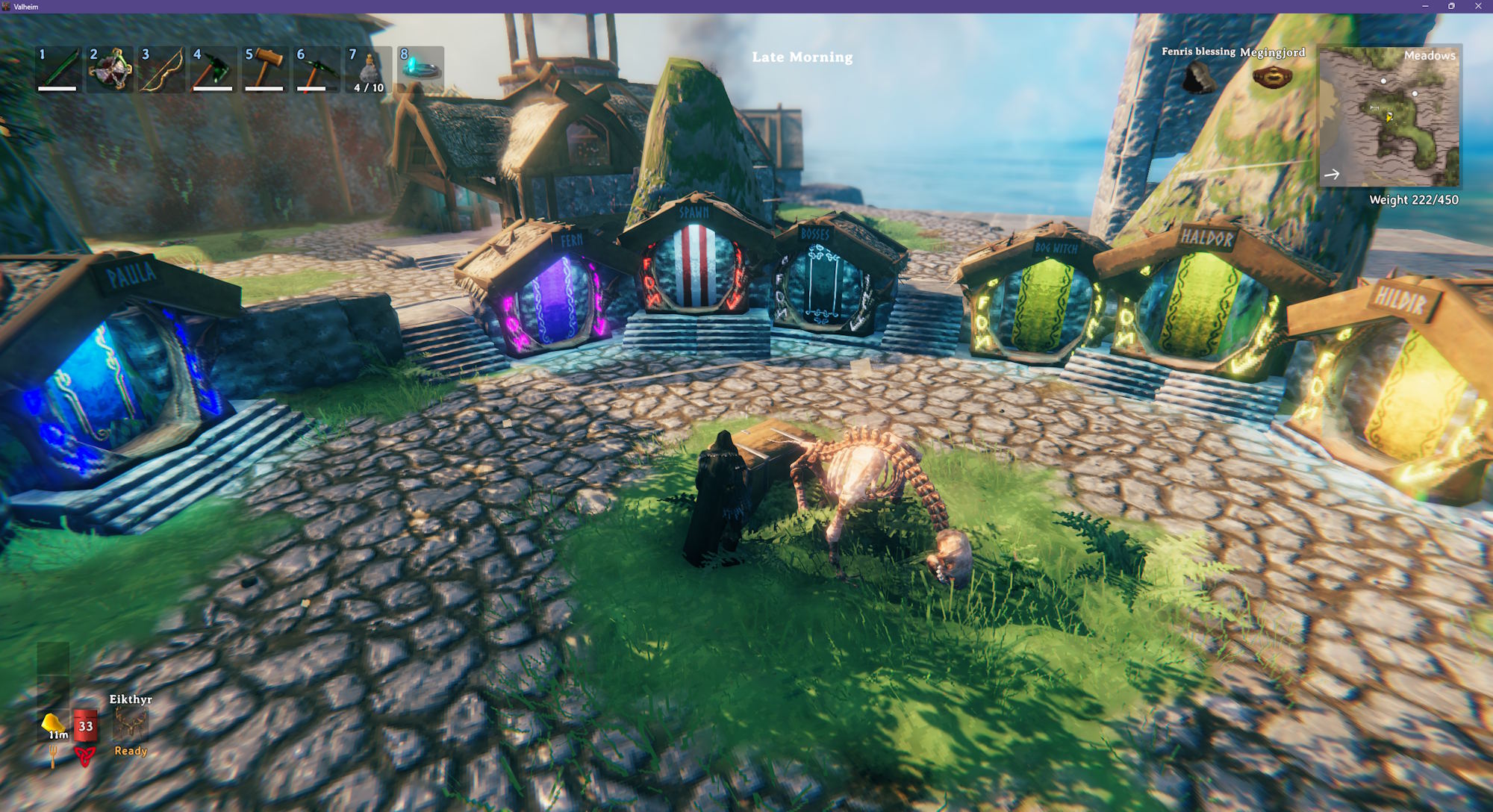
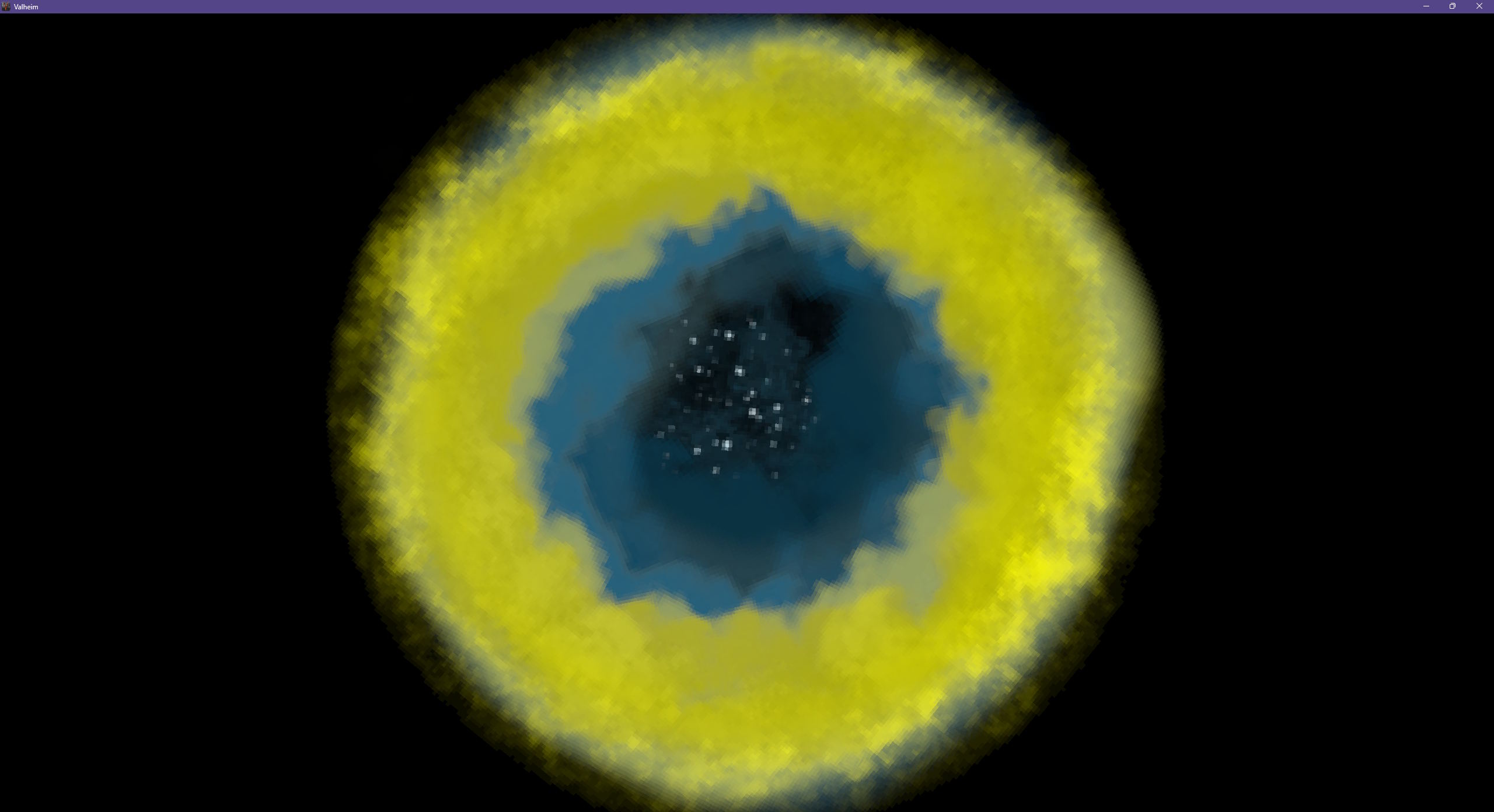
- Traveling through a colored portal turns the swirl on the loading screen to the portal's color, then fades it ring by ring from the center outward to the color of the portal you arrive at
- Works on signs too - the text glows in the color so it's easy to read, even at night - see Signs
- Set the
Helmetsetting to color the Dverger circlet you're wearing - see Configuration - Type
defaultor blank to go revert to the original color - The hover text shows the key on every object it works with
- Respects wards - you can't change lights inside a ward you don't have access to
Multiplayer Servers
An object's color / brightness / range is stored on the object and saved with the world. The server does not need this mod installed in order to save the color.
Colors are shared with everyone who uses this mod, and changes are seen by all players.
The Helmet setting is copied to your character; other players with this mod see your Dverger circlet in the color you set.
Screenshots
A mounted purple Dverger circlet
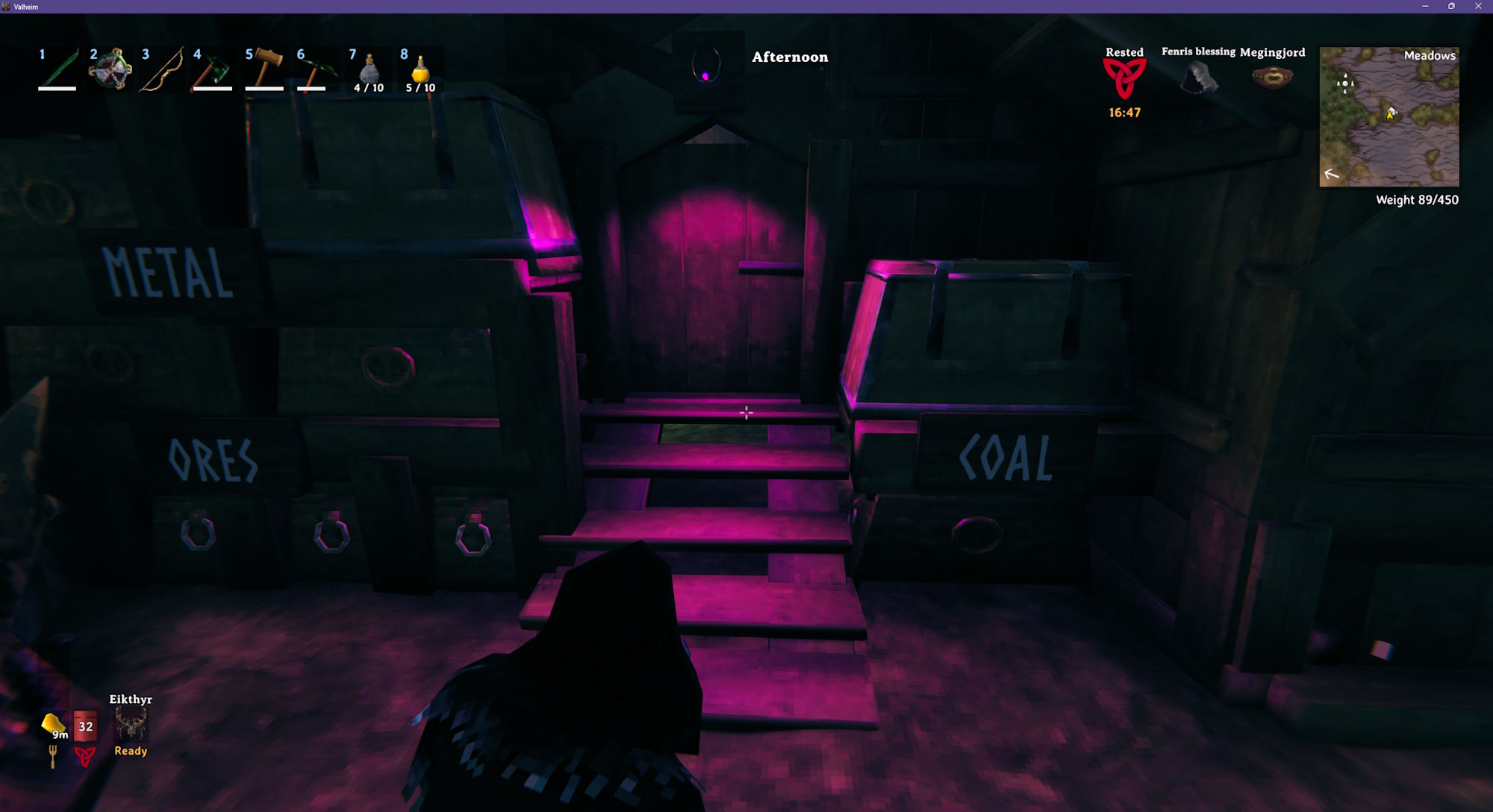
Blue campfires and sconce
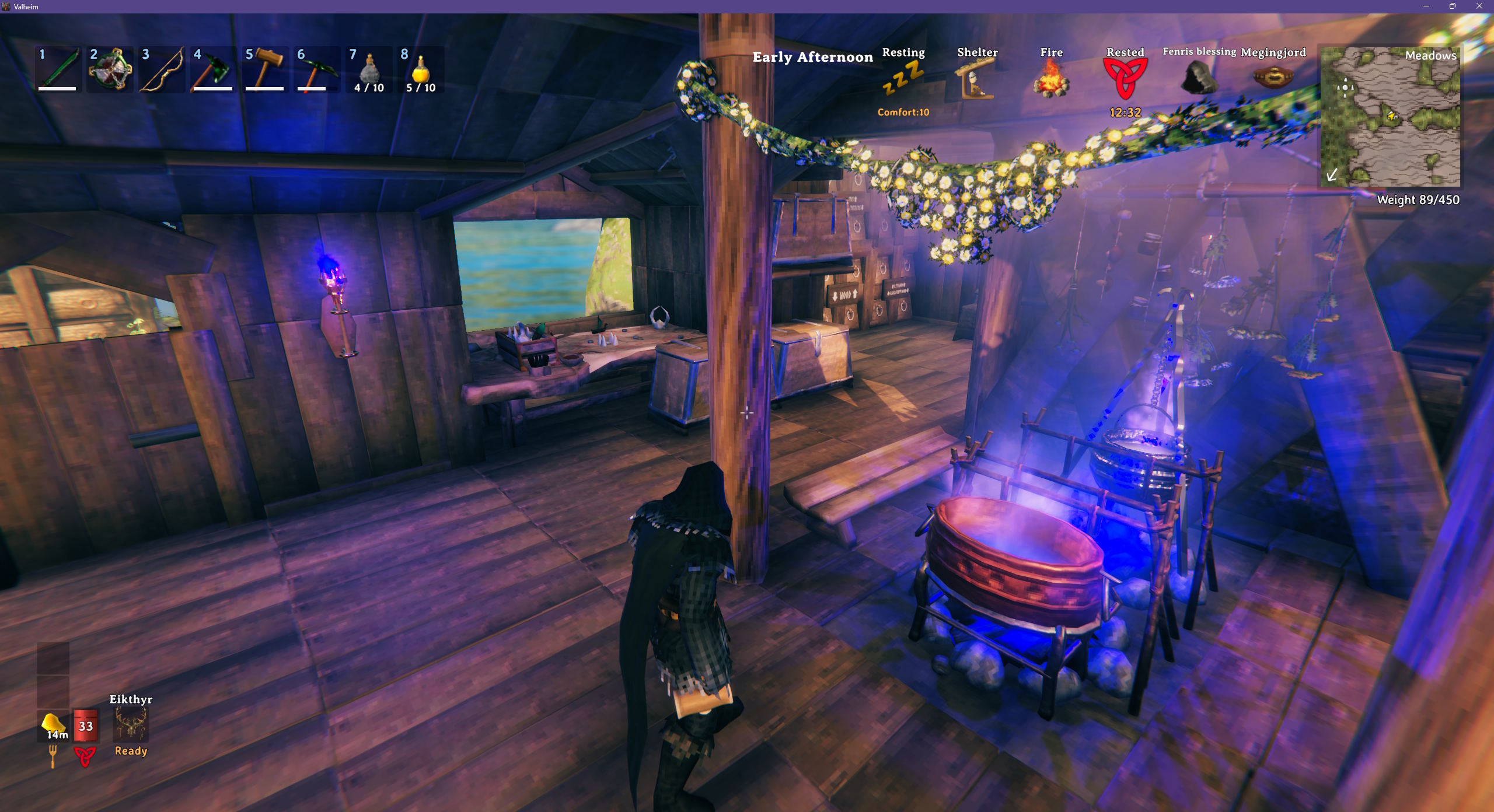
Cosplaying as Cyclops from the X-Men
The Helmet setting set to #F00 500% 50m.
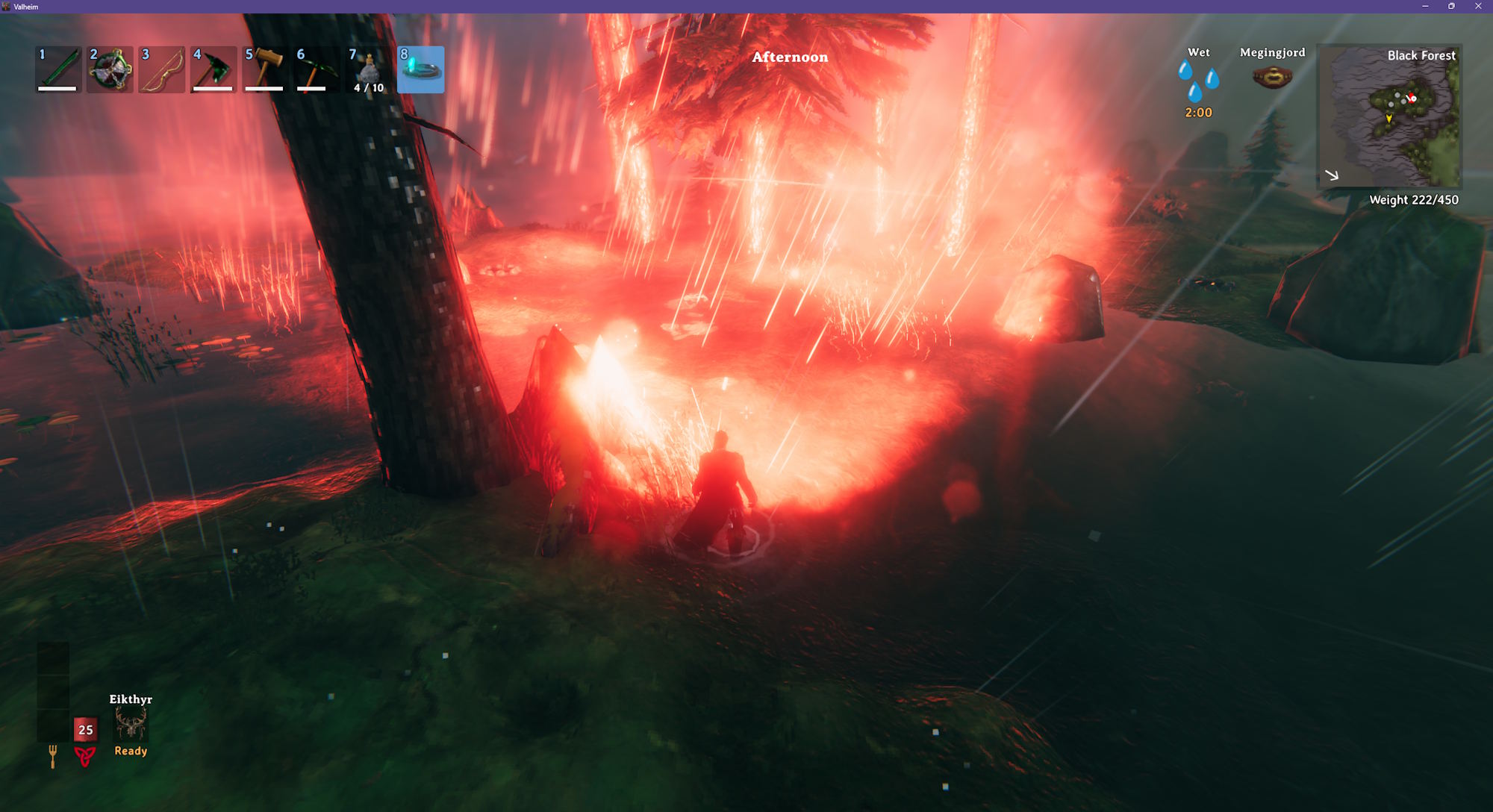
Portal hub with multiple colors
Going from a yellow portal to a blue portal (mid-transition)
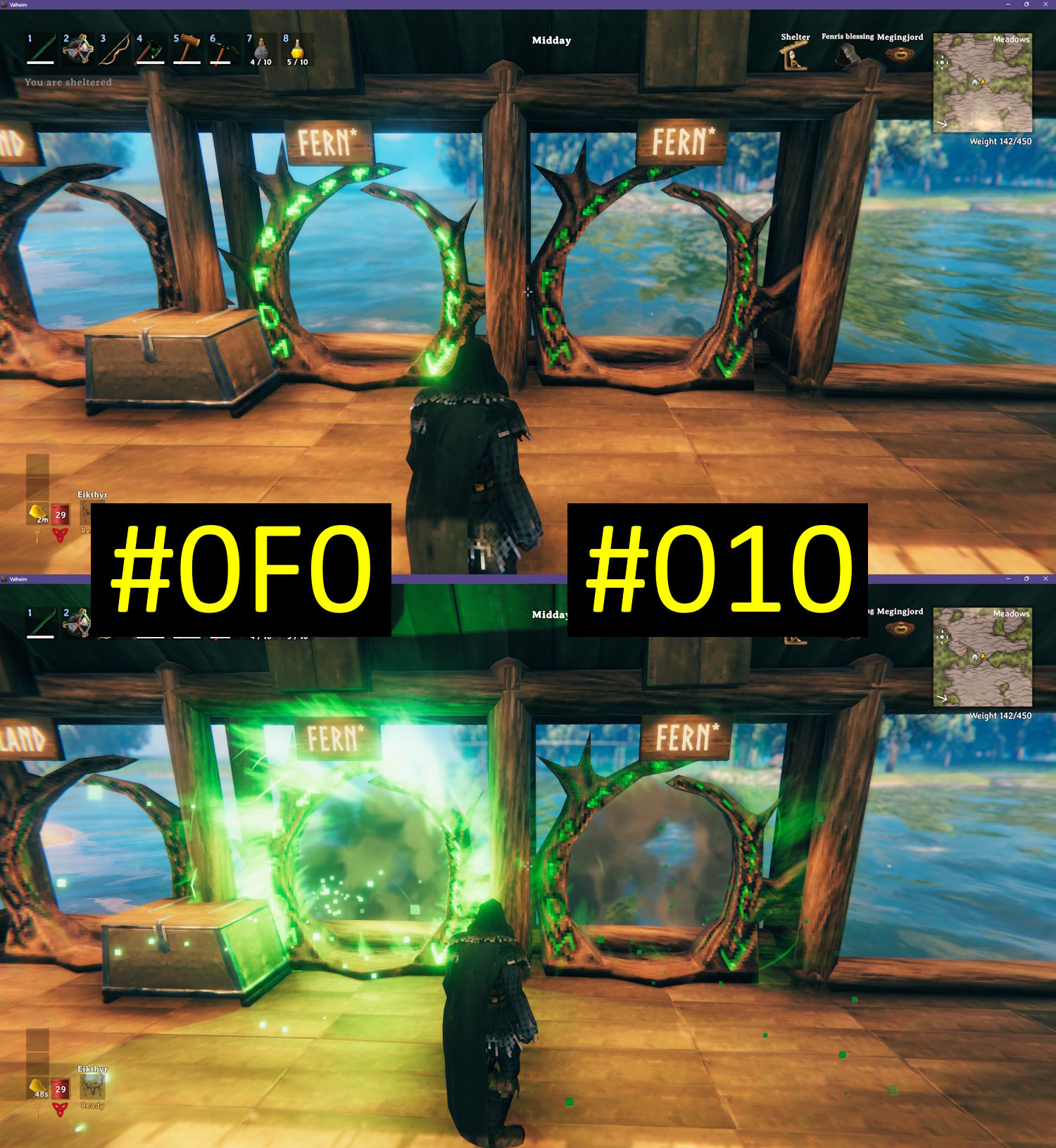
Color Brightness
The game treats black as "no light". If you set an object's color to black, it does not emit light. #111 (dark gray) emits very little light, while #FFF (white) emits a lot of light.
The left portal is set to #0F0 (bright green) while the right portal is set to #010 (dark green).
Brightness and Range
Add a brightness ending in % or a range ending in m after the color. Both are optional, and work without a color too:
blue 150%- blue, and one and a half times as brightblue 150% 20m- blue, brighter, and lights up 20 meters around it50%- the object's original color at half brightness0%- turns the light off, while the flame or glow stays
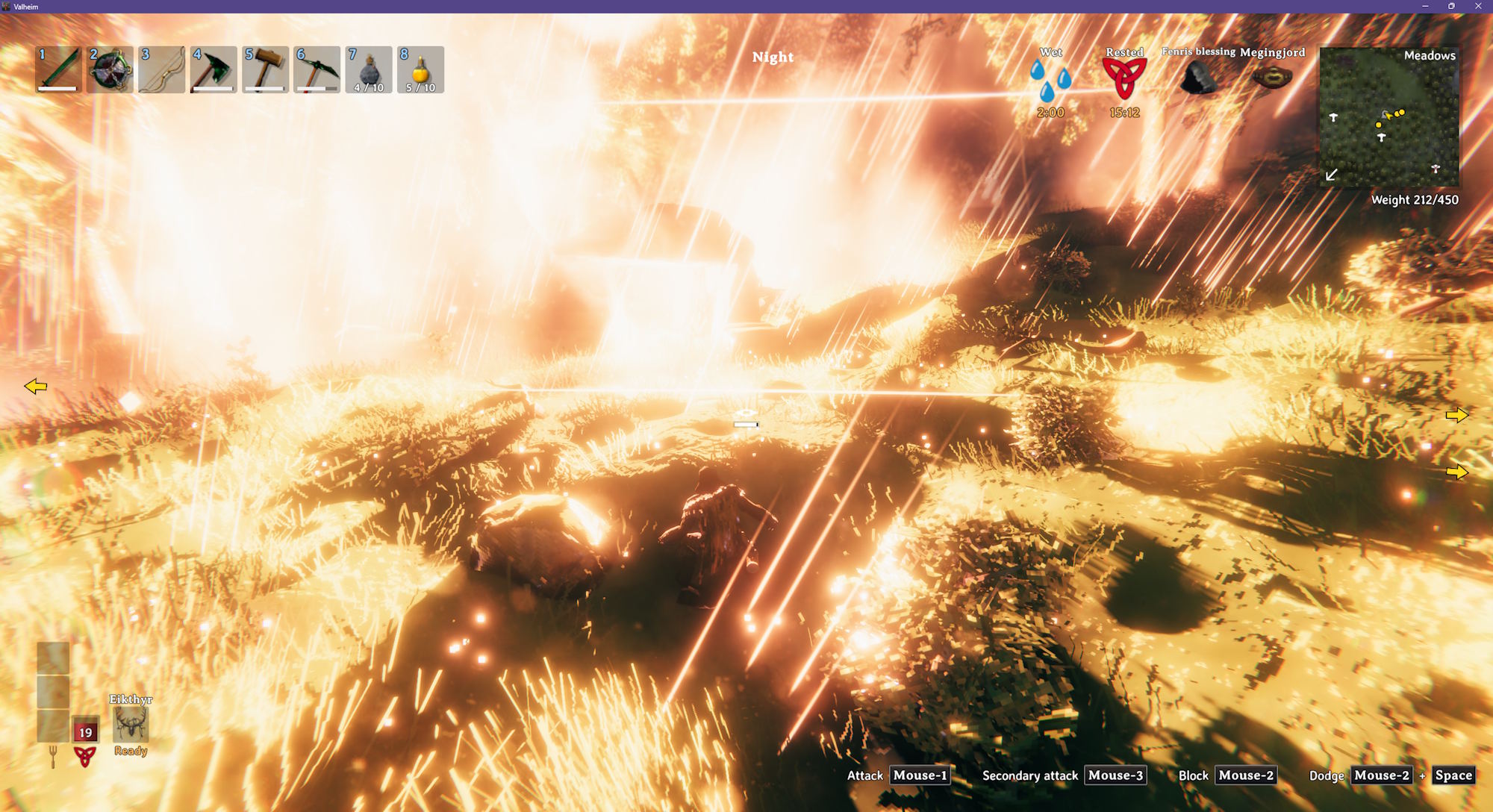
Brightness can be from 0% to 500%, and range from 1m to 50m. The range sets the size of the object's largest light, and its other lights are scaled to match, so a fire that runs low on fuel still shrinks. Flames and glowing parts only change color - their size stays the same.
Bigger lights light up more of the world around them, which costs more performance when there are a lot of them.
A campfire set to 500% brightness and a 50m range.
Signs
Hover over a sign and press L to make its text glow. Type a color, a brightness, and any of these styles:
halo- a soft glow in the color behind the letterslit- the letters are drawn in the color and lit from withinoutline- a crisp edge in the color around the letters
white gives a white halo, lit white letters, and yellow 200% halo outline a bright yellow halo and outline. Default style is halo, and default color is white. High brightness values quickly become glowing orbs of light instead of text.
Glowing text isn't shaded by the light around it, so it reads the same by day and night. Colors typed into the sign's text with <color=...> still show (though lit might wash them out).
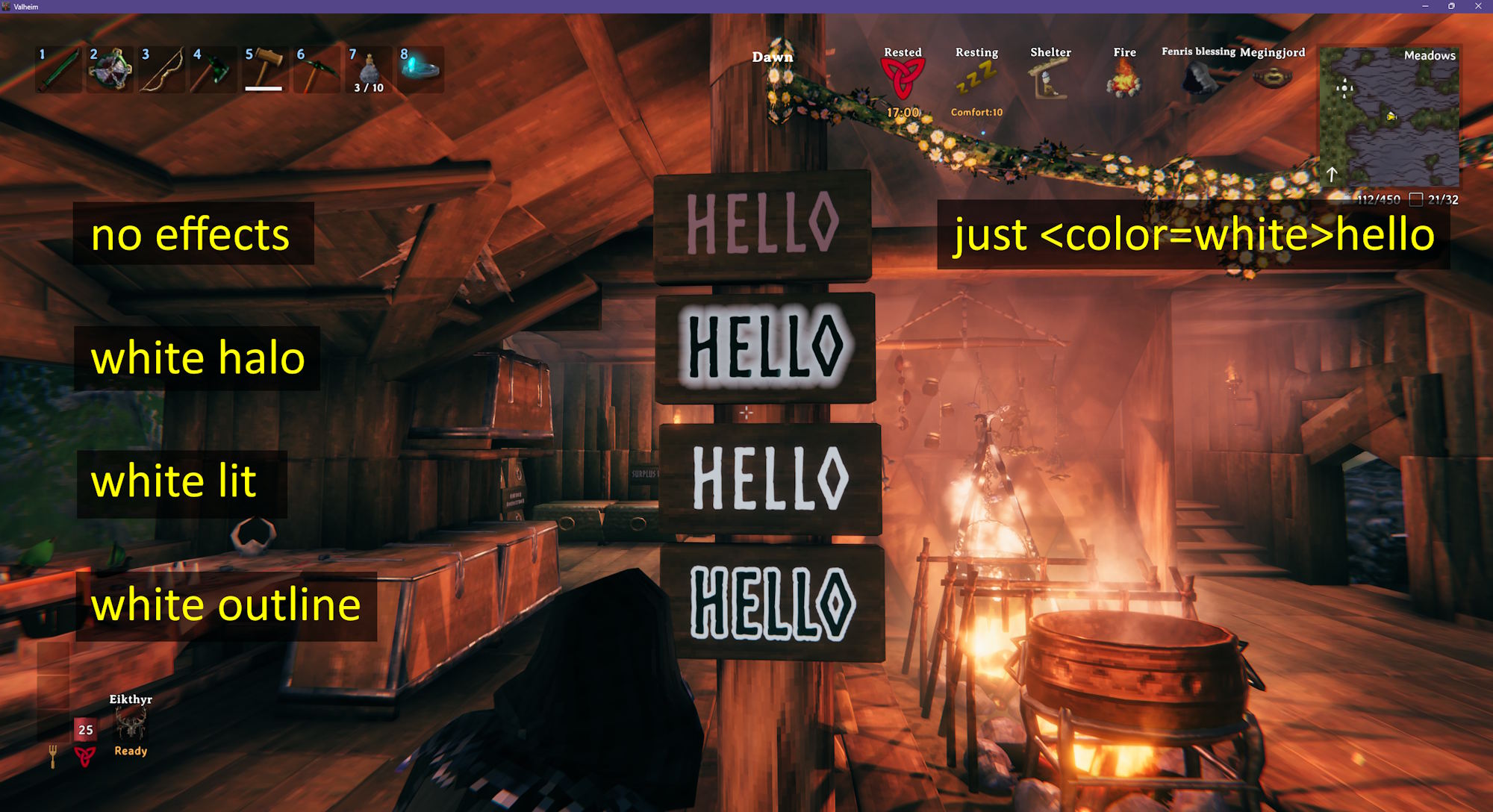
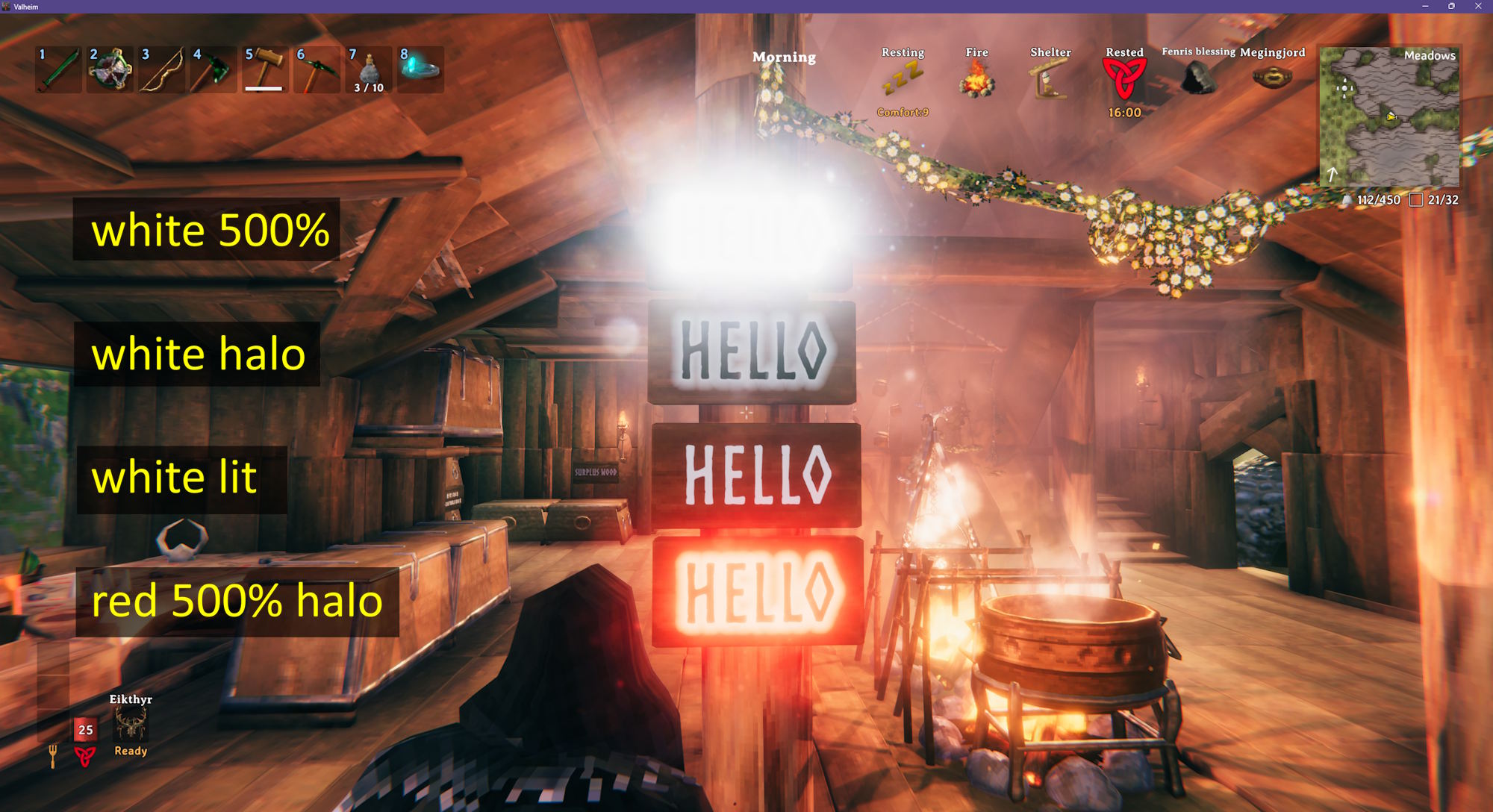
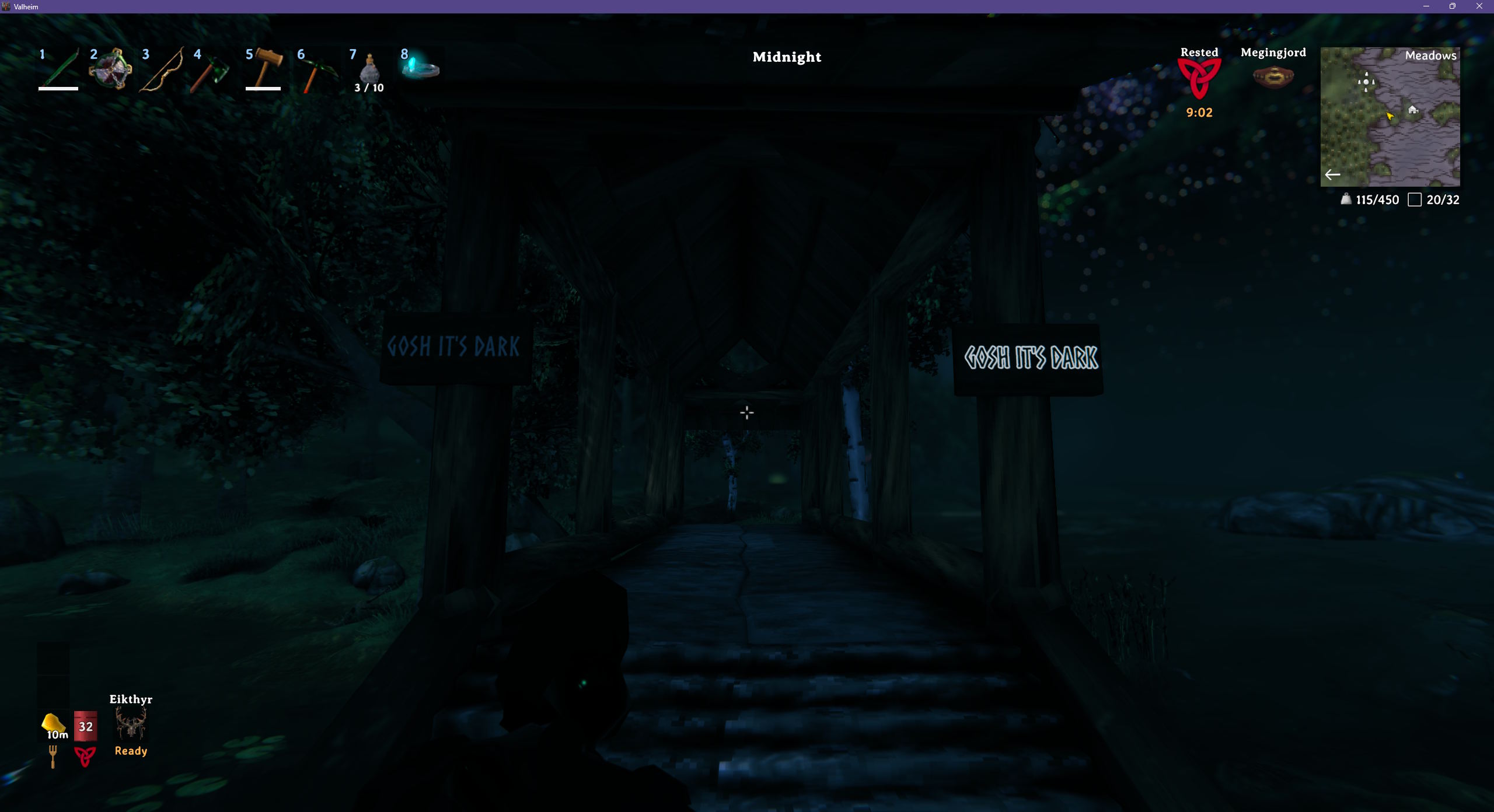
Default Colors
default or blank reverts an object to its original color. Fires that burn low when they run out of fuel switch to a smaller, dimmer light. Objects with more than one light have one of each color listed - the color you type is used for all of them.
| Object | Light color | Low on fuel |
|---|---|---|
| Artisan Table | #87DCFF |
|
| Battering Ram | #FF7A00 |
|
| Black Forge | #FF7B99, #FF9E7B |
|
| Blast Furnace | #FFA400 |
|
| Blue Standing Brazier | #7BC5FF |
#BFFEFF |
| Bonfire | #FF8153 |
#FF8153 |
| Campfire | #FF8153 |
#D68669 |
| Cauldron | #FFAC53 |
|
| Charcoal Kiln | #FF7A00 |
|
| Drakkar | #F4C7AE |
|
| Dverger Circlet on an item stand | #A0F8EE |
|
| Dverger Pole Lantern | #FFC849 |
|
| Dverger Wall Lantern | #FFC849 |
|
| Eitr Refinery | #53E1FF, #FF53C6, #FF7B99 |
|
| Eternal Pyre | #FF7400 |
|
| Fey Lights | #8DB8FF |
|
| Forge | #FF9E7B |
|
| Frigid Kiln | #77D9FF |
|
| Frost Foundry | #52E4FF |
|
| Galdr Table | #FF31DC |
|
| Hanging Brazier | #FF9E7B |
#D68669 |
| Hearth | #FF9E7B |
#D68669 |
| Hooded Lantern | #FFECC2 |
|
| Hot Tub | #FF8153 |
|
| Iron Fire Pit | #FF8153 |
#D68669 |
| Jack-o-turnip | #FF9E7B |
|
| Lava Lantern | #FF9E7B |
|
| Longship | #F4C7AE |
|
| Mead Ketill | #FFAC53 |
|
| Portal | #FF6400 |
|
| Resin Candle | #FFA539 |
|
| Sap Extractor | #ADFF5D |
|
| Sconce | #FF9E7B |
|
| Shield Generator | #FFAF8B |
|
| Smelter | #FFA400, #FF8400 |
|
| Snow Lantern | #FFA539 |
|
| Standing Blue-burning Iron Torch | #7BC5FF |
|
| Standing Brazier | #FF9E7B |
#D68669 |
| Standing Green-burning Iron Torch | #A1FF7B |
|
| Standing Iron Torch | #FF9E7B |
|
| Standing Wood Torch | #FF9E7B |
|
| Stone Oven | #FF8153 |
|
| Stone Portal | #FF0E00 |
|
| Unfading Candles | #FF31DC |
|
| Ward | #FCDFC1 |
|
| Wisp Fountain | #CB00FF |
|
| Wisp Torch | #7BC8FF |
|
| Yule Tree | #FFAD31 |
Typing one of these colors instead of default or blank gets you the same light, but the flame comes out paler than the original.
Configuration
BepInEx\config\kriona.LightColor.cfg is created on first run, and changes take effect as soon as the file is saved. You do not need to restart Valheim or rejoin the world.
ColorKey- the key to press while looking at a light, optionally with modifiers, e.g.LorLeftControl + L(defaultL)Helmet- the color, brightness and range for the light on your equipped Dverger circlet. Seen by other players with this mod (default blank, which keeps the circlet's own light)
Installation
With a mod manager such as r2modman or the Thunderstore Mod Manager, install Light Color - it installs BepInExPack for Valheim too.
By hand:
- Install BepInExPack for Valheim from Thunderstore or Nexus Mods
- Extract the zip into your Valheim folder, or copy
LightColor.dllintoBepInEx\plugins
Client-side only - the server doesn't need it. Other players only need it to see the colors.
Other Mods By Me
See all my mods on Thunderstore.
Source
The source code is on GitHub.
CHANGELOG
Changelog
1.5.1
- The longship and drakkar don't show the key in their hover text anymore, since their lamp is never lit
1.5.0
- The
AdminOnlysetting on a server lets only its admins change colors and text glow, when the server has the mod installed (suggested by evers95) - The
AdminOnlyHelmetsetting on a server lets only its admins color their helmet with theHelmetsetting
1.4.1
- A black portal's trim now doesn't glow
1.4.0
- A shield generator keeps its color instead of flashing back to its own color
- A shield generator's dome takes its color
1.3.0
- Press L on a sign to make its text glow, with a halo, lit letters or an outline in a color, like
white 150% lit
1.2.2
- The runes on a stone portal's frame take the portal's color, the way the carvings on a wood portal do
1.2.1
- Saving the config file no longer triggers the mod to write it back, so an editor with it open doesn't report it as changed
- Shows a message when the config file is reloaded
1.2.0
- Config changes take effect as soon as the file is saved; you don't need to restart Valheim or rejoin the world
1.1.0
- Traveling through a colored portal turns the swirl on the loading screen to the portal's color, then fades it ring by ring from the center outward to the color of the portal you arrive at
- Fixed portal colors not being saved in single player worlds
1.0.0
- Initial release
