Please disclose if any significant portion of your mod was created using AI tools by adding the 'AI Generated' category. Failing to do so may result in the mod being removed from Thunderstore.

RavenstoneShrine
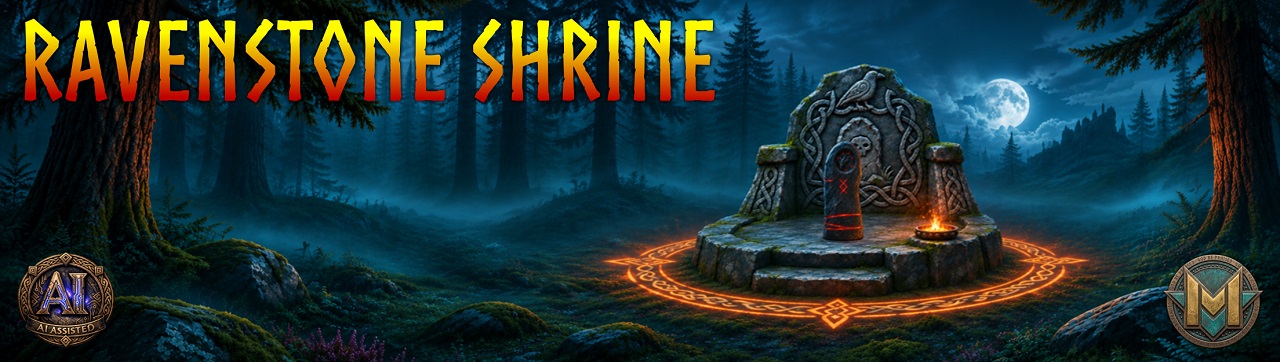
Gravestone out of reach? Make an offering at the Ravenstone Shrine to bring it to you and reclaim your gear. The offering cost and return timer are configurable.
| Date uploaded | 2 days ago |
| Version | 0.0.1 |
| Download link | Marlthon-RavenstoneShrine-0.0.1.zip |
| Downloads | 34 |
| Dependency string | Marlthon-RavenstoneShrine-0.0.1 |
This mod requires the following mods to function

denikson-BepInExPack_Valheim
BepInEx pack for Valheim. Preconfigured with the correct entry point for mods and preferred defaults for the community.
Preferred version: 5.4.2351README




Ravenstone Shrine
Recover your gear after a death in Valheim. Make an offering at the shrine to bring your latest gravestone and the items still inside it to the altar.
This mod was developed as a custom commission.
HOW TO PLAY
- Aim at the glowing orb on the shrine and press E. The default offering is 25 Coins per summon.
- After the ritual effect, your most recent gravestone appears on the altar. Your existing death marker follows it on the map and still shows the day you died.
- Take your items before the countdown ends. You have 60 seconds by default. If anything remains, the gravestone returns to where it was. If its inventory is open, it waits until you close it.
- Empty the gravestone to free the altar. You can then make another offering to call the next one, from newest to oldest.
The shrine can call existing gravestones from an older world. Use the character who died and look for gravestones that still have items inside.
BUILDING AND SETTINGS
Server admins and single-player hosts can build and dismantle the shrine. All players can use it to call their own gravestones.
Find the Ravenstone Shrine under Misc in the hammer menu. To build it, you need a Workbench, 50 Stone, and 4 Surtling Cores. Empty the gravestone or wait for it to return before dismantling an occupied shrine.
Settings are saved in BepInEx/config/marlthon.RavenstoneShrine.cfg. On a dedicated server, edit the server's copy.
| Setting | What it controls |
|---|---|
| Offering item | Defaults to Coins. You can use another item's prefab name, including a custom server currency. |
| Offering amount | Defaults to 25. Set it to 0 for free summons. |
| Return time | Defaults to 60 seconds. Set it to 0 to leave the gravestone at the shrine until it is emptied. |
| Building | Change the recipe, required crafting station, or hammer menu category. |
INSTALLATION
- Install the BepInEx Pack for Valheim.
- Place
RavenstoneShrine.dllinBepInEx/plugins/. - For a dedicated server, install the same mod version on the server and on every player's game.
❤️ Support the Development