
Please disclose if any significant portion of your mod was created using AI tools by adding the 'AI Generated' category. Failing to do so may result in the mod being removed from Thunderstore.
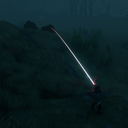
BowTrajectory
Shows the predicted arrow/bolt flight path with an impact marker while drawing a bow or crossbow.
By ModdedWolf
| Date uploaded | a day ago |
| Version | 1.0.5 |
| Download link | ModdedWolf-BowTrajectory-1.0.5.zip |
| Downloads | 219 |
| Dependency string | ModdedWolf-BowTrajectory-1.0.5 |
This mod requires the following mods to function

denikson-BepInExPack_Valheim
BepInEx pack for Valheim. Preconfigured and includes unstripped Unity DLLs.
Preferred version: 5.4.2202README
Bow Trajectory
See where your arrow is going before you release the shot.
While you draw a bow or aim a crossbow, this mod draws the predicted flight path in front of you and marks where the arrow should land — on the ground, on a wall, or on an enemy.
- Works with bows and crossbows
- Updates as you aim and draw
- Client-side only — no install needed on the server
- Press B to turn the preview on or off
Install with r2modman (recommended)
- Install r2modman.
- Select Valheim and open your profile.
- Make sure BepInExPack Valheim is installed.
- Download this mod and click Install with Mod Manager,
or go to Settings → Import local mod and select the downloaded zip. - Click Start modded.
Manual install (BepInEx)
-
Install BepInExPack Valheim if you do not already have it.
-
Extract the zip.
-
Create a BowTrajectory folder in your Valheim BepInEx/plugins directory (if it does not exist), then copy all files from the zip into it:
Valheim\BepInEx\plugins\BowTrajectory\The folder should contain
BowTrajectory.dll,manifest.json,icon.png, andREADME.md. -
Launch Valheim.
Configuration
After your first launch, settings are saved here:
BepInEx\config\ModdedWolf.BowTrajectory.cfg
Change colors via named presets (White, Red, …, RGB Cycle Slow/Medium/Fast, or Custom + hex), line width, toggle key, and more.
Updating from v1.0.2 or earlier: config moved from dev.modded.bowtrajectory.cfg to ModdedWolf.BowTrajectory.cfg. Your settings are copied over automatically the first time you run v1.0.4+, then the old file is renamed to dev.modded.bowtrajectory.cfg.migrated so migration does not run again.
Questions or bugs? Discord
CHANGELOG
Changelog
1.0.5
- Color settings (
StartColor,EndColor,ImpactColor) are now named presets (dropdown in Configuration Manager) instead of raw Unity colors. - Preset dropdown shows friendly labels (e.g.
RGB Cycle Fast,Custom) instead of raw enum names likeRgbCycleFast. - Added matching
*ColorHexsettings (#RRGGBBor#RRGGBBAA) used when the preset isCustom. - Animated RGB Cycle Slow / Medium / Fast presets cycle through rainbow hues (~7s / ~3.5s / ~1.25s per full rotation).
- Config scrub: bare hex (e.g.
FFFFFFD9) and legacy Unity Color values left in preset keys are converted toCustom+ hex before Bind, so BepInEx no longer warns that values likeFFFFFFD9were not found.
1.0.4
- Fixed config migration re-applying on every startup: after a successful migration, legacy
dev.modded.bowtrajectory.cfgis renamed todev.modded.bowtrajectory.cfg.migratedso migration only runs once and no longer overwrites user edits toModdedWolf.BowTrajectory.cfg.
1.0.3
- Renamed plugin GUID to
ModdedWolf.BowTrajectory(config path is nowModdedWolf.BowTrajectory.cfg) - Migrates settings from legacy
dev.modded.bowtrajectory.cfgon first launch
1.0.0
- Initial release
