
Please disclose if any significant portion of your mod was created using AI tools by adding the 'AI Generated' category. Failing to do so may result in the mod being removed from Thunderstore.
EasyRelocate
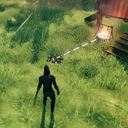
Relocate interactable placed pieces with a ghost preview. Press U to grab, aim, scroll to rotate, and left-click to confirm.
| Date uploaded | a day ago |
| Version | 1.0.5 |
| Download link | ModdedWolf-EasyRelocate-1.0.5.zip |
| Downloads | 90 |
| Dependency string | ModdedWolf-EasyRelocate-1.0.5 |
This mod requires the following mods to function

denikson-BepInExPack_Valheim
BepInEx pack for Valheim. Preconfigured and includes unstripped Unity DLLs.
Preferred version: 5.4.2202README
Easy Relocate
Relocate placed items in Valheim without breaking them down and rebuilding.
Works on interactable pieces like chests, workbenches, torches, beds, beehives, and other furniture. Look at a piece, press U, move it where you want, and confirm.
How to use
- Look at a placed piece you can interact with.
- Press U to pick it up.
- Aim at the new spot — a ghost preview shows where it will go.
- Scroll the mouse wheel to rotate.
- Left-click to confirm.
- Right-click or U to cancel.
Requirements
- Valheim (PC)
- BepInEx Pack Valheim
Installation
r2modman / Thunderstore (recommended)
- Install r2modman.
- Create or open a Valheim profile.
- Install BepInEx Pack Valheim.
- Search for Easy Relocate and click Install with Mod Manager.
- Launch Valheim through r2modman.
If you still have the old Press U To Relocate package, update it to 1.0.3 — it will pull in Easy Relocate automatically.
Manual (BepInEx)
- Install BepInEx Pack Valheim and launch the game once.
- Put
EasyRelocate.dllin:<Valheim folder>\BepInEx\plugins\EasyRelocate\ - Launch the game.
If you downloaded a zip, extract it so the .dll is inside that EasyRelocate folder.
Multiplayer
All players need this mod installed for relocates to show up correctly for everyone.
Settings
After your first run, open:
BepInEx\config\ModdedWolf.EasyRelocate.cfg
If you used the old mod, settings from dev.modded.pressutorelocate.cfg are copied here automatically on first launch.
Useful options:
- GrabKey — default
U - MaxGrabDistance — how far you can grab a piece
- MaxPlaceDistance — how far you can place the ghost
- RespectWards / RequireBuildAccess — ward and build permission checks
Restart the game or reload the config after changing values.
Questions or bugs? Discord
CHANGELOG
Changelog
1.0.5
- Updated Thunderstore icon to Match Nexus Mods: https://www.nexusmods.com/valheim/mods/3425
1.0.4
- Fixed teleporters and signs not showing the relocate prompt after renaming until you attack or left-click
- Fixed pressing U while renaming a teleporter also picking up the portal
- Grab is also ignored while typing in other text dialogs, naming map pins, or focused in a text field
1.0.3
- Fixed relocate ghosts looking dithered, fragmented, or invisible (Custom/Piece screen-door from translucent GhostColor/BlockedColor)
- Forces ghost tint alpha to opaque and migrates existing cfg values
- Fixed beds and other furniture (spice racks, hanging braziers, etc.) collapsing or breaking after relocate due to stale support bounds
- Deploy now targets the correct r2modman plugin folder (
Unknown-EasyRelocate) that the Modded profile loads
1.0.2
- Fixed config options that stopped applying after the vanilla placement rewrite:
RotationSnapDegreesnow controls scroll-wheel rotation snap while relocatingMaxPlaceDistancenow limits how far the ghost can be placedRequireBuildAccessagain allows/denies placement in no-build zonesRespectWardsnow also applies during placement (not only when grabbing)GhostColor/BlockedColortint the relocate ghost again
- Fixed legacy config migration so copied settings are actually loaded on first launch
1.0.1
- Fixed chests, beehives, and other furniture sometimes breaking unexpectedly during or after relocate
- Pauses structural wear while a piece is being moved
- Refreshes support integrity after a successful placement
1.0.0
- Initial release as Easy Relocate (renamed from Press U To Relocate)
- Relocate interactable placed pieces with a ghost preview (U to grab, scroll to rotate, left-click to place)
