
Please disclose if any significant portion of your mod was created using AI tools by adding the 'AI Generated' category. Failing to do so may result in the mod being removed from Thunderstore.
ModConfigs
Change any client-side mod's config (.cfg) in-game.
| Date uploaded | 3 weeks ago |
| Version | 1.0.1 |
| Download link | ModdedWolf-ModConfigs-1.0.1.zip |
| Downloads | 350 |
| Dependency string | ModdedWolf-ModConfigs-1.0.1 |
This mod requires the following mods to function

denikson-BepInExPack_Valheim
BepInEx pack for Valheim. Preconfigured and includes unstripped Unity DLLs.
Preferred version: 5.4.2202README
Mod Configs
Change any client-side mod's config in-game with a UI that matches the native Settings panel. Browse and edit BepInEx plugin .cfg settings without leaving the game or alt-tabbing to edit files by hand.
Edits save straight to your local .cfg files. Client-side only — no server install required, and it never touches server-enforced or other players' settings.
- Wood-panel Settings-style window (toggles, sliders, steppers, dropdowns, keybind rebind)
- Dynamically lists BepInEx configs from loaded plugins
- CFG description text above each option
- Reset to Defaults for the selected mod
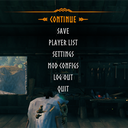
- Open from the pause menu (after Settings); optional main-menu button
Questions or bugs? Discord
Install with r2modman (recommended)
- Install r2modman.
- Select Valheim and open your profile.
- Make sure BepInExPack Valheim is installed.
- Download this mod and click Install with Mod Manager,
or go to Settings → Import local mod and select the downloaded zip. - Click Start modded.
Manual install (BepInEx)
-
Install BepInExPack Valheim if you do not already have it.
-
Extract the zip.
-
Copy files into:
Valheim\BepInEx\plugins\ModdedWolf-ModConfigs\The folder should contain
ModConfigs.dll,manifest.json,icon.png, andREADME.md.Prefer the Thunderstore / r2modman package folder name (
ModdedWolf-ModConfigs) so enable/disable in the mod manager controls the install. A bareplugins\ModdedWolfsConfigs\folder is invisible to r2modman and will always load. -
Launch Valheim.
Configuration
After first launch, settings are saved here:
BepInEx\config\ModdedWolf.ModConfigs.cfg
| Section | Key | Default | Description |
|---|---|---|---|
| General | ShowPauseMenuButton | true | Show Mod Configs on the in-game pause menu |
| General | ShowMainMenuButton | false | Show Mod Configs on the title-screen main menu |
| General | ShowAdvancedSettings | false | Show settings marked as advanced (ConfigurationManagerAttributes.IsAdvanced) |
| General | HideSelfFromList | false | Hide this mod's own settings from the in-game panel |
| General | RememberLastMod | true | Reopen on the last mod you had selected |
Compatible with BepInEx Configuration Manager attributes (Browsable, IsAdvanced, etc.).
Notes
This mod does not sync settings to a dedicated server or other players. Changes apply to the local client's config files only.
CHANGELOG
Changelog
1.0.1
- Updated mod description to emphasize changing client-side mod configs (.cfg) in-game, no server install needed
- New mod icon
1.0.0
- Client-only in-game config UI matching Valheim Settings
- Dynamic discovery of BepInEx plugin configs
- Mod picker, toggles, sliders/steppers, keybind rebind, Reset to Defaults per mod
- CFG description text above options; left-aligned layout
