
Please disclose if any significant portion of your mod was created using AI tools by adding the 'AI Generated' category. Failing to do so may result in the mod being removed from Thunderstore.

DynamicStorage Tanners Hall
Dynamic Hide Racks with visible hide and pelt piles, per-rack appearance editing, display styles and server-synced storage capacity.
| Date uploaded | a week ago |
| Version | 1.0.0 |
| Download link | Muji-DynamicStorage_Tanners_Hall-1.0.0.zip |
| Downloads | 380 |
| Dependency string | Muji-DynamicStorage_Tanners_Hall-1.0.0 |
This mod requires the following mods to function

denikson-BepInExPack_Valheim
BepInEx pack for Valheim. Preconfigured with the correct entry point for mods and preferred defaults for the community.
Preferred version: 5.4.2351
ValheimModding-Jotunn
Jötunn (/ˈjɔːtʊn/, 'giant'), the Valheim Library was created with the goal of making the lives of mod developers easier. It enables you to create mods for Valheim using an abstracted API so you can focus on the actual content creation.
Preferred version: 2.30.2README
DynamicStorage Tanners Hall
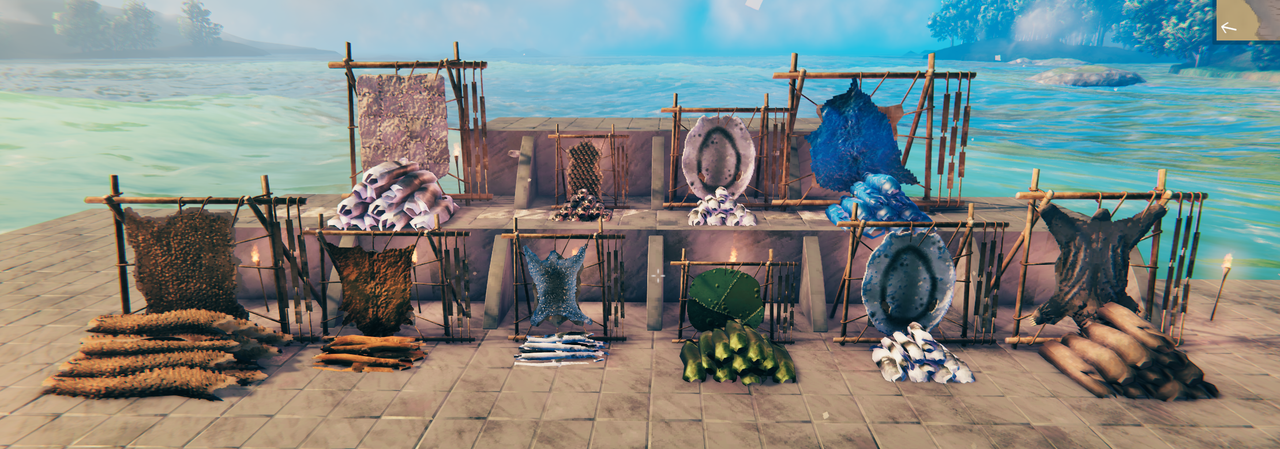
Turn your hides and pelts into storage you can actually see. The Dynamic Hide Rack combines a hanging hide with a pile that grows as you fill it, so your tannery changes with its contents instead of looking like a static container.
Join Muji's Discord
Found a bug, have an idea for a future DynamicStorage feature, or want to share your tannery? Muji's Discord is the best place for bug reports, feature requests, screenshots, and feedback.

Storage that changes as you fill it
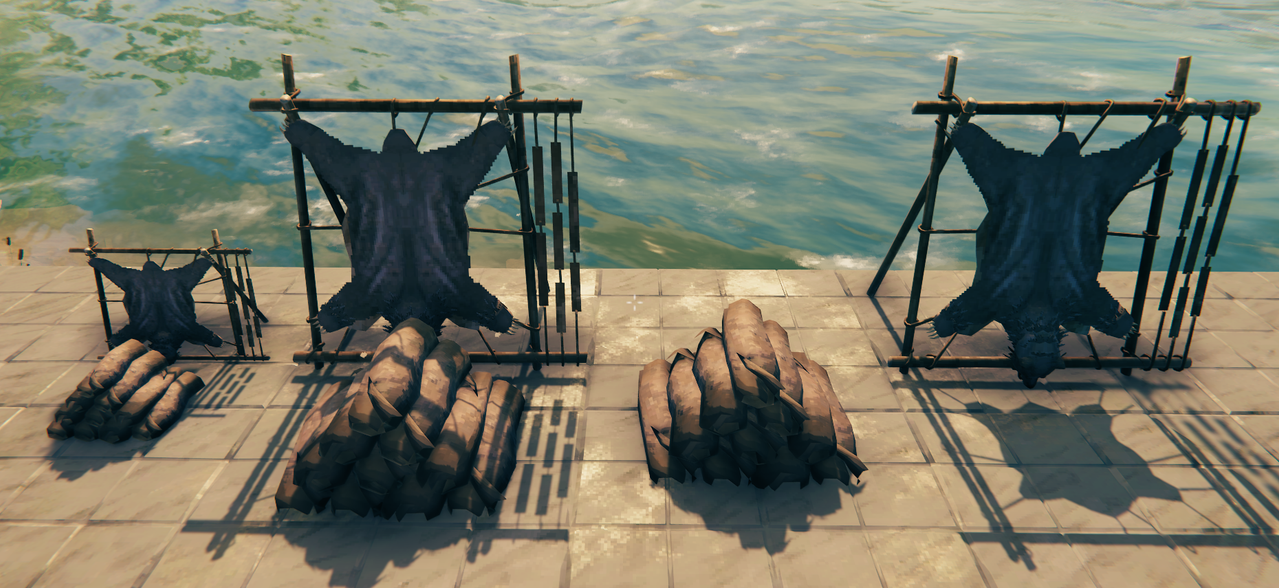
Store supported hides in a real container and watch the display respond. Each hide has its own hanging appearance and calibrated pile. The pile can build up to ten visible hide models, arranged in a natural layered stack. As hides are added or removed, the visible pile changes with them.
Choose when the pile should look full: 25%, 50%, 75%, 100%, or Always full. The percentage is based on the amount stored relative to the server's rack capacity, including partial stacks. Splitting the same number of hides across more inventory stacks does not make the pile look fuller. Always full keeps the full visual pile whenever the pile is displayed.

Each rack can be a Dedicated stack, accepting one hide type until emptied, or Mixed hides, accepting different supported hides. A mixed rack displays whichever hide type has the highest stored quantity.
Three ways to display your hides
- Full display: the stand, hanging hide, and growing pile together.
- Stand only: a hanging hide without the pile.
- Pile only: a freestanding pile without the stand while a pile is displayed.
You can also choose what happens when the last hide is removed. Remember hide keeps the last pile visible as a visual reminder; it does not create items. Empty rack shows the bare stand, including when Pile only was selected.
Make every rack your own
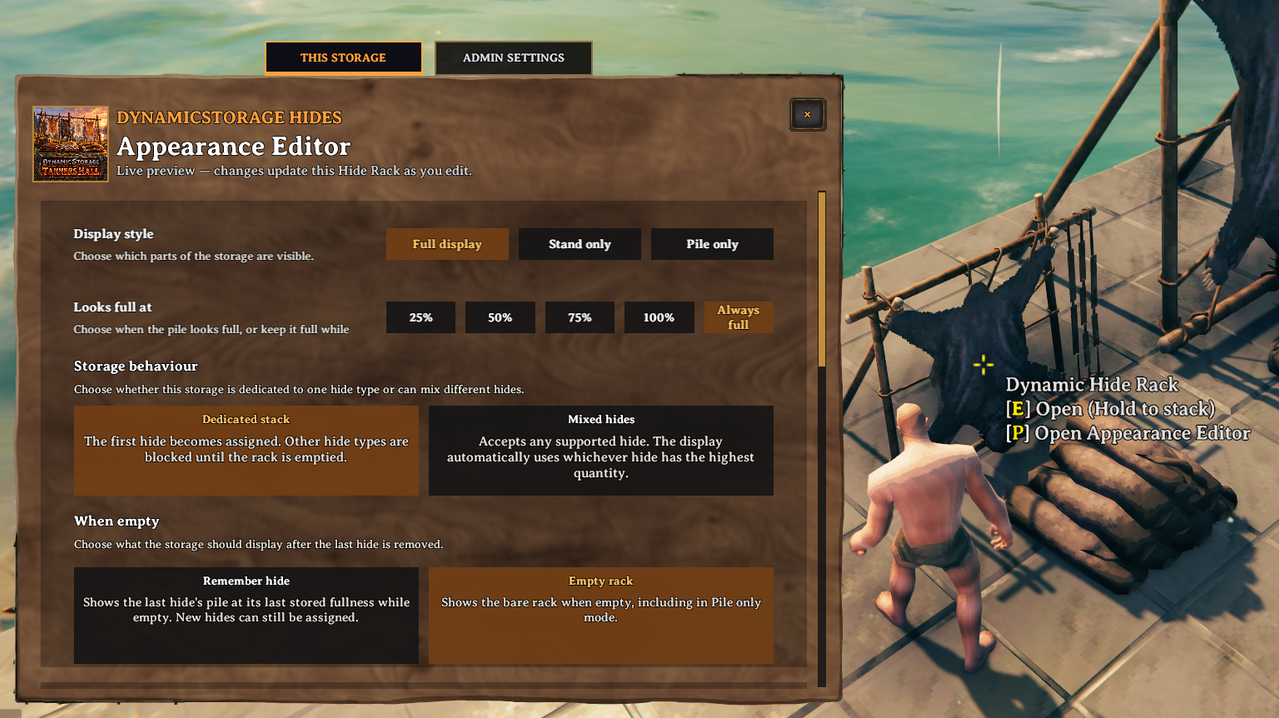
Aim at a placed Dynamic Hide Rack and press P to open its Appearance Editor. Changes preview live and are saved to that rack, so each tannery setup can have its own look.
Choose the display style, fullness threshold, storage behaviour, and empty appearance. Fine-tune the whole display's height and rotation, then adjust the stand and pile separately with their own height, rotation, scale, and left/right and forward/back controls. The Compact and Per-hide size options help the same rack fit a small corner or a larger display.
The Admin Settings tab contains the server-controlled storage capacity: 10, 20, 40, or 60 slots.
Supported hides and pelts
Deer Hide, Troll Hide, Wolf Pelt, Lox Pelt, Scale Hide, Asksvin Hide, Bear Hide, Seal Pelt, and Moose Hide.
Other animal materials, including claws, feathers, and Leather Scraps, will be added to DynamicStorage Materials. The Dynamic Hide Rack is for hides and pelts.
Building and installing
Find Dynamic Hide Rack in the hammer's Dynamic Storage category. Install the mod with BepInExPack Valheim and Jötunn. Multiplayer games need the mod on the server and every client. Tanners Hall is a standalone mod, so you can pick which DynamicStorage mods you want to use.
Other DynamicStorage Mods
DynamicStorage Tanners Hall is part of a growing collection of mods that make the resources in your base visible and useful. Explore Muji's other storage mods below, along with the original DynamicStorage Piles by MSchmoecker.
| Mod | |
|---|---|
 |
DynamicStorage Piles by MSchmoecker — the original dynamic storage mod for wood, stone, and other resource piles. |
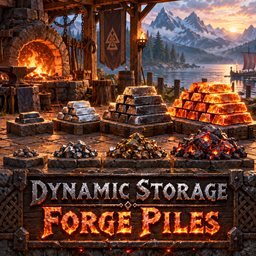 |
DynamicStorage Forge — ores, scraps, metals, and forge materials. |
 |
DynamicStorage Materials — common crafting materials and resources. |
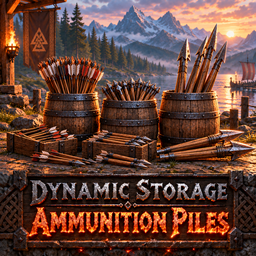 |
DynamicStorage Ammunition Piles — arrows, bolts, and Ballista missiles in barrels that visibly fill. |
 |
DynamicStorage Mead Hall — themed mead storage with dynamic labels and Quick Grab. |
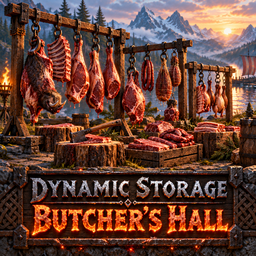 |
DynamicStorage Butcher's Hall — dynamic raw and cooked meat storage for your butcher area. |
Feedback & Community
Please report bugs and share feedback on Muji's Discord. Tell us which hide you used, what you expected to see, and what happened. Screenshots of your racks, piles, and Appearance Editor settings are especially helpful. Ideas for future DynamicStorage pieces are welcome too.
CHANGELOG
1.0.0 — Tanners Hall package
- Prepared the first versioned Tanners Hall package from the 0.4.37 source snapshot. The mod's gameplay and storage code is unchanged apart from version metadata.
- Added the player README, approved 256×256 icon, manifest and package attribution files.
0.4.37 — editor layout, independent heights and hammer category (test build)
- This Storage and Admin now use separate page roots: the storage controls start below the header and scroll independently; Admin shows its capacity card at the top without a scrollbar.
- Renamed Height to Whole display height and added per-rack Stand height and Pile height controls with individual resets. The stand and hanging hide move together; the pile moves separately. Each control appears only when its visual group is selected.
- Grouped placement controls under Stand and Pile labels.
- Put the Dynamic Hide Rack in Jotunn's Dynamic Storage hammer category. Other Dynamic Storage mods will be migrated in their own builds.
- Existing editor data loads with both new heights at zero. Storage, capacity and prefab identity are unchanged. In-game testing remains required.
0.4.36 — build piece name (test build)
- Renamed the hammer build piece and container hover title to Dynamic Hide Rack. The prefab identity, stored data, appearance and storage logic are unchanged.
- Use the
Mod testing listprofile for the test DLL. The1.0 mod listprofile does not include this mod; a missing-plugin load ofmodworldremoved six rack ZDOs before save 440. World recovery is separate from this name change and remains unverified.
0.4.32 — Hide Rack editor controls and Leather Scraps restriction (test build)
- New Leather Scraps insertion is rejected in Dedicated and Mixed Hide Racks. Old saved scraps remain recognized, visible and withdrawable; no inventory migration or item deletion is performed.
- Added Always full pile appearance for any positive hide count, while zero items still follow When empty.
- Pile only now shows the selected empty fallback when storage has no hides: a bare stand, remembered hanging hide or visual deer hide. A legacy rack with contents but no pile model also keeps its stand/hide visible.
- Kept whole-display Rotation and shared Height; added independent Stand/Pile rotation and scale controls with display-style visibility. Old overall scale is interpreted as the initial value of both components so existing racks retain their appearance.
- This is a pre-release item-admission change. In-game drag, legacy-scraps, reload and multiplayer checks remain required.
0.4.31 — compact rack size and placement work reduction (test build)
- Compact stand now returns the rear rack to its saved empty-rack model size and scales the hanging hide by the same per-axis ratio, instead of applying a fixed 85% size.
- Placement initialization commits the captured defaults before refreshing, avoiding a second full visual rebuild when the rack's owned ZDO is already available. Added placement start/completion log markers to help identify any recurring hang.
- No item admission, inventory, storage or prefab identity changes. The 0.4.30 AppHangB1 after placement has no confirmed cause; copied-world placement and item-safety checks remain required.
0.4.30 — active visual root for whole-rack controls (test build)
- Fixed rotation, scale, compact stand size, Pile-only rear-stand visibility and selected-group flash to target the newest active generated visual root after a rebuild. Unity keeps the old disabled root until the end of the frame; name-only lookup previously selected it.
- Kept 0.4.29 per-rack ZDO editor saving and Dedicated/Mixed storage behavior unchanged. In-game visual and item-safety checks remain required.
0.4.29 — per-rack ZDO editor values (test build)
- 0.4.28 still failed an in-game Stand-only test. Its owner readback log repeatedly reported that the selected rack's appearance edit was not verified in ZDO.
- Editor controls now persist in separate owner-written
DSAP.Editor.*ZDO fields with a version marker written last. The existing appearance JSON remains the base hide/rack/pile mapping; reading a rack overlays its editor fields before drawing it. - Added failure details to the owner log if a requested edit does not read back. All 0.4.27 controls and Mixed storage rules remain; runtime verification is required.
0.4.28 — Appearance Editor save and flash repair (test build)
- Removed the call to Valheim's inaccessible
WearNTear.ResetHighlight, which produced a confirmed runtime exception in 0.4.27. The selected visual group now pulses via temporary renderer properties and restores its prior properties after each pulse. - Replaced the editor's silent JSON RPC payload with an explicit validated protocol; owner writes are checked by reading the saved rack snapshot back. Invalid edits now log a reason.
- Kept all 0.4.27 editor controls and storage rules. Save, visual, item-safety and multiplayer behavior still require in-game verification on a copied world.
0.4.27 — per-rack editor controls (test build)
- Made the tooltip brackets white around the yellow P, added three small slider reset buttons, and added a two-pulse selected-rack highlight when opening the editor.
- Saved display style, fullness threshold, empty display choice, visual rotation/height/scale and stand/pile footprint per rack. Existing mapping defaults remain the template for newly placed racks.
- Added a per-rack Mixed hides mode that admits supported hides, displays the highest-quantity type and prevents switching to Dedicated while multiple types remain. This changes item admission and requires copied-save and multiplayer safety tests.
- Kept the new-placement toggle and Admin page as visible placeholders. Runtime checks remain NOT RUN.
0.4.26 — per-rack Appearance Editor entry and save
- Added
[P] Open Appearance Editorto placed Hide Rack hover text. P opens the editor for the aimed rack; F8 opens the no-selection test page. - Full display, Stand only and Height now write the selected rack's saved appearance snapshot without changing global mapping defaults or another rack.
- New placements capture the current mapping and pile-fullness defaults. Older snapshots gain a per-rack fullness value on the authoritative owner; inventory data is untouched.
- Preserved the complete editor mockup and its still-unimplemented controls for the next feature pass.
0.4.25 — Stand-only layout and retired visual cleanup
- Fixed the Appearance Editor card top border and row spacing for Stand only.
- Removed the retired generated frame feature and all of its active settings, renderer fragments, calibration data and saved-appearance fields.
- Preserved the complete Hides UI and unchanged inventory/pile material behavior.
- Added a control-by-control UI implementation review.
0.4.24 — complete Hides Appearance Editor port
- Restored the supplied Lab 0.0.24 Hides editor layout and removed its separate test gallery.
0.4.33 (pre-release test build)
- Remember hide now retains a visual pile when storage is empty, using the last stored hide and count with the selected Looks full at setting. Empty rack instead shows the bare rack, including in Pile only mode. Empty visuals never add an inventory item.
- Removed Deer hide from the When empty choices; older saved Deer hide choices read as Remember hide.
- Compact pile now fits every hide's complete ten-model pile inside 70% of the base rack footprint, with a stable scale as the visible pile count changes.
0.4.34 (pre-release candidate)
- Reworked Compact pile fitting against the base rack's longest horizontal span. This avoids the rack's very shallow depth collapsing all ten pile models into a tiny cluster while preserving the chosen fullness setting.
- Added the supplied Tanners Hall artwork to the Appearance Editor header as an embedded resource.
- Removed the nonfunctional “Use settings for new placements” toggle.
- Admin Settings now contains only server-synced Hide Rack capacity: 10, 20, 40 or 60 slots. Existing racks protect saved stacks during reductions using a temporary load envelope, validated owner-only relocation and fail-closed deferral. The Dedicated/Mixed hide drag guards remain in place.
- Capacity, drag, save/reload and multiplayer checks require copied-world testing before release.
0.4.35 (pre-release test build)
- Looks full at percentages now use occupied stack fractions divided by the server slot capacity. The tenth pile model appears only when the selected threshold is reached; Always full remains immediate. Existing selected percentages are inferred from 0.4.34 saved values, while genuinely custom absolute thresholds remain available on old racks.
- Added independent stand and pile left/right and forward/back visual offsets with per-rack saving and reset buttons. Each pair appears only when its group is selected for display.
- Moved the sole Admin capacity card to the top and removed scrolling from that tab. This Storage retains scrolling for its expanded placement controls.
- Runtime visual, migration, drag, save/reload and multiplayer checks remain NOT RUN.
0.4.37 — editor layout, independent heights and hammer category (test build)
- This Storage and Admin now use separate page roots: the storage controls start just below the header and scroll independently; Admin shows its sole capacity card at the top without a scrollbar.
- Renamed Height to Whole display height and added per-rack Stand height and Pile height controls with independent resets. The stand and hanging hide move together; the pile moves separately. Each control appears only when its visual group is selected.
- Grouped placement controls under Stand and Pile labels.
- Put the Dynamic Hide Rack in Jotunn's Dynamic Storage hammer category. Other Dynamic Storage mods are to be migrated in their own builds.
- Existing editor data loads with both new heights at zero. Storage, capacity and prefab identity are unchanged. In-game testing remains required.
