
Please disclose if any significant portion of your mod was created using AI tools by adding the 'AI Generated' category. Failing to do so may result in the mod being removed from Thunderstore.

SignLink
Pictures on signs that every player sees, vanilla included: PNG, JPG and GIF with transparency, sized in metres, tilted onto floors and ceilings, plus built-in glyph and pixel art and animations saved in the world.
| Date uploaded | a day ago |
| Version | 1.0.3 |
| Download link | PetyusPolisz-SignLink-1.0.3.zip |
| Downloads | 19 |
| Dependency string | PetyusPolisz-SignLink-1.0.3 |
This mod requires the following mods to function

denikson-BepInExPack_Valheim
BepInEx pack for Valheim. Preconfigured with the correct entry point for mods and preferred defaults for the community.
Preferred version: 5.4.2351README
SignLink
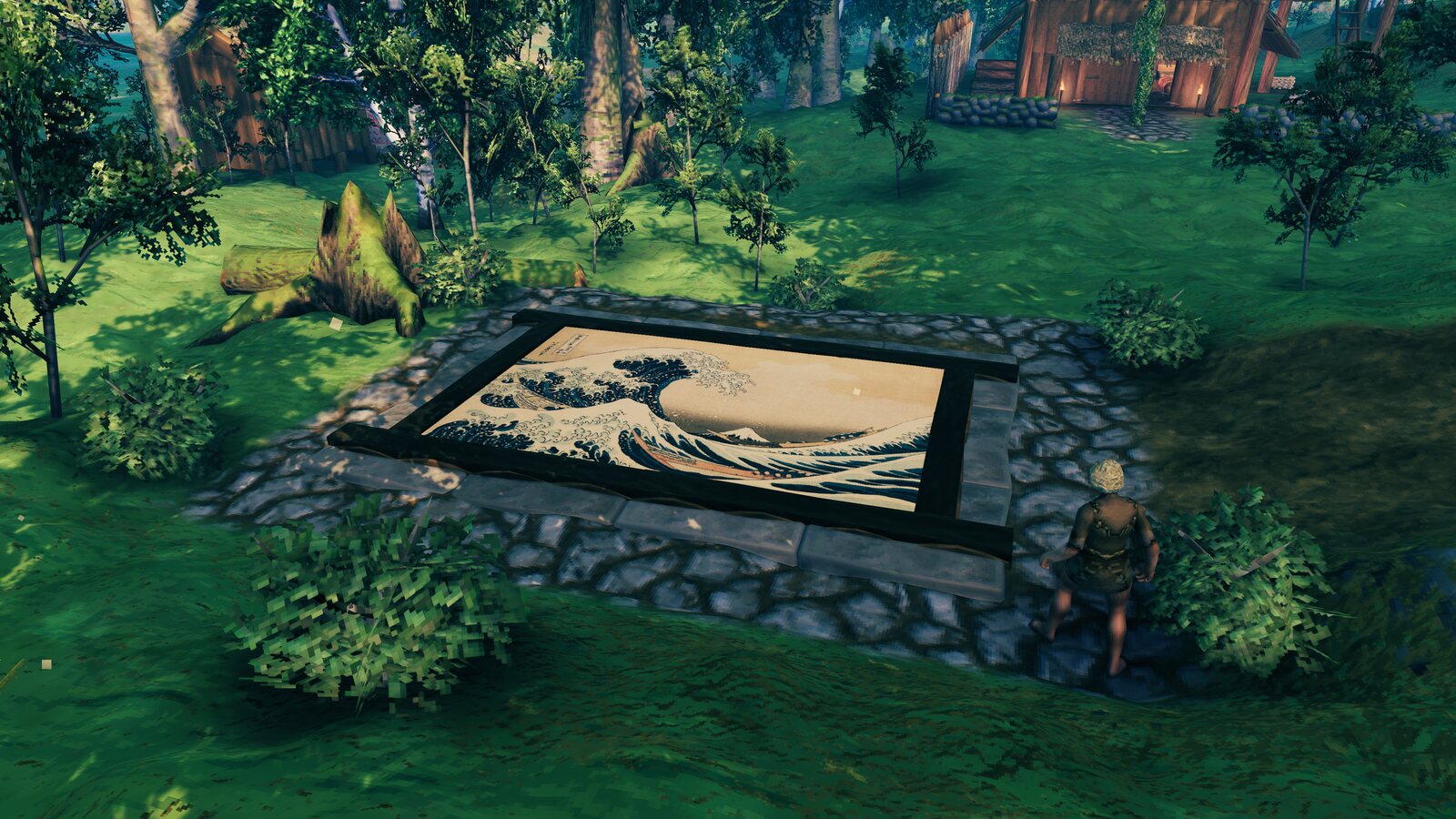
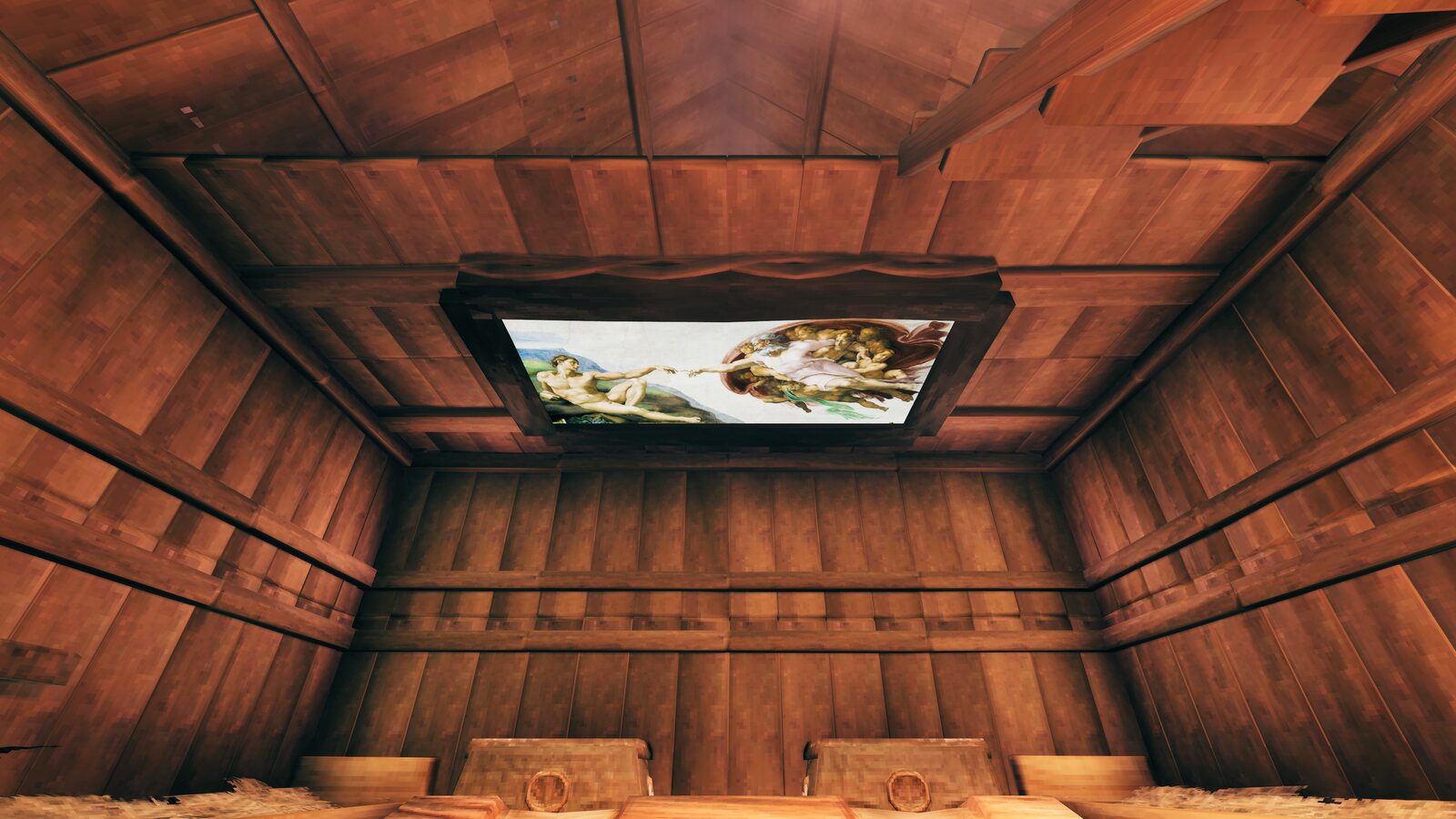
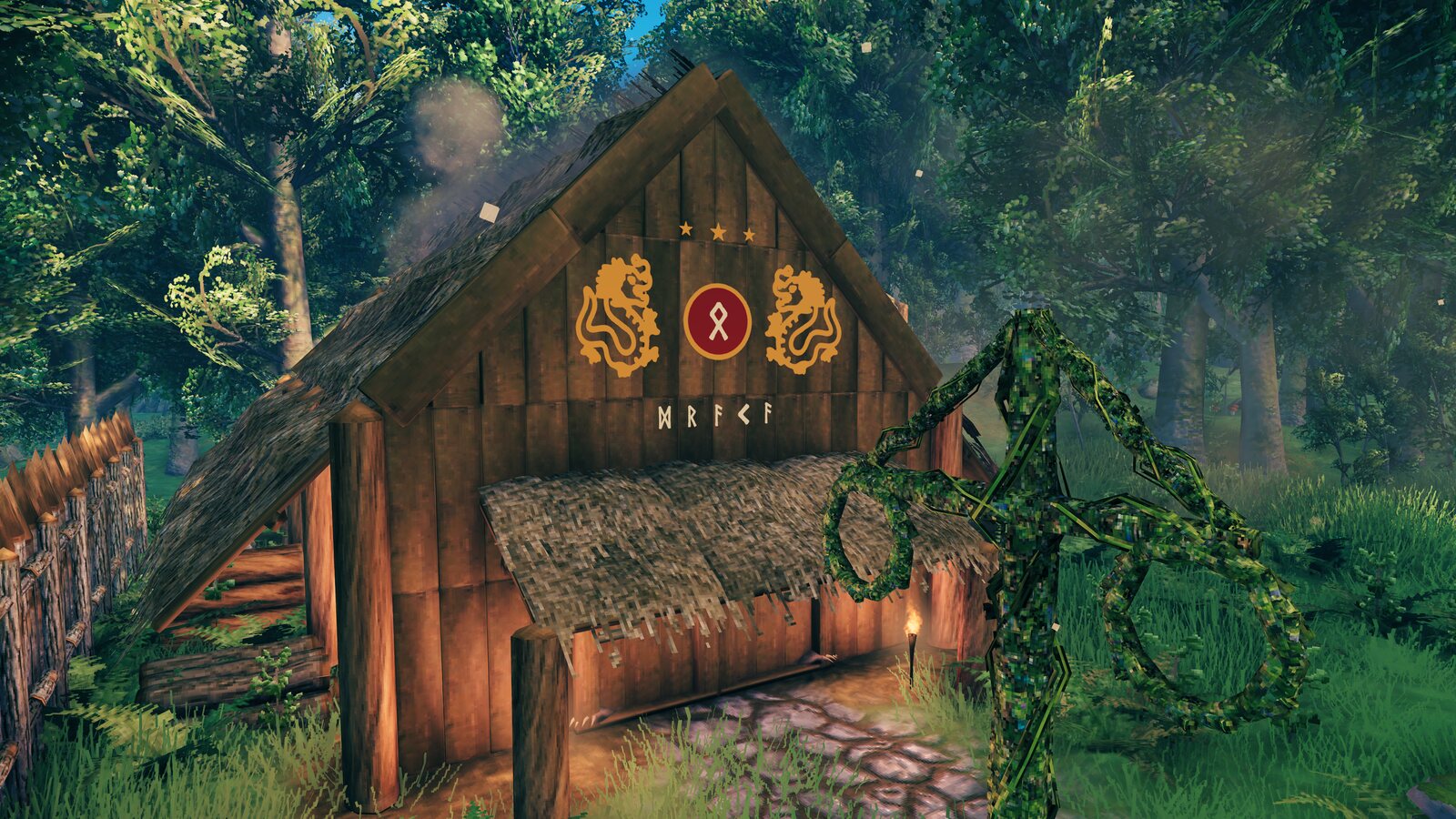
Put glyph art, coloured text and pictures into your world as sign text. Every player sees them, with or without the mod, because they are ordinary signs saved in the world. Only the player who makes them needs SignLink.
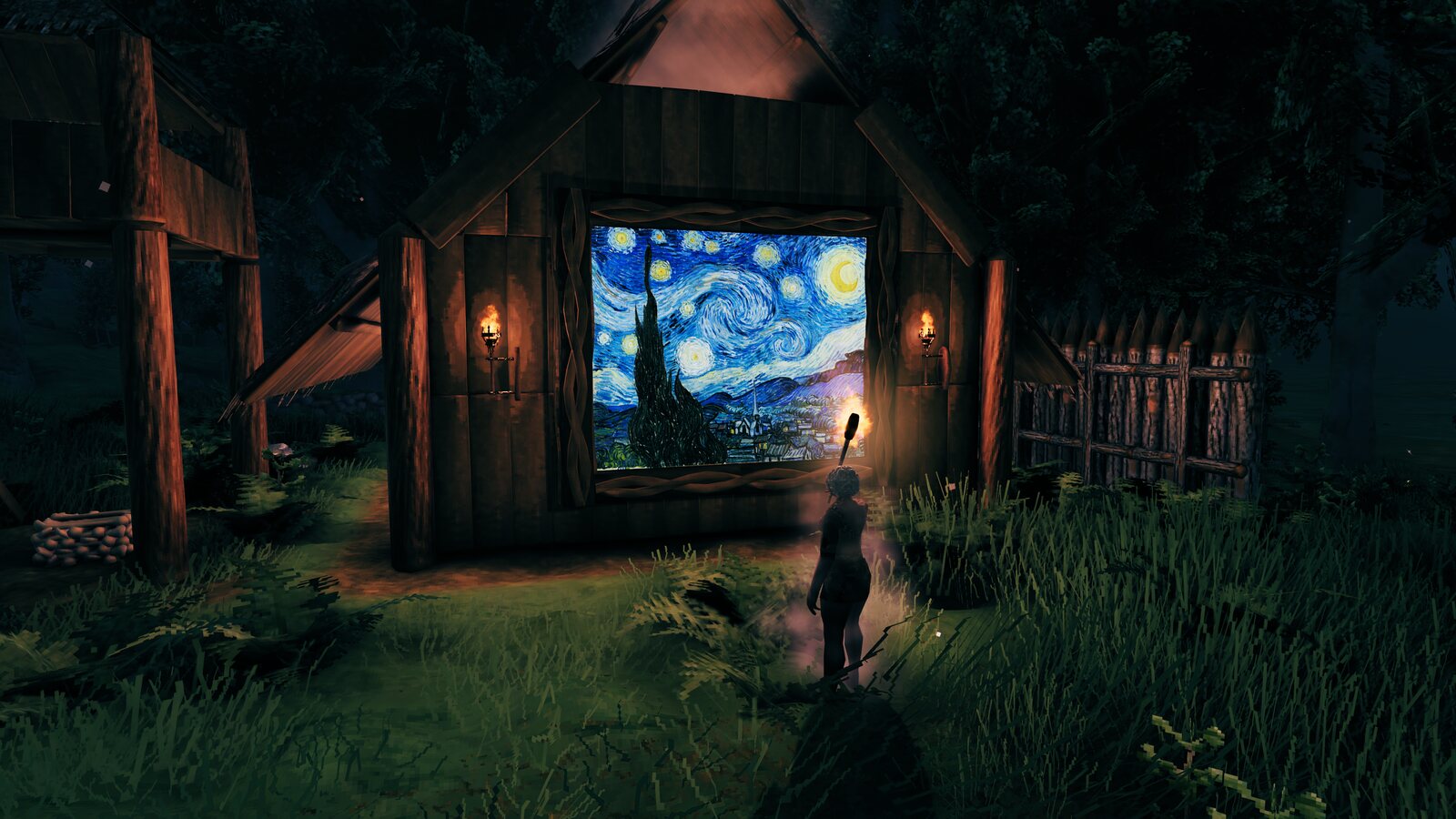
| Floor mural | Ceiling fresco |
|---|---|
 |
 |
| Glyph art | Signposts and labels |
 |
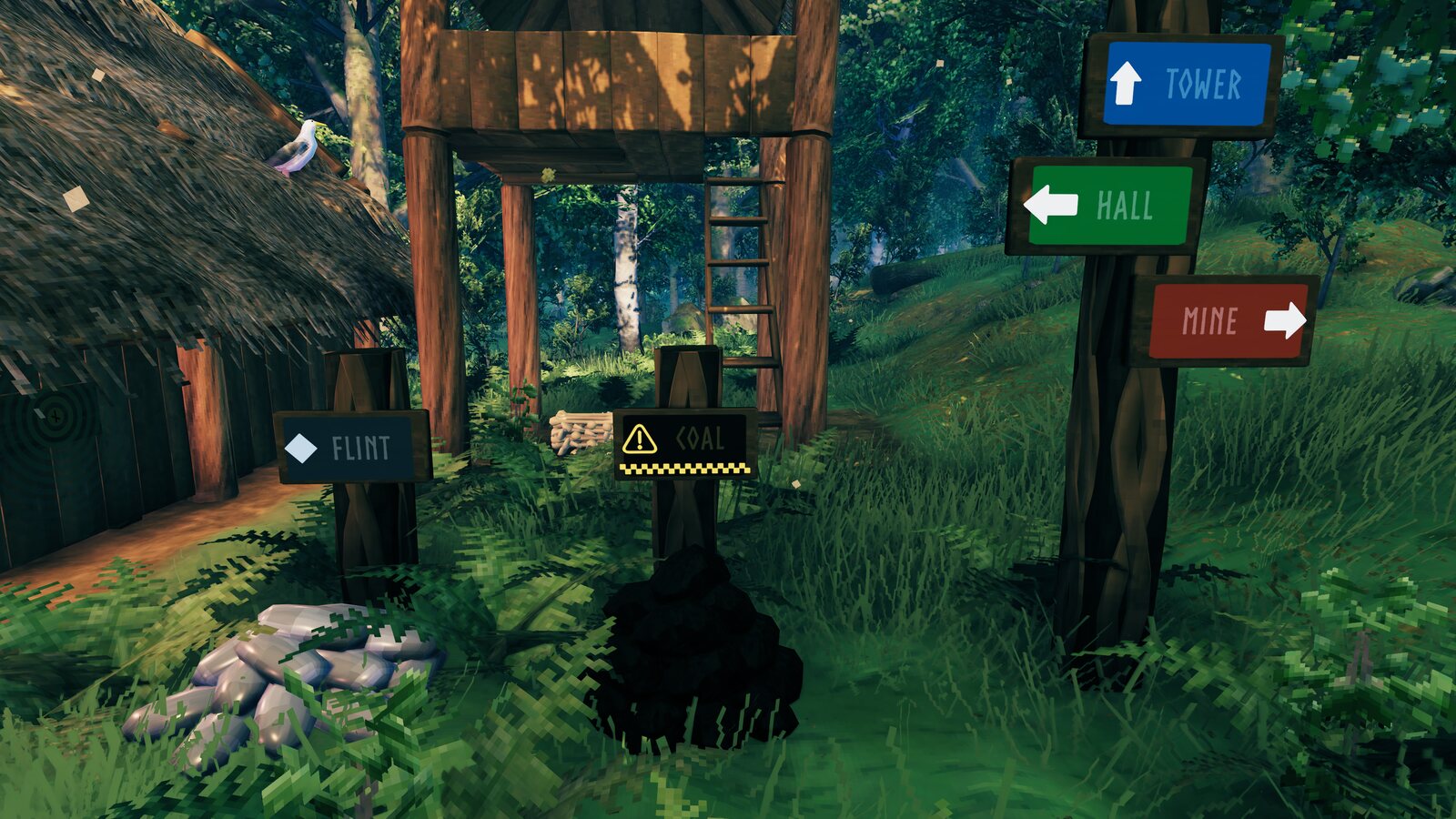 |
| QR code | Tilted |
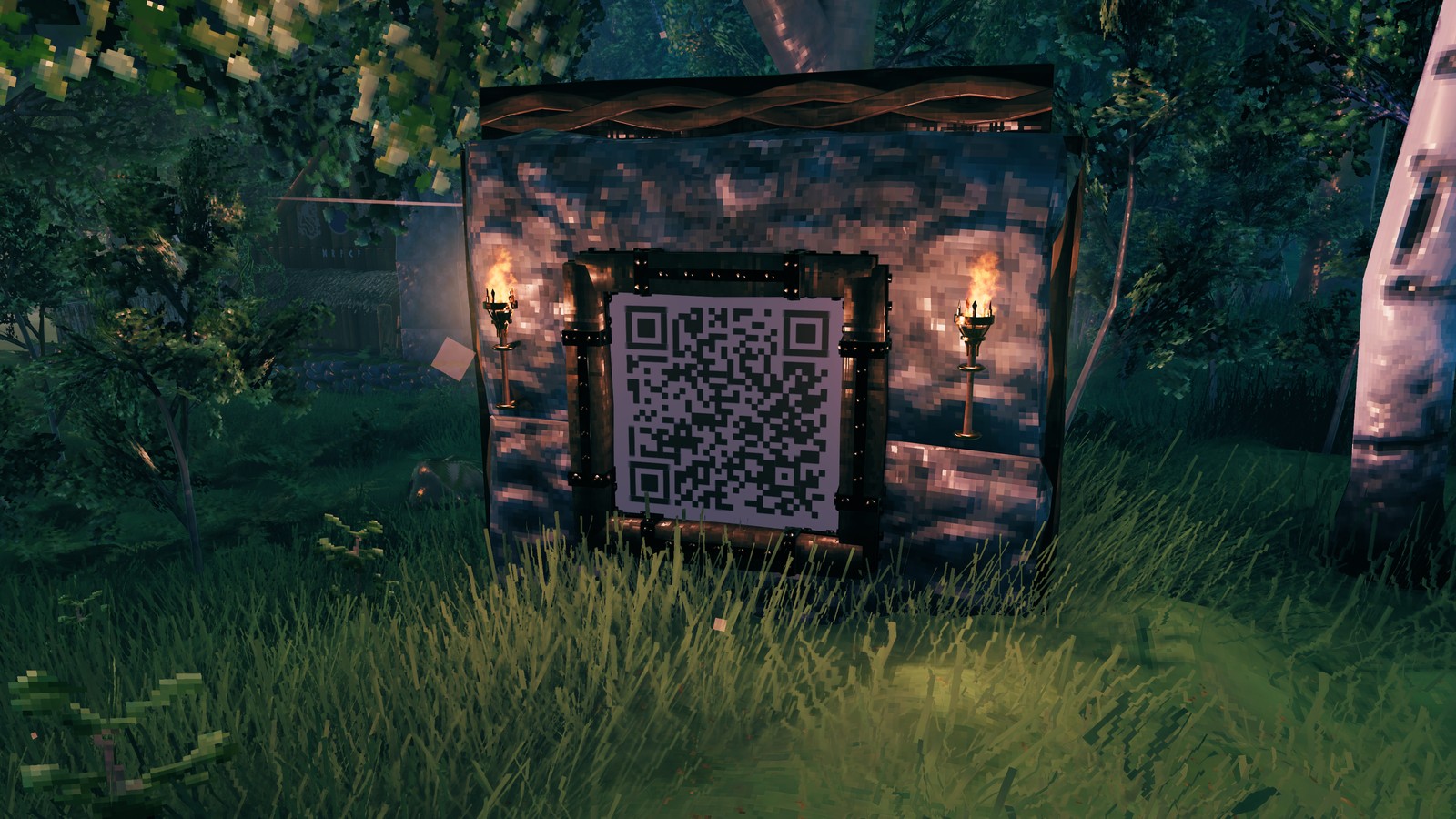 |
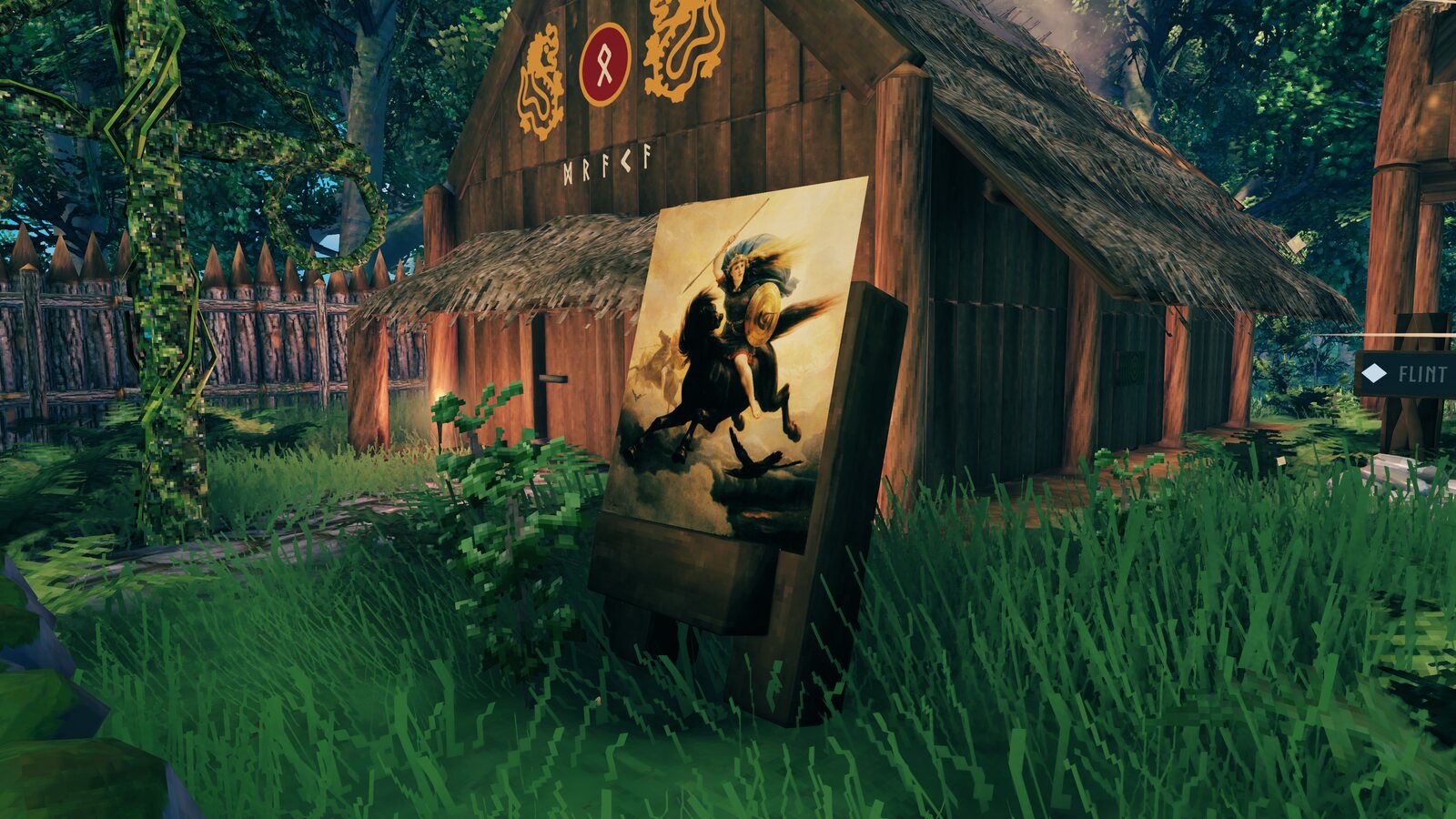 |
Links: GitHub (source, documentation) · Wiki · Nexus Mods · Thunderstore · Buy me a coffee
What it does
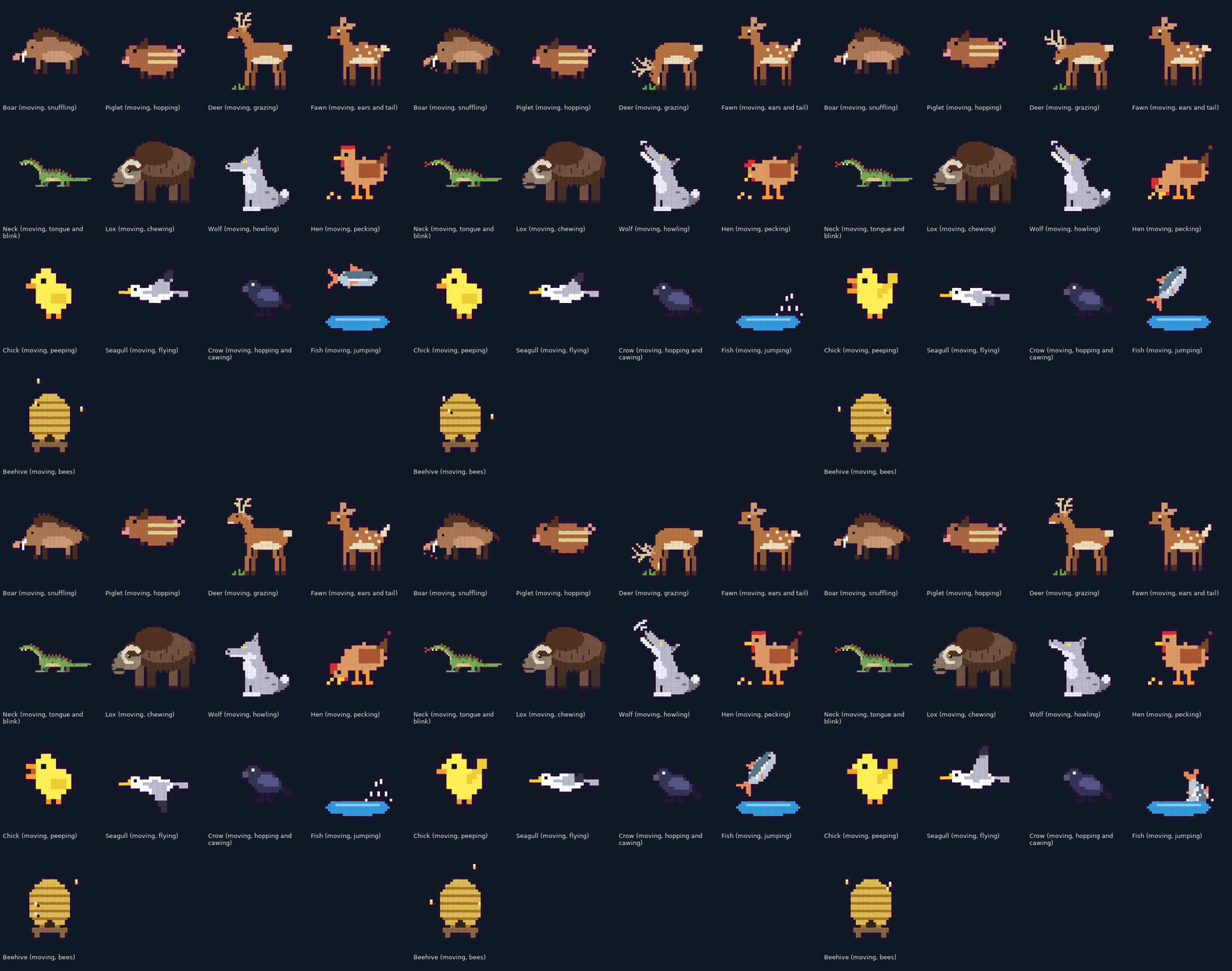
- Ready-made art. Over 200 pieces in 15 groups: glyph art (pictures drawn with letters and symbols: Huginn and Muninn, a dragon ship, Eikthyr, Mjolnir, Jormungandr and more), pixel art (the cat and its friends, a boar family, necks, hens and chicks, forest animals, bears, wolves and moose, seals, fish and sea serpents, a fjord at dusk) and kitchen icons for chest labels. The animated ones go on moving; switch Moving off for a still.
- Text with templates. Write coloured text, or put ready pieces in a click: a coloured block to paint a wall or a floor, a label, a symbol from a palette (runes, arrows, frames, emoji), a two-colour pattern, a QR code that phones read.
- Pictures on signs. PNG, JPG or GIF (its first frame) become sign text in game, sized in metres (phone photos the right way up). A sign shows up to 50 000 pixels; a bigger picture goes over copies of the sign stacked a fraction of a millimetre apart, so it stays one flat, seamless picture (up to a million pixels, in single player). On a server every player who arrives downloads it first, at 150 KB/s at best, and the objects around it wait behind it, so a multiplayer world has hard limits: at most 300 KB on one sign and 600 KB for all the SignLink signs within 100 m, every player's (a bar on the window shows how full the area is). The window shows the wait and the limits before you place anything; single player has none.
- Transparency. See-through parts of a PNG stay empty (and cost nothing), half-transparent parts stay half transparent.
- Any pose. Tilt a sign from standing to face up (a picture on the floor) or face down (read from below, for a ceiling), rotate it, resize and move what it holds along its face. The place you set stays put whatever the tilt.
- Move or turn the sign itself from a millimetre to a metre at a time (buttons, arrow keys or the Turn slider, 3 Place), as far as the game still holds it up (up to 5 m: a sign standing on a floor goes metres towards or away, one on a wall barely off it) and any angle, without making it again. Steps show for you at once; Apply sign coord changes makes them everyone's, a tilt and a rotation too, Undo steps takes them back. Where the game would not hold the sign up, the steps and the pose still show, and only the button is refused, in red.
- Animations saved in the world. They play for every SignLink player on a shared clock and survive restarts; players without the mod see the first frame.
- Glowing or lit. Pictures glow in their own colours day and night, or take the scene's light like normal sign text.
- Multiplayer-safe. Every sign of a picture stays under 400 KB, below the 512 KiB a sign can carry over the network, always.
How to use
- Install with r2modman or the Thunderstore Mod Manager (BepInExPack Valheim is installed with it).
- Put your pictures (PNG, JPG or GIF) into
SignLink/imagesin the game's own data folder, next to your worlds (on Windows%USERPROFILE%\AppData\LocalLow\IronGate\Valheim\SignLink\images) (Open folder on the Picture source opens it). Folders inside it are fine: the list shows them, → opens one and ← goes back up; a sign remembers its picture's folder. Six public-domain paintings and a moving GIF are already there to start with (Van Gogh, Hokusai, Michelangelo, Monet, two by Arbo, and Muybridge's galloping horse). - In game, build a sign where the picture should go, then press PageUp (or type
/signlinkin the chat; the key can be changed or switched off on Settings, and the game's own sign editor has an Open in SignLink button). - Select the sign on 1 Sign: Pick in view (the window hides until you click a sign; the one under the cursor wears a white frame), or choose it from Signs nearby. Opening the window does not take the sign you look at. E on a sign that already holds a picture, or Open in SignLink in the game's sign editor, opens SignLink on that sign: on 3 Place to edit a sign SignLink made, on 2 Content for a new one; the hotkey does the same while a sign is selected. A selected sign stays selected while the window is closed, until you go far from it. Until a sign is selected, 2 Content and 3 Place stay grey.
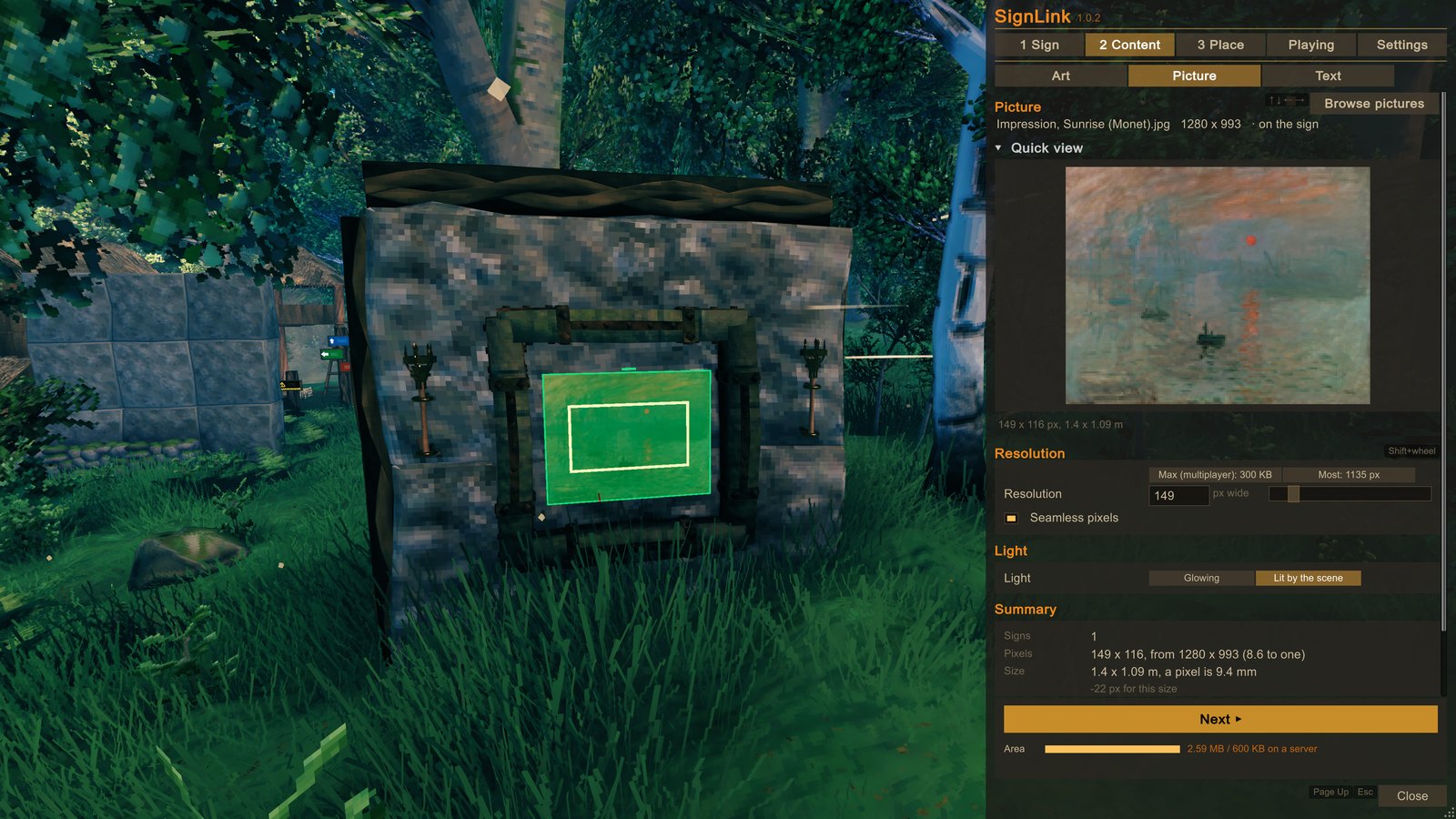
- 2 Content: pick a built-in piece under Art, pick a Picture file, or write a Text, look at the preview and the cost, and set its light (glowing, or lit by the scene like the game's own sign text). A picture has a Resolution (how many pixels wide it is: the only thing that sets what it costs; a new picture starts at Max (multiplayer), the most that fits a server, and Native takes every pixel the file has) and a Width in metres, which makes the pixels bigger or smaller (with Fine Width steps, on by default, the exact size takes a few pixels more or less). On Text the templates write ready pieces in a click: a coloured Block in metres (paint a wall or a floor, translucent if you like), a Label, a Symbol from a palette (arrows, shapes, frames, runes, symbols, emoji), a Pattern in two colours, a QR code of a link or a text (phones read it; error correction, size and colours to choose). The live preview shows every pick (a piece, a picture, a text) on the selected sign, for you only, until step 6 puts it on.
- 3 Place: size it, move it, tilt or turn it if you like (the highlight shows where it goes), then press the button at the bottom (Update content, Update sign or Update sign and content: what changes). Nothing goes on the sign before that.
- To change it later, select its sign: 2 Content and 3 Place show what it was made with. On 3 Place the Content group's changes have their own Apply content changes, Undo and Reset to default; Undo changes at the bottom drops everything not applied yet.
- 1 Sign: copy, paste, clear or delete it. Made with tells which SignLink version made it. Moving the sign itself a little (buttons or arrow keys) is on 3 Place in the Sign group (Positioning fine-tune); standing it up, laying it down, tilting and turning it there too (Rotations), an empty sign too.
| 1 Sign | 2 Content | 3 Place |
|---|---|---|
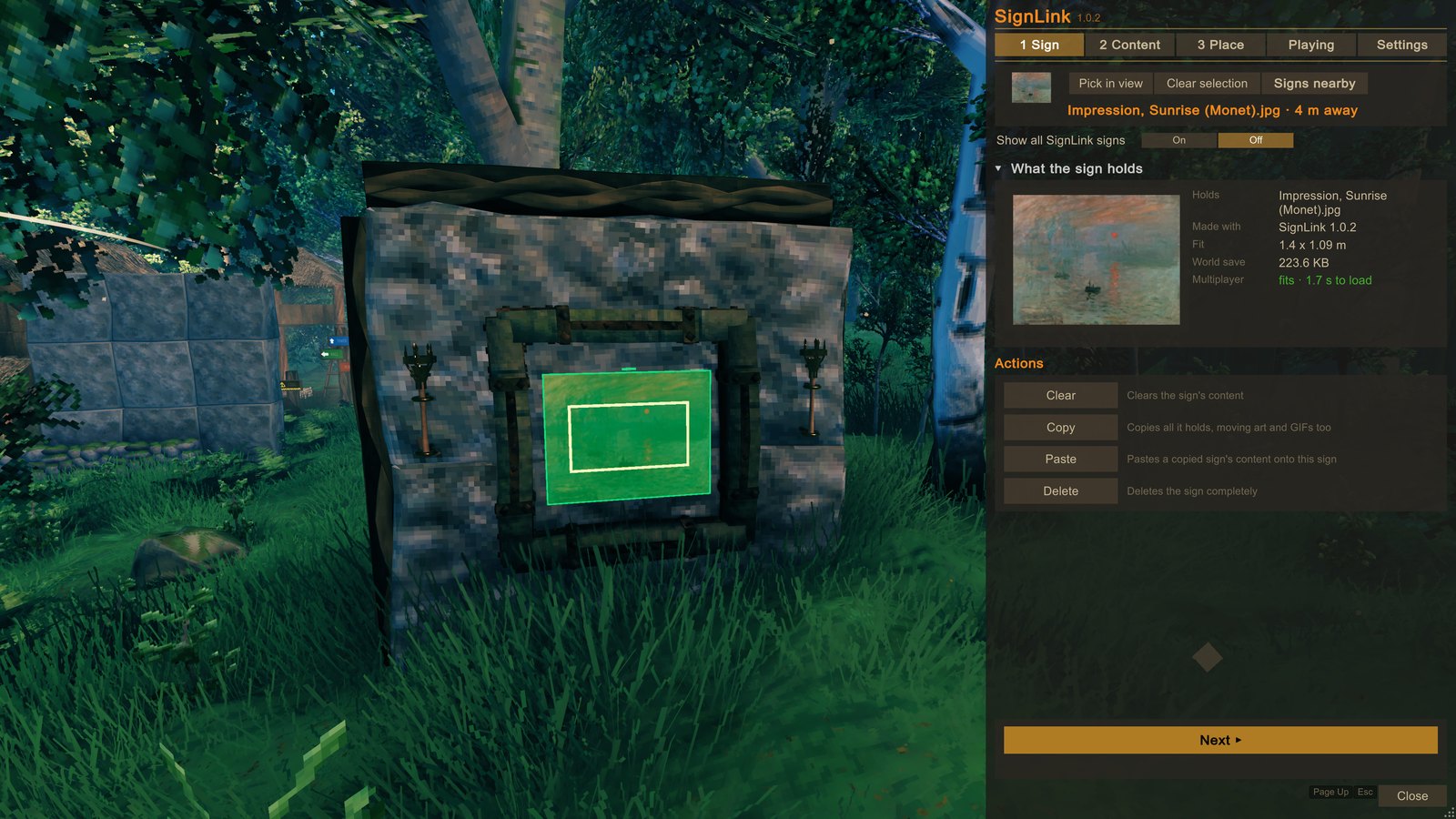 |
 |
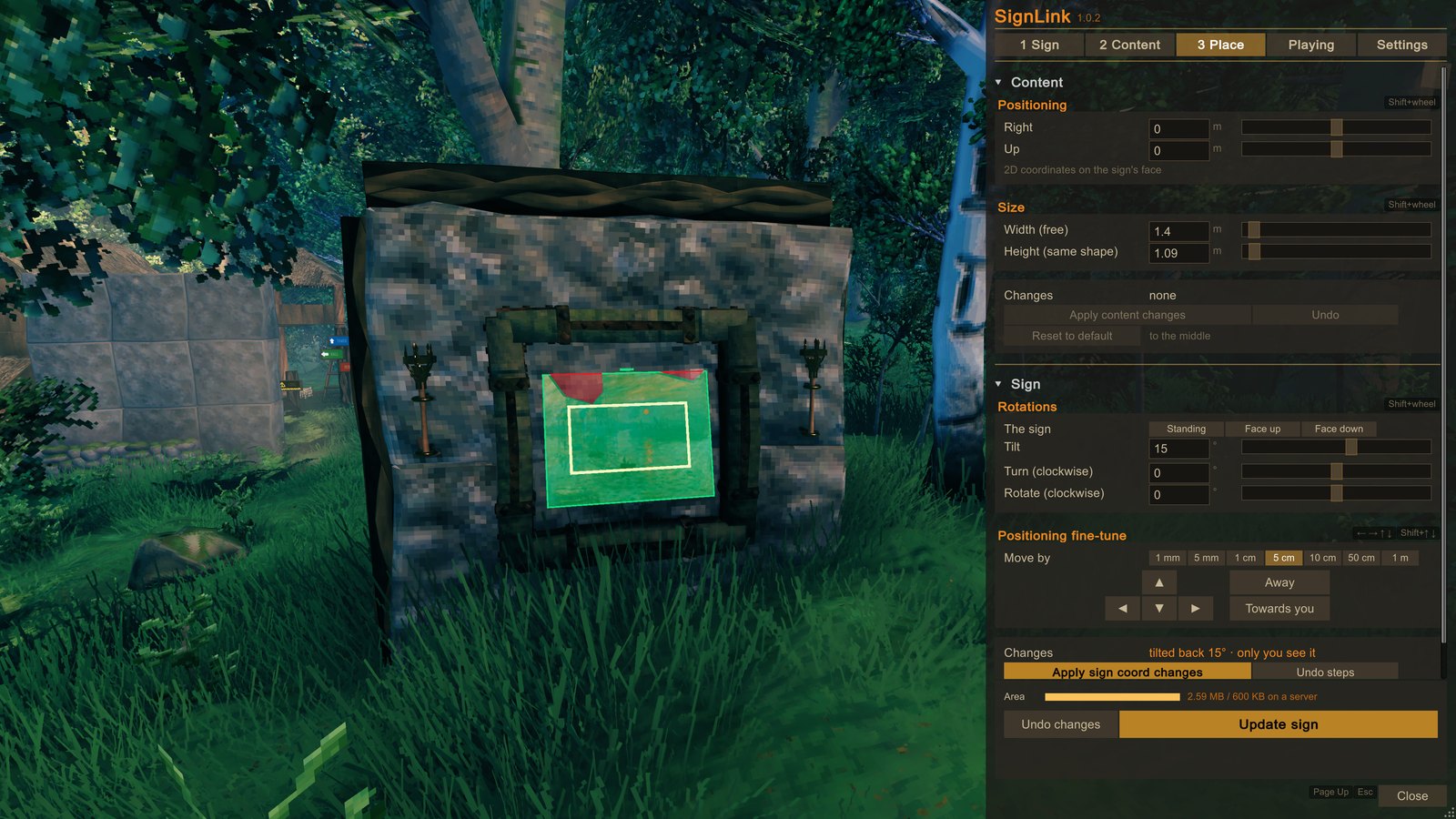 |
Every slider takes a typed value too, and Shift + mouse wheel over a slider's row turns it a fine step a notch (Tilt and Rotate 1°, Right 5 cm, Width about a pixel, Resolution to the next it makes); the plain wheel scrolls the window.
The window shows what a picture costs before you place it: how many signs, how much it adds to the world save, and how long every player who arrives waits for it on a server (the download at 150 KB/s at best, then the build).
Multiplayer and servers
- Nobody else needs the mod to see your pictures. The server needs nothing either.
- Hard limits in multiplayer. On a server every player who arrives downloads all the signs around them, and the buildings there wait behind them. So in a world others share (on a server, or hosting with Start server) SignLink stores at most 300 KB on one sign and 600 KB for all the SignLink signs within 100 m (every player's together; vanilla signs do not count: the game keeps each small). The window's title shows how full the area is, and the Area bar on 2 Content shows it with what you picked in place of the sign's content. Over a limit the button stays grey and says why; making a sign lighter or deleting it always works. Single player has no limits.
- A picture larger than one sign creates extra signs (the stacked copies) without using materials, in single player and in multiplayer alike; the multiplayer limits above keep them small. Wards are always respected.
- Each copy of a picture is a sign that no player placed: the hammer takes it down, and it drops nothing for SignLink players (when a copy's data is owned by a player without the mod, their game drops a piece of wood). The Delete button on the Sign tab removes a whole stack.
- Another player's picture can be edited without its file: SignLink reads it back from the sign itself. Its size and place change freely, its Resolution only goes down (the sign holds no more pixels), and a moving GIF stays still on your computer (whoever has the file still sees it move). Wards are respected.
- Copy and Paste on the Sign tab carry what made a picture or a piece and how it sits, so the pasted sign edits like the original; a moving piece pastes moving.
- A pose survives restarts.
- A sign moved under Positioning fine-tune shows only for you until Apply sign coord changes, which makes its signs again where they stand: every player sees it there at once (everyone near loads the picture again). Reset to default puts it back where and as it was built, for everyone.
Settings
Settings are on the window's Settings tab; each one is also a line in the config file
BepInEx/config/PetyusPolisz.SignLink.cfg (its sections are named below):
| Setting | Default | Where | What it does |
|---|---|---|---|
| 1 - Menu / Toggle | PageUp | Settings | opens and closes the window (Change key binds another, with Ctrl, Shift or Alt; No key switches it off: /signlink, E on a picture sign and the editor's Open in SignLink remain) |
| 1 - Menu / Scale, Width, Height | 1, 0 (automatic), 0.86 | Settings (text size, Default size); the window's edges and corners size it | text size, and the window's width and height as shares of the screen, apart (up to the whole screen; width 0 is as wide as 80 % of the screen's height, on any screen shape) |
| 1 - Menu / Opacity | 0.8 | Settings | how solid the window is (0.5: the world shows through it; the text stays opaque) |
| 1 - Menu / WindowX, WindowY | -1 | the file | where the window was dragged (-1: the default place) |
| 3 - Sign options / Highlight | on | Settings › Sign options | while the window is open, the selected sign and the sign under the cursor are outlined in the world, with where the content goes |
| 3 - Sign options / HighlightContent | on | Settings › Sign options | with Highlight on, where the content goes is framed too: green over what will show, red where a wall or a floor stands in front of it, grey stripes seen from behind (off: the sign's board alone) |
| 3 - Sign options / RefreshSeconds | 2 s | Settings › Sign options | how often changed signs are re-read (2 s is the game's own pace; lower only for animations a tool writes over the network) |
| 4 - Playback / PlayAnimations, PlayGifs | on, on | Playing (Pause all / Play all) | glyph animations and moving GIFs play on this computer, each with its own button |
| 4 - Playback / Distance | 64 m | Settings › Playback | farther animations and GIFs pause |
| 4 - Playback / GifMemoryMB | 256 | Settings › Playback | the memory the moving GIFs' frames may take here: 256, 512 or 1024 MB (1024 wants a PC with 16 GB of RAM); lowered, the farthest GIFs stop until the rest fit |
| 5 - Pictures / PngTransparency | on | Settings | how every picture is made from now on: a PNG's see-through parts stay empty (every sign of a picture stays under 400 KB, always) |
| 5 - Pictures / MovingGifs | on | 2 Content (Moving, on a GIF) | a GIF goes on moving over its still wherever its file is in the images folder; the switch keeps your last choice |
| 5 - Pictures / FineWidth | on | Settings | A picture's Width and Height move finely (dragged, typed, Shift + mouse wheel); your Resolution stays, the exact size takes the pixels nearest it (a few more or less), never over the multiplayer limit; off: the next size it takes for the same data |
| 9 - Diagnostics / LogSlowSigns | off | the file | logs sign hover texts and text refreshes that take over 30 ms (to find stalls) |
Manual install: copy SignLink.dll into BepInEx/plugins. Keyboard and mouse only (no controller). A dedicated
server does not need it.
Uninstall: remove it in the mod manager, or delete BepInEx/plugins/SignLink.dll. The pictures stay as ordinary
signs. Optional: delete the SignLink folder in the game's data folder (your images), BepInEx/cache/SignLink/
(thumbnails) and BepInEx/config/PetyusPolisz.SignLink.cfg.
Known limits
- A picture moved off its sign is picked by the sign's board (where the sign stands), not by the picture.
- Big pictures take a moment to appear when a player walks up (about 13 µs per pixel, on every player's game).
- Without SignLink, pressing E on a picture sign opens the game's editor; pressing Enter there cuts the sign's text to 50 characters (Escape leaves it alone). Such a player's game also slows down while the crosshair rests on a picture sign's board up close (the game reads the whole picture for its hover hint). Hiding the sign in a wall or the ground, with only its picture out, avoids both.
- A GIF moves over its picture on every computer that has the GIF file in its SignLink images folder (give the file to your friends); everyone else sees its first frame. Its frames are not saved in the world.
- A GIF reads with up to 5 000 frames and 1 500 million pixels in all (about 720 frames of 1920 x 1080). To move, its frames are shrunk to at most twice the sign's pixels (and 1024 a side; SignLink 1.0.2); every moving GIF shares the GIF memory (256 MB; 512 or 1024 in Settings › Playback on a PC with the RAM), the same GIF on many signs counting once. A GIF whose frames at that size pass about four fifths of it (200 MB of 256) plays every second, third ... frame (the same speed); one too big to move goes on still. The Moving row says which before you put it on. A GIF beside you takes the room of GIFs idle far away or paused; one that waits for room starts the moment room frees.
- The live preview builds a piece, or a sign's content moved, of up to 40 000 glyphs; a bigger one shows only the highlight's rectangle until it goes on (a picture or a text always shows).
About this mod
SignLink is made by ChesTeRcs (team PetyusPolisz). It was written with Claude (Anthropic's AI) under their direction and tested on their worlds with Valheim 1.0.20. The code is MIT licensed (LICENSE); the art library is CC BY 4.0 (LICENSE-ART): playing with the pieces needs no credit, sharing the pieces themselves does. The six paintings and the GIF that come with it are public domain: The Starry Night (Van Gogh), The Great Wave off Kanagawa (Hokusai), The Creation of Adam (Michelangelo), Impression, Sunrise (Monet), The Wild Hunt of Odin and Valkyrien (Arbo), and Muybridge's galloping horse (1887).
SignLink lives on Thunderstore, Nexus Mods and GitHub (source, wiki, bug reports).
Art showcase
204 ready-made art pieces come with the mod, and 150 of them are animated (see them all):
CHANGELOG
Changelog
1.0.3 (2026-10-18)
- Your pictures have a new home:
SignLink/imagesin the game's own data folder, next to your worlds (on WindowsAppData/LocalLow/IronGate/Valheim/SignLink/images). They were inBepInEx/config/SignLink/images, and a mod manager packs the config folder into every profile it exports or shares as a code, pictures and all. The first start of 1.0.3 moves them over by itself (folders too); Open folder opens the new place. - No web server in SignLink any more: the developer HTTP API and its browser page are gone from the released mod, which opens no port. Their settings leave the config file, the API password with them. The window does everything they did.
- LogSlowSigns is under 9 - Diagnostics now (its value carries over).
1.0.2 (2026-10-18)
- Text has a QR template: a link or a text as a QR code that phones read, in Unicode squares on the sign, with its error correction, size and colours.
- A Block (or a Pattern of ■) stretched wide or narrow is drawn the size asked: a wide block came out a little short and a narrow one too wide (measured in the game).
- While a tilt or a rotation waits, the sign's board shows in that pose too: it stood as it was and cut through the picture shown tilted.
- The Sign group's Apply sign coord changes and Undo steps take a tilt and a rotation too, not only the moves.
- The sign's frame turns red (a hot scarlet, apart from the picture's crimson) while nothing would hold the sign where the steps or a tilt not yet applied put it: the same "No support" that 2 Content and 3 Place say in red.
- The highlight frames a block, a QR code or a pattern where it draws, and 3 Place shows its real size: the frame stood a few centimetres off a big block's sides, and a 1.4 m QR code read as 1.45 m wide.
- 2 Content starts with Art, then Picture, and the text editor comes last.
- The buttons at the bottom of 1 Sign and 2 Content say Next.
- The text editor's buttons sit in one row over the box: Insert first, in the way-on yellow whenever a template can go in, then Reset, Clear, Undo and Redo; the Light row is up over them, a line between. Before, Insert sat in the template's group, the other buttons and the light under the box. The box wraps its long lines: a line longer than the box ran out of it, its end never seen.
- The window says less: the long explanations under its rows are gone or a word or two; what stops a button still says why. Every hotkey shows where it works, in a small frame: Shift+wheel by the sliders, the arrow keys by the sign's fine-tune, ↑ ↓ (and ← → on Art) by the lists, Ctrl+Z / Ctrl+Y by Undo and Redo, the window's key and Esc by Close.
- The short line when you look at a picture sign, and E opening SignLink there, are always on: the switch is gone from Settings and from the config file. Off, the game showed a picture's whole text by the crosshair with a stutter, and its editor cut the picture; a config file that still said off kept it off with no way back in the window.
- A moving GIF holds its frames at most at twice its sign's pixels, not up to 1024 a side: a 720 px GIF on a 214 px sign takes 46 MB instead of 185 MB, so far more GIFs move at once. One GIF on many signs counts once against the 256 MB the moving GIFs share (its frames were shared but counted for every sign, so a third copy stayed still). The Moving row says before the put when the other GIFs playing leave no room, and Playing says so on the row of a GIF that waits for it.
- A GIFs bar shows how much of the 256 MB the moving GIFs hold here (Playing, and on 2 Content with the GIF picked, what it would add). Playing says when a GIF waits for that room. The Area bar shows in single player too, against a server's 600 KB, for information: nothing is refused there.
- Settings › Playback › GIF memory: 256 MB (the default), 512 or 1024 for the moving GIFs' frames. 1024 wants a PC with 16 GB of RAM. Lowered, the farthest GIFs stop until the rest fit; raised, the waiting ones start.
- A GIF beside you no longer waits for a far one's zone to unload: GIFs idle because they are far away (beyond the Playback distance) or paused give up their room to it. And a GIF waiting for room starts within seconds of room freeing (a GIF stops, its sign unloads, the memory is raised), not after a fixed minute; while it waits, its file is left alone (it was read whole every minute).
- A long GIF keeps every frame while its frames at the sign's size fit 200 MB (about four fifths of the GIF memory): the rule counted the full-size frames, so a GIF on a small sign kept every second frame for nothing. The Moving row on 2 Content follows the sign's size.
- The frame uploads of all the GIFs together take at most 5 ms of a game frame, the nearest first (the 50 ms a second rule was each GIF's own: many big GIFs together could stall a weak CPU).
- Moving switched off then on comes back at once (its frames were dropped and read again after a minute). A GIF whose file is missing or still being copied into the images folder is looked for again every minute, not passed over until a restart.
- Putting a GIF on a sign reads its file off the game's thread (a 35 MB GIF on a hard disk was a short stall), and the same GIF on another sign is never refused for room: it takes none.
- The API's
/imageshares a GIF's frames with the signs that already play it and keeps them parked when the sign unloads, as the window does (its screens were decoded and held apart). - A GIF put on a sign while the other GIFs leave no room for its frames goes on still at once, with the reason, and
plays when room frees: its frames were decoded first (seconds of work and a heap of memory) and dropped at the start.
The API's
/imagesays in anotewhether the GIF plays, and its dry run decodes the still alone. - A moving GIF comes with the mod: Muybridge's galloping horse (1887, public domain; 300 px, 15 frames). It arrives in the images folder with the paintings, so it moves for every SignLink player: every computer with the mod has the file.
- Folders in the images folder: copy a whole folder of pictures in, and the Picture list shows it. A click or → opens a
folder, ← goes back up, ↑ ↓ walk the rows, and Open folder opens the folder shown. A sign remembers its picture's
folder (
funny/cat.gif), so a GIF moves on a friend's computer when the file sits in the same folder of their images folder; a name from a sign still names nothing outside that folder. - The Art groups come in a new order: scenes, creatures, the animals of Valheim and the kitchen icons lead; the cat's family and its friends sit together near the end, above the necks.
- Playing: the Delete button is now the Moving switch. Off stops a GIF or a glyph animation moving for everyone, and the row stays, so Moving can go on again. A glyph animation keeps its frames (players still on 1.0.1 see it move).
- A GIF says on its Moving row, before it goes on, whether every frame moves, fewer of them (a long GIF), or none (too big to move: it goes on still). A GIF too long or too large to read says what the limits are. The limits are in the README.
- An art piece's or a text's Width and Height follow the mouse when dragged: they jumped back and forth before.
- 3 Place: the steps and the Turn slider no longer stop where the sign would have no support. The sign goes there for you; only the apply is refused, with the reason in red, until it is held again. A tilt or rotation it would have no support in greys the button below with the reason in red.
- Fixes from a review: a sign near a trader or a boss (where the game allows no building) takes no content that adds or removes its stacked copies; leaving a world forgets which animations and GIFs were paused or passed over there, so another world's signs with the same ids play; the developer API stops at once even while requests wait; a piece switched off on Playing pastes still (Copy and Paste carry Moving off) and stays off through a refit.
1.0.1 (2026-10-16)
- Many moving pieces in one place no longer make the game stutter twice a second: their updates are spread over the whole second.
- Licences made clear: the code stays MIT (LICENSE); the art library is CC BY 4.0 (LICENSE-ART). Playing with the pieces, and screenshots or videos of them, need no credit; sharing the pieces themselves does.
1.0.0 (2026-10-16)
The first public release.
- Pictures on signs. PNG, JPG and GIF from a folder (six public-domain paintings come with the mod), sized in metres; the Resolution sets the cost, Max (multiplayer) the most a server takes. Transparency stays transparent. A bigger picture spreads over stacked copies of the sign and still looks like one.
- 204 ready-made art pieces, 150 of them animated: glyph art drawn with the game's runes and symbols, pixel art (cats, animals, Valheim's creatures and scenes) and kitchen icons. Moving puts an animated piece on moving.
- Text with templates: coloured blocks, labels, symbols and patterns in a click.
- Glowing or lit by the scene.
- Any pose: standing, face up for a floor, face down for a ceiling, tilted, turned, rotated, and moved in fine steps.
- Three steps in one window: 1 Sign, 2 Content, 3 Place. A live preview and a highlight in the world (green where it shows, red where something hides it) show the result for you only; nothing goes on the sign before the button, and Undo changes drops what is not applied.
- Edit later, another player's picture too; Copy and Paste carry a piece to another sign, a moving one moving.
- Playing tab: pause or play GIFs and glyph animations on your computer.
- Everyone sees it: players without the mod see the pictures (an animation's first frame); the server needs nothing; remove the mod and the signs stay.
- Multiplayer limits: at most 300 KB on a sign and 600 KB for SignLink signs within 100 m; wards are respected. Single player has none.
- An optional developer API (off by default).
The versions before 1.0 are in docs/changelog-0.x.md.
