
Please disclose if any significant portion of your mod was created using AI tools by adding the 'AI Generated' category. Failing to do so may result in the mod being removed from Thunderstore.

PotatoDye
Dye your cape at the barber, and move the weapons, tools, shield and quiver on your back where you like. Saved with your character; other players with the mod see them.
| Date uploaded | a month ago |
| Version | 1.1.1 |
| Download link | Potato_Tweaks-PotatoDye-1.1.1.zip |
| Downloads | 126 |
| Dependency string | Potato_Tweaks-PotatoDye-1.1.1 |
This mod requires the following mods to function

denikson-BepInExPack_Valheim
BepInEx pack for Valheim. Preconfigured with the correct entry point for mods and preferred defaults for the community.
Preferred version: 5.4.2351README
Potato Dye changes how your gear looks: dye your cape at the barber, and put the weapons, tools, shield and quiver on your back where you like them. It changes looks only.
Dye your cape at the barber. Sit in the barber's chair and a Cape color panel opens beside the hair settings, with three sliders. Your cape changes color as you move them.
- Hue picks the color from a rainbow strip.
- Saturation is how strong the dye is: at 0 the cape keeps its own colors.
- Brightness makes it lighter or darker.
- Apply keeps the color, Cancel puts it back, and No dye returns the cape to its own colors.
Dyeing is free, like changing a hair style. Colors are saved with your character, one per kind of cape: dye your Linen cape red and your Wolf cape blue, and each shows its own color whenever you wear it. It dyes the cape you see, so with Vanity Outfit showing a different cape, that's the one you dye. The color tints the cape's own texture, so light capes (Linen) take it best and dark, furry ones (Wolf, Lox) only shift a little.
Move what's on your back. Hold Right Ctrl and nudge the weapon, tool or shield on your back, or Better Archery's quiver, into the spot you like:
| Keys, holding Right Ctrl | What they do |
|---|---|
| Arrow keys | Move it up, down, left or right |
| Page Up / Page Down | Move it away from or closer to your back |
| Right Shift with any of those | Tilt it instead |
| Home | Pick the next thing on your back |
| End | Put it back where the game puts it |
Each press moves it about 1 cm or tilts it 3 degrees, and holding a key repeats. Every kind of item keeps its own place, saved with your character, so all your Iron Swords sit where you put yours. The quiver's place goes into Better Archery's own quiver settings.
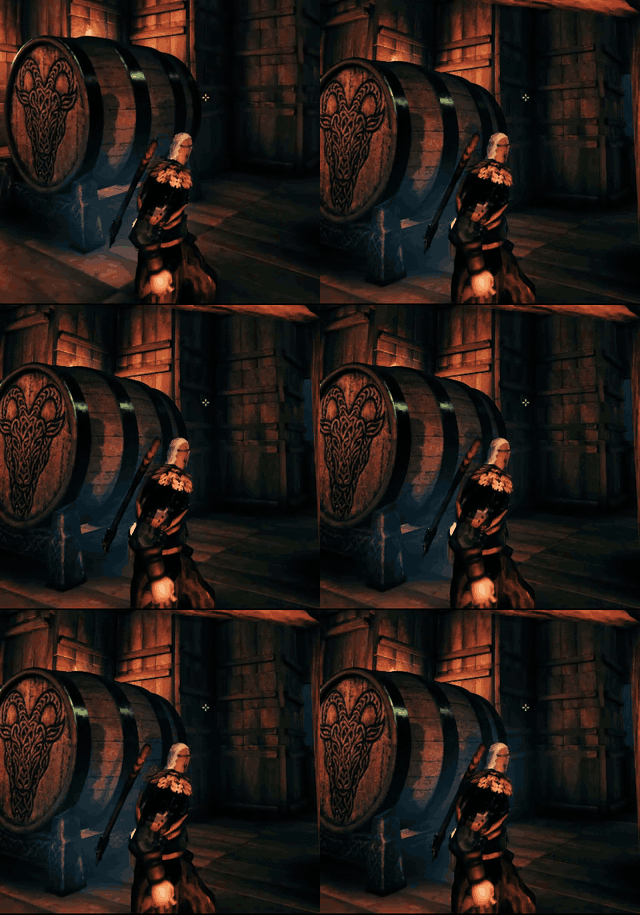
Other players with Potato Dye see your colors and places. Players without it see the normal look, and nothing breaks either way.
Part of the PotatoServer pack for the Potato Server.
Settings
In BepInEx/config/potato.dye.cfg, or in game with Configuration Manager. All of them are personal.
| Setting | Default | What it does |
|---|---|---|
| Show cape colors | On | Show dyed capes in their colors, yours and other players'. |
| Barber panel | On | Show the Cape color panel at the barber. |
| Holster places | On | Show weapons, tools and shields on the back where their owners put them, and let you move yours. |
| Holster adjust key | Right Ctrl | The key to hold while moving what's on your back. |
Bug reports go to GitHub Issues, where the source lives too. Questions are welcome on Discord: relanebeis.
Needs BepInExPack Valheim.
The code is under the MIT License: use it, change it and share it freely. The icon is © TheRealRel under CC BY-NC 4.0: free to share and adapt with credit, but not for commercial use. See LICENSE.
CHANGELOG
Changelog
1.1.2
- The cape color sliders work with Balrond's Character Customization installed.
1.1.1
- The page shows a short clip of moving an axe on your back. Nothing else changed.
1.1.0
- Move what's on your back: hold Right Ctrl and use the arrow keys and Page Up / Page Down to place the weapons, tools, shield and Better Archery quiver on your back, Right Shift to tilt, Home to pick the next item and End to put it back. Places are saved per kind of item with your character, and other players with Potato Dye see them. New settings: Holster places and Holster adjust key.
- The page follows the other Potato mods' style.
1.0.1
- The mod page links the author's Discord for questions (bug reports stay on GitHub) and has a License section: the code is MIT, free to use, change and share; the icon is CC BY-NC 4.0.
1.0.0
- First release: a Cape color panel at the barber with hue, saturation and brightness sliders (each showing the colors it reaches), a live preview, Apply and Cancel, and a No dye button. Colors are saved with the character, one per kind of cape, and follow the cape you see (Vanity Outfit included).
