
Please disclose if any significant portion of your mod was created using AI tools by adding the 'AI Generated' category. Failing to do so may result in the mod being removed from Thunderstore.

Conveyor Belts
Adds wooden conveyor belts for factory automation. They carry items and animals, and hook up to smelters, kilns, chests and a kitchen with a greydwarf chef. Also comes with item filters, a grinder, chest portals, a power mill and upgraders.
| Date uploaded | 2 weeks ago |
| Version | 0.7.0 |
| Download link | Preyvik-Conveyor_Belts-0.7.0.zip |
| Downloads | 582 |
| Dependency string | Preyvik-Conveyor_Belts-0.7.0 |
This mod requires the following mods to function

ValheimModding-Jotunn
Jötunn (/ˈjɔːtʊn/, 'giant'), the Valheim Library was created with the goal of making the lives of mod developers easier. It enables you to create mods for Valheim using an abstracted API so you can focus on the actual content creation.
Preferred version: 2.30.2
denikson-BepInExPack_Valheim
BepInEx pack for Valheim. Preconfigured with the correct entry point for mods and preferred defaults for the community.
Preferred version: 5.4.2351README
Conveyor Belts
Wooden belts that move your items and your creatures for you. Build a small factory and let automation do the hauling.
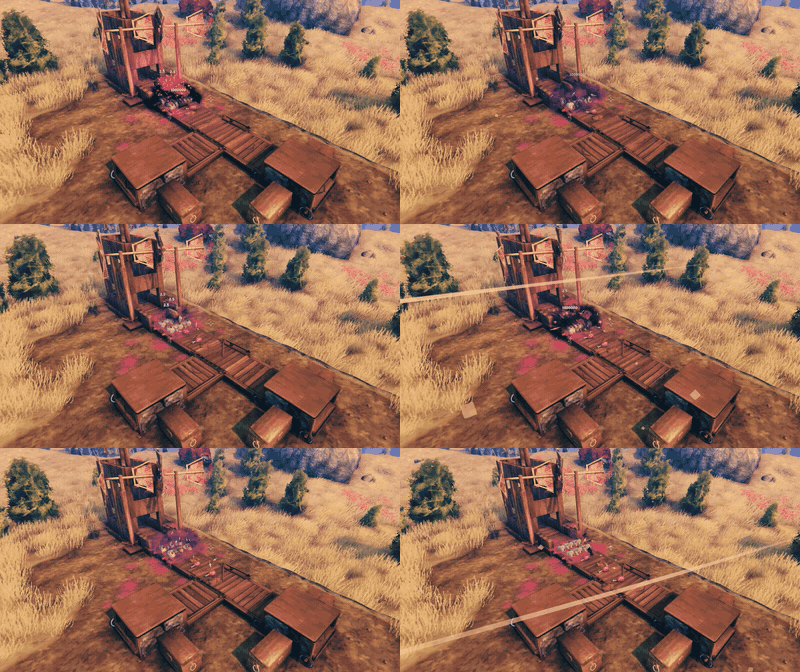
Boars fall from their pen onto a belt. The grinder kills them. The loot rides on. The filter sends the leather to one chest, and the link puts the meat into another.
What is new in 0.7.0

The kitchen got bigger. "How a kitchen works" below shows it in three GIFs.
- More kitchen stations. A kitchen link now also runs a cauldron, a mead ketill and a food preparation table. Build one beside it and it snaps into place. The chef makes their recipes from what rides in on the belt.
- Meals of two steps. Pick kale crisps in the cookbook. A cauldron makes them raw, and an oven down the belt bakes them.
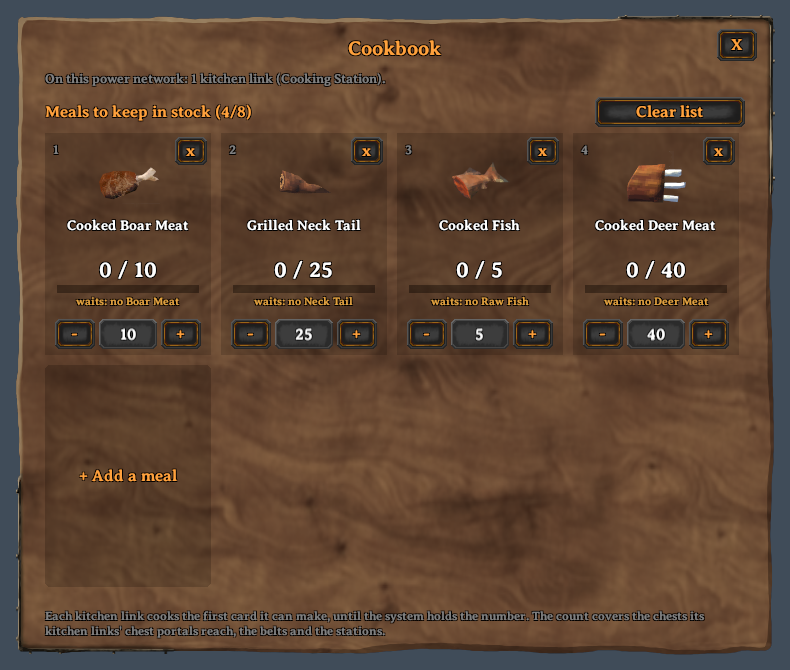
- The cookbook counts your chests. Food that links put into chests counts toward the stock number. So the kitchen stops at your number.
- Take or Give. A chest portal on a chest is set to Take or Give. Its hover text shows which.
- Wood for the kitchen. A log rides on narrow belts too. A kitchen link asks for wood through your chest portals when its fire runs low.
- A chest portal on a link now brings only the wood that kitchen links ask for. It no longer feeds a smelter or a kiln.
- Every player and the server need 0.7.0.
The pieces
Build them all with the hammer, in the Misc tab.
| Piece | What it does | |
|---|---|---|
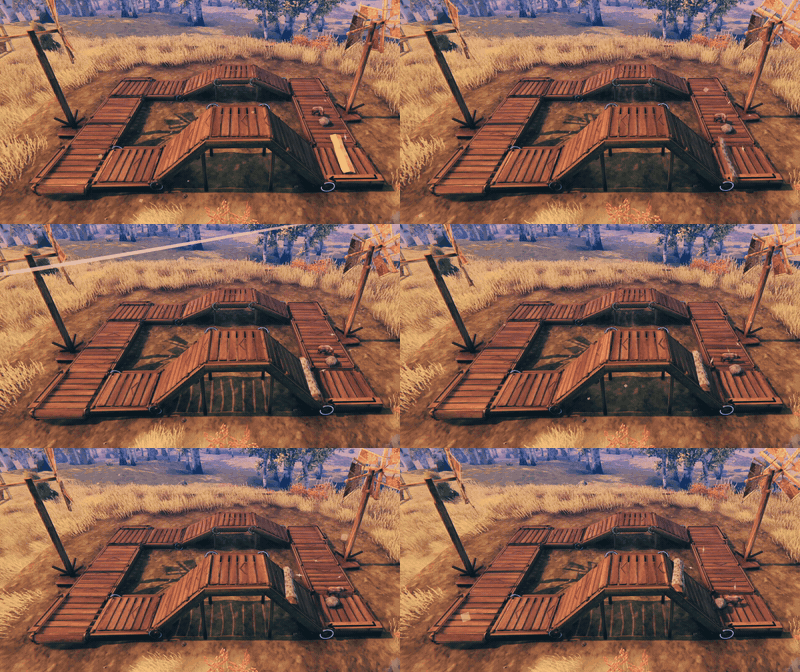 |
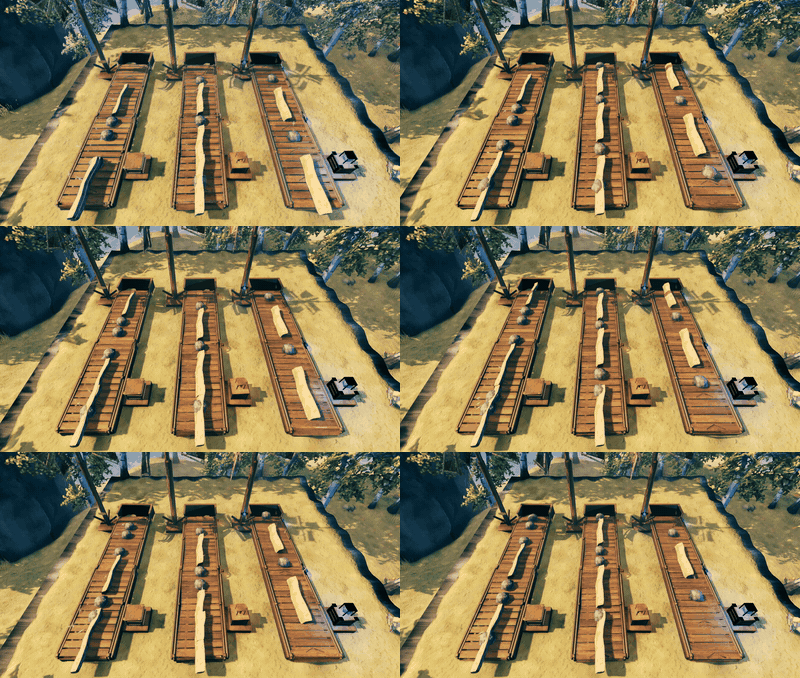
Belt | Carries items and creatures. Comes 0.5 m, 1 m, 2 m and 4 m long, as a left or right corner, and as a ramp up or down, with or without pillars. |
 |
Drop floor | A floor that lets only grown creatures fall through (or only young ones). |
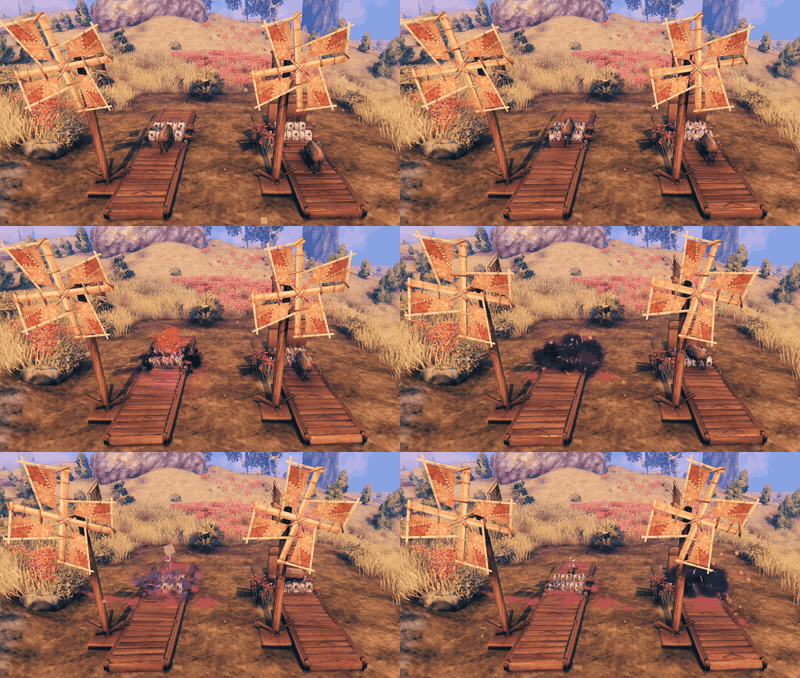 |
Grinder | Kills every creature that rides in. The loot rides on. Do not stand in it! |
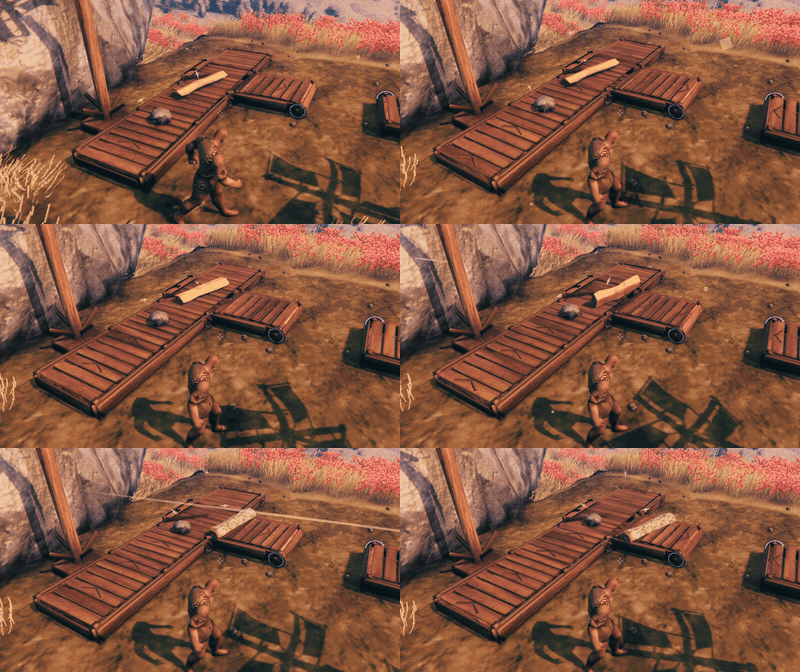 |
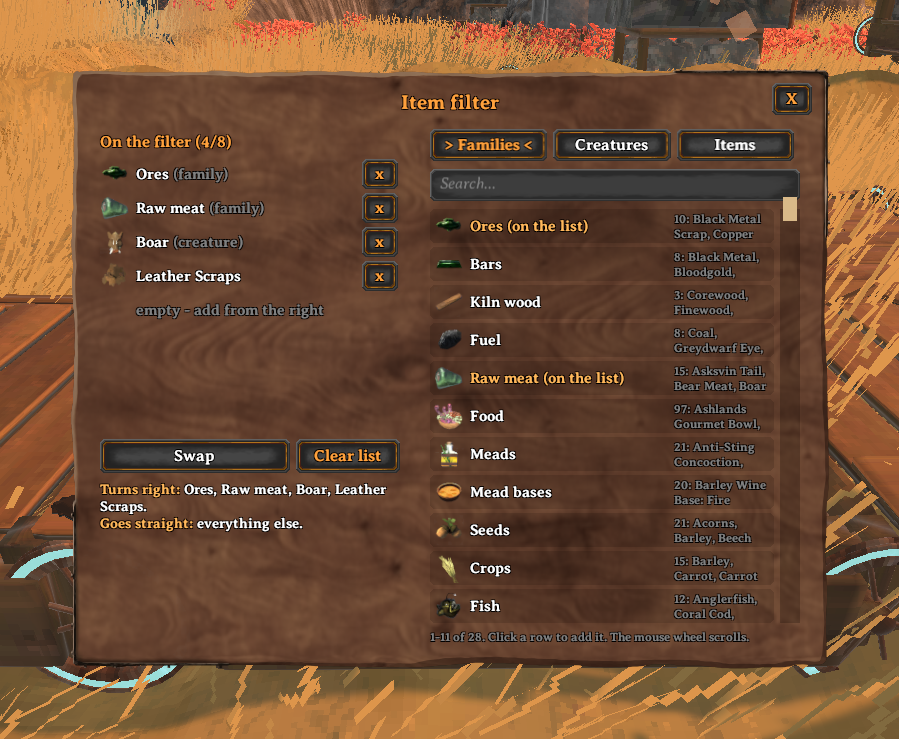
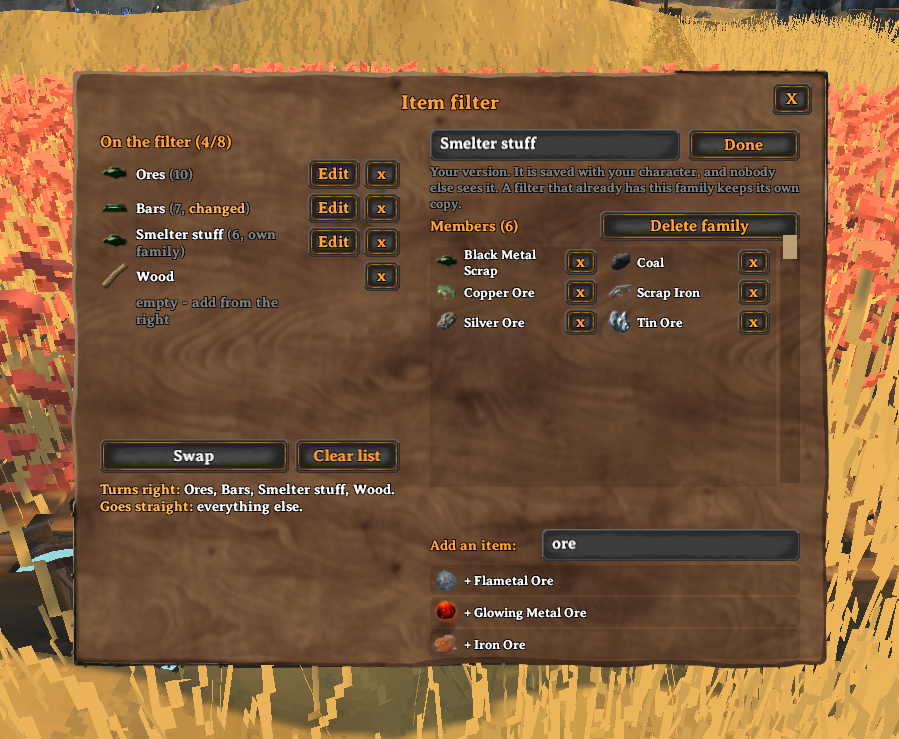
Item filter | Sends the items and creatures on its list to the side. Everything else goes straight on. Press E to pick items, families of items and creatures. You can edit the families and make your own. |
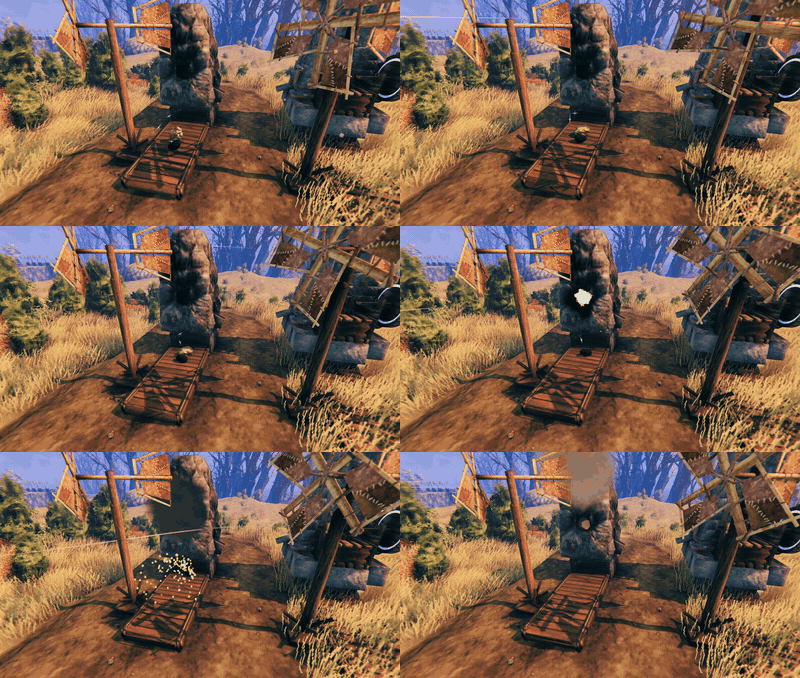 |
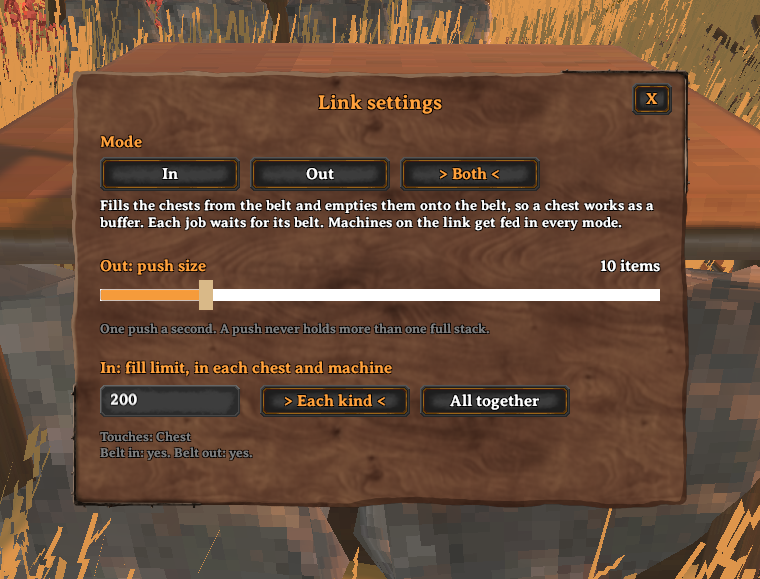
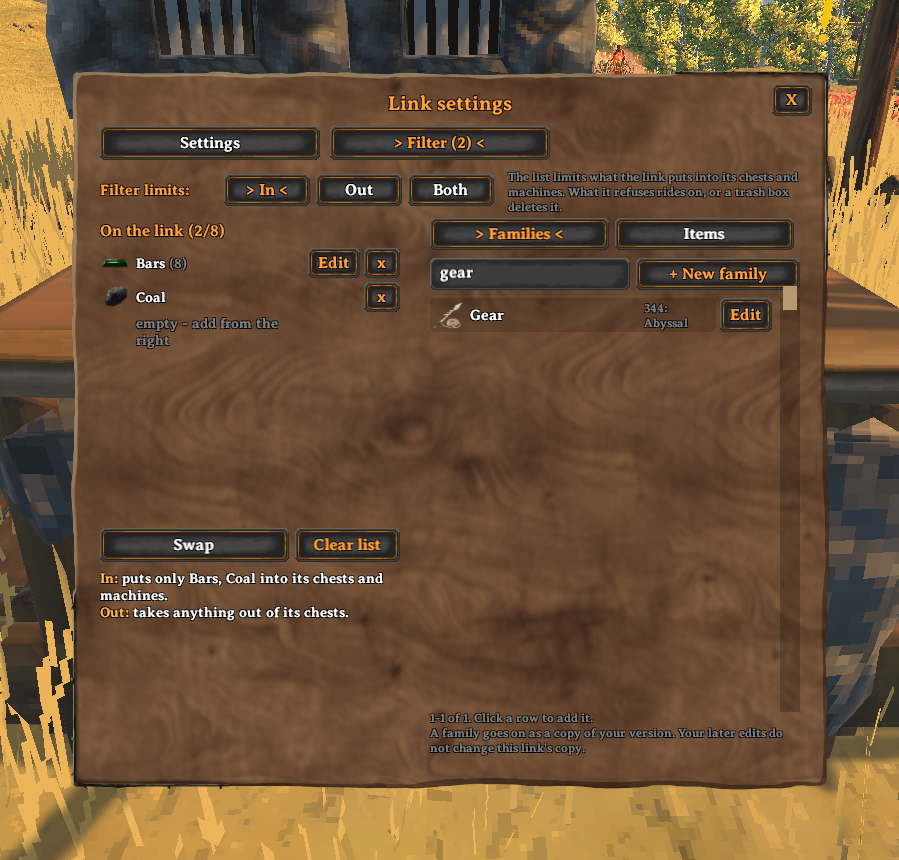
Link | Puts items into a smelter, kiln, windmill, spinning wheel or chest. It can also take items out of a chest. Press E to set its mode, how many items it moves, and a filter. |
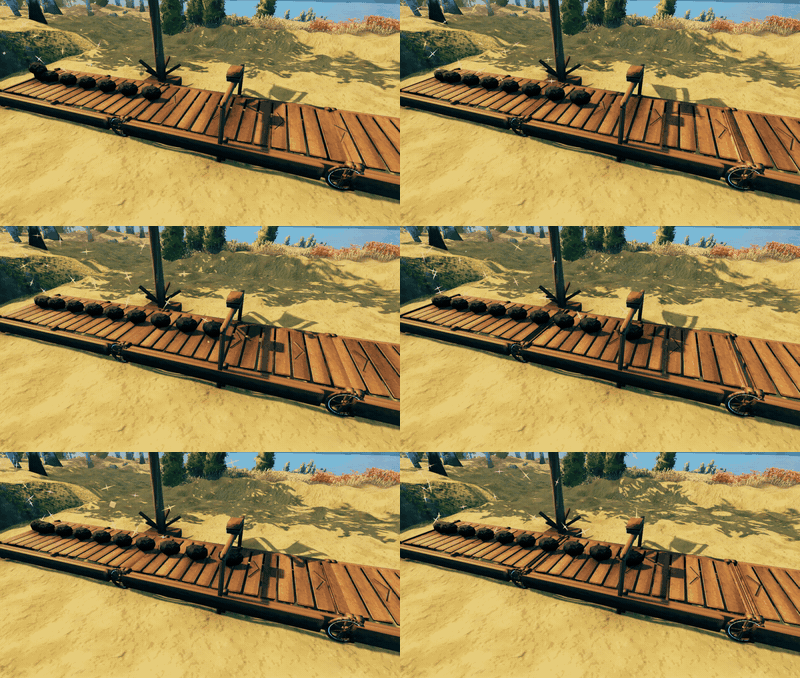 |
Merger | Snaps across a belt. Items of one kind wait under it until the ones behind them join, so they ride on as stacks. |
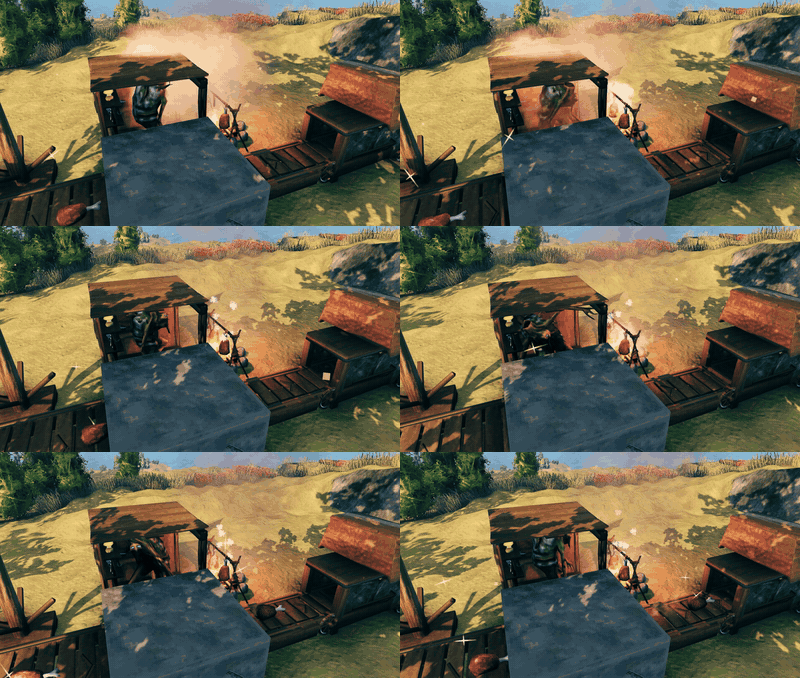 |
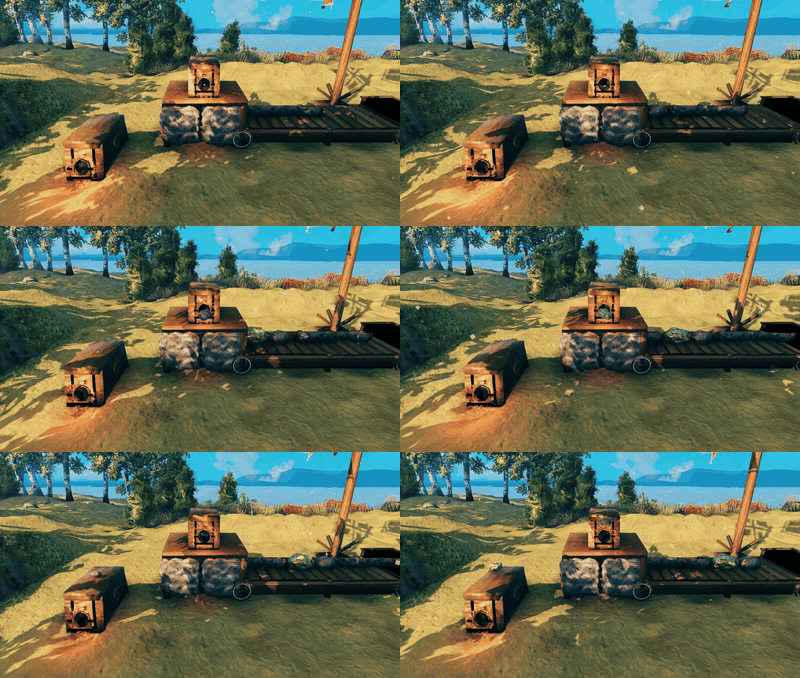
Kitchen link | A link with a greydwarf chef. Build a cooking station, iron cooking station, oven, fermenter, cauldron, mead ketill or food preparation table beside it: it snaps into place. The chef cooks the raw food that rides in on the belt and keeps the fire fed. Needs a greydwarf trophy. |
 |
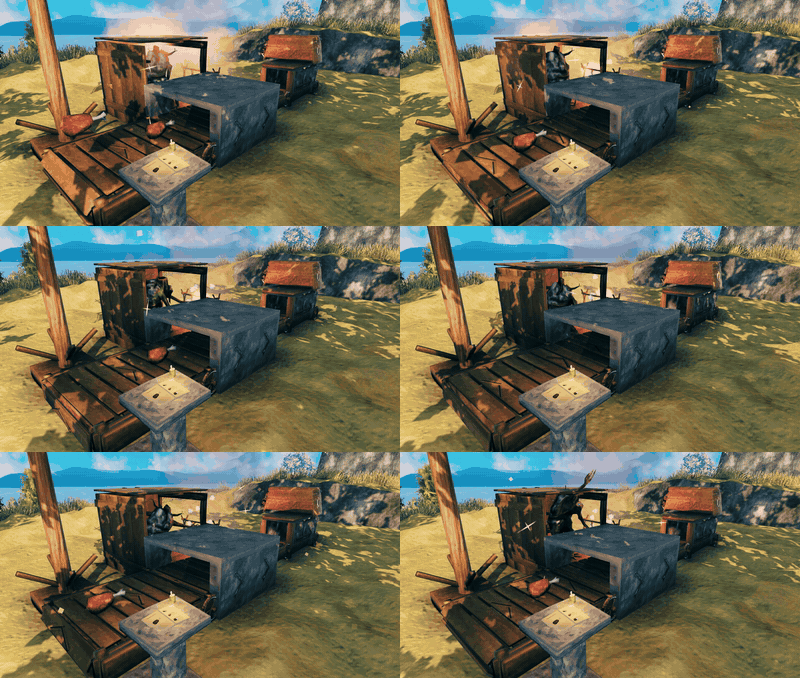
Chest portal | Snaps onto a chest or a link. Portals with the same id share items, up to 80 m apart (set 5 to 80 m). On a chest it is set to Take or Give. Press E to set the id, the range, Take or Give, and a list. |
 |
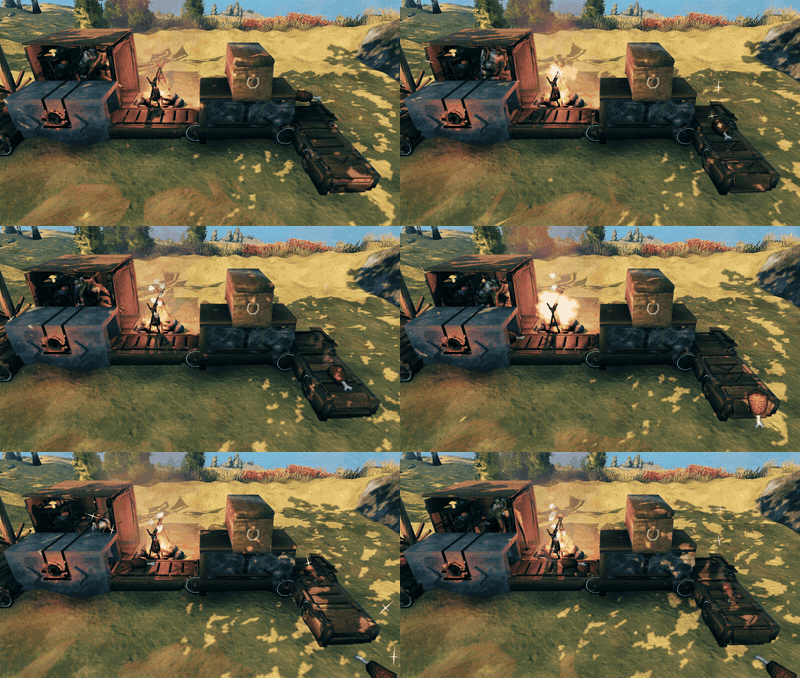
Cookbook | Touch it to a power network. Press E to pick the meals and a stock number for each. Every kitchen link on the network cooks them, also meals that need two stations. |
 |
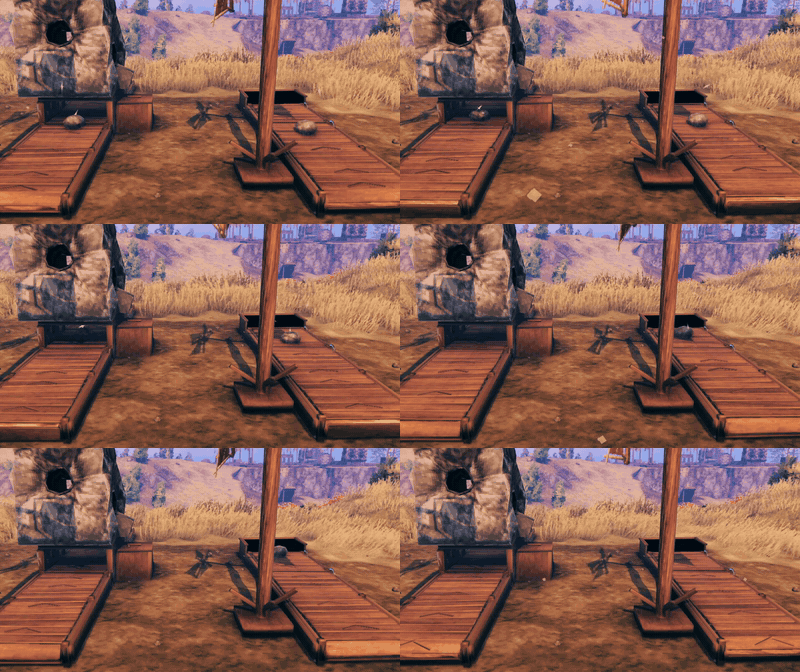
Narrow pieces | Belts 1 m wide, 0.5 m, 1 m or 2 m long, a corner, a link and a kitchen link. Items over 1 m across do not fit, but a log of wood does, so a narrow kitchen link gets its wood on the belt too. |
 |
Trash box | Snaps onto a link. Deletes what the chests and machines cannot take. |
| Trash bin | Put it at the end of a belt. Items that fall in are gone. | |
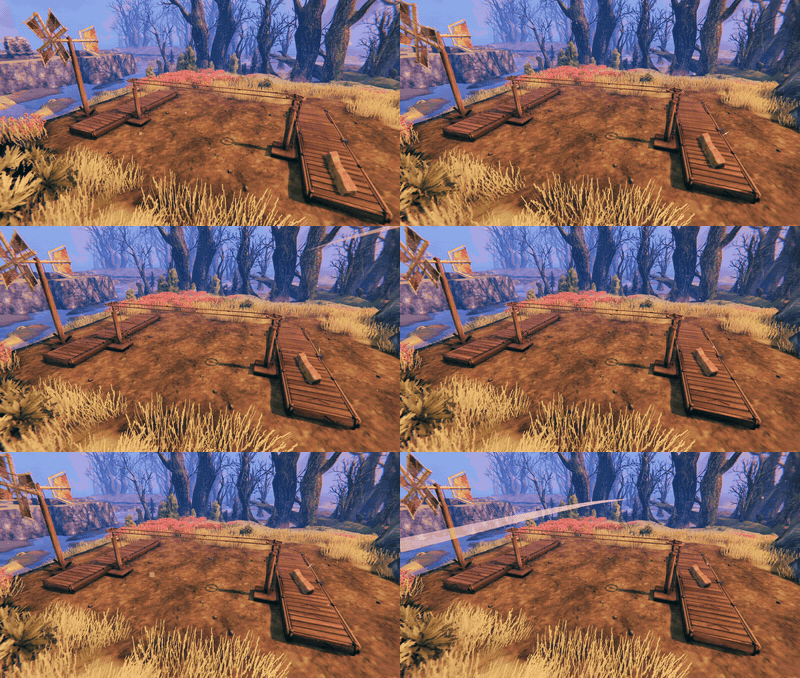 |
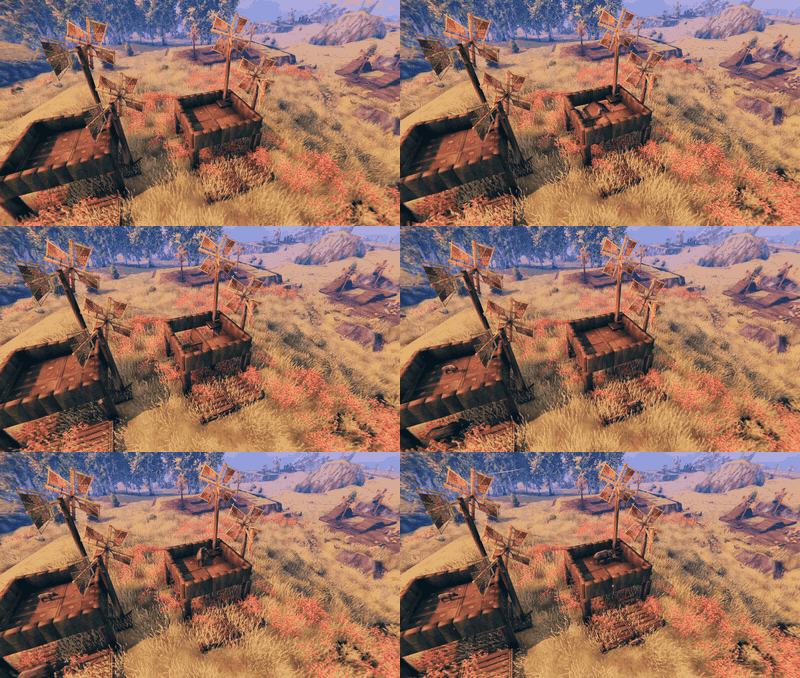
Power mill | A small windmill that makes power for the other pieces. |
| Rope-drive post | Carries power over a gap, with a rope to another post. | |
 |
Upgrader | Makes the 45 nearest pieces of its power network work faster. Level 1 (bronze) 1.5 times, level 2 (ember) 2.5 times, level 3 (blue) 4 times. |
How a kitchen works
Everything a kitchen link cooks comes on its belt.
Raw meat from a far chest
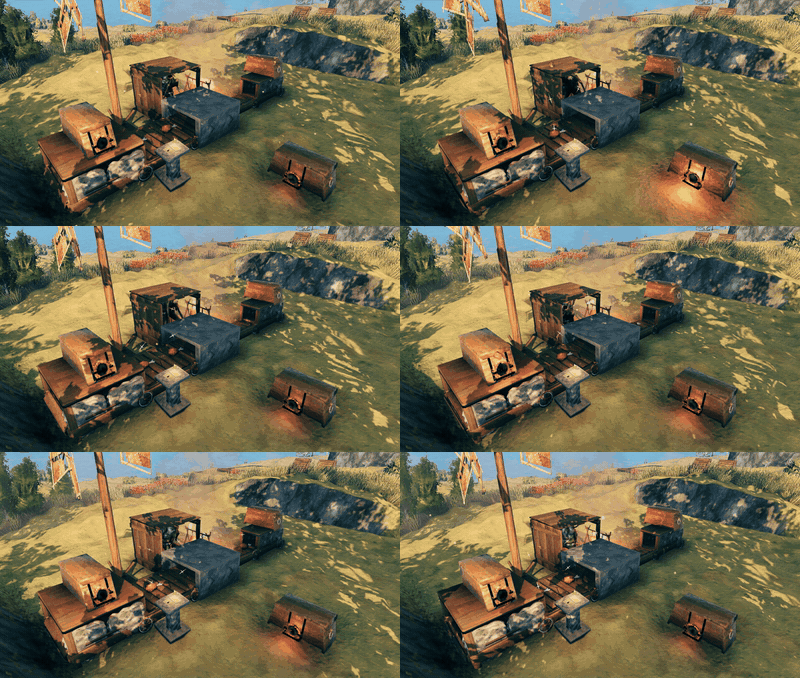
Two portals with the same id are linked. The one set to Give sends raw meat to the one set to Take. The link under it puts the meat on the belt. The cooked meat rides into your food chest.
Wood when the fire runs low
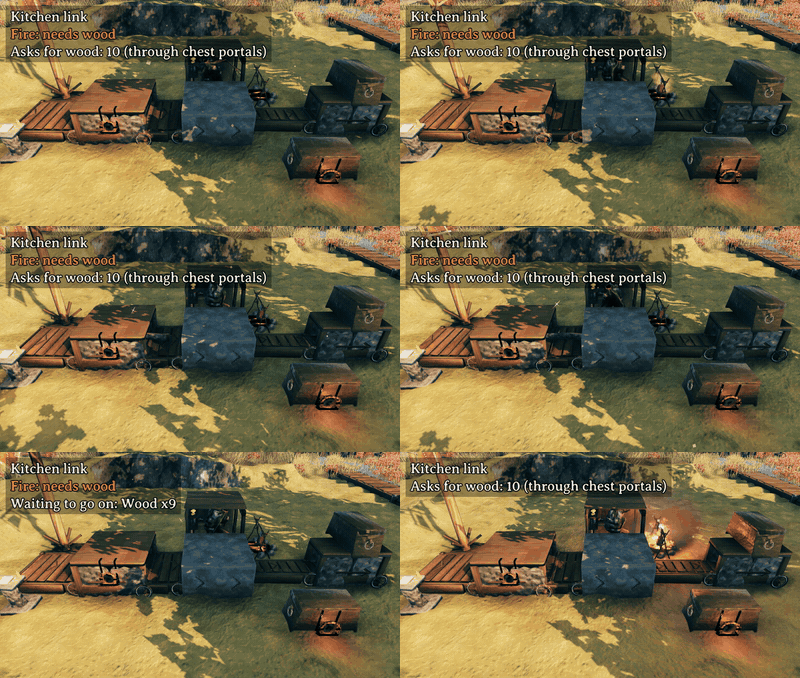
When the fire runs low, the kitchen link asks for wood. A portal on a link up the belt brings it, if the linked chest has wood. This needs a cookbook.
Meals of two steps
Kale crisps take two stations. Put them one after the other on the belt, in the right order. The cauldron makes the crisps, then the oven bakes them. One cookbook card runs both.
Settings windows
Press E on a link, an item filter, a chest portal or a cookbook to open its settings. In the item filter window you can also edit a family, or make your own.
Power
Every belt, filter, grinder and link needs power from a power mill. Pieces that touch share the power. If there is not enough, they stop. Look at a piece to see why it stopped.
An upgrader, a merger, a cookbook and a chest portal take no power. A chest portal on a link works only while the link has power. An upgrader makes the pieces near it work faster, power mills too. One piece takes the boost of one upgrader only.
Playing with friends
Everyone must have the mod: every player and the server.
Install
Use a mod manager (r2modman, Gale or Thunderstore Mod Manager). It installs BepInEx and Jotunn for you.
Settings
The costs, the power numbers, the rope length and the upgraders can be changed in the config file. Mergers can be turned off there too ([Belts] MergeItems), and the chest portal's top range lowered ([Chest portal] ChestPortalMaxRange). On a server, only an admin can change them.
Each player can also turn off [Building] SnapToLinks. Then chests and machines no longer snap to links. [Building] SnapToKitchenLinks does the same for food stations at kitchen links.
Each player can also turn on [Pickup] AutoPickupFromBelts. Then auto-pickup takes items off belts again.
Costs and power
| Piece | Cost | Power |
|---|---|---|
| Belt 0.5 m / 1 m / 2 m / 4 m | Wood 2/3/6/12, Resin 1/1/2/4 | 0.25 / 0.5 / 1 / 2 |
| Narrow belt 0.5 m / 1 m / 2 m | Wood 2/2/4, Resin 1 | 0.25 / 0.5 / 1 |
| Narrow corner | Wood 3, Resin 1 | 1 |
| Corner, ramp | Wood 6, Resin 2 | 1 |
| Drop floor | Wood 6, Resin 2 | 1 for all tiles that touch |
| Item filter | Wood 8, Resin 2 | 2 |
| Grinder | Wood 10, Stone 10, Resin 2 | 8 |
| Link | Wood 8, Stone 12, Resin 2 | 3 |
| Narrow link | Wood 4, Stone 6, Resin 1 | 3 |
| Kitchen link | Wood 8, Stone 12, Resin 2, Greydwarf trophy 1 | 3 |
| Kitchen link (narrow) | Wood 4, Stone 6, Resin 1, Greydwarf trophy 1 | 3 |
| Chest portal | Wood 4, Greydwarf eye 2, Surtling core 1 | 0 |
| Cookbook | Stone 8, Wood 4, Leather scraps 2, Resin 1 | 0 |
| Merger | Wood 4, Resin 1 | 0 |
| Trash box | Wood 4, Resin 1 | 0 |
| Trash bin | Wood 8, Resin 2 | 0 |
| Power mill | Wood 20, Resin 2, Leather scraps 2 | gives 20 |
| Rope-drive post | Wood 8, Resin 1 | 0 (rope up to 16 m) |
| Upgrader level 1 | Wood 4, Resin 2, Bronze 1 | 0 |
| Upgrader level 2 | Wood 4, Resin 2, Iron 2, Surtling core 1 | 0 |
| Upgrader level 3 | Wood 4, Resin 2, Black metal 2, Surtling core 2, Crystal 1 | 0 |
Made with AI
This mod was written with the help of an AI (Claude).
CHANGELOG
Changelog
0.7.0
- Kitchen link: the cauldron, the mead ketill and the food preparation table. Build one beside a kitchen link and it snaps into place, the cauldron and the mead ketill on a campfire. The chef makes their recipes from what rides in on the belt, one at a time, in the game's own craft time, and steps out to stir or cut. The kitchen link feeds the campfire with wood from the belt. The cauldron's upgrades count as in the game. Feasts are not made.
- Cookbook: meals of more than one step. Put a card on kale crisps, and a cauldron's kitchen link makes raw kale crisps for an oven's kitchen link down its belt, which bakes them. The cauldron makes them only when a belt carries them to that oven. A card for the middle product itself, for example raw kale crisps, keeps its own stock. A card that cannot be made says what is missing, for example "No stone oven on this network" or "Cauldron needs level 6". Middle products such as raw kale crisps, bread dough and mead bases are now on the "Add a meal" page.
- The cookbook counts the food in your chests. Food that a link on the cookbook's power network puts into a chest now counts toward the stock number, each chest once. So the kitchen stops at your number and does not cook past it.
- Chest portal: Take or Give. A portal on a chest is now set to Take or Give, and a new one starts on Give. A Take portal pulls from Give portals with the same id. Its list limits what it takes or gives; an empty list means everything. The hover text shows the mode. A 0.6.0 portal keeps its old job: with an empty list it becomes Give, with any other list Take.
- Wood when the fire runs low. A kitchen link that is cooking and has fewer than 5 wood asks for 10. A Take portal on a link up its belt pulls the wood from your chests and puts it on the belt. This needs a cookbook on the power network. The kitchen link's hover text says "Asks for wood".
- Wood rides on narrow belts. A log fits every narrow piece and is drawn shorter there. So a narrow kitchen link gets its wood on the belt too.
- A chest portal on a link no longer feeds the link's smelter, blast furnace or kiln. It now only takes the wood that kitchen links down its belt ask for, and only when their power network has a cookbook. To feed a smelter from a chest, give the chest a link set to Out, and run a belt from it to the smelter's link. A Take portal on that chest can pull the ore and coal in from your other chests.
- A kitchen link no longer takes a chest portal. A 0.6.0 portal on a kitchen link falls off when the world loads and drops its cost: Wood 4, Greydwarf eye 2, Surtling core 1.
- The chef puts food on and takes it off when its hand reaches the station, the same on every player's screen. Done food comes off before it can burn, also while you sleep.
- A new chest portal starts at the top range, 80 m, or the lower top an admin set. A 0.6.0 portal whose range nobody set moves to the top too, so two such portals with the same id 60 to 80 m apart now share items.
- Going back to 0.6.0 after you play 0.7.0: each portal on a chest goes back to what its list says. A Give portal with a list then takes, and a Take portal with an empty list gives.
- Every player and the server need 0.7.0. A player with 0.6.0 cannot join a server with 0.7.0.
0.6.0
- Kitchen link: a greydwarf chef cooks for you. A new link for a cooking station, an iron cooking station, an oven or a fermenter. Build the station on the open side of the chef's room, behind the belt: it snaps into place. The chef takes raw food off the belt and puts it on, keeps the fire fed with wood, and takes the food off cooked before it burns. The cooked food rides on. The chef moves when food goes on or comes off; it cannot walk away, get hurt or die. It costs what a link costs and 1 greydwarf trophy.
- Chest portal: chests share items. A small wood portal strapped to a chest, a link or a kitchen link. Portals with the same id share items, up to 60 m apart (you set 5 to 80 m). A kitchen link with a portal takes its raw food and wood from your chests and sends the cooked food back. A link with a portal takes the ore and fuel its machine needs. It costs Wood 4, Greydwarf eye 2 and Surtling core 1. Admins can lower the top range with
[Chest portal] ChestPortalMaxRange. - Cookbook: pick the meals. A stone pedestal that joins the power network it touches. Pick up to 8 meals and a stock number for each, for example 10 cooked boar meat. Every kitchen link on that network cooks them until your chests, belts and stations hold that many, the first card first. It takes no power.
- Narrow and short belts for tight kitchens. Belts 1 m wide and 0.5, 1 or 2 m long, a narrow corner, a narrow link and a narrow kitchen link. A 0.5 m belt comes in the normal width too. A narrow piece takes no trophy and nothing over 1 m across, so logs and wood stay off it: a narrow kitchen link gets its wood through a chest portal.
- Raw food and Cooked food are new families in the filters.
- Belts are rebuilt, and a big base runs smoothly. Items on belts are now kept as data, not as dropped items. They look and ride as before. A test base with 2,000 items on 1,500 belts ran at under 2 frames a second in 0.5.0 and runs at 17 now; with two players on a server, both play at full speed. Items on belts no longer push creatures or players. Other mods do not see an item while it rides; it comes off whole, with its quality, durability and other mods' data.
- Each player can turn off
[Building] SnapToKitchenLinks. Then stations no longer snap to kitchen links. - Going back to 0.5.0 loses the items on belts, unless you run the console command
conveyor_dropfirst. It turns every loaded item on a belt into a normal item, in every player's game, and belts take no items until you restart the game. Then save and quit. - Every player and the server need 0.6.0. A player with 0.5.0 cannot join a server with 0.6.0.
0.5.0
- The merger: items of the same kind merge on a belt. A new small arch that snaps across a belt. An item that rides under it waits there while items of its kind behind it ride up and join it, up to a full stack, so 3 kilns' coal rides on as a few stacks, not hundreds of pieces. You see each item slide into the stack; nothing jumps. The stack rides on once it is full, or once no more of its kind comes. Items merge only at a merger, so a link that pushes 5 at a time still sends stacks of 5. It costs 4 wood and 1 resin. Admins can turn merging off with
[Belts] MergeItems. - A full belt stops the machine. A smelter, kiln or other machine that drops onto a belt now waits while there is no room where its product lands, and goes on once there is. It keeps its ore and fuel while it waits, so a full belt backs up into the machine, its link and the chest behind it, and nothing piles up beside the belt. Its hover text says "Belt full: waiting". A machine that comes back into a loaded area drops what it made one by one, not all on one spot.
- Belts cost far fewer frames. 500 coal on belts took the game down to about 1 frame a second; now they cost about as much as 50 did before.
- One upgrader boosts 45 pieces, not 15. A config file from 0.4.x that still holds
[Upgrader] Pieces = 15is set to 45 once, when the mod starts. Admins can still set any number from 1 to 50 there. - Make and edit your own families. The item filter window has a family page. Press Edit on a family to add or take out items, or Reset a preset family back to the game's list. In the Families tab, + New family makes your own, up to 50, each with up to 100 items. Your families and your edits are saved with your character. Each filter keeps its own copy of a family, so an edit on one filter changes that filter alone.
- A filter on a link. The link window has a second tab, Filter. It holds a list like the item filter's, with families and Swap, and a switch: In, Out or Both. An item the filter refuses does not go into the chest or machine; it rides on, or a trash box on the link deletes it. A link from 0.4.1 has an empty list, so everything passes as before.
- A link at an item filter's straight exit no longer takes the logs the filter turns. So wood no longer ends up in a chest meant for bars.
- A link no longer lets bars ride past when another player owns its chest. This showed most at a level 3 boost, when a smelter drops many bars at once.
- Every player and the server need 0.5.0. A player with 0.4.1 cannot join a server with 0.5.0.
0.4.1
- Upgraders take no power. In 0.4.0 they took 4, 8 or 16. A server that ran 0.4.0 has those numbers in its config file (
[Power costs] UpgraderCost1to3); the mod sets them to 0 once, when it starts. Admins can still set a cost there. - A player with 0.4.0 can still join a server with 0.4.1. The server's power costs count for everyone.
0.4.0
- Upgraders. A new small box in three levels: bronze, ember and blue. Build it next to any piece of a power network. The 15 nearest pieces of that network work faster: 1.5 times with level 1, 2.5 times with level 2, 4 times with level 3. Items ride faster, grinders hit faster, item filters and links work faster, and a power mill gives more power (20 becomes 30 with level 1). A boosted piece shows its upgrader's mark.
- An upgrader takes power itself: 4, 8 or 16. A piece takes the boost of one upgrader only; two upgraders side by side boost more pieces, not faster ones. Admins can change the boosts, the number of pieces, the power costs and the recipes in the config (
[Upgrader],[Power costs],[Recipes]). - Build Camera CHE: its camera pickup no longer takes items off belts, links, grinders and trash bins. Other mods with their own pickup leave them too, if they check whether an item may be picked up.
[Pickup] AutoPickupFromBeltsstill turns pickup from belts back on. - Every player and the server need 0.4.0. A player with 0.3.0 cannot join a server with 0.4.0.
0.3.0
- Long items ride the belts. Items on a belt now lie flat in one tidy line along the belt's middle, one behind the other, and turn with it round corners and in item filters. Logs and other long items no longer get stuck at a link or jam the belt behind them.
- Grinder: it takes a creature when part of its body is on it, so big creatures like a lox die on it too.
- Auto-pickup no longer takes items off belts, links, grinders and trash bins. E still picks them up. Each player can turn it back on with
[Pickup] AutoPickupFromBelts. - Settings windows stay open as far away as the E prompt shows. Before, a window could close the moment it opened.
- An open chest on a link now stops items at the link. Before, a log could ride through it.
- Ropes between rope-drive posts are no longer lost when the world loads again or a player logs out and in.
- The mod's pieces are all in the hammer's Misc. tab.
- The belt's rollers and drive wheel no longer jump back once per turn.
- Item filter window: the white deer shows its name, not
[enemy_deerwhite]. - Every player and the server need 0.3.0. A player with 0.2.0 cannot join a server with 0.3.0.
0.2.0
- Settings windows. Press E on a link or an item filter to open its settings.
- Item filter: it holds a list of up to 8 items, families of items (for example all ores, all bars, raw meat) and creatures. The hotbar key still works: it adds the held item to the list. E no longer clears the filter; use Clear list in the window. A filter from 0.1.0 keeps its item as a list of one.
- Link: three modes, In, Out and Both. The modes are only for chests. A machine on a link always only takes items in. Out pushes items out of the chest once a second, up to a push size you set (1 to 49 items, or a full stack). In can stop at a fill limit in each chest and machine, for each kind of item or for all items together.
- Old links: a link built in 0.1.0 works as Both, and now pushes out a full stack at a time, not 1 item per second. To slow it down, set its push size.
- Ramps also come without pillars (up and down, 1 m and 2 m rise).
- You can build a chest or machine next to a link by aiming at the link's side. Before, it stayed red there.
- The blast furnace drops its bars off its chute, not onto it.
- Items on a belt wait for each other instead of pushing.
- Chests and machines snap only to links now, and the mod no longer changes how anything else snaps. Each player can turn this off with
[Building] SnapToLinks. - Less spam in the log: no more snap point lines at load, and no Jotunn
MockManagerwarnings. - Every player and the server need 0.2.0. A player with 0.1.0 cannot join a server with 0.2.0.
0.1.0
- First release: belts (1 m, 2 m and 4 m, corners and ramps), drop floor, grinder, item filter, link, trash box, trash bin, power mill and rope-drive post.
