
Please disclose if any significant portion of your mod was created using AI tools by adding the 'AI Generated' category. Failing to do so may result in the mod being removed from Thunderstore.
ValkyrieFlightPaths
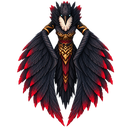
Valkyrie Flight Paths allows players to fly (taxi) from point A to point B with a Valkyrie. Flight Paths can be built by players themselves.
By QoLTeam
| Date uploaded | 9 hours ago |
| Version | 0.2.0 |
| Download link | QoLTeam-ValkyrieFlightPaths-0.2.0.zip |
| Downloads | 12 |
| Dependency string | QoLTeam-ValkyrieFlightPaths-0.2.0 |
This mod requires the following mods to function

denikson-BepInExPack_Valheim
BepInEx pack for Valheim. Preconfigured with the correct entry point for mods and preferred defaults for the community.
Preferred version: 5.4.2333
ValheimModding-Jotunn
Jötunn (/ˈjɔːtʊn/, 'giant'), the Valheim Library was created with the goal of making the lives of mod developers easier. It enables you to create mods for Valheim using an abstracted API so you can focus on the actual content creation.
Preferred version: 2.29.2README
Valkyrie Flight Paths
Valkyrie Flight Paths provides an immersive alternative to Valheim's portals. Players can build their own flight-path shrines and travel between them while being carried across the world by a Valkyrie.
Instead of instantly teleporting, the Valkyrie physically flies toward the selected destination while avoiding terrain and obstacles.
Features
Buildable Flight Paths
Flight Paths can be built with the Hammer under the Misc category.
Building one requires the same materials as a standard portal:
- 10 Greydwarf Eyes
- 20 Finewood
- 2 Surtling Cores
- A nearby Workbench
Flight Paths require sufficient distance from other Flight Paths and must have open sky above them. Placement distance and clearance requirements can be configured by the server.
Valkyrie Travel
Interact with a Flight Path to open the world map and select an available destination.
The Valkyrie will:
- Spawn near the player.
- Pick up the player and ascend.
- Fly toward the selected destination.
- Maintain a safe distance from terrain and obstacles.
- Anticipate mountains and other large obstructions.
- Check whether the destination is still clear after entering loading range.
- Return to the departure point if the destination is obstructed.
- Land and release the player safely.
Flights include natural height variation and wide turns instead of following a completely straight path.
Players retain access to their interface, inventory and equipment during flight, allowing them to defend themselves against flying enemies.
Private Flight Paths
Flight Paths are private by default.
A private Flight Path is available to:
- Its owner.
- Players registered by its owner.
- Server administrators using Admin Mode.
The owner can open registration temporarily. While registration is open, nearby players can register or unregister themselves using the configured management shortcut.
The hover information displays:
- The Flight Path owner.
- Every registered character.
- Whether registration is currently available.
Registration Limits
Server administrators can configure the maximum number of players that may register at a single private Flight Path.
This prevents players from turning private Flight Paths into unofficial global transportation hubs.
If the server lowers the limit and a Flight Path already has too many registrations:
- It remains available as an arrival destination.
- It cannot be used as a departure point.
- Registrations must be removed until the current limit is satisfied.
- Players may always unregister, even when the limit has been reached.
- Setting the limit to
0disables new registrations entirely.
Global Flight Paths
Server administrators can mark Flight Paths as global.
Global Flight Paths:
- Are available to every player.
- Do not use player registrations.
- Cannot be damaged by players or creatures.
- Can only be dismantled by a server administrator.
- Can only have their global status removed by a server administrator.
When a Flight Path becomes global, any open registration session is automatically closed.
Admin Mode
Server administrators can enable Admin Mode using a configurable shortcut.
While Admin Mode is active, administrators can:
- See every Flight Path on the destination map.
- Identify normally inaccessible Flight Paths through a distinct map marker.
- Use any Flight Path as a departure point or destination.
- Test Flight Paths belonging to other players.
- Open or close registrations on another player's Flight Path.
- Rename another player's Flight Path.
- Manage global Flight Paths.
Admin permissions are always validated by the server. Enabling Admin Mode locally does not grant administrator privileges.
Custom Names
Flight Path owners can assign custom names using a configurable shortcut.
The custom name appears on the destination map together with the Flight Path's coordinates. Administrators using Admin Mode may also rename Flight Paths belonging to other players.
Restricted Cargo Costs
Items that normally cannot pass through a portal may require payment before the Valkyrie accepts the player.
The price is based on the number of restricted items carried:
- Configurable gold cost per individual item.
- Configurable maximum total cost per flight.
- Default cost: 1 coin per restricted item.
- Default maximum: 100 coins.
For example, carrying one Copper Ore costs less than carrying several full stacks.
Setting either cost option to 0 makes restricted cargo free. Players are shown whether a flight is free or how much it will cost before departure.
Configurable Portal Policy
The server can decide how ordinary Valheim portals behave:
-
FullyFunctional
Portals remain unchanged. -
BuildableButDisabled
Portals may still be built and tagged, but cannot be used for travel. -
DisabledAndHidden
Portals cannot be used and are removed from the build menu.
Existing portals are never automatically destroyed.
Safety Systems
The mod includes several protections for unusual situations:
- Flight Paths cannot be placed or used without sufficient open sky.
- Destinations are checked again after entering loading range.
- Blocked destinations cause the Valkyrie to return.
- Players are protected from the Freezing effect while flying over the Mountains.
- Fall damage caused by the landing process is prevented.
- Player tombstones are moved to a safe, recoverable location if a player dies during flight.
- Deaths above the ocean follow Valheim-compatible tombstone handling.
- Flight state and payment information are persisted for disconnect recovery.
Disconnect and Crash Recovery
If a player disconnects, logs out or crashes during flight, the mod restores them to a safe departure position instead of leaving them suspended in the air.
This also covers server crashes and connection loss affecting multiple players.
Flight payment and inventory state are stored before departure, preventing disconnects from being used to avoid cargo costs.
Configurable Valkyrie Statue Poses
Each player may select their preferred static Valkyrie pose locally:
- Embrace — the wings curve around the approaching player.
- Wingspan — the wings are held broadly toward the player.
- Soaring — uses a smooth, backward-facing flight pose.
- Perched — uses a partially folded resting pose.
This is a client-side visual preference and does not affect collision, access or gameplay. Changing the pose requires restarting the game.
Configurable Controls
The following shortcuts can be changed locally:
- Optional direct Flight Path interaction.
- Registration and access management.
- Flight Path renaming.
- Global status management.
- Admin Mode.
Valheim's normal configurable Use binding always remains available.
Multiplayer Requirements
This is a required multiplayer mod.
When a server or local host uses Valkyrie Flight Paths, every connecting player must also have the mod installed. Gameplay-related configuration is synchronized from the server.
Administrators are determined through Valheim's normal server admin list. The local world host is treated as an administrator.
Server Configuration
Server-synchronized settings include:
- Required open-air clearance height.
- Required clearance radius.
- Minimum distance between Flight Paths.
- Maximum registrations per private Flight Path.
- Restricted cargo price per item.
- Maximum restricted cargo price.
- Portal policy.
Local settings include:
- Interaction shortcuts.
- Admin Mode shortcut.
- Preferred Valkyrie statue pose.
Installation
- Install BepInEx for Valheim.
- Install Jötunn.
- Place
ValkyrieFlightPaths.dllin:BepInEx/plugins - Start Valheim.
For multiplayer, install the mod and its dependencies on both the server and every connecting client.
