
Please disclose if any significant portion of your mod was created using AI tools by adding the 'AI Generated' category. Failing to do so may result in the mod being removed from Thunderstore.
| Date uploaded | 15 hours ago |
| Version | 0.2.0 |
| Download link | TomTomDK-LatchLink-0.2.0.zip |
| Downloads | 13 |
| Dependency string | TomTomDK-LatchLink-0.2.0 |
This mod requires the following mods to function

denikson-BepInExPack_Valheim
BepInEx pack for Valheim. Preconfigured with the correct entry point for mods and preferred defaults for the community.
Preferred version: 5.4.2333
ValheimModding-Jotunn
Jötunn (/ˈjɔːtʊn/, 'giant'), the Valheim Library was created with the goal of making the lives of mod developers easier. It enables you to create mods for Valheim using an abstracted API so you can focus on the actual content creation.
Preferred version: 2.29.2README
LatchLink
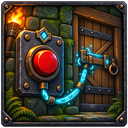
LatchLink adds buildable switches that remotely operate linked doors, gates, and compatible drawbridges.
Features
- Wooden Lever, Iron Button, and Rune Switch variants
- Toggle, Open, and Close operating modes
- Multiple doors can be linked to one switch
- Links and modes persist with the world
- Switch visuals follow the actual state of their linked doors
- Configurable link distance and link limit
Modded gates and drawbridges are supported when they use Valheim's standard Door component. LatchLink operates targets through their normal interaction path, so access-control and door-behavior patches from mods such as WardIsLove are respected without requiring a hard dependency.
Keyed and one-way doors can be linked. They retain their normal restrictions: the activating player must have any required key, and a one-way door will not close through a switch.
Recipes
| Switch | Materials |
|---|---|
| Wooden Lever | 4 Wood, 1 Resin |
| Iron Button | 2 Fine Wood, 2 Iron |
| Rune Switch | 4 Stone, 1 Surtling Core, 2 Greydwarf Eyes |
The required materials unlock each recipe. A nearby workbench is required to place a switch.
Controls
Look directly at a placed switch before using these controls.
| Input | Action |
|---|---|
| Use | Operate the linked group |
| Shift + Use | Enter or cancel link mode |
| Alt + Use | Cycle between Toggle, Open, and Close modes |
| Shift + Alt + Use | Remove every link from the switch |
| Escape | Cancel link mode |
After entering link mode, use the door or gate you want to add or remove. Link mode ends after that interaction. Repeat the process to link another target.
Installation
Install LatchLink with r2modman or Thunderstore Mod Manager.
For manual installation, install BepInExPack Valheim and Jotunn, then place LatchLink.dll inside BepInEx/plugins.
The mod must be installed on the server and every connecting client.
Configuration
Configuration is generated at BepInEx/config/com.tomtom.latchlink.cfg after the game starts once.
| Setting | Default |
|---|---|
| Maximum links per switch | 32 |
| Maximum link distance | 100 metres |
