
Please disclose if any significant portion of your mod was created using AI tools by adding the 'AI Generated' category. Failing to do so may result in the mod being removed from Thunderstore.
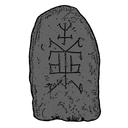
TombstoneHelper
This mod allows you to access a nearby tombstone, its intended purpose is to access glitched tombstones in dungeons which are not reachable otherwise.
| Date uploaded | 3 years ago |
| Version | 1.0.1 |
| Download link | Vl4dimyr-TombstoneHelper-1.0.1.zip |
| Downloads | 147 |
| Dependency string | Vl4dimyr-TombstoneHelper-1.0.1 |
This mod requires the following mods to function

denikson-BepInExPack_Valheim
BepInEx pack for Valheim. Preconfigured and includes unstripped Unity DLLs.
Preferred version: 5.4.2202
ValheimModding-Jotunn
Jötunn (/ˈjɔːtʊn/, 'giant'), the Valheim Library was created with the goal of making the lives of mod developers easier. It enables you to create mods for Valheim using an abstracted API so you can focus on the actual content creation.
Preferred version: 2.25.0README
TombstoneHelper
Description
This mod allows you to access a nearby tombstone, its intended purpose is to access glitched tombstones in dungeons which are not reachable otherwise.
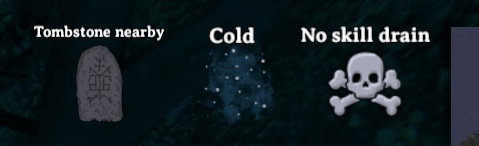
When you are close to a tombstone you will receive a status effect "Tombstone nearby",
in oder to interact with the tombstone you can press Left Shift + E.
Config
TL;DR
Use Official BepInEx ConfigurationManager for in-game settings!
Manual Config
The config file (\BepInEx\config\com.userstorm.tombstonehelper.cfg) will be crated automatically when the mod is loaded.
You need to restart the game for changes to apply in game.
Example config
## Settings file was created by plugin TombstoneHelper v1.0.0
## Plugin GUID: com.userstorm.TombstoneHelper

[General]

## Open tombstone key combination
# Setting type: KeyboardShortcut
# Default value: E + LeftShift
Open tombstone = E + LeftShift

## Interaction range
# Setting type: Single
# Default value: 5
# Acceptable value range: From 0.1 to 10
Interaction range = 5
Manual Install
- Install BepInExPack Valheim and Jotunn
- Download the latest
TombstoneHelper_x.y.z.ziphere - Extract and move the
TombstoneHelper.dllinto the\BepInEx\pluginsfolder - (optional) Install Official BepInEx ConfigurationManager
Changelog
The Changelog can be found on GitHub.
Bugs/Feedback
For bugs or feedback please use GitHub Issues.
Help me out

It is by no means required, but if you would like to support me head over to my Patreon.
