
Please disclose if any significant portion of your mod was created using AI tools by adding the 'AI Generated' category. Failing to do so may result in the mod being removed from Thunderstore.

ImmersiveCameraEnhanced
Native construction collider fitting, camera collision with a custom cylinder, and V1 vegetation culling.
| Date uploaded | 16 hours ago |
| Version | 1.4.3 |
| Download link | XineladaLendaria-ImmersiveCameraEnhanced-1.4.3.zip |
| Downloads | 67 |
| Dependency string | XineladaLendaria-ImmersiveCameraEnhanced-1.4.3 |
This mod requires the following mods to function

denikson-BepInExPack_Valheim
BepInEx pack for Valheim. Preconfigured with the correct entry point for mods and preferred defaults for the community.
Preferred version: 5.4.2333README
Immersive Camera Enhanced
Current release: 1.4.3
A client-side Valheim camera and Camera Cull mod. It combines third-person collision, vegetation culling, first-person and indoor camera options, configurable crosshairs, zoom, and local visual adjustments. Other players and dedicated servers do not need to install it.
Features and how to use them
Camera Cull
Camera Cull hides foliage that blocks the view while leaving its gameplay colliders intact, so trees can still be cut, harvested, and fought around. Leaves Only hides leaves but keeps trunks and branches visible. Movement Leaves Only activates that view after you walk toward the camera for its configured delay. Grass and small bushes stay visible. An optional setting can also cull player-built support pillars and stone arches.
Its curved culling volume is configurable by screen width, character distance, growth, flattening, and sampling interval. An optional shadow setting keeps foliage shadows while it is hidden. Enable ShowOcclusionCylinder in Debug to inspect it in green. Camera Cull uses local collider-backed queries, cached hierarchy results, and throttled visual checks.
Camera collision and construction
The custom third-person camera collision uses a uniform 0.3 m diameter cylinder to keep the camera on the character's side of solid objects. It moves inward to a safe contact point immediately and checks the path before returning outward at Camera Return Smooth Speed. Disable Enable New Camera Collision to use Valheim's native collision. Advanced Camera works with either mode.
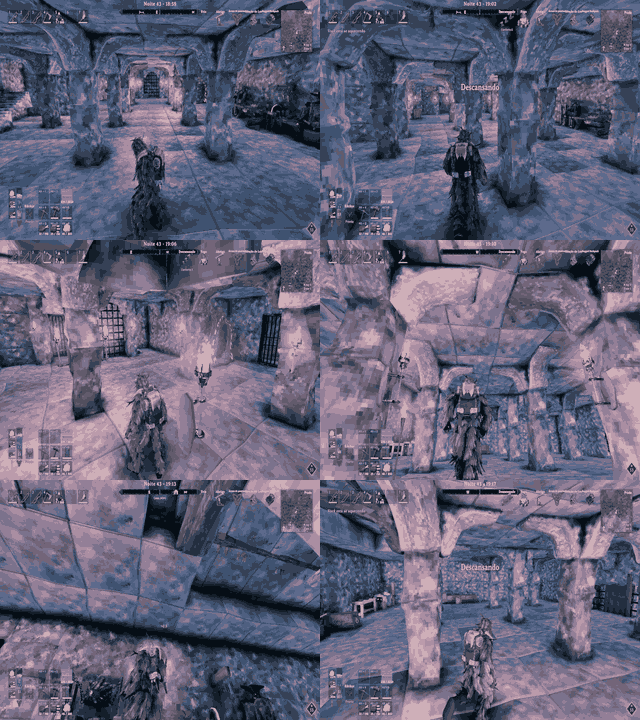
The camera can be configured to pass through recognized vegetation, supports and arches, lights, tables, entities, and optionally boats; the active hammer placement preview is ignored. Structural walls, floors, roofs, terrain, rocks, and ores remain solid. Vanilla hammer-built construction colliders are fitted to visible model geometry across supported wear variants; openings are preserved, while roofs, small props, and modded pieces are excluded. These client-side collider adjustments can also affect local player and projectile contacts. See the construction collider audit.
Collision Distance Cut can lower the selected zoom after two seconds of stable obstruction. It chooses the shortest safe distance observed in that interval, permits up to 5 m of variation without restarting the timer, and respects the configured minimum. When the cut and Camera Distance HUD are both enabled, a small icon marks the cut. Show Camera Collision Volume draws the active cylinder or native probes in pink; Show Camera Collision Colliders outlines every contacted collider for 30 seconds after its latest contact.
Camera distance, first person, and zoom
Scroll to change third-person distance. Separate local maximums are available on foot and in a boat, and the distance step can be configured. Reaching the 0.5 m minimum by scrolling enters optional first person; scroll outward to return. First person supports independent FOV, camera sway, crouch lowering, walking head bob, and character yaw following. The character model is hidden while this view is active and restored on exit.
Hold Mouse4 and scroll to magnify toward the crosshair in either view. Releasing Mouse4 restores normal magnification; the zoom wheel does not change camera distance. Magnification, scroll step, transition speed, key, and zoomed mouse sensitivity can be configured. Independent first- and third-person FOV settings are available.
Camera Base Position can offset the third-person pivot vertically and blend the offset by camera distance. It does not add camera rotation and is ignored in first person.
Advanced Camera and free look
Advanced Camera activates automatically indoors when the character is sheltered beneath a nearby construction ceiling. It caps the indoor orbit at 3 m and has its own scroll step. Advanced Height lets mouse input raise or lower the camera; the destination is limited to half of the shared open space between floor and ceiling. Edge Clearance adds a rounded safety boundary around corners and changes in floor or ceiling height. These options work with either collision mode.
Hold Left Alt for free look without changing the character's movement heading. While drawing a bow or crossbow, holding Alt instead activates mouse aiming and steers the reticle; releasing Alt immediately returns mouse control to the camera and restores the configured reticle position. The post-shot delay only filters residual mouse input after firing.
Crosshair and aiming
The independent screen-space reticle can be positioned by percentage of screen width and height, measured from the screen center, with separate positions, sizes, and RGB colors for default items, melee, bows/crossbows, magic, and tools. Built-in styles include Classic, Dot, Cross, Cross Dot, Circle, Precision, Bow, Diamond, Chevron, Brackets, Holographic, Starburst, and Custom Image. Set thickness and center gap, or load a transparent PNG up to 1024 × 1024 from the plugin folder, its Crosshairs folder, or the BepInEx configuration folders.
The local attack direction follows the reticle. Aim Along Crosshair Direction is off by default: when off, attacks converge on an object under the reticle; when on, they follow the reticle's viewing direction. Bow shots and trajectory overlays use the reticle target rebased from the actual projectile spawn point. The forward firing arc is centered on the camera view, so moving backward does not block shots in the viewed direction. While drawing a bow or crossbow, hold Left Alt to make mouse movement steer the reticle instead of the camera. Hold Alt for the configurable latch duration (2 seconds by default) to keep mouse-aim active for the rest of the draw; tap Alt again to unlock it. The post-shot delay filters residual mouse input after firing. Sensitivity and X/Y inversion are configurable. Bow reticle size tightens using Valheim's draw-accuracy and bow-skill spread values, and the bow starts larger than other categories. The arrow aim eases briefly when its ray moves between targets to prevent sudden trajectory jumps; camera and mouse response remain immediate. The character's head can keep facing the camera direction instead of the reticle.
The custom reticle is independent of Valheim's HUD reticle, is hidden on the pause menu, and can remain visible over Configuration Manager. Automatic Crosshair Position compensates for the camera pivot offset in third person.
Other features
- Brightness: optional client-side day, night, fog, and cave lighting adjustments, off by default. Signed values can darken the scene; values above 100 increase brightness. This does not change world simulation.
- Water: while the local character is swimming, the camera can follow below the surface. Otherwise Valheim's water-level clamp remains in effect. Swimming state follows Valheim's Character.IsSwimming() result, including compatible changes such as BetterDiving.
- Damage Direction Indicator: a local 3D arrow points toward the attacker or incoming hit direction. Duration, update interval, color, size, and first- and third-person positions are configurable. Fall and drowning damage do not show it.
- Building Hammer Behavior: independently controls which camera features pause while the hammer is held. Camera collision returns to Valheim's native behavior; distance scrolling is blocked by default while piece rotation remains available.
- General and diagnostics: a master enable switch restores temporary render state when disabled. Verbose diagnostics are available for testing; routine per-renderer messages are not emitted.
Quick controls
- Scroll: change third-person distance; reach the configured minimum to enter first person.
- Hold Mouse4 and scroll: change optical magnification; release Mouse4 to reset it.
- Hold Left Alt: free look; release it to return to the captured view.
- Draw a bow or crossbow and hold Left Alt: steer the aim reticle with the mouse; keep holding for the configured latch duration to remain in aim mode for the rest of the draw.
- Open Configuration Manager with F1 to tune the settings. Without it, edit the generated BepInEx configuration file.
Optional companion mods
Neither mod below is required. The Thunderstore manifest only lists BepInEx as a required dependency.
- Valheim Configuration Manager by shudnal (Nexus Mods) provides an in-game configuration interface. All settings remain editable in the config file without it.
- BowTrajectory by ModdedWolf (Nexus Mods) displays a predicted bow or crossbow flight path. When installed, Enable Bow Trajectory Compatibility (on by default) adjusts the preview to match live arrow speed and Path of Valheiman's arrow-range bonus.
Demonstrations
Pillar pass-through and camera smoothing
Crosshair aiming

Zoom

Camera distance

Free look with Alt

Camera Cull and collision pass-through

First-person camera

Damage direction indicator

Brightness adjustment

Requirements
- Valheim and BepInExPack Valheim 5.4.2333 or newer.
- Install on the client that wants the camera changes. The server and other players do not need the mod.
- Configuration Manager and BowTrajectory are optional.
Installation
Thunderstore, r2modman, or Gale
- Open the Valheim profile you want to use.
- Search for Immersive Camera Enhanced and install it.
- Launch Valheim from that profile.
Nexus Mods or manual installation
- Install BepInExPack Valheim.
- Install the mod with your manager, or extract the archive into the Valheim game folder so the DLL is at BepInEx/plugins/ImmersiveCameraEnhanced/ImmersiveCameraEnhanced.dll.
- Launch the game once to create the configuration file.
Configuration file: BepInEx/config/com.kimbauer.valheim.cameracull.cfg.
Configuration
Use Configuration Manager (F1) or edit the config file. Enable switches appear before related settings and features are grouped into sections:
- General: master mod switch.
- Camera Cull: vegetation and support culling, Leaves Only, movement activation, volume shape, and check timing.
- Camera Collision: custom/native collision, pass-through rules, collision distance cut, return speed, and collision debug.
- Camera Improvements: first person, FOV, camera sway/animation, camera pivot, free look, optical zoom, Advanced Camera/Height, distance HUD, and per-scroll settings.
- Crosshair / Positioning: crosshair, aim, screen positions, bow mouse-aim, sensitivity, limits, and compatibility toggle.
- Crosshair / Icon and Color: reticle styles, custom image, sizing, and category colors.
- Damage Direction Indicator: enable, target, timing, appearance, and positions.
- Visual: local day, night, fog, and cave lighting.
- Performance and Debug: Camera Cull check cadence, restore delay, volume displays, collision collider outlines, and verbose diagnostics.
- Building Hammer Behavior: independent feature toggles while holding the hammer.
Compatibility and behavior
Immersive Camera Enhanced runs locally and does not change saved worlds or server settings. The custom and native camera-collision modes share the configured object-ignore rules and fitted vanilla construction colliders. Disabling the custom collision restores Valheim's camera collision; holding the building hammer does so automatically.
The custom crosshair works independently of the vanilla HUD reticle. BowTrajectory compatibility is applied only when BowTrajectory is installed and can be disabled in the Crosshair settings. BetterDiving-compatible swim state is respected. Mods that replace Valheim's camera can conflict; if camera behavior is unexpected, test with that camera-replacement feature disabled.
Credits
Project by Xinelada Lendária.
CHANGELOG
Changelog
1.4.3 - 2026-10-06
- Correct the zoomed aim ray's vertical orientation and remove extra trajectory easing during zoom, keeping Bow Trajectory aligned with the reticle.
1.4.2 - 2026-10-06
- Ease Bow Trajectory's preview direction through optical zoom changes while keeping crosshair motion and fired-arrow aim immediate.
1.4.1 - 2026-10-06
- Keep the zoomed Bow Trajectory aim ray tied to the camera's effective FOV, preventing AA and render callbacks from shifting or flickering the target.
1.4.0 - 2026-10-06
- Remove unused collision buffers and private helper methods; gameplay behavior is unchanged.
1.3.32 - 2026-10-06
- Stabilize the Bow Trajectory aim ray during optical zoom by deriving it from a consistent non-jittered camera projection across render callbacks.
1.3.31 - 2026-10-06
- Smooth Bow Trajectory preview changes caused by increasing bow draw while keeping reticle movement immediate; calculate the aim ray from the zoomed render projection so the projectile still passes through the visible crosshair with optical zoom and anti-aliasing.
1.3.30 - 2026-10-06
- Retarget Bow Trajectory with the exact final physics passed into its preview simulation, including the same unreachable-target fallback as the fired arrow; reuse near-identical solves to avoid extra per-frame work.
1.3.29 - 2026-10-06
- Match Bow Trajectory's live preview arc to the crosshair target and the same projectile physics used by the fired arrow; cache unchanged aim solutions to limit repeated work.
1.3.28 - 2026-10-06
- Run the ballistic reticle correction only when Valheim creates a projectile burst, keeping Bow Trajectory's live preview on its normal update path and removing the 15 Hz aiming refresh.
1.3.27 - 2026-10-06
- Cache projectile metadata and slow optional Path stat discovery to stop repeated assembly scans from stalling bow aiming.
- Preserve the reticle's world target through bow release and refresh the ballistic solve only when aim changes or a shot is released.
- Split Verbose Logging timings for projectile-physics reads and ballistic pitch solving.
1.3.26 - 2026-10-06
- Throttle repeated in-flight bow trajectory solves while preserving an exact refresh when the arrow is fired.
- Add rate-limited crosshair, mouse-aim, raycast, and shot-direction diagnostics under Verbose Logging.
1.3.25 - 2026-10-06
- Reduce repeated bow trajectory calculations and capture Alt mouse-aim input directly, so the reticle steers the actual shot without filtering camera movement outside aim mode.
1.3.24 - 2026-10-06
- Keep optical zoom working when anti-aliasing supplies a custom projection, restoring its jitter matrices after each frame.
- Compensate bow and crossbow aim for the live projectile speed, gravity, and drag so the arrow passes through the selected reticle point.
1.3.23 - 2026-10-06
- Set the bow/crossbow aim direction at the projectile spawn point toward the reticle target so the arrow and trajectory preview share the same direction.
- Let a second Alt press unlock mouse-aim after the configured hold latches it; fix legacy-position detection so saved crosshair percentages are not recalculated at each launch.
1.3.22 - 2026-10-06
- Set the default bow/crossbow reticle vertical position to 6.0% and add a configurable Alt hold duration (2 seconds by default) that latches mouse aim until the current draw ends.
- Aim bow shots from the actual projectile spawn point to the reticle's world target so the arrow follows the selected aim point.
- Remove direct zoom projection-matrix writes; zoom now updates the camera FOV without modifying anti-aliasing jitter or temporal image history.
1.3.21 - 2026-10-05
- Make bow/crossbow mouse aiming active only while holding the configured Alt key; releasing Alt immediately restores camera control and the configured reticle position.
- Apply the mouse delay only after firing, so releasing Alt does not delay camera input.
- Scale the full zoom projection axes, including anti-aliasing jitter offsets, to prevent visual artifacts while zooming.
1.3.20 - 2026-10-05
- Add independent crosshair sizes for each weapon category; use Valheim's draw and skill accuracy values to tighten the larger bow reticle, and remove the full-draw scale setting.
- Smooth brief arrow-aim transitions when the crosshair ray switches targets, keep camera and mouse response immediate, and fit each reticle style within the viewport.
- Keep circular reticle strokes inside their texture bounds so thick rings are not cut off by the square texture edge.
- Double the default bow-aim mouse sensitivity to 4.0.
1.3.19 - 2026-10-05
- Center the aiming boundary on camera heading, remove the experimental bow reticle boundary option, and preserve elevation when limiting horizontal aim.
1.3.18 - 2026-10-05
- Rewrite the feature guide around Camera Cull, add usage and compatibility notes, and list Configuration Manager and BowTrajectory as optional companions.
1.3.17 - 2026-10-05
- Add an optional crosshair limit while aiming bows and crossbows, keeping the reticle inside the character's forward firing range.
1.3.16 - 2026-10-05
- Make aim-along-reticle optional by default, cap aiming to the forward 90-degree range, and reset the reticle when Alt cancels bow mouse-aim.
1.3.15 - 2026-10-05
- Let Alt free look take over during bow aim; set mouse sensitivity to 2.0 and group crosshair colors by category.
1.3.14 - 2026-10-05
- Keep bow mouse-aim disabled for the current draw after Alt takes camera control.
1.3.13 - 2026-10-05
- Hide the reticle on the pause menu, restore its configured position after aim, and organize aim controls with an optional object-target mode.
1.3.12 - 2026-10-05
- Separate crosshair positioning from appearance; add BowTrajectory compatibility, a camera-resume delay, and configurable aim sensitivity.
1.3.11 - 2026-10-05
- Match BowTrajectory preview speed and supported arrow-range modifiers to the live shot.
1.3.10 - 2026-10-05
- Share the selected attack aim with trajectory overlays and remove the first-use camera-distance scroll hitch.
1.3.9 - 2026-10-05
- Keep the character's head facing the camera independently of attack aim and preserve bow aim through projectile launch.
1.3.8 - 2026-10-05
- Apply the reticle's aim point to the fired projectile and group crosshair settings into clear sections.
1.3.7 - 2026-10-05
- Add category-specific reticle positions, more styles, custom PNGs, and mouse-controlled bow aim.
1.3.6 - 2026-10-05
- Add a General master switch, category-specific colors, and screen-percentage reticle positioning.
1.3.5 - 2026-10-05
- Add the independent configurable reticle and attack alignment, with optional mouse-axis inversion.
1.3.4 - 2026-10-05
- Add optical hold-to-zoom and the first configurable screen-space crosshair with a bow draw animation.
1.3.3 - 2026-10-04
- Reduce Advanced Camera query work while keeping live collision checks responsive.
1.3.2 - 2026-10-02
- Handle a missing Configuration Manager quietly and support it loading after this mod.
1.3.1 - 2026-10-02
- Retain established cylinder contact through brief physics misses and release only after the path clears.
1.3.0 - 2026-10-02
- Keep contacted colliders highlighted for 30 seconds, stabilize custom cylinder contact, and fit supported vanilla construction colliders to visible geometry.
- Preserve native and custom collision modes, object-ignore rules, and the fixed 50% Advanced Height free-space limit.
