
Please disclose if any significant portion of your mod was created using AI tools by adding the 'AI Generated' category. Failing to do so may result in the mod being removed from Thunderstore.

ZENHEIM Vanilla
Enhanced Valheim for Vanilla Server - The rules have changed. Improved immersion. Multiplayer or singleplayer balanced gameplay. Outstanding QoL enhancements. Tightly optimized code. Full gamepad support.
| Date uploaded | 4 months ago |
| Version | 1.2.2 |
| Download link | ZenDragon-ZENHEIM_Vanilla-1.2.2.zip |
| Downloads | 24 |
| Dependency string | ZenDragon-ZENHEIM_Vanilla-1.2.2 |
This mod requires the following mods to function

shudnal-ConfigurationManager
Localized, recolored, refined. Split view mode. Config files editor. Setting edit window. Changed values are highlighted. Prevent user input or pause the game while window is open. Window scale depends on game scale.
Preferred version: 1.1.4
ZenDragon-AugaLite
Super small subset of Auga with 95% of the functionality removed. Read the description!
Preferred version: 1.0.4
ZenDragon-ZenModpack_VANILLA
VANILLA - Subset of ZenModpack_CORE designed to provide amazing QoL improvements for clients connecting to vanilla servers! Full gamepad support.
Preferred version: 1.1.3README
ZENHEIM: Enhanced Valheim for Vanilla Servers QoL
NOTICE
This is a subset of the ZENHEIM experience. This pack is designed for players who want incredible QoL improvements while still being able to connect to vanilla servers. However, if you are playing offline or have a modded server then check out the full potential of ZENHEIM!
The rules have changed. A new experience unlike anything you have seen before. Turn off your map via Valheim's World Modifiers and let the Compass be your guide! Think wisely, getting lost is part of the adventure!
Built from the ground up with a CORE Vanilla set of custom crafted ZenMods to ensure compatibility, reliability, and performance.
Full gamepad support. Pre-configured, ready to play!
Best with these Valheim World Modifiers enabled:
- NoMap - Getting lost is fun!
- Fire (optional, if you want hard mode!)
Live Showcase
Connection Instructions:
Join Discord Then navigate to #zenheim-live > ZENHEIM - Connect
- Hosted server showcasing the entire modpack so that you can come try it out and see how it all fits together.
- Ready to Play!
Compass

QoL Improvements
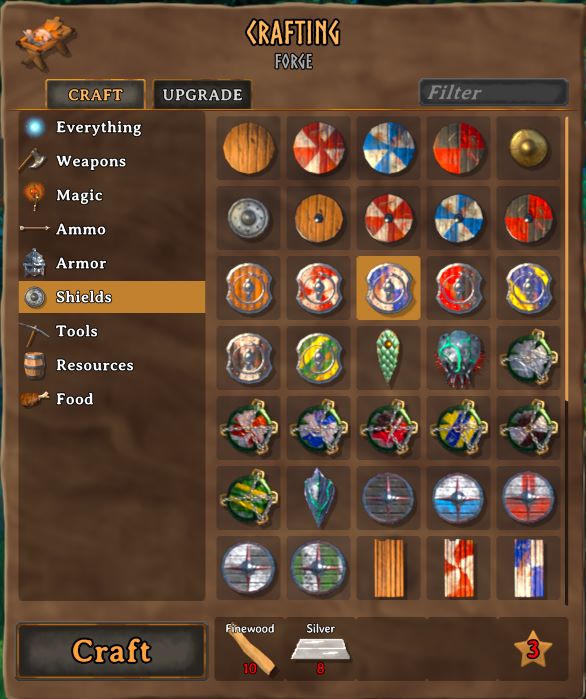
- Move chests without destroying them.
- Target Lock - Works with gamepad or keyboard
- Separate Jump / Dodge buttons
- Fight on slopes
- Softer damage screen flash
- Running on paths consumes half stamina. Paved paths consume no stamina.
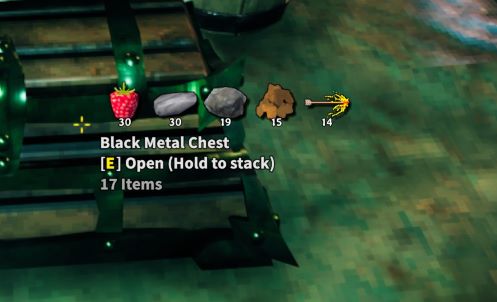
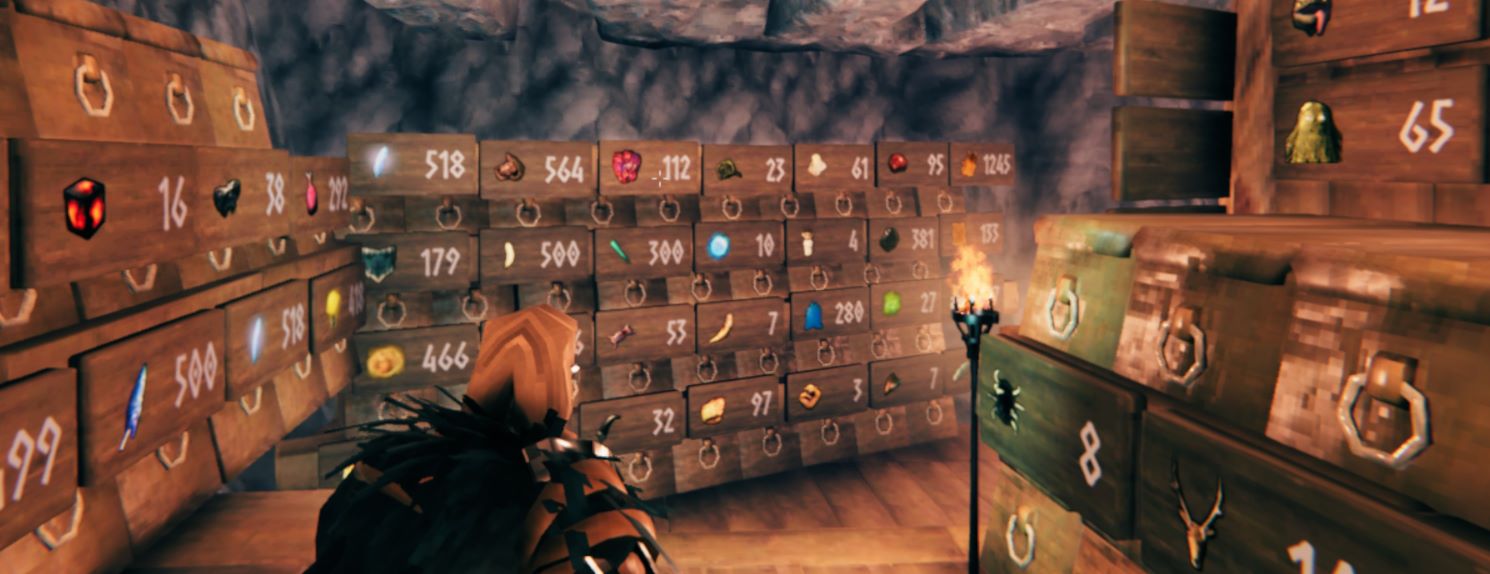
- Assign items to signs and see the quantity in nearby chests. This helps you stay organized.
- Find things in chests by tapping a sign that has an item assigned.
- Find fuel easily, just tap a fireplace and nearby containers with wood highlight if you don't have it in your inventory.
- Automatically equip your shield or lantern when using a 1h weapon.
- ArmorStands, ItemStands, and Beehives behave like containers for easy access. Swap your gear with a single button press!
- No need to fumble with 1-8 hotkeys, just select items directly from your inventory to assign to objects.
- Dedicated build button and press to hold when hammer is equipped for quick select repair.
- Unobtrusive UI. Fewer numbers, more pictures. Clean, stylish, and unified.
- Crafting menu improvements
- Built in index of every item you have discovered.
- First person mode.
- Ctrl-Z undo remove piece.
- Full Gamepad Support.
Armor Stands & Item Stands as Container
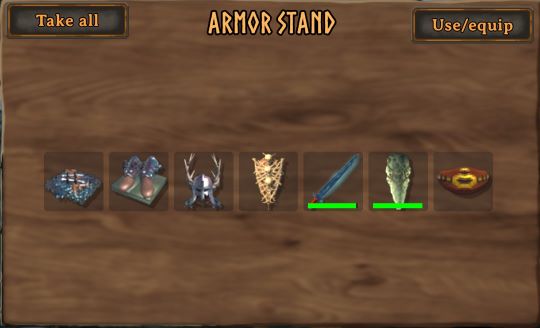
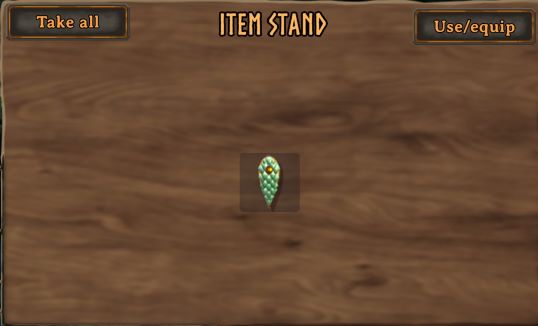
Hover Icons
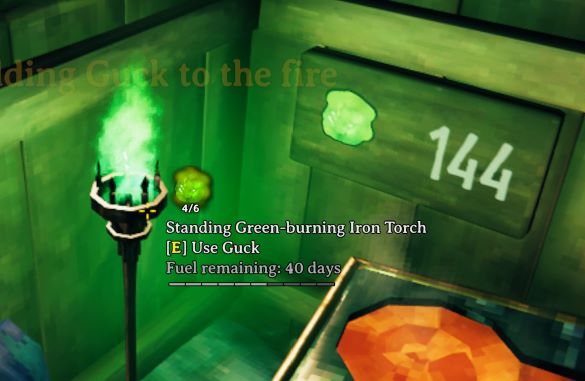
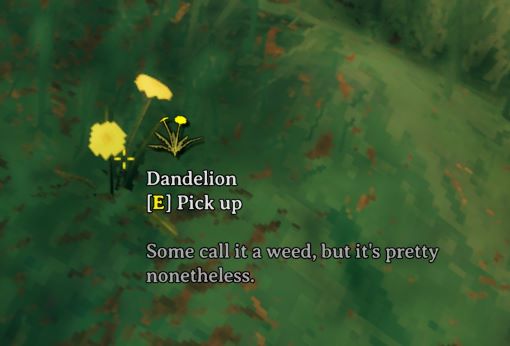
Work Together
By design there are no crafting from containers or other forms of automation because they accelerate the gameplay loop. Instead, you have a robust set of new features for hoard management via signs that fix a lot of the painful issues of finding what you are looking for. Just point at a sign and assign items to it to view the quantity nearby. Tap a sign to locate the item in a container. Middle-click an item in your inventory to find it in nearby containers.
Like My Mods? Donations Welcome
Bitcoin

CHANGELOG
v1.3.0
- Added first person mode to ZenUI
- removed AzuFirstPersonMode from the modpack
v1.2.6
- removed the mod "Unremove" from the modpack to narrow scope. That feature may be added to ZenConstruction in the future, or added manually.
v1.2.5
- removed Teleport_Instantly_Updates_Weather_And_Removes_Wet_Debuff
v1.2.4
- added default ZenLogin config file to show logo
v1.2.3
- added website info to readme.
v1.2.2
- remove VNEI - admins can add it manually
v1.2.1
- update ZenModpack_VANILLA to v1.1.3 which adds ZenLogin
v1.1.11
- Removed "StatusEffectFilter" as it has been marked as depreciated. Functionality now implemented in ZenUI instead.
v1.1.9
- ZenCombat now has loyal spears built in
v1.1.8
- update description
v1.1.7
- added Configuration Manager to package for easy setup.
v1.1.6
- removed "Startup Accelerator" from the modpack due to possible localization issue. If you have already installed this modpack before this version you will need to manually remove "Startup Accelerator"
v1.1.5
- removed the mod "Goldenrevolver - Sorted Menus Cooking Crafting and Skills Menu" because ZenUI now handles that functionality.
v1.1.3
- removed BiomeObserver from the modpack because ZenUI v0.2.5 includes similar functionalty that is less intrusive.
v1.1.2
- update readme to fix images not loading.
v1.1.1
- Remove CombatOwner from modpack due to reports that it was causing hitreg errors.
v1.1.0
- updated all dependencies to latest versions.
v1.0.5
- removed explicit JVL and BepInEx inclusion, mods will include them automatically as needed.
