
Please disclose if any significant portion of your mod was created using AI tools by adding the 'AI Generated' category. Failing to do so may result in the mod being removed from Thunderstore.

ContainerCustomizer
Customize chests and barrels with names, colors and icons. Find nearby stored items. FR/EN/RU/ZH interface.
| Date uploaded | 3 weeks ago |
| Version | 1.0.10 |
| Download link | Zephyrfit-ContainerCustomizer-1.0.10.zip |
| Downloads | 244 |
| Dependency string | Zephyrfit-ContainerCustomizer-1.0.10 |
This mod requires the following mods to function

denikson-BepInExPack_Valheim
BepInEx pack for Valheim. Preconfigured with the correct entry point for mods and preferred defaults for the community.
Preferred version: 5.4.2350README
ContainerCustomizer
Customize your chests and barrels. Find your stored items.
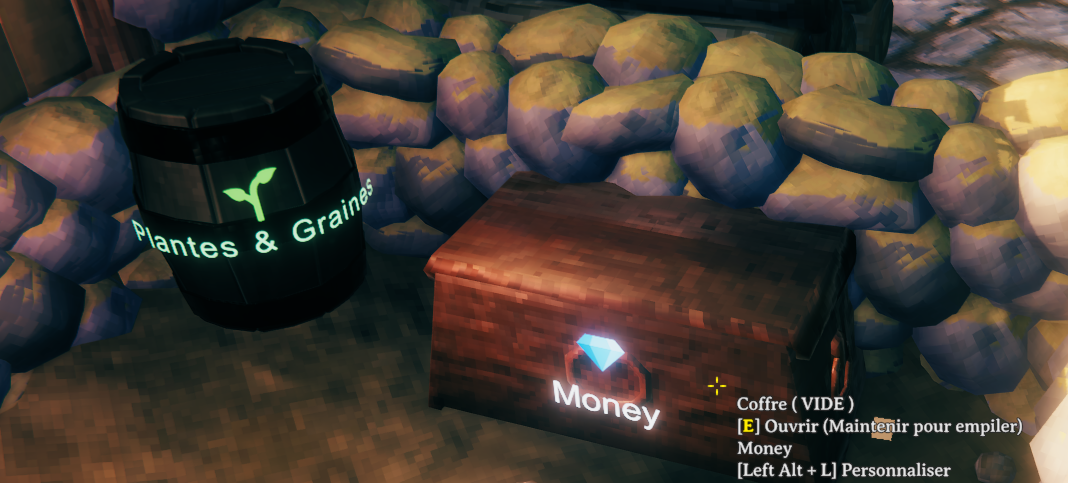
Features
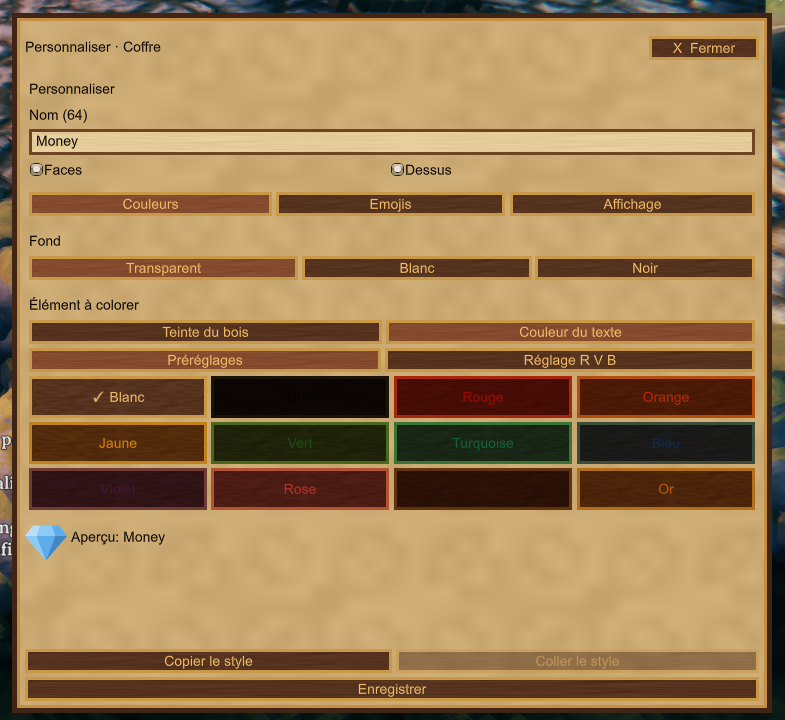
- Custom names, wood tint, text colors and backgrounds.
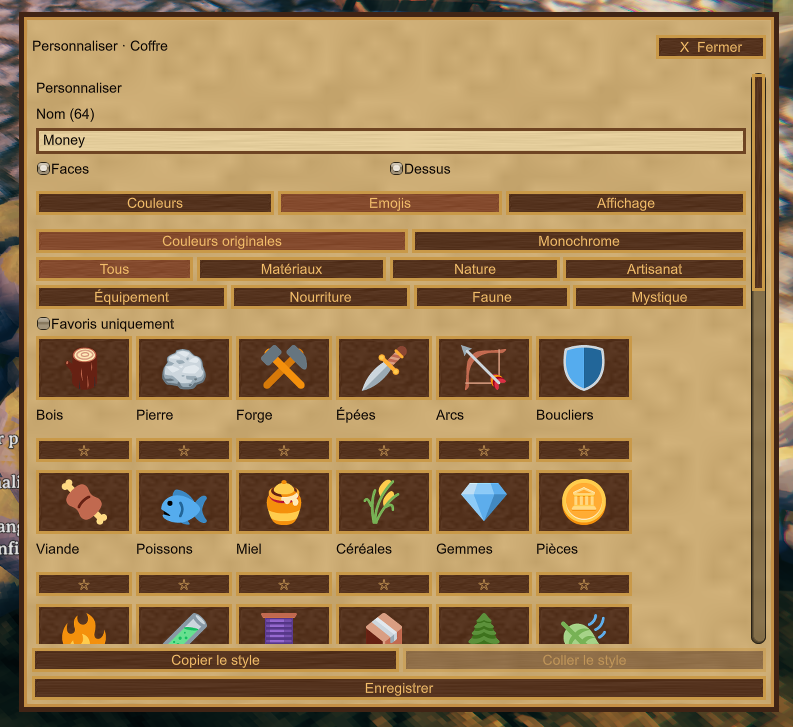
- 120 emojis + 16 pictograms, with original colors or recolorable monochrome.
- Icon search, category filters, favorites and recent selections.
- Independent text and icon sizes, live preview and copy/paste styles.
- Resizable customization window with saved height.
- Search nearby storage up to 50 metres, with glowing highlights and optional through-wall markers.
Controls
| Shortcut | Action |
|---|---|
| Left Alt + L | Customize the chest or barrel you are looking at. Close its inventory first. |
| Left Alt + F | Open or close item search. |
| Escape | Close the menu or stop the search. |
Shortcuts are configurable. Search results can remain visible while you move.
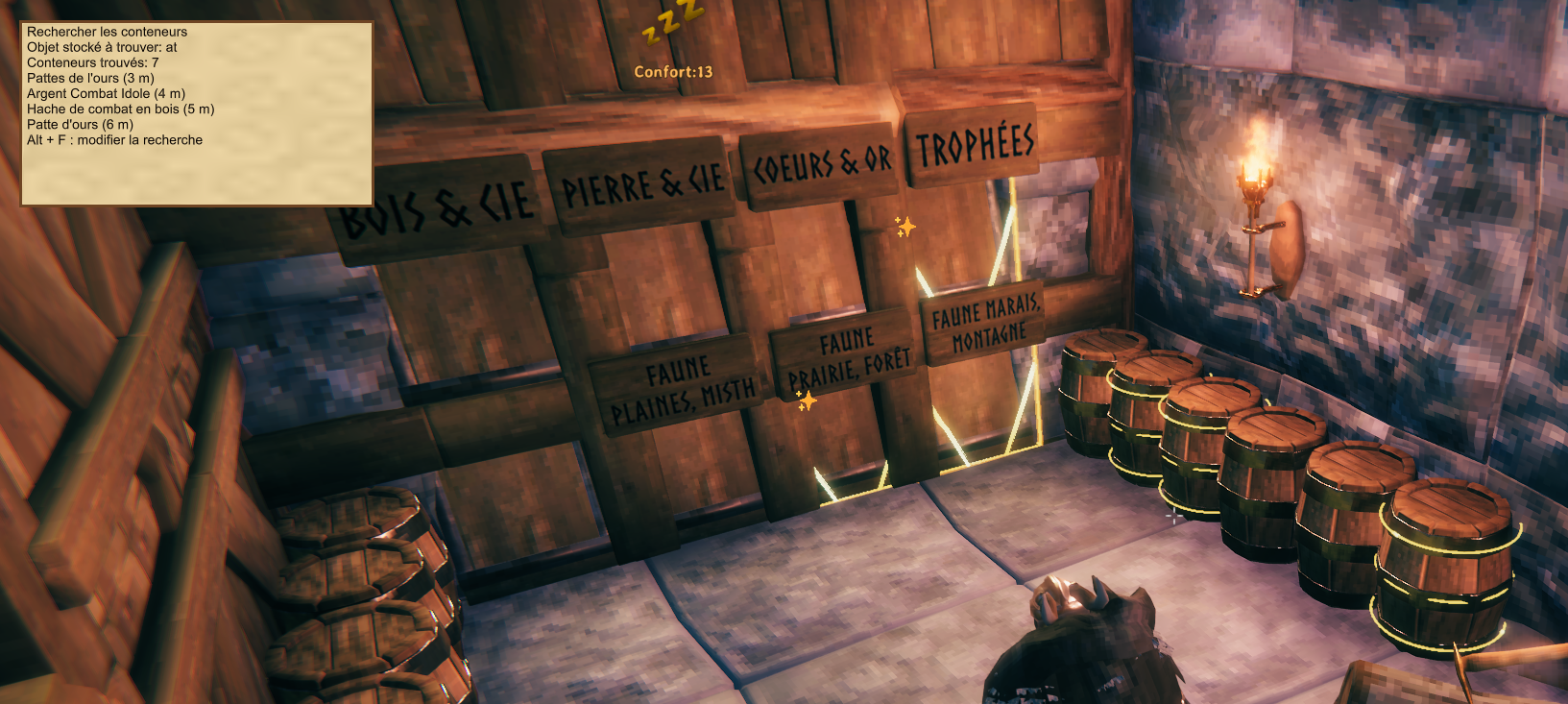
Screenshots show an earlier version.
Installation & multiplayer
Install ContainerCustomizer by Zephyrfit through Gale or a compatible mod manager. Requires BepInEx.
Client-side: no server installation required. Players need the mod to see shared styles; use the same version. Editing respects container ownership, including SimpleAccessControl when installed. Inventory capacity and access permissions remain unchanged. Search covers nearby loaded containers.
Languages: French, English, Russian and Simplified Chinese, selected automatically from Valheim. Missing translations fall back to English.
Support
Installation help, bug reports and suggestions: zephyrfit on Discord. For bugs, include your mod version and BepInEx/LogOutput.log.
Credits
By Zephyrfit. Custom illustrations generated with AI. Twemoji artwork, resized and adapted to monochrome, licensed under CC BY 4.0; attribution and license included.
CHANGELOG
1.0.10
- Shorten the Thunderstore description to focus on features, controls and installation.
- Group all build.copy entries before publish settings for compatibility with the Thunderstore CLI parser.
1.0.9
- Increase blackmetal chest side and lid icons by 35% at the default size, independently of text size.
- Attach blackmetal lid text and background to the outer lid surface using the same geometry guard as the icon.
- Add 12 arrow illustrations (wood, flint, bronze, iron, silver, fire, poison, frost, obsidian, needle, carapace, charred) and a mixed quiver.
- Catalogue: 120 emojis and 16 pictograms. Existing saved icon IDs are unchanged. New icons support original colour, recolourable monochrome and FR/EN/RU/Chinese search.
1.0.8
- Harden only the blackmetal lid icon clearance: include the chest's colliders even when readable interior triangles exist, check the full footprint for narrow metal reinforcements, and account for overlapping unreadable lid meshes.
- Preserve the approved text positioning and other chest/barrel faces.
- Add Money: leather pouch, four gold coins, a ring and a ruby. Total: 107 emojis plus 16 pictograms.
- Add French, English, Russian and Chinese labels and search aliases; retain original-color and tintable monochrome modes.
1.0.7
- Fit chest markings to the actual model dimensions instead of reusing fixed front/back/lid coordinates.
- Scale down markings for smaller personal chests and center the combined text/icon group on narrow sides.
- Project text, icons and backgrounds onto sampled original mesh surfaces, with a chest-only collider fallback for unreadable meshes.
- Keep the approved blackmetal text layout while correcting logo surface clearance.
- Account for background depth, both icon rendering paths, viewer-facing lid rotation and the chest's actual center.
- Draw both resize arrows inside the editor window on a contrasting bottom strip so the window layer cannot hide them.
1.0.6
- Read supported Windows shortcut keys directly from the foreground game keyboard with the active layout; track fresh presses and ignore held keys on focus return.
- Keep complete-chord fallback to either Unity backend instead of letting an inactive Input System suppress legacy input.
- Log detected editor/search shortcuts and UI focus blocks to help diagnose intermittent issues.
- Add gold downward arrows at both bottom corners of the resize handle.
- Keep Preview visible and update its name, icon, colors, background and wood tint live from the draft.
- Group emoji families under Filters and remove the Subsections menu.
- Translate Filters into all four supplied languages.
- Shorten the Help, bug reports and suggestions paragraph as requested.
1.0.5
- Keep the icon-size slider exclusively in Display.
- Color the configured editor shortcut yellow in container hover text.
- Add a bottom resize handle to the customization window, retaining the compact default.
- Save window height locally on release and restore it after restarting; clamp it to the screen.
- Let the icon grid use the increased height.
1.0.4
- Read shortcut chords without rejecting unrelated movement/lock keys; prefer Unity Input System physical key controls, retaining legacy Unity fallback.
- Replace the global IMGUI focus-only guard with native game input checks and visible UI focus; localize the configured shortcut hint.
- Rename JSON translation tokens to Jotunn-compatible ASCII keys; preserve legacy contributor-file loading and English fallback.
- Add independent 50–300% icon size, persisted per container (v4 only when size differs from 100%); keep v1–v3 styles readable.
- Resize curved and shader-fallback icon geometry and adjust text/icon spacing and small-face fitting.
- Add five illustrated icons: forge/anvil, sword and axe, pickaxe/axe/mallet, armor pile with helmet, six-metal Moai totems. Total: 106 emojis plus 16 pictograms.
1.0.3
- Add 48 illustrated icons, bringing the emoji collection to 101.
- Add multilingual, accent-insensitive icon search and resource subsections.
- Follow the game language using editable JSON files: English, French, Russian and Simplified Chinese, with English fallback.
- Add soup, skewers and raw meat; identify existing cooked meat and stew icons clearly.
- Keep All as the default view, retain favorites and add the last 12 selected icons.
- Add a scrollable icon grid and a clear-filters action.
- Preserve all existing icon IDs, saved styles and the 1.0.2 UI resource lifetime fixes.
- Keep the optional manual installer outside the Thunderstore package.
Changelog
1.0.2 — Menu resource lifetime
- Protect generated menu textures and emoji textures from unused-asset unloading.
- Rebuild the menu skin when its cached textures are missing; recreate destroyed emoji cache entries.
- Isolate and restore GUI tint and opacity while drawing the mod interface.
- Release owned menu resources when the plugin is destroyed.
- Keep the manual source installer separate from the Thunderstore package.
1.0.1 — Packaging correction
- Removed ManualInstaller.zip from the Thunderstore package as requested by moderation.
- Kept the optional source installer separate and clarified manual installation instructions.
- Added a pre-upload check that rejects packages containing ManualInstaller.zip.
- No gameplay or customization changes.
1.0.0 — First public release
- Customize chest and barrel names, wood tint, text color and backgrounds.
- Choose from 53 emojis with category filters, favorites, original colors and tintable monochrome artwork.
- Adjust text size from 50% to 300% and label range from your character; fit long names to narrow chest faces.
- Search nearby stored items with Alt+F, explore with results displayed and use optional through-wall star markers for hidden chests and barrels.
- Save search window placement and marker preferences locally. Alt+F opens and closes the search window.
- Compact Alt+L editor with six emoji columns and camera wheel filtering, including optional FirstPersonMode compatibility.
- French/English interface, world-persisted styles and owner-aware editing with optional SimpleAccessControl support.
- Repeated source builds exclude generated installer copies, preventing duplicate-definition compilation errors.
- Gale/Thunderstore installation, illustrated documentation and an optional Windows source installer.
See the main description for screenshots, controls and support details.
