
Please disclose if any significant portion of your mod was created using AI tools by adding the 'AI Generated' category. Failing to do so may result in the mod being removed from Thunderstore.
ValheimArmorstand
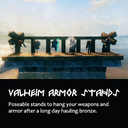
ValheimArmorstand adds ways to display your armor and items on poseable models.
| Date uploaded | 5 years ago |
| Version | 0.0.1 |
| Download link | ceko-ValheimArmorstand-0.0.1.zip |
| Downloads | 3222 |
| Dependency string | ceko-ValheimArmorstand-0.0.1 |
This mod requires the following mods to function

denikson-BepInExPack_Valheim
BepInEx pack for Valheim. Preconfigured and includes unstripped Unity DLLs.
Preferred version: 5.4.900README
MOD Description
ValheimArmorstand is a mod that adds ways to display your armor and items on poseable models. Currently one piece is included, the armor stand. The stand has 7 different poses and can equip the following item slots:
- One-handed
- Two-handed
- Bow
- Shield
- Helmet
- Chest armor
- Leg armor
- Cape
Installation
Automatic (preferred) Install with the mod manager link
Manual
- Go to BepInExPack Valheim
- Download it and follow the installation manual
- Drag the unzipped ValheimArmorstand folder into -> <Steam Location>\steamapps\common\Valheim\BepInEx\plugin
The next time you start your game, the mod will be enabled. To disable it, just remove it from the mods folder.
Usage
The armor stand should appear in game through normal play in your furniture tab. If you are installing this mod on an existing playthrough, you will have to pick up items or re-order you inventory to learn the new pieces.
Known Bugs
- Capes sometimes clip armor
