
Please disclose if any significant portion of your mod was created using AI tools by adding the 'AI Generated' category. Failing to do so may result in the mod being removed from Thunderstore.

UnlockAwareness
Marks newly unlocked recipes, build pieces and first-time items with a "!" until you look at them, with a "Mark all as seen" button in the crafting panel and build menu. Client-side.
| Date uploaded | 3 days ago |
| Version | 1.2.1 |
| Download link | koendertjh-UnlockAwareness-1.2.1.zip |
| Downloads | 161 |
| Dependency string | koendertjh-UnlockAwareness-1.2.1 |
This mod requires the following mods to function

denikson-BepInExPack_Valheim
BepInEx pack for Valheim. Preconfigured with the correct entry point for mods and preferred defaults for the community.
Preferred version: 5.4.2351README
UnlockAwareness
Never miss a new recipe, build piece or item again. Everything your character unlocks or picks up for the first time gets an orange ! marker until you have looked at it.
-
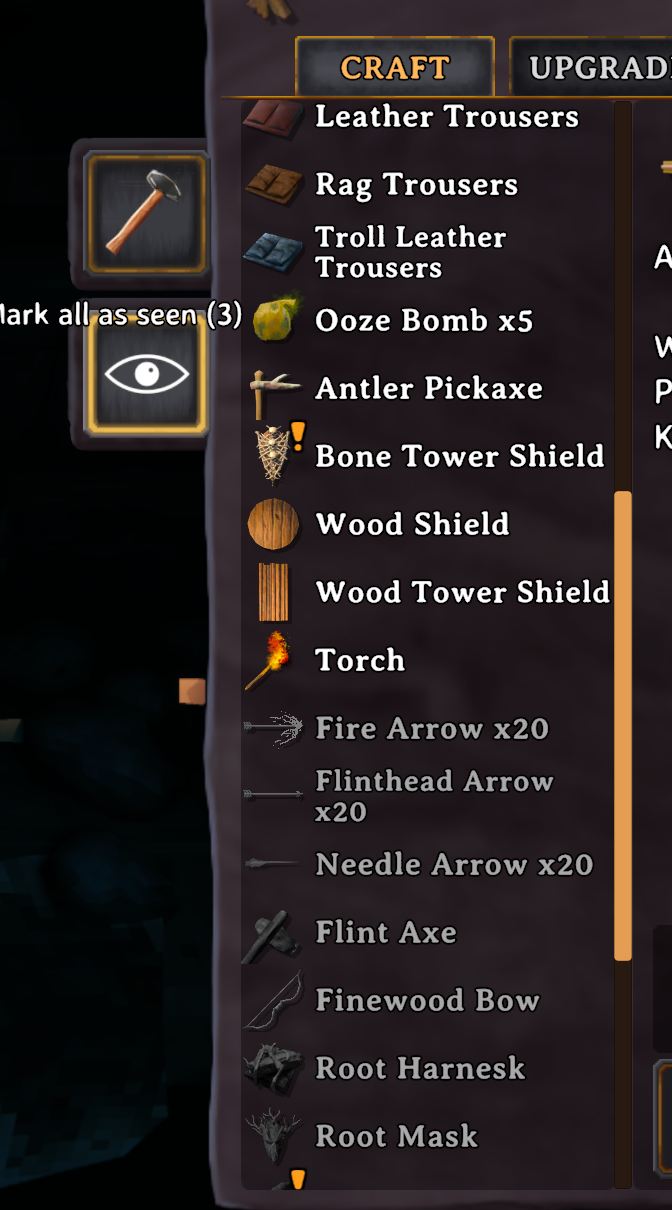
Crafting panel: new recipes show a ! on their icon in the Craft tab. Select the recipe and the marker disappears.
-
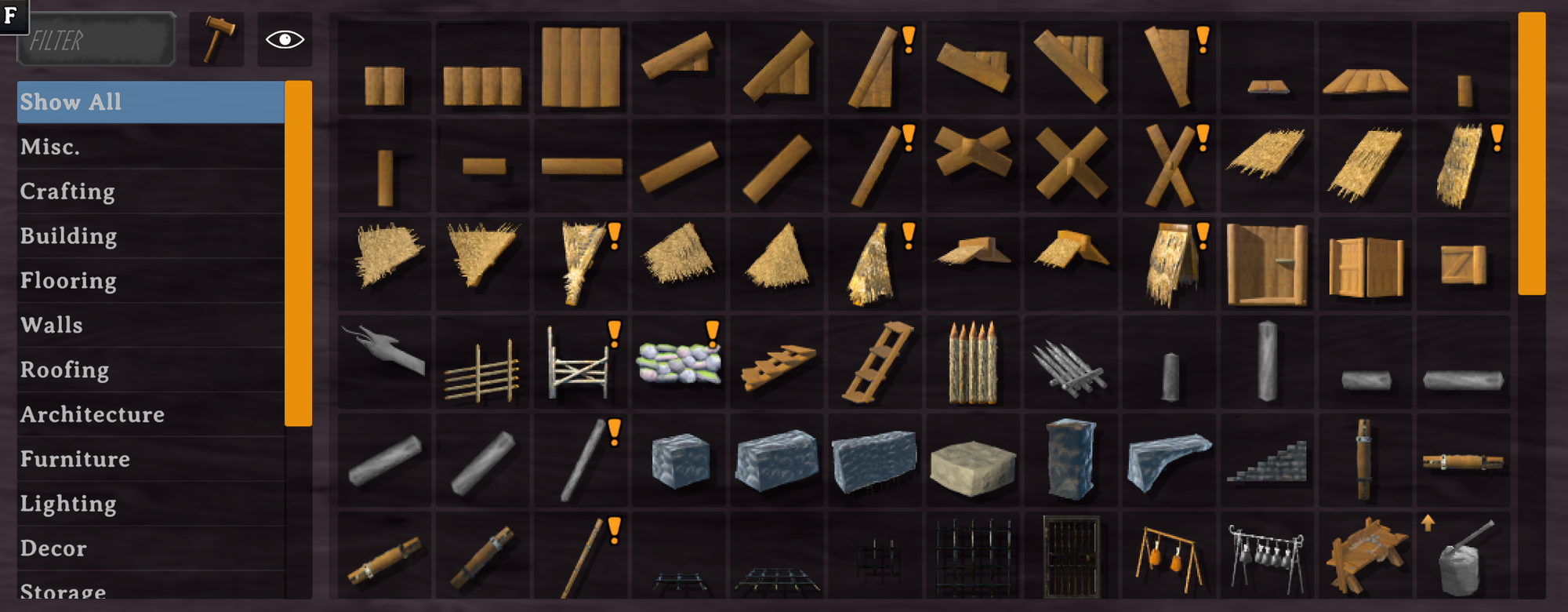
Build menu: new pieces show a ! on their button (hammer, hoe, cultivator, ...). Select the piece and the marker disappears.
-
Inventory: items you pick up for the very first time show a ! in your inventory. Click the item (or right-click to use or equip it) and the marker disappears. Turn it off with
InventoryBadges. -
Chests: opening a chest counts as having the items inside: your character learns them (unlocking any recipes and pieces they lead to) and they get a ! right away. Turn it off with
LearnFromContainers; unknown chest items then show a ? until you take them (turn that off withContainerBadges).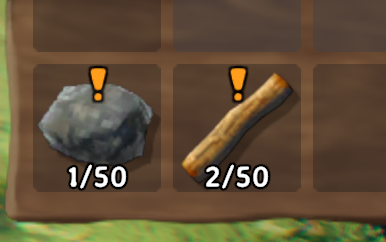
-
Mark all as seen: an eye button below the repair button in the crafting panel, and next to the search field in the build menu, clears every marker there at once. The tooltip shows how many are left. Dimmed when there is nothing new.
-
Markers are saved with your character, so they survive logging out.
-
Client-side only; works on vanilla servers.
Already playing?
Only things you unlock or pick up for the first time after installing get a marker; items you have
owned before are never marked. Want to browse everything you already know as well?
Set FlagAllKnownOnce = true: the next time each character loads in, every recipe and piece it already knows
is marked as new (once per character). Clear them with Mark all as seen.
Config (com.koendertjh.unlockawareness.cfg)
| Section | Setting | Default | Description |
|---|---|---|---|
| General | FlagAllKnownOnce |
false |
Mark every recipe and piece a character already knows as new, once per character. |
| General | InventoryBadges |
true |
Show a ! on items you pick up for the first time, until you click them. |
| General | LearnFromContainers |
true |
Opening a chest learns the items inside, as if picked up. |
| General | ContainerBadges |
true |
With LearnFromContainers off: show a ? on chest items you have never had. |
| Badge | Color |
orange | Color of the ! marker. |
Notes
- The Upgrade tab never shows markers: it lists items you already own.
- Remove the mod at any time; the only thing left behind is a small list of unseen names in your character file.
CHANGELOG
Changelog
1.2.1
- Performance: the inventory and chest markers do much less work every frame while the inventory is open.
1.2.0
- New: opening a chest (or other container) counts as having the items inside. Your character learns them as if
picked up, which also unlocks the recipes and pieces they lead to, and they get a "!" right away (in the chest
too). Click the item to clear it. Turn this off with the new
LearnFromContainerssetting (General, on by default). - New: with
LearnFromContainersoff, chest items you have never had show a "?" instead, until you take them. Turn that off with the newContainerBadgessetting (General, on by default).
1.1.0
- New: items you pick up for the first time get a "!" marker in your inventory. Click the item (or right-click to use or equip it) and the marker disappears.
- New
InventoryBadgessetting (General, on by default) to turn the inventory markers off. - Items you already had before updating are not marked.
1.0.0
- First public release: "!" markers on new recipes and build pieces, "Mark all as seen" buttons.
