
Please disclose if any significant portion of your mod was created using AI tools by adding the 'AI Generated' category. Failing to do so may result in the mod being removed from Thunderstore.
Bepswitch
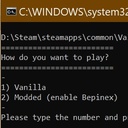
Bepswitch: An on-off switch for BepInEx. This is a batch (.bat) file that switches Bepinex on and off so you can play either vanilla or modded easily. It is useful if you are in a couple of different servers - some with mods and some that don't allow mods.
| Date uploaded | 5 years ago |
| Version | 2.0.0 |
| Download link | laurenakaproudunicornmods-Bepswitch-2.0.0.zip |
| Downloads | 207 |
| Dependency string | laurenakaproudunicornmods-Bepswitch-2.0.0 |
README
Bepswitch Readme
2.0 New plug and play version!
Note for Thunderstore users: Manual install strongly advised! I have no idea if this works with a mod manager!
What is Bepswitch?
This is a batch (.bat) file that switches Bepinex on and off so you can play either vanilla or modded easily. It is useful if you are in a couple of different servers - some with mods and some that don't allow mods.
How do I install it?
Download the mod and put bepswitch.bat in your Valheim folder.
Depending on your install, this should look like:
D:\Steam\steamapps\common\Valheim
The contents of your folder should look something like this:

How do I use it?
Just double click on bepswitch.bat and you're good to go :)

I suggest creating a shortcut of the file and putting it in a more easy to find location.
What does it do?
This new version works by editing the text inside the doorstop_config.ini file.
It switches between enabled=true and enabled=false to enable/disable Bepinex from loading.
Yes, you can just do this manually by editing the text in doorstop_config.ini each time.
Why did I make it?
I made this because I prefer to manage mods manually rather than using a manager, and did not want to have to edit files each time I wanted to play vanilla (I'm lazy).
I also like learning new code-ish stuff, and figuring this out was fun :)
Credits
The idea for this was from here: https://steamcommunity.com/app/892970/discussions/0/3069740625181087689/?l=portuguese
Sample code for first iteration was from here: https://stackoverflow.com/questions/4051294/how-to-overwrite-existing-files-in-batch
Thanks to LuxZg on Nexus who pointed me to here: https://stackoverflow.com/questions/60034/how-can-you-find-and-replace-text-in-a-file-using-the-windows-command-line-envir
LuxZg also explained to me about replacing strings, so if you like this version 2.0, maybe give them a kudos too :)
