
Please disclose if any significant portion of your mod was created using AI tools by adding the 'AI Generated' category. Failing to do so may result in the mod being removed from Thunderstore.
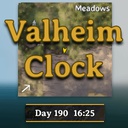
ValheimClock
A highly customizable, server-synchronized HUD clock that fits perfectly into Valheim's native UI.
| Date uploaded | 2 weeks ago |
| Version | 1.5.2 |
| Download link | orfox-ValheimClock-1.5.2.zip |
| Downloads | 893 |
| Dependency string | orfox-ValheimClock-1.5.2 |
This mod requires the following mods to function

denikson-BepInExPack_Valheim
BepInEx pack for Valheim. Preconfigured with the correct entry point for mods and preferred defaults for the community.
Preferred version: 5.4.2333README
Valheim Clock
A lightweight, server-synchronized, highly customizable HUD clock for Valheim.
Valheim Clock adds a permanent, vanilla-friendly time display directly beneath your minimap. Unlike client-based clocks, this mod hooks directly into the server's authoritative ZNet time, ensuring that every player sees the exact same time, synchronized down to the minute.
✨ Features
- Vanilla-Friendly UI: Designed to seamlessly blend into Valheim's aesthetic with a dark semi-transparent background, crisp gold trims, and metallic corner rivets.
- Highly Configurable: Move it, resize it, or change the font size to fit your exact screen resolution and personal taste.
- Dynamic Layouts: Choose between a standard "Single Line" display or a compact "Stacked" layout.
- Instant Hot-Reloading: Adjust your configuration file while playing! The UI will instantly snap to your new settings without needing to restart the game or log out of your server.
- Client-Side: Only players who want to see the clock need to install it.
🎨 Themes

⚙️ Configuration Options
Upon launching the game for the first time, a configuration file will be generated at BepInEx/config/com.orfox.valheimclock.cfg.
General
- 12 Hour Format displays the clock in a 12-hour format with AM/PM instead of 24-hour format time.
- Weather displays the current weather/environment alongside the time.
- Progress bar displays a progress bar at the bottom tracking the day/night cycle.
Position
- Offset X: Move the clock horizontally (Default: 0)
- Offset Y: Move the clock vertically (Default: -10)
Visuals
- Panel Width: Width of the clock background (Default: 160)
- Panel Height: Height of the clock background (Default: 34)
- Font Size: Adjust the text size (Default: 18)
- Text Layout: Choose between
SingleLine(Day 32 14:45) orStacked(Day on top, Time on bottom). - Weather Font Size: Adjust the Weather text size (Default: 14)
- Themes: Choose between
Valheim, Blood, Ocean, Nature, Monochrome
Note: Because this mod supports hot-reloading, you can edit these values in a text editor while standing in-game and hit Save to watch the UI update instantly!
📥 Installation
Recommended (Mod Manager):
- Download and install r2modman or Thunderstore Mod Manager.
- Click "Install with Mod Manager" on this page.
Manual Installation:
- Ensure you have BepInEx installed.
- Download the
.zipfile from this page and extract it. - Move
ValheimClock.dllinto yourBepInEx/pluginsfolder. - Launch the game.
CHANGELOG
| Version | Changelog Notes |
|---|---|
| 1.5.2 |
- Added a new Theme configuration option to quickly switch between 5 distinct color palettes (Valheim, Blood, Ocean, Nature, and Monochrome).- Refactor the `README` and `CHANGELOG` |
| 1.5.1 |
- Fixed a bug where Weather text is clipping outside the panel.
|
| 1.5.0 |
 - Added a visual Time Slider progress bar at the bottom of the clock to track the day/night cycle.- Added a dynamic sliding sun (☀) and moon (🌙) icon handle that swaps at nightfall. - Added smooth cross-fade color transitions for the progress bar as the time of day changes. - Upgraded the UI with smooth rounded edges and larger circular corner rivets using sprites. |
| 1.4.0 |
- Added a configuration toggle Show Weather to dynamically display the current weather and environment alongside the time.- Added a configuration toggle Weather Font Size to allow independent scaling of the weather text.- Added dynamic translation of internal Valheim weather states and boss events into immersive, player-friendly names. |
| 1.3.1 |
- Completely rewrote how the mod talks to RandyKnapp's Minimal Status Effects (like when using AM/PM or Stacked mode).- Fixed a bug where moving the clock far to the left or right still pushed your status effects down on the right side of the screen. |
| 1.3.0 |
- Added a configuration toggle (Use12HourFormat) to switch between 24-hour time and a 12-hour AM/PM format.
|
| 1.2.2 |
- Fixed CHANGELOG formatting.- Added website_url in manifest.json.
|
| 1.2.1 |
- Implemented a high-performance memory cache for the UI loop.- Text string formatting is now strictly restricted to run only when the in-game minute shifts, reducing CPU and Garbage Collector overhead to near zero.
|
| 1.1.1 |
- Added CHANGELOG.
|
| 1.1.0 |
- Added full, automatic UI compatibility for RandyKnapp's Minimal Status Effects.- Refactored internal code structure for improved maintainability. |
| 1.0.0 | - Initial Release. |
