
You are viewing a potentially older version of this package.
View all versions.
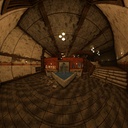
Wide Angle Camera
Allows for very high fields of view by implementing stereographic projection.
| Date uploaded | 6 months ago |
| Version | 1.0.0 |
| Download link | BusinessInc-Wide_Angle_Camera-1.0.0.zip |
| Downloads | 66 |
| Dependency string | BusinessInc-Wide_Angle_Camera-1.0.0 |
This mod requires the following mods to function

BepInEx-BepInExPack
BepInEx pack for Mono Unity games. Preconfigured and ready to use.
Preferred version: 5.4.2305README
White Knuckle Wide Angle Camera Mod
A mod that implements stereographic projection to allow for much greater fields of view with minimal/more pleasant distortion.

Specifics
The mod currently features the wide angle camera in question fully functionally. It supports configuration in the BepInEx configuration file via the following parameters:
- The vertical field of view of the camera in degrees
- Resolution of the cubemap, which generally scales the performance impact of this mod
- Whether to render behind the player, which only needs to be enabled if your fov is so high that you can see behind you
It is missing a few quality of life fixes:
- The FOV remains the same in computer terminals
- The FOV does not scale with sprint and consumable effects
- At higher FOV the hand grab sprites diverge from their actual position
CHANGELOG
Changelog
v3.1.0 - 2026-06-25
Fixes
- Compatibility with The Nest update
Changes
- Field of view slider now controls the vertical field of view instead of the horizontal
- Field of view slider is now bounded at a reasonable default maximum for your selected projection
Additions
- Reasonable field of view slider bounding may be turned off in the config, allowing for very cool screenshots and impractical gameplay
v3.0.0 - 2026-06-04
Additions
- Relatively expensive option to synchronize hand rendering to where they are in the world (on by default)
- Azimuthal equidistant and equisolid angle projections
v2.0.3 - 2026-05-28
Fixes
- Mod respects "Disable sprint FOV change" option
v2.0.2 - 2026-04-19
Fixes
- Compatibility with anniversary update
- Parity with vanilla terminal FOV (no longer naively multiplies by aspect ratio)
v2.0.1 - 2026-01-25
Fixes
- Corrected information in the README
- Added correct comparison to the README
v2.0.0 - 2026-01-24
Additions
- Panini projection; a cylindrical kind of view projection
Changes
- Cubemap resolution now offers presets instead of taking an integer, this was done to prevent breakage caused by setting the resolution to a non-power of two
- FOV option now sets the field of view of the major axis of your display, instead of always the vertical axis
Fixes
- View plane now matches the camera bounds, as a result the visible range now expectedly matches the set FOV
- Fixed flickering triangle that happened in the old quad setup
v1.1.1 - 2026-01-23
Fixes
- Camera field of view change speed matches vanilla
- Terminal zoom animation matches vanilla speed
v1.1.0 - 2026-01-22
Changes
- Camera respects field of view slider in settings menu instead of BepInEx configuration
Fixes
- Field of view responds to sprinting and consumable effects
- Field of view scales to fit terminals
v1.0.0 - 2026-01-21
Additions
- Stereographic projection
- Configurable cubemap resolution, defaults to 512px
- Configurable vertical field of view, defaults to 135
- Toggleable backface rendering, defaults off
