
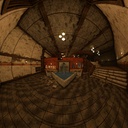
Wide Angle Camera
Allows for very high fields of view by implementing novel projections.
| Date uploaded | 3 months ago |
| Version | 2.0.2 |
| Download link | BusinessInc-Wide_Angle_Camera-2.0.2.zip |
| Downloads | 385 |
| Dependency string | BusinessInc-Wide_Angle_Camera-2.0.2 |
This mod requires the following mods to function

BepInEx-BepInExPack
BepInEx pack for Mono Unity games. Preconfigured and ready to use.
Preferred version: 5.4.2305README
White Knuckle Wide Angle Camera Mod
Adds novel projection techniques to White Knuckle to allow for much greater fields of view with more pleasant distortion profiles.

Note, the black flickering present in the bottom left corner of these and other showcase clips are not present in the release build of the mod, this video was taken earlier in development
Features
- Very wide FOV (in horizontal degrees), via two distinct camera projections, see below
- Configurable cubemap resolution, which generally scales the performance to clarity ratio of the camera (higher resolution increases sharpness but is more costly)
- Ability to render behind the player, which typically only needs to be enabled if your ocular venture takes you to such heights of view where gameplay is a secondary concern
Gallery

Walking along the haunted pier and climbing some buildings under stereographic projection at 250° hfov

Entering habitation yellow using panini projection at 250° hfov

A climb through the waste heap at 135° hfov with stereographic projection

The same path taken at the same field of view but in the vanilla perspective/rectilinear projection.
Further Information
The default perspective projection of most games applies field of view by taking the vertical field of view as a parameter.
Therefore, to compare fairly between the this mod and the vanilla game, you will have to derive the normal camera's horizontal field of view from your fov setting.
I've made this calculator to plug in your display parameters and get a corresponding number for comparison
CHANGELOG
Changelog
v3.1.0 - 2026-06-25
Fixes
- Compatibility with The Nest update
Changes
- Field of view slider now controls the vertical field of view instead of the horizontal
- Field of view slider is now bounded at a reasonable default maximum for your selected projection
Additions
- Reasonable field of view slider bounding may be turned off in the config, allowing for very cool screenshots and impractical gameplay
v3.0.0 - 2026-06-04
Additions
- Relatively expensive option to synchronize hand rendering to where they are in the world (on by default)
- Azimuthal equidistant and equisolid angle projections
v2.0.3 - 2026-05-28
Fixes
- Mod respects "Disable sprint FOV change" option
v2.0.2 - 2026-04-19
Fixes
- Compatibility with anniversary update
- Parity with vanilla terminal FOV (no longer naively multiplies by aspect ratio)
v2.0.1 - 2026-01-25
Fixes
- Corrected information in the README
- Added correct comparison to the README
v2.0.0 - 2026-01-24
Additions
- Panini projection; a cylindrical kind of view projection
Changes
- Cubemap resolution now offers presets instead of taking an integer, this was done to prevent breakage caused by setting the resolution to a non-power of two
- FOV option now sets the field of view of the major axis of your display, instead of always the vertical axis
Fixes
- View plane now matches the camera bounds, as a result the visible range now expectedly matches the set FOV
- Fixed flickering triangle that happened in the old quad setup
v1.1.1 - 2026-01-23
Fixes
- Camera field of view change speed matches vanilla
- Terminal zoom animation matches vanilla speed
v1.1.0 - 2026-01-22
Changes
- Camera respects field of view slider in settings menu instead of BepInEx configuration
Fixes
- Field of view responds to sprinting and consumable effects
- Field of view scales to fit terminals
v1.0.0 - 2026-01-21
Additions
- Stereographic projection
- Configurable cubemap resolution, defaults to 512px
- Configurable vertical field of view, defaults to 135
- Toggleable backface rendering, defaults off
