
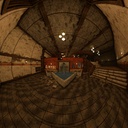
Wide Angle Camera
Allows for very high FOV by implementing novel projections.
| Date uploaded | a week ago |
| Version | 3.1.0 |
| Download link | BusinessInc-Wide_Angle_Camera-3.1.0.zip |
| Downloads | 136 |
| Dependency string | BusinessInc-Wide_Angle_Camera-3.1.0 |
This mod requires the following mods to function

BepInEx-BepInExPack
BepInEx pack for Mono Unity games. Preconfigured and ready to use.
Preferred version: 5.4.2305README
White Knuckle Wide Angle Camera Mod
Adds novel projection techniques to White Knuckle to allow for much greater fields of view with more pleasant distortion profiles.
 Note, the black flickering present in the bottom left corner of these and other showcase clips are not present in the release build of the mod, this video was taken earlier in development
This is done by rendering the game six times in each direction to the panosphere which represents the view in all directions from the player's perspective. Then a shader is used to project pixels on the screen to directions in the panosphere and resolve what color they should be based on the panosphere rendering.
Features
A very wide FOV, via four distinct camera projections, see below to read more about them
Also the following configuration dials to tune performance mostly:
- Cubemap resolution, which scales the clarity-to-performance ratio of the camera; higher resolution increases clarity but costs more render time, thereby lowering performance.
- Hand synchronization, which renders the in-world hands via another wide angle camera so that their position matches, but also lowers performance albeit to a lesser extent than increasing cubemap resolution.
- Toggleable backface rendering, which controls whether the camera should render the direction behind the player or not, this is needed only if your field of view is set to a value which allows you to see more than 270° across any line on your screen. Without it enabled, if your field of view is high enough, you may see borders on the edges of your screen.
- Toggleable extreme field of view unlock, which does away with my mostly sensible field of view upper bounds in the settings menu slider and replaces them with a maximum value much closer to what is theoretically achievable by the selected projection.
Stereographic Projection
Stereographic projection is the same in function as the vanilla rectilinear projection. It projects a point on the panosphere to the view plane by casting a ray through the sphere onto the plane. The difference between stereographic projection and rectilinear projection is where the point of projection lies, for rectilinear, this point is the center of the sphere. However for stereographic projection this point resides at the north pole, therefore rays can be cast from the projection point through the sphere for any point except the north pole. Unlike rectilinear projection which cannot possibly cast a ray through the equator or anywhere behind it such that it will intersect the view plane. As a result stereographic projection is asymptotically limited to a field of view of 360° instead of 180°. Stereographic projection is a conformal projection that preserves angles at intersections of curves which means locally shape is preserved, unlike rectilinear projection which preserves the straightness of lines but stretches shapes.
Azimuthal Equidistant Projection
Equidistant projection projects points onto the view plane such that their distance from the center is proportionally correct to the distance to that center point on the panosphere, and such that all points are along the correct direction from that center. As you might have noticed from that description, distances from any point on the screen to the reticle correspond directly to the angle between the rays intersecting that point in space and the reticle. As such, a given point on the screen will always require the same amount of mouse motion to point yourself towards, unlike other projections which do not preserve angular distance. I suspect this property might be the most beneficial for aim once sufficiently accustomed to the visuals. I also suspect it is the projection Hyper Demon uses, although it uses a different projection technique that I cannot independently replicate to confirm.
Equisolid Angle Projection
Equisolid projection maps the environment onto the view plane such that any given area on the plane is equal to the area it occupied on the panosphere. While this property is useful for some visualizations and cartographic operations it is not all that pleasant for gameplay, although, since it compresses marginal angles the most of the three fisheye projections, it retains the most legibility at the focal point for extreme fields of view, however this is countered by the fact that equisolid projection is bounded to a disk.
Panini Projection
Panini projection is a kind of cylindrical projection which preserves vertical lines and radial lines through the image center, keeping them straight in the resulting view. This can give a very convincing rectilinear perspective view; people generally prefer panini views over stereographic views in still image or video, this favor may weaken during interactive gameplay.
Old Gallery

Walking along the haunted pier and climbing some buildings under stereographic projection at 250° hfov

Entering habitation yellow using panini projection at 250° hfov

A climb through the waste heap at 135° hfov with stereographic projection

The same path taken at the same field of view but in the vanilla perspective/rectilinear projection.
Equidistant and equisolid projection gallery additions will be made at some point.™ If I don't get to it however, feel free to submit your own gameplay on the Wide Angle Camera thread of #modding-releases in the white knuckle discord if you feel something is a good candidate to be featured here
Further Information
I've done my best to explain the included projections in terms of the effects they bring or a more intuitive spatial manner, but if you want the more mathematical precise definitions, most of what I've referenced to build this lies on wikipedia (except panini projection) on the following pages: Stereographic Projection, Azimuthal Equidistant Projection Equisolid Angle Projection Panini Projection
The mod takes vertical field of view as a parameter, like the vanilla game, however if you want to get an idea of what angular field of view your display's width contains, I've made this calculator to plug in your display parameters and get the corresponding numbers for comparison.
CHANGELOG
Changelog
v3.1.0 - 2026-06-25
Fixes
- Compatibility with The Nest update
Changes
- Field of view slider now controls the vertical field of view instead of the horizontal
- Field of view slider is now bounded at a reasonable default maximum for your selected projection
Additions
- Reasonable field of view slider bounding may be turned off in the config, allowing for very cool screenshots and impractical gameplay
v3.0.0 - 2026-06-04
Additions
- Relatively expensive option to synchronize hand rendering to where they are in the world (on by default)
- Azimuthal equidistant and equisolid angle projections
v2.0.3 - 2026-05-28
Fixes
- Mod respects "Disable sprint FOV change" option
v2.0.2 - 2026-04-19
Fixes
- Compatibility with anniversary update
- Parity with vanilla terminal FOV (no longer naively multiplies by aspect ratio)
v2.0.1 - 2026-01-25
Fixes
- Corrected information in the README
- Added correct comparison to the README
v2.0.0 - 2026-01-24
Additions
- Panini projection; a cylindrical kind of view projection
Changes
- Cubemap resolution now offers presets instead of taking an integer, this was done to prevent breakage caused by setting the resolution to a non-power of two
- FOV option now sets the field of view of the major axis of your display, instead of always the vertical axis
Fixes
- View plane now matches the camera bounds, as a result the visible range now expectedly matches the set FOV
- Fixed flickering triangle that happened in the old quad setup
v1.1.1 - 2026-01-23
Fixes
- Camera field of view change speed matches vanilla
- Terminal zoom animation matches vanilla speed
v1.1.0 - 2026-01-22
Changes
- Camera respects field of view slider in settings menu instead of BepInEx configuration
Fixes
- Field of view responds to sprinting and consumable effects
- Field of view scales to fit terminals
v1.0.0 - 2026-01-21
Additions
- Stereographic projection
- Configurable cubemap resolution, defaults to 512px
- Configurable vertical field of view, defaults to 135
- Toggleable backface rendering, defaults off
