
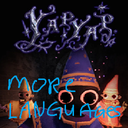
YapYapMoreLanguages
YapYapMoreLanguages is a BepInEx mod for the game YAPYAP that allows players and modders to add custom languages for voice commands.
| Date uploaded | 6 months ago |
| Version | 1.0.1 |
| Download link | GOOGNA_DEV_SQUAD-YapYapMoreLanguages-1.0.1.zip |
| Downloads | 40 |
| Dependency string | GOOGNA_DEV_SQUAD-YapYapMoreLanguages-1.0.1 |
This mod requires the following mods to function

BepInEx-BepInExPack
BepInEx pack for Mono Unity games. Preconfigured and ready to use.
Preferred version: 5.4.2304README
Features
Extensible Language Support: Add any language supported by the Vosk Speech Recognition Toolkit. Simple Configuration: Define new languages through a straightforward languages.json file. Seamless Integration: Custom languages appear directly in the in-game voice language settings dropdown. Flexible File Structure: Organize your custom language model and localisation files as you see fit.
Installation
Ensure you have BepInEx installed for YAPYAP: https://github.com/BepInEx/BepInEx
Download the latest release of YapYapLanguageAPI.dll from the releases page.
Place the YapYapLanguageAPI.dll file inside your YAPYAP/BepInEx/plugins folder.
Launch the game once to generate the necessary configuration files and directories (languages.json, Models, Localisation).
How to Add a New Language
Adding a new language involves providing a Vosk model, a localisation file with command grammar, and a definition in languages.json.
File and Folder Structure
Upon first run, the API will create the following structure inside your BepInEx/plugins/ directory:
BepInEx/plugins/ YapYapLanguageAPI.dll languages.json Models/ Localisation/
Models: This directory is where you should place your language-specific Vosk model folders.
Localisation: This directory is for your text files that define the vocabulary for voice commands.
languages.json: This file is used to register your new language with the game.
Add Language Files
Example: Dutch language pack
Vosk Model Download or create a Vosk model for your desired language. Place it in: BepInEx/plugins/Models/vosk-model-small-nl-0.22/
Localisation File Create: BepInEx/plugins/Localisation/dutch.txt
Format: KEY :: word1 word2 word3
Example content:
SPELL_ARC_ASTRAL_EYES :: ASTRALE OGEN SPELL_ARC_BLINK :: FLITS SPELL_ARC_GRAB_ANA :: GRIJP ANA SPELL_ARC_LUX_ANA :: LICHT ANA SPELL_ARC_SWAP :: WISSEL
Configure languages.json
Example:
{ "languages": [ { "id": "dutch", "displayName": "Nederlands (Community)", "systemLanguage": "Dutch", "modelFolder": "Models/vosk-model-small-nl-0.22", "localisationFile": "Localisation/dutch.txt", "fallback": "english" } ] }
Field explanations:
id: unique lowercase identifier displayName: name shown in settings systemLanguage: Unity SystemLanguage enum name modelFolder: relative path to Vosk model folder localisationFile: relative path to localisation file fallback: language id to fall back to if load fails
License
MIT License See LICENSE file
