
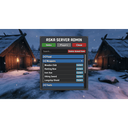
AskaAdminMenu
An admin menu for ASKA dedicated servers. Allows item spawning, player kicking/banning, healing, and more. Requires BepInEx IL2CPP.
| Last updated | 17 hours ago |
| Total downloads | 4 |
| Total rating | 0 |
| Categories | Mods Tools |
| Dependency string | GIrishDevelopment-AskaAdminMenu-3.8.0 |
| Dependants | 0 other packages depend on this package |
README
ASKA Admin Menu
A server administration and item spawning menu for ASKA (requires BepInEx IL2CPP). Created by GirishDevelopment.
?? Important Notice
This is a FREE mod. You may use this file on your servers, but you may NOT repack it, sell it, or distribute it for commercial gain.
Features
- Item Spawner: Cleanly categorized into Food, Weapons, Tools, Armor, and Fishing. Search functionality included.
- Player Management: View active players in your server, along with their Steam/Player names and health.
- Server Moderation: Kick or Ban players directly from the menu. Banned players are saved to a ban list.
- Player Healing: Heal any player on the server to full health.
- Item Deletion: A "Delete Aimed Item" button allows you to remove objects you are looking at.
Requirements
- BepInEx IL2CPP installed in your ASKA client directory.
Installation
- Install BepInEx IL2CPP for ASKA.
- Download this mod package.
- Place
AskaAdminMenu.dllinto yourBepInEx\pluginsfolder. - IMPORTANT: Place the included
FullItemList.txtinto yourBepInEx\configfolder.
Usage
- Press F8 in-game to toggle the Admin Menu.
- The camera and game inputs will automatically freeze while you interact with the menu.
- Note: This mod is strictly client-side. Do not install it on a headless dedicated server. Only install it on the client of the admin player.
Customizing the Item List
The mod dynamically reads items from the FullItemList.txt file located in your BepInEx\config folder.
If you wish to add extra items to the spawn list that are not shown by default:
- Open
FullItemList.txt. - Find the raw code name of the item you want to spawn (e.g.,
Item_Furniture_Table1). - The mod strictly filters items to keep the menu clean. To force an item to appear, you can modify its name in the text file to start with one of the accepted prefixes, such as
Item_Tools_. For example, changeItem_Furniture_Table1toItem_Tools_Table1in your text file, and it will appear in the Tools tab!
