

AtlyssSeasons
Four seasons for ATLYSS: autumn leaves, winter snow, spring blossom, fog, mist and night-time souls, with host-controlled day, night and rain for everyone. In-game panel with search, holidays and dedicated server support.
By AzraeL0534
| Last updated | 10 hours ago |
| Total downloads | 46 |
| Total rating | 0 |
| Categories | Mods Tweaks AI Generated |
| Dependency string | AzraeL0534-AtlyssSeasons-1.0.0 |
| Dependants | 0 other packages depend on this package |
This mod requires the following mods to function

BepInEx-BepInExPack
BepInEx pack for Mono Unity games. Preconfigured and ready to use.
Preferred version: 5.4.2100

Soggy_Pancake-AtlyssCommandLib
[BETA] A library to easily create chat commands for Atlyss
Preferred version: 0.0.7
Nessie-EasySettings
A mod API for easily adding options to the settings menu.
Preferred version: 1.3.0README
ATLYSS Seasons
Four seasons for ATLYSS. Trees turn gold in autumn and pale in winter, snow falls instead of rain, fog and mist roll in, and souls rise from the ground on autumn nights. The host can also choose how long days and nights last and when it rains, for everyone on the server.
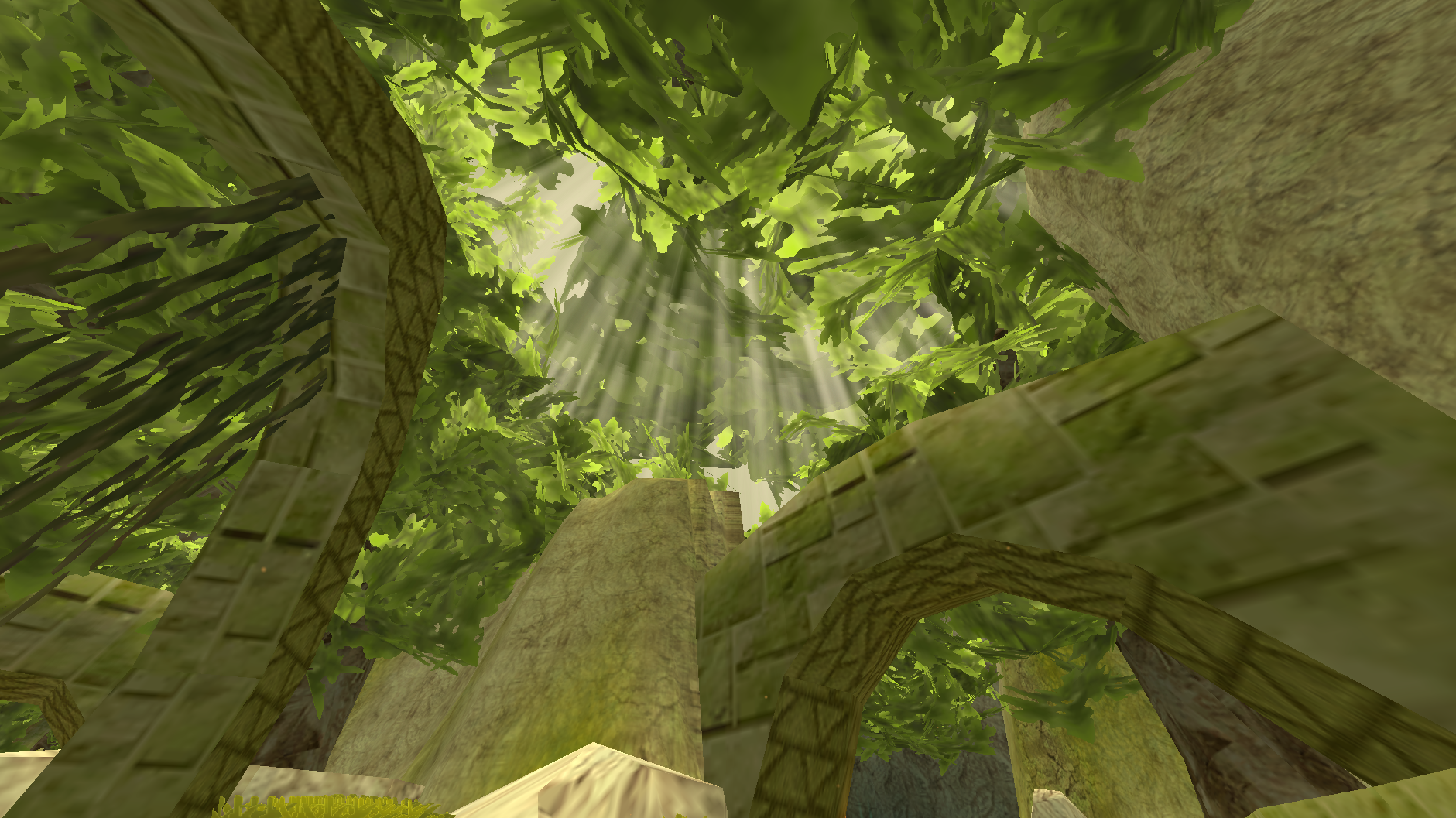
Every section below starts simple. Click a More about… line to open the detail.
What you get
- Four seasons that change on their own, once every real week by default.
- New colours for each season on trees, grass, ground and sky, keeping each map's own look.
- Weather: snow instead of rain in winter, more rain in spring, less in summer, and fog or ground mist on some days.
- Effects: falling leaves and petals, fireflies and fairies in caves, rays of sunlight, snow glints, and souls on autumn nights.
- Holidays: Halloween, Christmas and Easter bring their season with them, and Halloween night has a look of its own.
- Day, night and rain for everyone: the host can make days longer, nights shorter, stop the clock or force rain, and even players without the mod see it.
- An in-game panel with every setting, a search box, and a "more info" button on every row.
- Ops and co-hosts, so trusted players can help run the world.
- Dedicated servers, with the same commands typed into the server console.
More about how it works
- The mod drives what ATLYSS already has, the world clock and the rain, rather than adding a clock or weather of its own. That is why players without the mod still see the host's day, night and rain.
- Seasonal colours tint each map's own colours instead of replacing them, so every map keeps its identity.
- Colours are applied with material property blocks, so the game's shared materials are never changed, and switching the mod off puts everything back.
- Snow is the mod's own round flakes. While it snows, the game's rain is simply stopped; its files are never touched.
- Four small Harmony patches, and nothing else is patched: the weather roll, clicks on the panel, keys typed into the panel, and, only on a dedicated server,
/seasonstyped into the server console.
Getting started
- Install it with a mod manager. Everything it needs is installed with it.
- In game, open the settings menu: Open Panel Key is the first thing on the Seasons tab. Bind it, or type
/seasonsto open the panel without a key. - Play. The season changes by itself, and the bottom of the panel shows the season and how long until the next one.
Everything lives in the panel: the settings menu holds the same values, but the panel lays them out, searches them and explains each one.
More about what a fresh install does
- Seasons, tree and ground colours, fog, mist and most effects are on.
- The clock and rain start as the game has them, with two gentle changes: days run a little longer in spring and summer and nights longer in autumn and winter, and it rains more in spring and less in summer. Set the per-season day and night lengths (World/Time/Weather > Time > Advanced) to 1 for the game's own clock.
- Heat haze, Heavy Snow, Embers, spring Soul Lights, frozen water and seasonal water colours are off until you turn them on.
- Your settings are kept through updates. A new version only moves a setting that is still on an old default.
Playing together
| With the mod | Without the mod | |
|---|---|---|
| Day and night lengths the host set | Yes | Yes |
| Rain the host forced on or off | Yes | Yes |
| Seasonal colours, snow, fog and effects | Yes | No, they see the normal game |
| Changing the season | The host, and ops the host allows | No |
- The host decides the season, the clock and the weather for everyone.
- Players with the mod follow the host's season, fog and mist, so everyone sees the same world, down to which trees are in blossom.
- Each player still chooses their own effects, such as how thick the snow is or whether leaves fall.
More about playing together
- ATLYSS already shares the world clock and the rain with every player, which is how players without the mod see the host's day, night and rain.
- Players with the mod receive the host's season, tint strength, map lists, fog, mist and holiday look, and its placed light shafts if the host shares them. Settings the host controls are greyed out in their panel.
- Placed shafts are limited to three per map by default (
Most Shafts Per Map), since they are put into the world by hand and anyone opped for the look can place them. - My Own Season lets a player pick their own season without changing anyone else's. My Own Look Settings keeps their own colours, fog and mist. Both are under Start here in the settings menu.
- Each tree is picked by where it stands, so every player sees the same trees in blossom, turning, or bare.
- When the map you stand in gets no seasons, the panel says why under the clock, and whether that is the host's setting or yours.
- The host's state is compressed, so it fits well within CodeTalker's size limit even with co-hosts.
/seasons resync, or the Resync button in the panel, asks the host for everything straight away.
The seasons
One place, all four seasons.
Spring
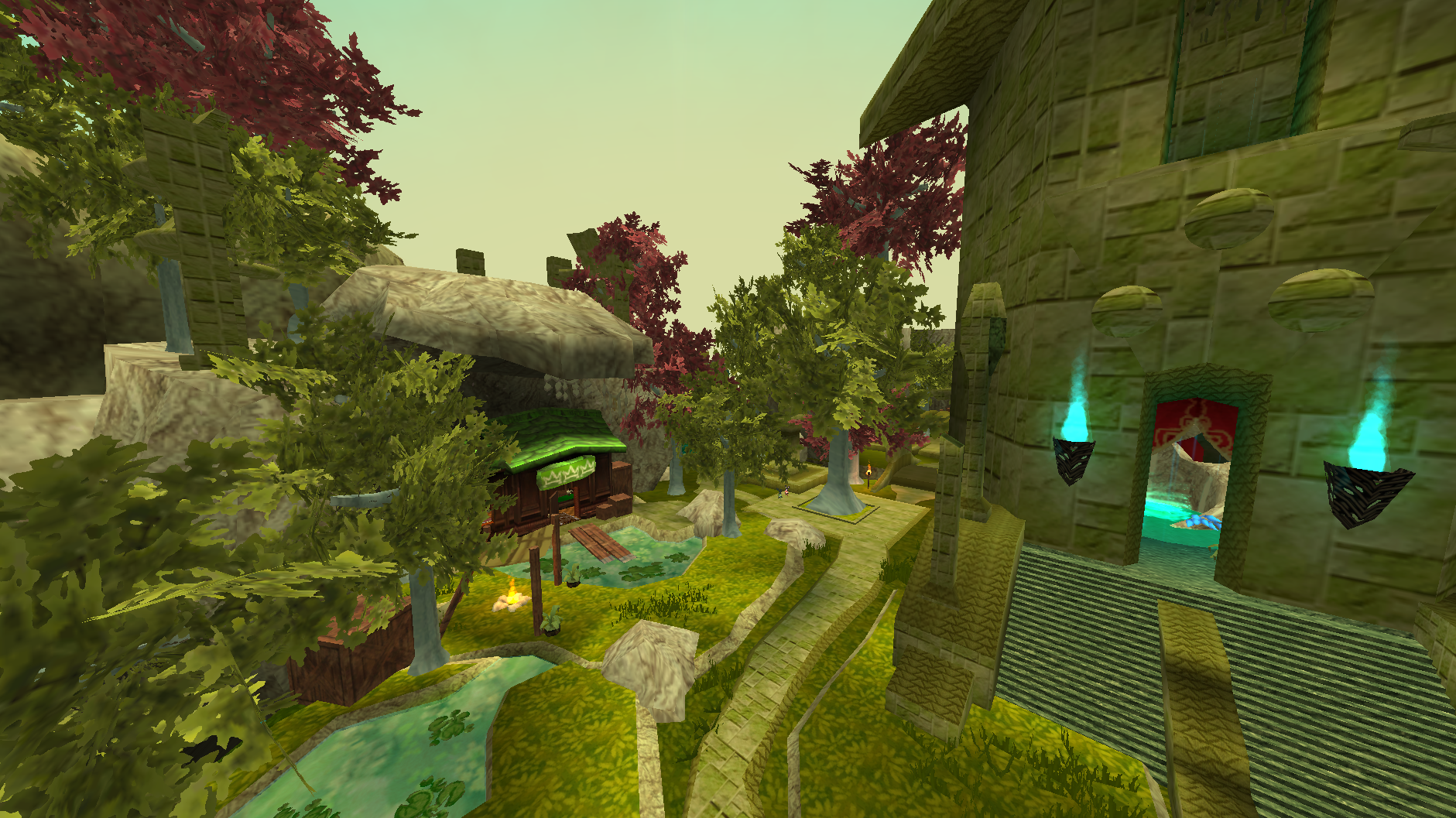
Soft green canopies with about a third of the trees in blossom, fresh green ground, and rain more often than usual. Petals fall from the trees that are flowering, and fairies drift in the caves.
Summer
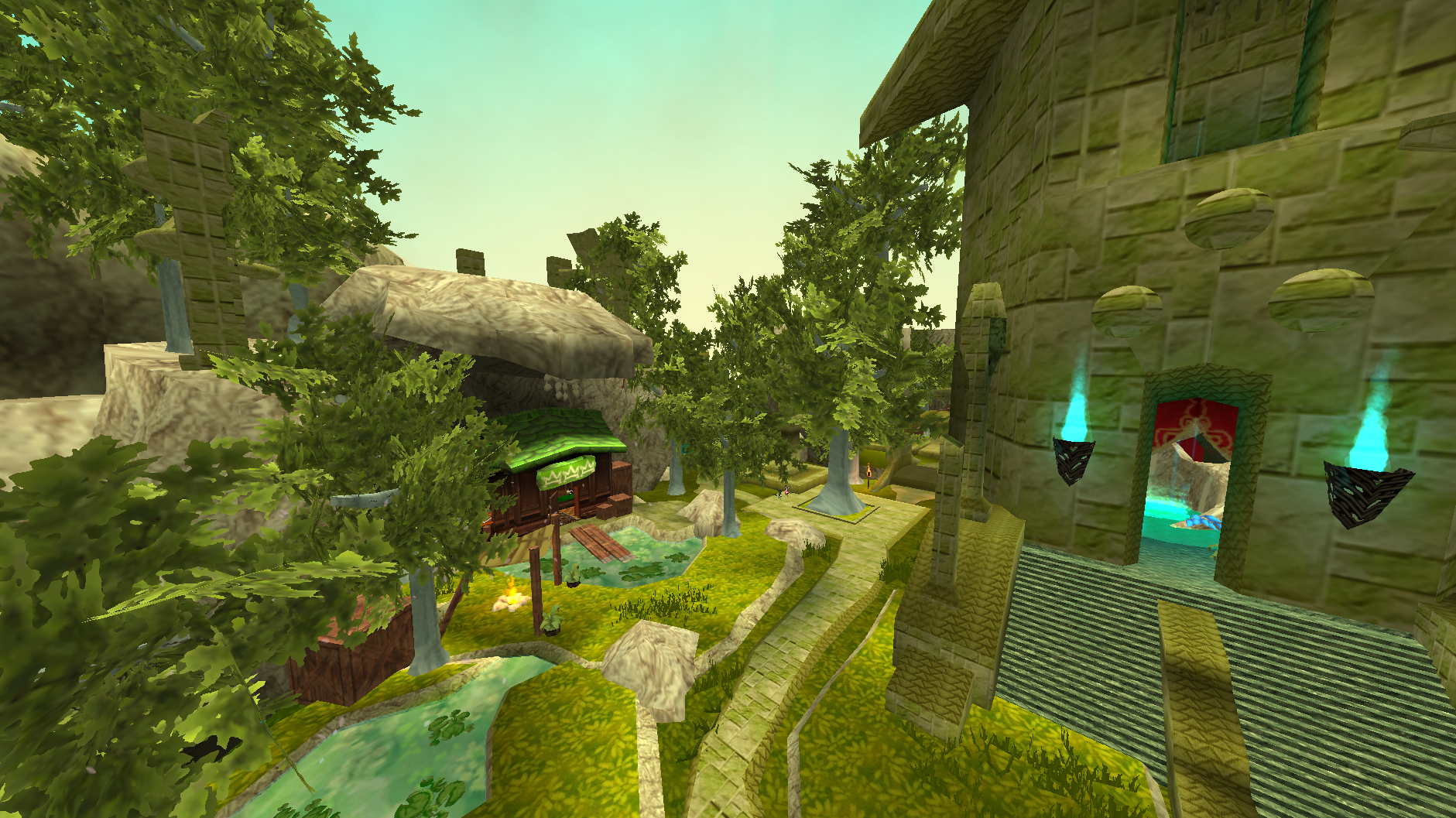
A brighter green everywhere, sun-bleached ground and the driest season of the year. Shafts of light come down through the canopy, fireflies wander the caves, and heat haze is there for anyone who wants it.
Autumn
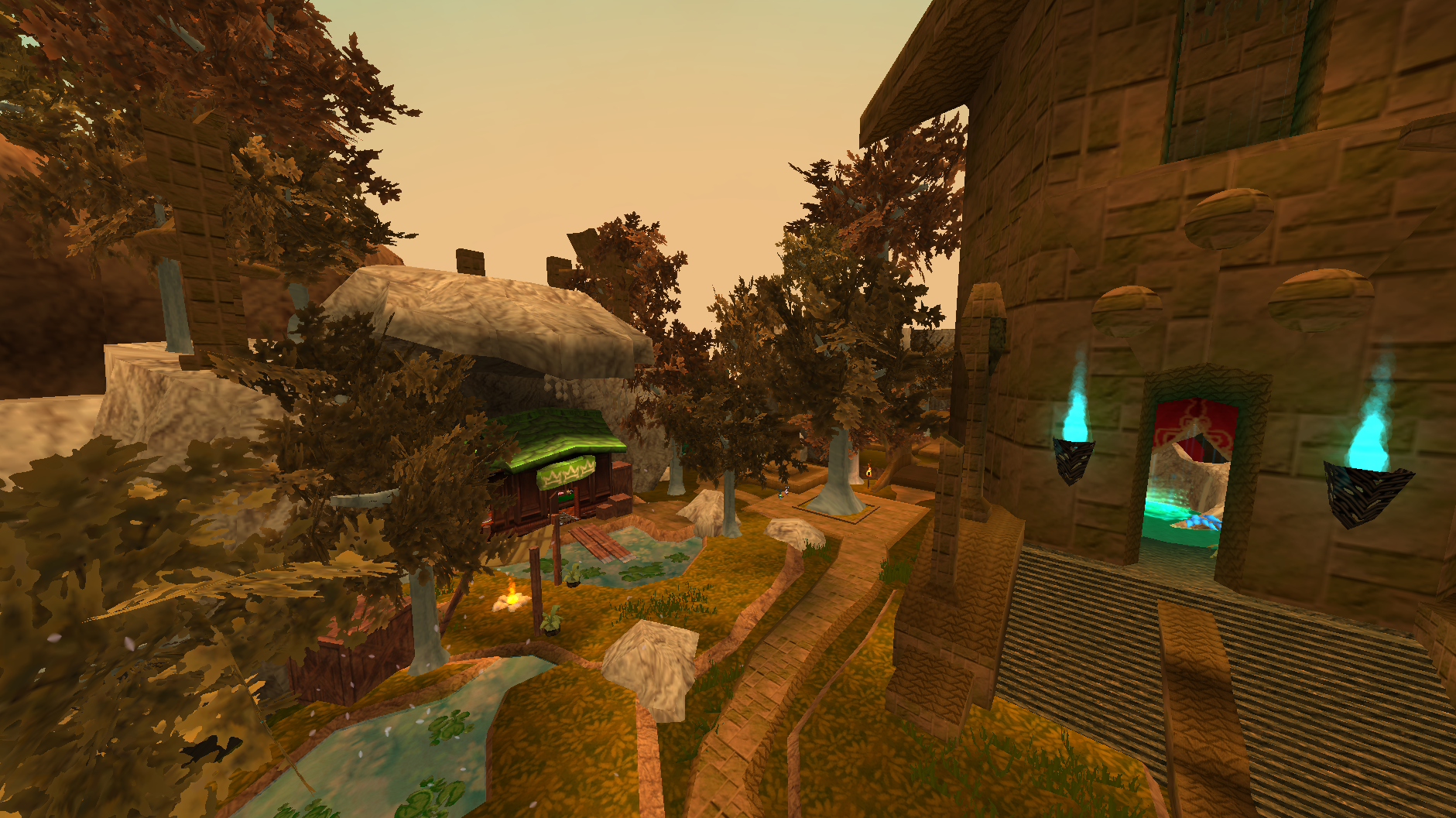
Reds, golds and browns, each tree picked by where it stands so a wood reads as mixed rather than repainted. Leaves come down, fog and mist are at their most likely, and souls rise from the ground at night.
Winter
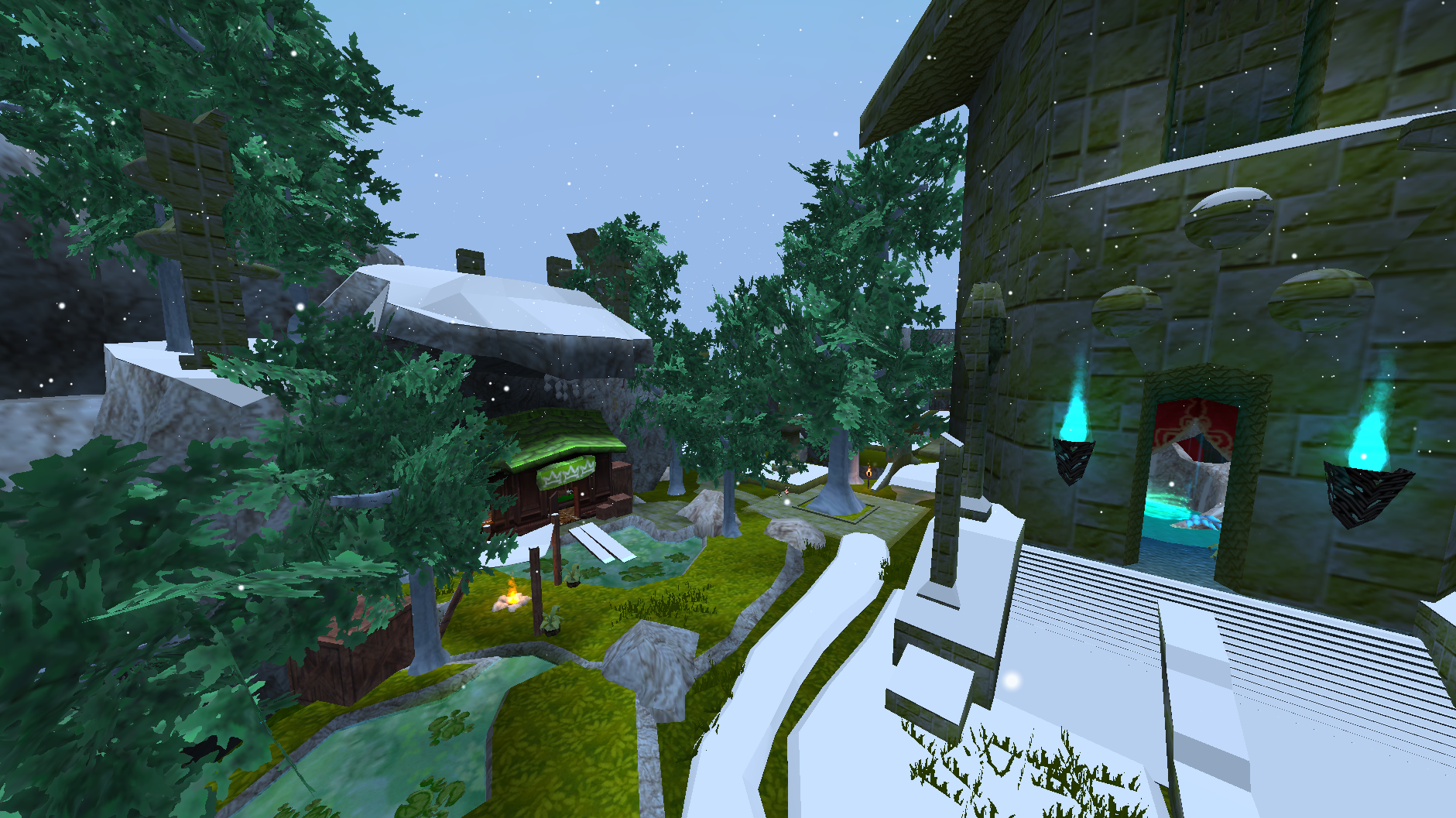
Pale frosted canopies, snow-white ground and snow falling in place of rain. Glints catch in the snow, and a foggy winter day turns into a blizzard.
More about the seasons
- How they change:
Season Advancedecides. Real Minutes (the default) moves on every real week, Game Days after a number of in-game days, Real Date follows the calendar (withSouthern Hemispherefor December summers), and Manual waits for you./seasons set,/seasons nextand the Current Season buttons change it straight away. - Season order can be changed, to skip or repeat a season. A holiday pauses the season while it runs rather than banking the time.
- The world clock is saved by the host, so after a restart the world picks up at the same hour and the same point in the season.
- Trees in ATLYSS are one mesh, trunk and leaves together, so colours are kept soft: a bright colour would land on the bark as well.
Foliage Tint Strength(0.78) leaves a little of the game's own colour showing, and the canopy keeps its texture. - Ground and grass are tinted toward each season's ground colour. Winter's snow is a colour, not snow piling up.
- Rain and snow: in winter the game's rain becomes snow (
Snow Replaces Rain). Snow density, size, speed, area and drift can all be tuned. - Places with their own look keep it: Red Woud, Tuul Enclave, the cherry blossom garden and any area you mark yourself. Falling leaves take the colour of the canopy they came off, whatever decided it.
- Under a roof the snow and rain stop around you, and the rain's sound drops. The mod looks up for a ceiling, and inside places such as the Catacombs and Crescent Keep it also takes a small picture straight up to find ceilings the game cannot see.
/seasons diag roofshows what it found. - Excluded maps keep their normal look entirely. Maps added by MapLoader get no seasons unless
Affect Other Maps(Experimental) is on, and even then no fog or mist unlessFog And Mist On Other Mapsis on too. Time cannot be excluded: ATLYSS has one clock for the whole world.
Effects
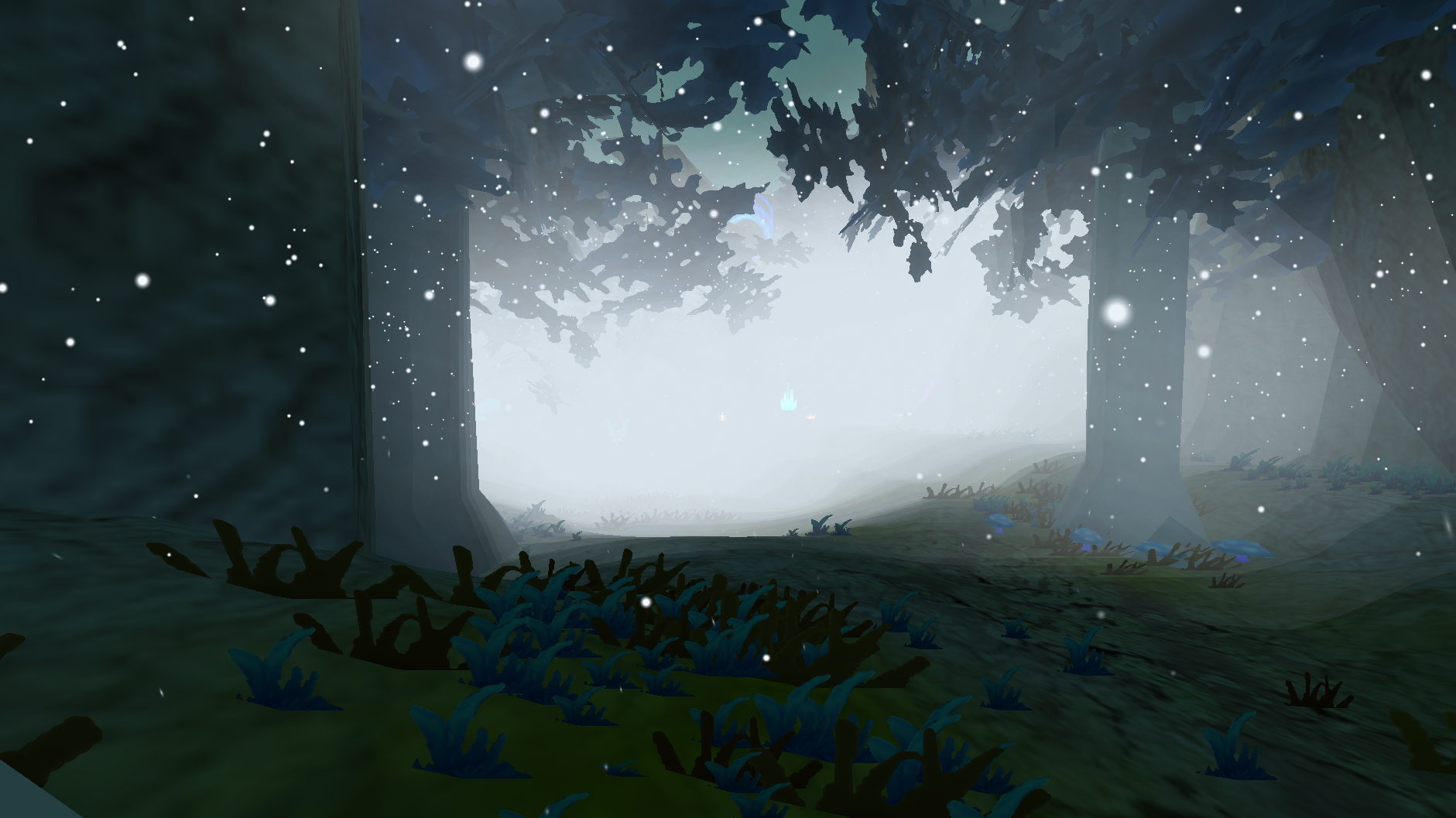
- Each effect belongs to a season, and most can be switched on or off in the panel under Effects.
- They share one particle budget, so turning more on does not add to the cost.
- All effects are yours alone: changing them never changes what anyone else sees.
More about the effects
- Spring: petals falling from trees, fairies in caves, and soul lights on spring nights (off by default). Luvora Garden's cherry blossom stays in bloom all year.
- Summer: fireflies in caves, rays of sunlight, embers (off by default), and heat haze (off by default, with
Heat Wave At Nightto keep it after dark). - Autumn: falling leaves, and ground souls at night.
Ground Souls Stylepicks how they look: rising wisps, soul fire, a purple mist, all three, or (the default) a different one each night, the same night for every player.Soul Mist ChanceandWhole Soul Mist Nightsdecide how much of the ground mist takes the souls' colours. - Winter: snow, a far layer of snow, snow on the ground, glints in the snow, and blizzards when winter is foggy.
Heavy Snowis off by default. - Any season: dust in the Catacombs, wind gusts that push everything together, and
Effects In Every Season(Experimental) to see any effect all year round. - Every effect has density, size, area and particle life settings, and a list of maps it appears in.
Fog and mist
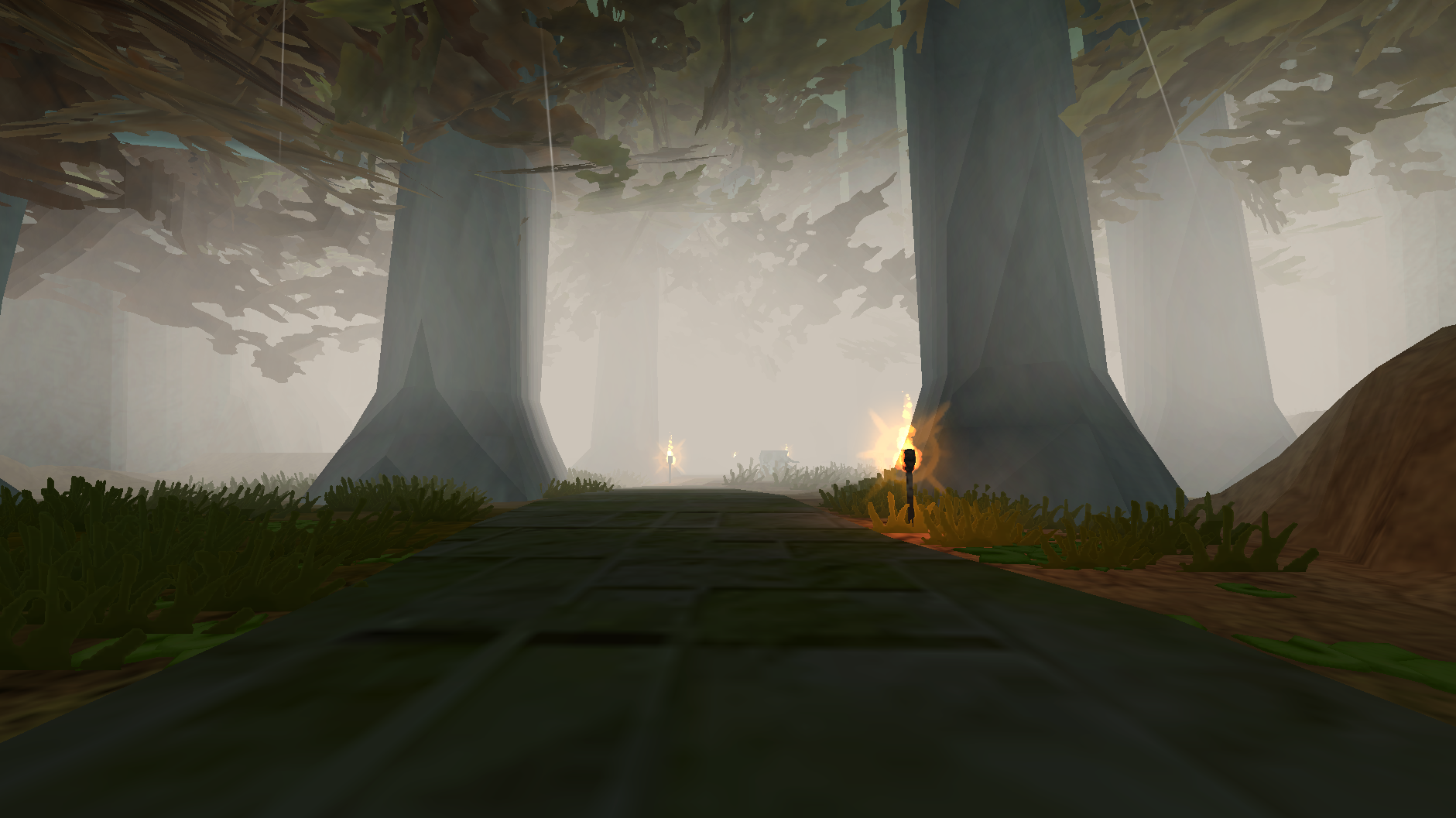
- Some days are foggy or misty, more often in autumn. Each map rolls once a day.
- Fog is placed on real ground around you and stays where it is, so you walk through it.
- Mist sits low along the ground, and can be kept to night time only.
More about fog and mist
- Fog and mist have a chance per season, a colour per season, and settings for density, size, how far they reach, how thick the layer is, and how long each piece lasts.
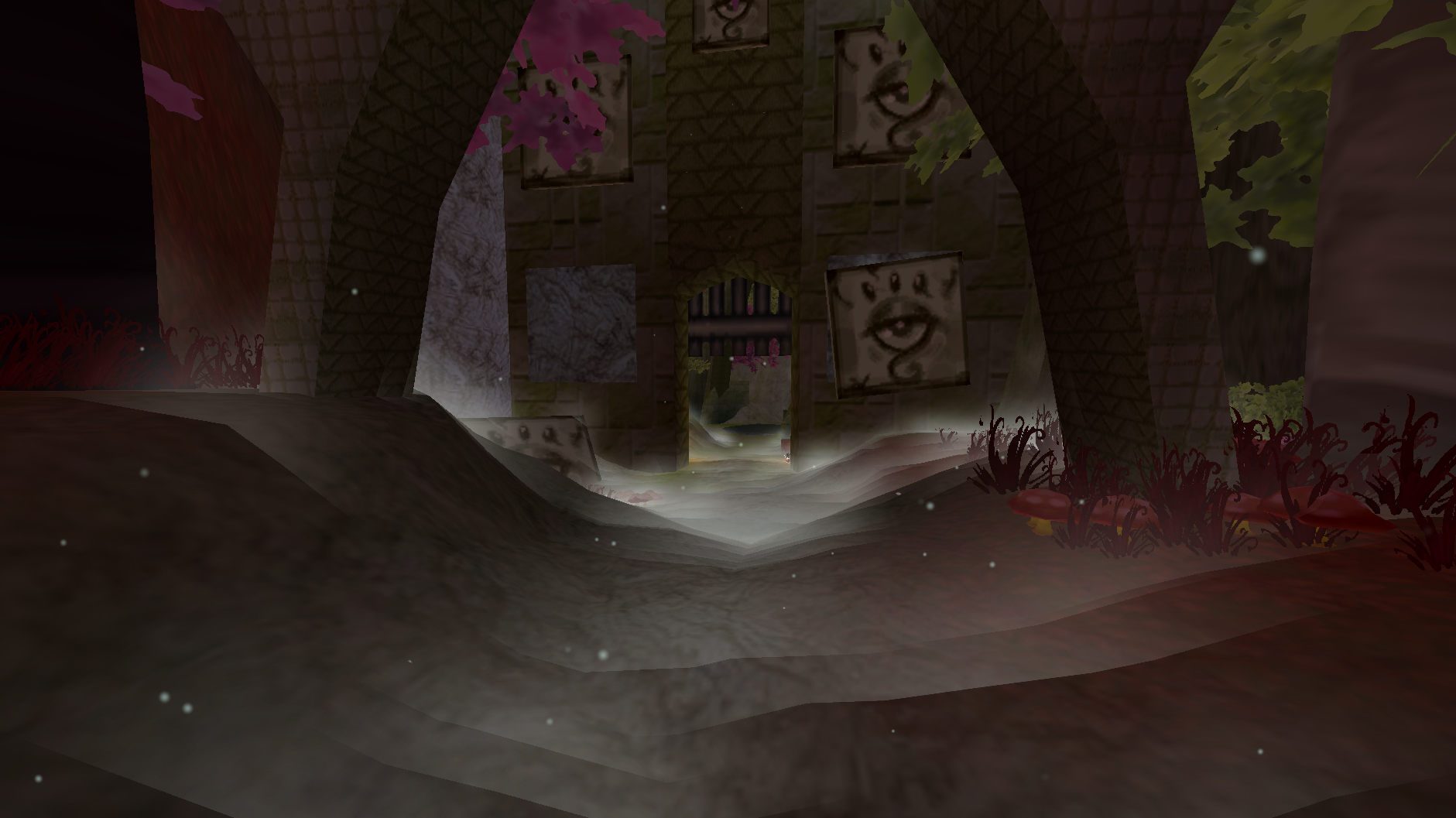
Hold Fog When Standing Stillkeeps the fog you stand in from churning.- Places can have fog and mist of their own: Red Woud is foggy every autumn day, and its mist rolls in there by day while mist elsewhere waits for the night. A row for a place can say
dayornightfor its mist, and the panel writes each row out as it understood it, so a bar in the wrong place is visible rather than silently ignored. - While hosting, your fog and mist settings are sent to players by default, so everyone sees the same fog on the same days.
- Fog, mist, soul mist and heat haze are drawn in a fixed order, so where they overlap the colours do not flash as you move.
Holidays
- Halloween (31 Oct): autumn for the week before, and on the night itself purple trees, souls rising from the ground, thicker fog and a night that does not end.
- Christmas (25 Dec): winter for the week before.
- Easter (its date changes each year): spring for the week before.
More about holidays
- The calendar is one setting,
Holiday Calendar, written as Name|MM-DD|Season|days before|special, separated by semicolons. Anything in the last field gives that holiday a look of its own on the day. - The panel shows, for each holiday, when its season starts and the day its look shows.
- Holiday Look Now (in the panel, or
/seasons holiday nowand/seasons holiday off) shows Halloween's look today, whatever season it is, without touching the calendar. It is not saved, and Spring Cleaning puts it away. - The host's holidays are everyone's: a date changed on the host moves the holiday for every player.
- The tree colour, the souls' colours, their size, how many there are and how thick and how see-through the fog is can all be changed. Souls come in blue, purple, green and orange on the day, larger and denser than on an ordinary night, and they keep whichever Ground Souls Style you have chosen. The ground mist keeps its own colours unless
Holiday Mist Coloursis switched on.
The panel
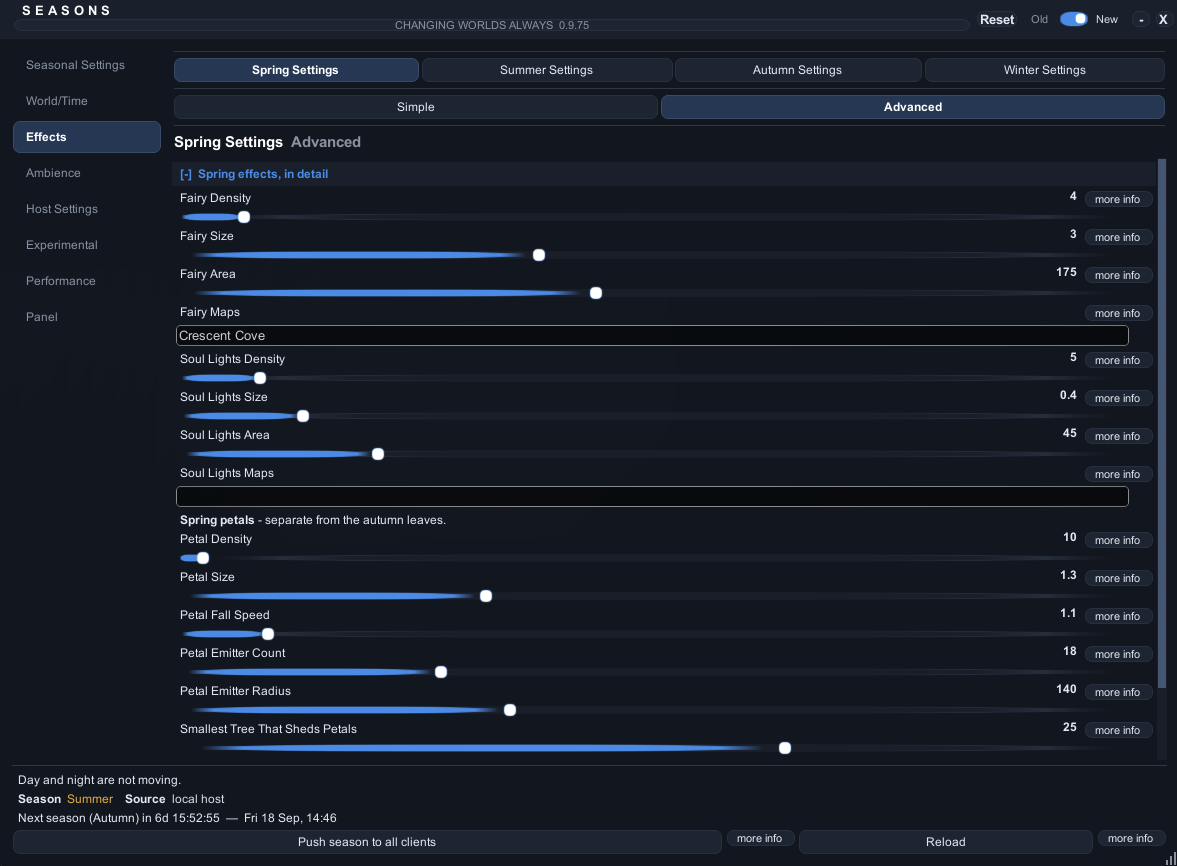
- Type
/seasons, or press the key you bound at the top of the settings menu's Seasons tab. - Search: type into the box at the top of the tab list, then click a result to go straight to that setting.
- Every setting has a more info button that explains it, and a reset button once you change it.
More about the panel
- The panel and the settings menu change the same settings, so they always agree.
- Search matches a setting's name, the page it is on and its description. Colour and color, and grey and gray, find the same things. The setting you pick is lit up for a moment.
- An old or new look, an accent colour, a size and a scale can all be chosen under the Panel tab. The corner grip resizes the window and the title bar drags it.
- While a text box in the panel has the keyboard, typing does not move your character and Enter does not open chat. Click off the panel or press Escape to give the keyboard back.
Enabled, at the top of Seasonal Settings > General, switches the whole mod off and on, and the panel key keeps working while it is off.- Spring Cleaning, under Performance, puts groups of settings back to how they shipped, with an undo.
Commands
| Command | What it does |
|---|---|
/seasons |
Opens or closes the panel |
/seasons status |
Season, clock, weather and who is opped |
/seasons set autumn |
Changes the season (host) |
/seasons next |
Moves on to the next season (host) |
/seasons day or /seasons night |
Jumps to day or night (host) |
/seasons weather on |
Forces rain on; off stops it, vanilla hands it back to the game (host) |
/seasons holiday now |
Shows a holiday's own look today; off puts it away (host) |
/seasons report |
Opens the bug report window |
/seasons help |
Lists everything you can run |
Every command
/season works too. Commands that change the world are the host's; an opped player's go to the host, who checks their permissions. On a dedicated server, type the same commands into the server console.
/seasons status,/seasons diag,/seasons diag near,/seasons diag roof,/seasons diag perf,/seasons diag perf reset/seasons report,/seasons report <what happened>/seasons set <spring|summer|autumn|winter>,/seasons next/seasons length <30m|12h|7d|2w>,/seasons advance <manual|realminutes|gamedays|realdate>/seasons holiday,/seasons holiday now,/seasons holiday off/seasons day,/seasons night/seasons time <day|night|freeze|resume>,/seasons time <1-12> <am|pm>/seasons time mode <vanilla|host|frozen>,/seasons time daylength <seconds>,/seasons time nightlength <seconds>,/seasons time scale <season> <day|night> <0.25-4>/seasons weather <on|off|vanilla>/seasons tint <0-1>,/seasons preset <vanilla|extended|realtime|custom>/seasons ray add <name> [at <player>],/seasons ray list,/seasons ray remove <name>,/seasons ray clear/seasons op list|add|remove|powers|universal|on|off|servers,/seasons op copy <server name>/seasons cohost <player>/seasons requests,/seasons approve <number|all>,/seasons deny <number|all>/seasons config <Key> [value],/seasons config find <words>/seasons snow <never|winter|always>,/seasons test <snow|rain|leaves|off>,/seasons fog <on|off|auto>(your own, not the host's)/seasons resync,/seasons resetstate,/seasons debug,/seasons help
Ops and co-hosts
- The host can let trusted players help. It is off until the host turns on Let Opped Players Help.
- An op asks the host for a change, and the host (or a co-host) approves it.
- A co-host can change what the host can, and approve ops' requests.
More about ops and co-hosts
- Permissions come in four parts: season, weather, time and look. Every op gets the universal permissions unless given their own.
- An op's changes wait in their panel until they press Send, and arrive as one request under Host Settings > Requests.
Changes That Need ApprovalandOp Request Cooldowndecide what waits and how often they can ask. - Ops are picked in the panel under Host Settings > Ops, or with
/seasons op add <player>and/seasons cohost <player>. - One ops list serves every server you host, so the same world hosted from the menu and as a dedicated server keeps its ops. With
Ops Lists Per Serveron, each server name keeps its own list instead; a new name starts with the ops you already had, and/seasons op serversand/seasons op copy <server name>bring back another server's list.
Dedicated servers
- Works with the AtlyssDedicatedServer mod. Nothing is drawn on a headless server; it keeps the clock, the season and the weather for everyone.
- When hosting starts, the console shows the season, the clock and who is opped.
- Type
/seasons helpinto the server console for the commands.
More about dedicated servers
- The world clock and season are saved and picked up again after a restart, including a restart the server does by itself.
- Ops are kept in the config, one list for every server name unless
Ops Lists Per Serveris on. - Requests from ops show in the console: answer them with
/seasons approve <number>or/seasons deny <number>. /seasons diagon a server prints what a server can know: the season, the clock, the weather, ops and what was last sent to players.
Performance
- If frames drop, turn on Low Spec Mode under Performance. It turns off falling snow, falling leaves and snow on the ground, and keeps the colours.
- Falling snow costs the most. Snow Area Size and Snow Max Particles lower it the most.
/seasons diag perfshows exactly what the mod costs, and where.
More about performance
Spread Heavy Work Over Frames(off) colours a newly entered area a bit each frame instead of all at once. Turn it on if entering an area stutters.Ambient Max Particles(3000) is the one budget every effect shares.- Colours are only worked out again when something actually changes.
- The host sends its state when something changes, when a map loads, and every 15 seconds, and sends nothing while nobody else is connected.
- A headless server skips every visual.
Bug reports
- Click Report at the top of the panel, or type
/seasons report, while the problem is still on screen. - Reports are only saved on your computer. Nothing is sent anywhere; share the file yourself.
More about bug reports
- The report window has undo and redo, find and replace, word wrap, line numbers, text size, a fixed width font, the date and time (F5) and a template. It can add where you are and what
diagsaw. /seasons report <what happened>saves one straight away.- Reports are saved in two places, so an update of the mod cannot lose them:
BepInEx/plugins/<the mod's folder>/Bug Reports/
BepInEx/AtlyssSeasons Bug Reports (backup)/
Where things are saved
More about the files
BepInEx/config/<the mod's GUID>.cfg                 every setting
BepInEx/config/AtlyssSeasons/worldstate.json        the saved season and clock
BepInEx/config/AtlyssSeasons/ops-by-server.json     each server's last ops list
/seasons resetstateclears the saved season and clock./seasons config <Key> [value]reads or changes any setting by its config name, and/seasons config find <words>finds one.
Known limits
- Trees are one mesh with their bark, so their colours stay soft.
- Snow on the ground is a colour, not snow piling up.
- Heat haze is drawn with particles rather than a real shimmer, which is why it is off by default.
- Players without the mod see the host's clock and rain, but none of the seasons.
Credits
- Amy is the lead tester. Nine builds, session after session of notes, screenshots and patient re-tests: most of what this mod does well is here because they asked for it, and most of what it no longer does wrong is because they found it.
- Vale and Eleen were an amazing help alongside them, with suggestions, ideas and a good number of bugs found while playing.
- Thank you to everyone who hosted a world, ran a dedicated server, or left the seasons running to see what happened.
Dependencies
Installed automatically by Thunderstore:
- BepInEx-BepInExPack-5.4.2100
- Soggy_Pancake-CodeYapper-2.2.2
- Soggy_Pancake-AtlyssCommandLib-0.0.7
- Nessie-EasySettings-1.3.0
