
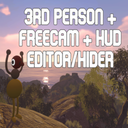
Big Person View
Walk around and actually see yourself. Put the camera behind you, in front of you looking back, off you entirely to fly it, or locked in mid-air while you walk around in front of it.
| Last updated | a month ago |
| Total downloads | 2935 |
| Total rating | 0 |
| Categories | Mods Tools Misc |
| Dependency string | SixSevenBrigade-Big_Person_View-1.4.0 |
| Dependants | 0 other packages depend on this package |
This mod requires the following mods to function

BepInEx-BepInExPack_IL2CPP
BepInEx pack for IL2CPP x64 Unity games. Preconfigured and ready to use.
Preferred version: 6.0.755README
Big Person View
Walk around and actually see yourself. One key puts the camera behind you, in front of you looking back, off you entirely so you can fly it wherever you like, or locked in mid-air while you walk around in front of it.
Features
- Third person — Camera goes over your shoulder, with your whole character drawn: head, body, legs, backpack and belt.
- Front view — Same key again turns the camera round to look back at you. Good for screenshots of your own face.
- Free camera — Take the camera off yourself and fly it. WASD moves, mouse aims, and your character stays put while you line up a shot.
- Locked camera — Park the camera and keep playing: you walk, turn and look as normal while the view stays where you put it, and it turns to keep you in frame unless you tell it not to.
- Co-op-safe camera — The mod follows only your Mirror local player, moves the camera after the game has finished its frame, and restores it before the next one; interaction, audio and what other players see are untouched.
- Hide the HUD — One key clears the crosshair and indicators for a clean screenshot. Pause menus still show up.
- Restyle the HUD — Size, colour, opacity and a hide switch for the crosshair, the backpack indicator and the belt indicator, each on its own.
- In-game panel — Every setting on one key, applied as you drag it. No editing files to try a camera distance.
Installation
With a mod manager (Gale, r2modman), install this and let it pull BepInEx in. Manually: install BepInEx 6 IL2CPP (win-x64), run the game once so it unpacks, then extract this archive into the Big Walk folder — the one with Big Walk.exe in it — so that ThirdPerson.dll lands in BepInEx/plugins/.
Big Walk is an IL2CPP game, so BepInEx 5 will not work.
On Steam Deck, SteamOS and Linux, BepInEx needs a DLL override to load under Proton. Put this in the game's Launch Options: WINEDLLOVERRIDES="winhttp=n,b" %command%
Controls
]— Cycle first person, behind, front. Gamepad: press both sticks together.;— Open the settings panel.[— Hide and show the HUD.\— Take the camera off yourself and fly it.LeftAlt+\— Lock the camera where it is and take your character back. Fly it to a spot, lock it, walk into frame.Home— While flying, bring your character to the camera. This one really moves you, so single player only.PageUp/PageDown— Move the camera further away or closer.Arrow keys— Orbit around yourself.Endputs it back.LeftAltorMiddle mouse— Hold to orbit with the mouse instead.WASD,Space,LeftCtrl(orE/Q) — Fly the free camera. HoldLeftShiftto go fast orZto creep.
Configuration
Press ; in game, or edit BepInEx/config/deck.bigwalk.thirdperson.cfg.
- Mode — Which view you start in. Default: FirstPerson.
- Distance — How far behind you the camera sits, in metres. Default: 2.5.
- Height — How far above your head it sits. Default: 0.35.
- Shoulder — Sideways offset, for an over-the-shoulder framing. Default: 0.
- Collide — Pull the camera in when a wall is behind you. Default: true.
- ShowBody — Draw your full character in third person. Default: true.
- ShowGear — Draw your backpack, belt and everything on them. Default: true.
- HiddenParts — Names of meshes to leave undrawn, comma separated. Default: empty.
- FreecamKeys — Key that takes the camera. Default:
Backslash. - Speed — How fast the free camera flies, in metres per second. Default: 6.
- FreezePlayer — Keep your character still while you fly. Does not apply to a locked camera. Default: true.
- LockKeys — A key of your own for locking the camera, if the chord is awkward. Default: empty.
- LockTracksYou — While locked, turn to keep you in frame without moving. Default: true.
- HudKeys — Key that hides the HUD. Default:
LeftBracket. - PanelKeys — Key that opens the settings panel. Default:
Semicolon. - Scale — How much to magnify the panel, for handheld screens. Default: 1.6.
Notes
- Every key setting takes a comma-separated list, so you can bind several and whichever one your setup delivers will work. Steam eats the function keys on some machines, which is why none are used by default.
- There is a known mesh in the game that shows up as a green ball near the left wrist in third person. It is a game asset wearing the wrong material, not something this mod does. Put
left_hand_meshinHiddenPartsto stop drawing it. - If the camera ever stops working in co-op, press Write a report on the Setup tab while it is happening and attach
BepInEx/config/BigPersonView-report.txt. It records the selected player plus Mirror ownership, local, server and net-ID state for every player. - Uninstalling is deleting the DLL. Your save is never written to.
Built with BepInEx and HarmonyX. Do what you like with it — fork it, reuse the code, roll it into a pack. Credit appreciated, not required.
