

BluePrinceNotes
An in-game notebook. Press F2 during a day to write on a ruled page. Each note is stamped with the day and the room you were in. You can search your notes, and they carry over from day to day.
| Last updated | 5 hours ago |
| Total downloads | 1 |
| Total rating | 0 |
| Categories | Mods Tools |
| Dependency string | red_socket-BluePrinceNotes-1.0.0 |
| Dependants | 0 other packages depend on this package |
This mod requires the following mods to function

LavaGang-MelonLoader
The World's First Universal Mod Loader for Unity Games compatible with both Il2Cpp and Mono
Preferred version: 0.7.3README
Blue Prince Notes
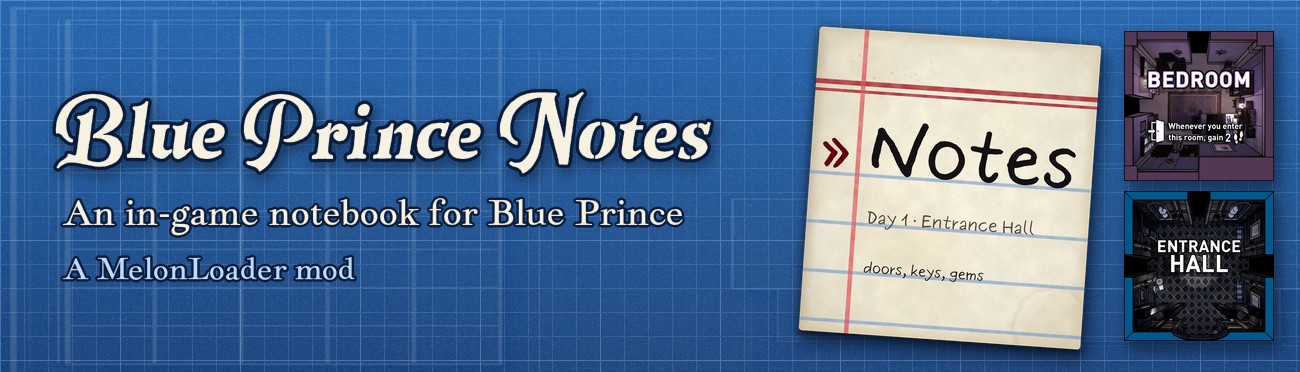
An in-game notebook for Blue Prince, as a MelonLoader mod.
Press F2 during a day and a ruled notebook page opens over the game. You can write notes, search them later, and each one shows the day and the room where you started it.
Unofficial fan mod. Not affiliated with or endorsed by Dogubomb or Raw Fury. The mod doesn't write to your save files; it only writes its own notes file.
Using the notebook
Opening and closing
- F2 opens the notebook while you're walking around during a day. The game is dimmed and your character is frozen the same way the pause menu freezes it, so the keys you type don't move you or open the game's menus.
- F2 again, Esc on the list, or a click outside the page closes it. Your character is unfrozen once you let go of the key or mouse button, so the same press can't also open the pause menu or click something in the room.
- Ctrl+F2 is the emergency key. It closes the notebook and unfreezes your character, whatever the game is doing. Use it if you ever get stuck.
If F2 can't open the notebook right now, a short message near the bottom of the screen tells you. The line at the bottom of the page lists the main keys.
The list
Notes are listed with the most recently changed first. Each one shows its title (the first line of the note) and, under it, the day and place where it was started, such as Day 12 · Parlor (Rank 4).
| Key | What it does |
|---|---|
| Type | Search. Matches the note text and the room name; case and accents are ignored, so cafe finds Café. |
| Up / Down, Page Up / Page Down, Home / End, mouse wheel | Pick a note. |
| Enter, or click a note | Open it. |
| Ctrl+N | Start a new note. |
| Enter when nothing matches the search | Start a new note with the search text as its first line. |
| Delete, then Delete again | Delete the selected note. The first press strikes it through; the second must come within 4 seconds. |
| Esc | Clear the search. With no search, close the notebook. |
The editor
| Key | What it does |
|---|---|
| Arrows | Move the caret. Ctrl+Left / Ctrl+Right move by word. |
| Home / End | Start or end of the line. With Ctrl, start or end of the note. |
| Page Up / Page Down | Move a page up or down. |
| Shift + any of the above | Select. |
| Ctrl+A / Ctrl+C / Ctrl+X / Ctrl+V | Select all, copy, cut, paste (system clipboard). |
| Ctrl+Z | Undo. |
| Ctrl+Y or Ctrl+Shift+Z | Redo. |
| Backspace / Delete | Delete a character. With Ctrl, a word. |
| Tab | Insert four spaces. |
| Esc | Back to the list. |
With the mouse: click to place the caret, Shift+click to select up to there, drag to select, double-click to select a word, and use the wheel to scroll. The game's mouse pointer shows on top of the page once you move the mouse.
The first line of a note is its title. If you leave a note empty, it is deleted. A note can be up to 10,000 characters long.
Accented letters typed with dead keys work, including under Proton with ibus, and AltGr isn't mistaken for Ctrl.
What a note records
When you open the notebook, it reads the day number and where you are: inside the house, the room and its rank; outside, the area as the game's HUD names it. A note you start gets that stamp, and it stays the same when you edit the note later.
The in-game calendar date and the time of day are left out on purpose, because some puzzles depend on them.
Where notes are saved
All notes are kept in one file, UserData/BluePrinceNotes/notes.json, in the game folder (with r2modman, in the profile folder instead: Settings → Browse profile folder). There is one notebook for all save slots.
- Notes are saved a moment after you stop typing, every few seconds while you keep typing, and whenever you leave a note, close the notebook, switch to another window, load a new scene or quit. A crash can lose the last few seconds of typing.
- Each save is written to
notes.json.tmpfirst and then replacesnotes.json, so a crash during a save leaves the old file whole. - The first save of each session copies the previous file to
notes.json.bak. - A
notes.jsonthat can't be read isn't lost. Before anything is saved over it, the mod keeps a copy asnotes.json.corrupt-<date>-<time>and loads the notes fromnotes.json.bakinstead. Ifnotes.jsonis missing, the backup is loaded too. - If that copy can't be made, or the file was written by a newer version of the mod, nothing is saved for the rest of the session, and the notebook's header says
NOT SAVED (see the MelonLoader log). The same warning shows while a save keeps failing; the mod retries every few seconds.
The file is plain, indented JSON (UTF-8), so you can read it, back it up or move it to another computer. Each note has its text, created and edited times (real-world time, in UTC, used for sorting), and a context with the day, area, room and rank. The context also stores the house tile, save slot, run seed and play time at the start of the day, which the notebook doesn't show. Close the game before editing the file by hand.
Installation
- In r2modman or the Thunderstore App, pick Blue Prince.
- Download Blue Prince Notes. The mod manager installs MelonLoader along with it.
- Click Start modded. The first launch takes a minute or two while MelonLoader sets itself up.
Your notes and settings are in the UserData folder of the r2modman profile (Settings → Browse profile folder).
Linux / Steam Deck (Proton)
Set the game's Steam launch options to:
WINEDLLOVERRIDES="winhttp,version=n,b" %command% --melonloader.hideconsole --melonloader.disablestartscreen
The first part makes Proton load MelonLoader. The two options at the end turn off MelonLoader's console window and start screen, which can freeze the game while it loads under Proton.
Configuration
Settings are in UserData/MelonPreferences.cfg (with r2modman, in the profile folder), under [BluePrinceNotes]. The file is created on the first launch. There's no in-game settings page; edit the file with the game closed.
| Setting | Default | Meaning |
|---|---|---|
Notepad_Enabled |
true |
Turns the notebook on or off. |
Notepad_Key |
F2 |
Opens and closes the notebook. A Unity key name, with Ctrl+, Shift+ or Alt+ in front if you like (e.g. F3, Ctrl+F3). Pick a key you don't type in notes, such as a function key: it also closes the notebook while you write. |
Notepad_EmergencyKey |
Ctrl+F2 |
Closes the notebook and unfreezes your character, whatever the game is doing. |
Notepad_Font |
HandCAVE SDF - GENERIC |
Name of a game font (case doesn't matter). If it isn't found, TypeNeat SDF is used, then TextMeshPro's default font. |
Notepad_FontScale |
0.03 |
Text size, as a fraction of the screen height (0.01 to 0.1). |
Notepad_InputMethod |
true |
Turns the input method on while you type. Needed for accents typed with dead keys (ibus under Proton) and for IME languages. |
Notepad_Log |
false |
Debugging aid: writes what the notebook does to the MelonLoader log. |
A key setting that can't be read falls back to its default, with a warning in the log.
Safety
- While the notebook is open, your character is frozen with the game's own freeze, the one the pause menu uses. Walking, looking around, clicking the world and the game's menu keys do nothing.
- The game listens for a few hidden codes typed on the keyboard, meant for its developers. One of them resets your Steam achievements and stats; others show debug information. While the notebook is open, the mod switches the achievement reset off and keeps the other codes from matching, so typing a note doesn't trigger them. The mod turns them back on when the notebook closes.
- Numpad Enter types a new line. Holding it down won't switch on the hidden developer mode the game ties to that key.
- If the game needs your character while the notebook is open (a cutscene, a card, a menu), the notebook saves, closes and leaves your character to the game. If the mod itself runs into an error, it closes the notebook and unfreezes you.
Known limits
- You need a keyboard to type. There's no gamepad support.
- The notebook only opens during a day, while you're walking around: not on the main menu, in a game menu, during a cutscene or card, or in a terminal or close-up view. Right after one of those ends, it takes about a second before F2 works.
- The notebook doesn't stop the in-game clock, just like the pause menu.
Compatibility
- Built against MelonLoader 0.7.3 and the Steam version of Blue Prince (Unity 6000.0.58).
- Works alongside Blue Prince QoL. Their default keys don't overlap. If QoL's emergency unfreeze key is pressed while the notebook is open, the notebook freezes your character again.
- UnityExplorer works alongside it.
- The mod doesn't patch the game's code. Game updates can still rename things it reads. If the notebook stops opening after an update,
MelonLoader/Latest.loghas a line from Blue Prince Notes with the reason each time F2 is refused (can't open now: …). If new notes lose their day or room, the mod can no longer read them from the game; nothing else is affected.
License
Copyright © 2026 Lucas Pospor.
This program is free software: you can redistribute it and/or modify it under the terms of the GNU General Public License as published by the Free Software Foundation, version 3. See LICENSE.
Source code and issues: https://github.com/red-socket/blueprince-notes
