

BluePrinceQoL
Shorter animations, fades and waits, a clock and run stats on the HUD, faster terminals, and a MODS menu in the game's settings. It doesn't change any game rules.
| Date uploaded | 17 hours ago |
| Version | 2.3.0 |
| Download link | red_socket-BluePrinceQoL-2.3.0.zip |
| Downloads | 8 |
| Dependency string | red_socket-BluePrinceQoL-2.3.0 |
This mod requires the following mods to function

LavaGang-MelonLoader
The World's First Universal Mod Loader for Unity Games compatible with both Il2Cpp and Mono
Preferred version: 0.7.3README
Blue Prince QoL
Quality-of-life tweaks for Blue Prince, as a MelonLoader mod.
Most of the mod removes waiting: shorter animations, fades and lock-outs that you sit through dozens of times a day. It doesn't change any game rules. Every feature can be switched off on its own.
Unofficial fan mod. Not affiliated with or endorsed by Dogubomb or Raw Fury. Back up your save before installing any mod.
Features
| Feature | What it does |
|---|---|
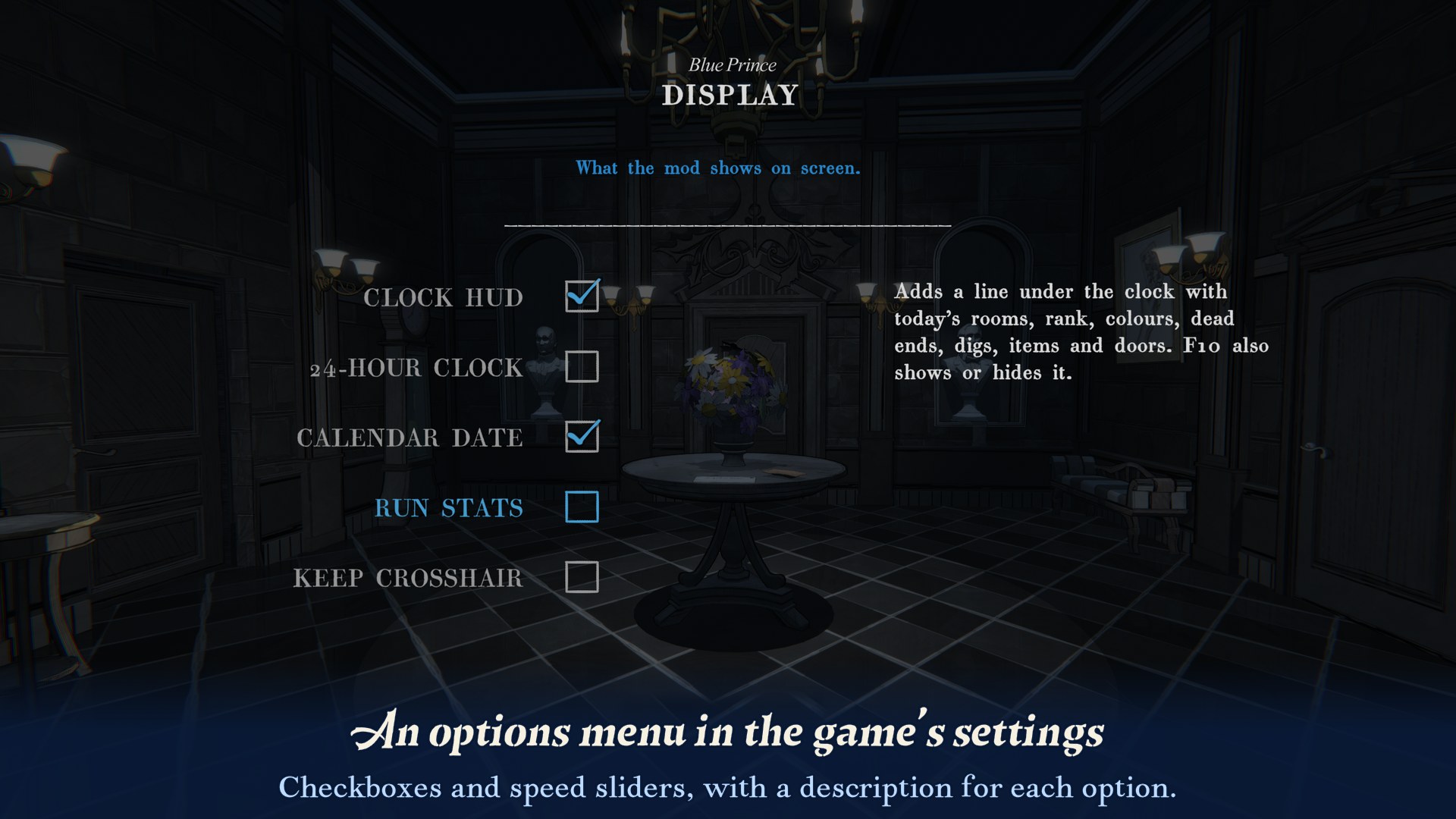
| Mods menu | Settings → MODS, in both the main menu and the pause menu, lists the mod's options on eight pages, with checkboxes for features and sliders for speeds, in the game's own style. Changes are saved right away. |
| Quit without saving | A QUIT WITHOUT SAVING option under SAVE & QUIT in the pause menu. After a confirmation it returns to the main menu without saving, so Continue starts the same day again. Everything from that day is lost, including permanent unlocks. Steam achievements stay unlocked. |
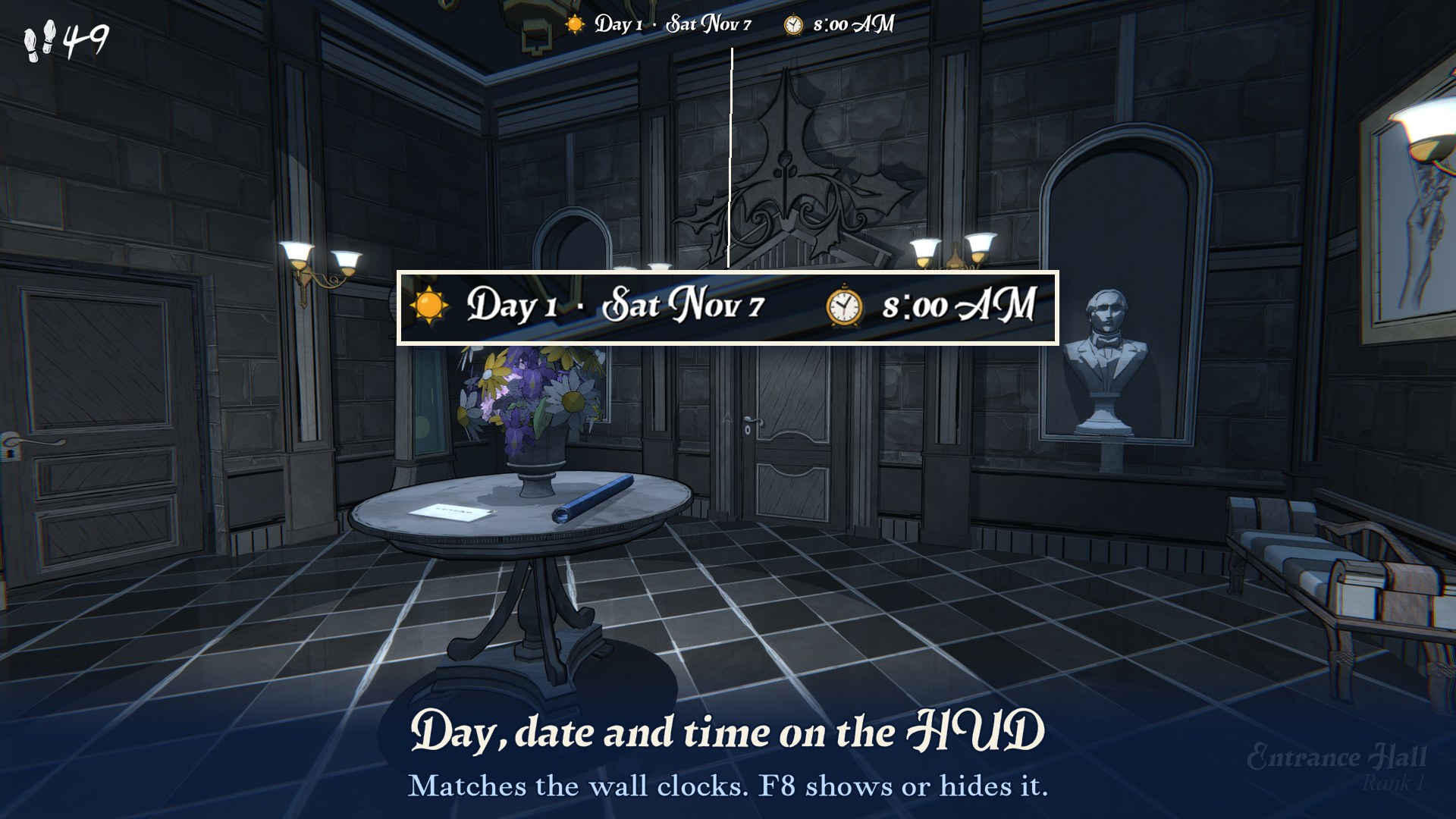
| HUD | Shows the in-game day, calendar date and time at the top of the screen, in the game's own font with sun and clock icons. It matches the wall clocks. F8 shows or hides it. |
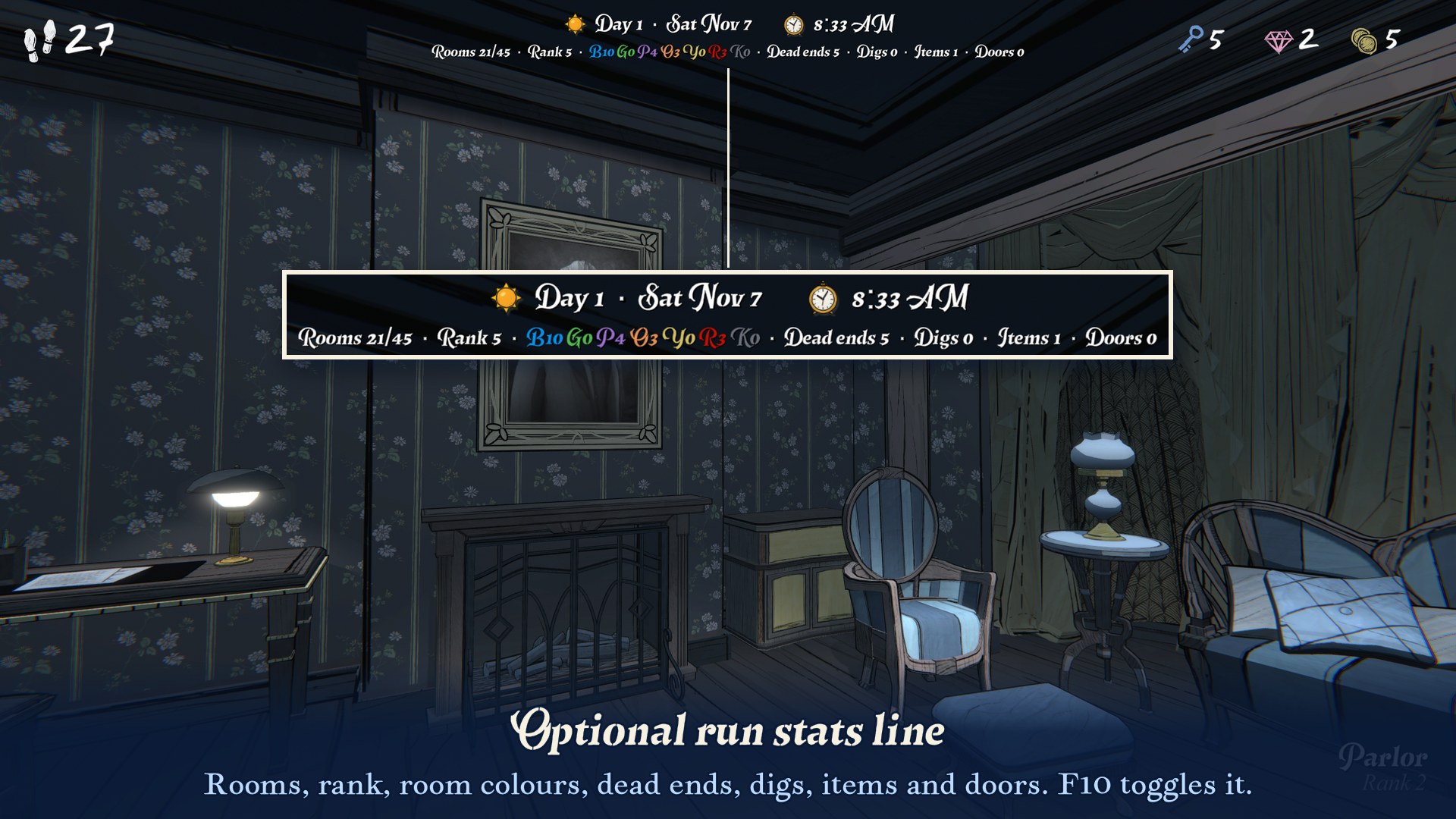
| Run stats (hidden by default) | A second line with today's run: rooms drafted, rank, rooms by colour, dead ends, digs, items, unexplored doors, and a low-steps warning. F10 shows or hides it. |
| Boot skip | The Dogubomb and Raw Fury logos are skipped at launch. |
| Intro skip | No camera glide at the start of each day; you have control at the gate straight away. |
| Pickup skip | Item pickup animations and the "You Found …" / "You Bought …" cards are skipped. Items are granted as normal. F9 is an emergency unfreeze in case you ever get stuck. Cards you keep (such as "You Dug Up …") slide off the screen 4× faster when you click them. |
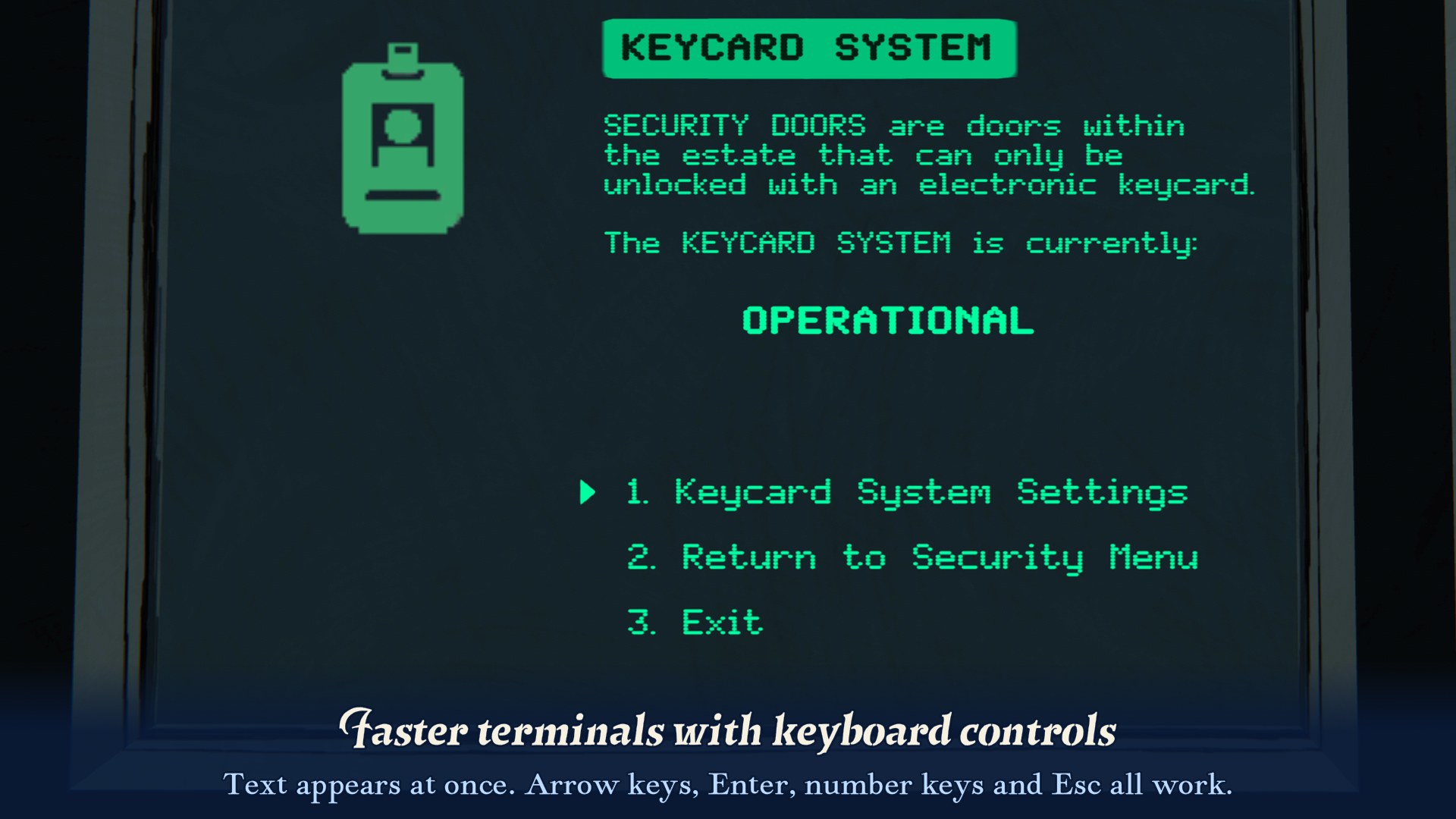
| Terminals | Instant text and shorter pauses. Arrows/W/S and Enter navigate, keys 1 to 9 pick an option, and Esc/Backspace go back. |
| Camera zoom | The camera zooms onto terminals, wall safes, the Watch Tower letter lock, the Dining Room plate and the Utility Closet fuse box 4× faster, in and out. When you open a safe or pull the Drawing Room candlestick, the door and panel animations are 4× faster too. |
| Door keys | The key animation on locked doors is 4× faster. The key is still spent exactly once. |
| Secret Garden | The crank sequence in the Secret Garden runs 4× faster: the gear, the camera fades, the arrow and the niche. The arrow and niche positions are saved as normal. |
| Elevators | Rides in the Boiler Room, Chamber of Mirrors, Foundation and cliff elevators are 3× faster. The whole game runs faster for the length of the ride, so everything stays in sync. Elevator sounds play at normal speed. |
| Rotunda | The Rotunda turns 4× faster, and the gears turn with it. The turning sound fades out as the room stops. |
| Workshop | The black screen while an item is assembled at the Workshop table is 4× shorter, and the assembly sound fades out with it. |
| Office safe | The bust in the Office that rises to reveal the safe moves 4× faster, and its rumble ends with it. |
| Security room scene (off by default) | Skips the scene the first time you enter the Security room: the room behaves like one you've already visited, with no fade, no move to the middle of the room and no video. Turn it on in MODS → Cutscenes. |
| End of day | The end-of-day fades and diary reveal are 4× faster. The Save & Continue screens still wait for you. |
| Dare game over | In Dare mode, the Main Menu button on the Game Over screen shows up after 3 seconds instead of 10, and the fades around it are shorter. Press Space, Enter, Esc or click during the poem to skip ahead to the Game Over screen. |
| Digging | Shorter fade to black when digging. |
| Stairs warps | Shorter black screen for the game's Stairs Skip option (turn it on under Settings → Motion Assist). |
| Click unlock | Removes the ~1 s window after pickups, menus and doors where you can walk but can't click, and the short one after leaving a safe or terminal. |
| Cursor guard | Keeps the crosshair visible while an object animates and you can still move. In vanilla it disappears, for example while a Parlor box's key turns. It also shows the mouse pointer as soon as the main menu loads. |
| Move speed | Walking and running are 1.2× faster. Slowdowns, drafting and freezes still work, and step costs don't change. |
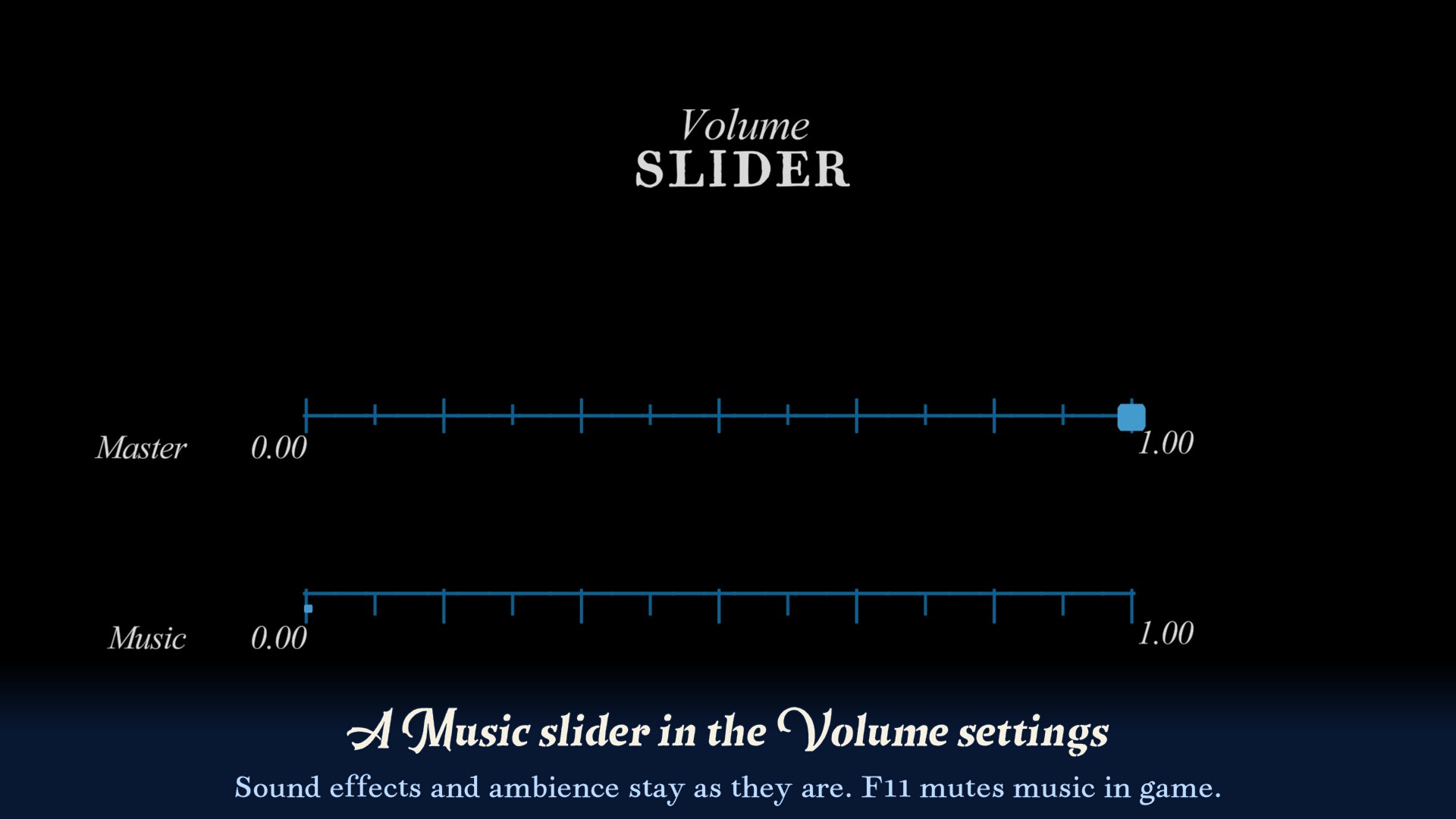
| Music volume | Adds a Music slider under the game's volume control (Settings → Volume). F11 mutes music. Sound effects and ambience aren't affected. |
Screenshots
Installation
- In r2modman or the Thunderstore App, pick Blue Prince.
- Download Blue Prince QoL. The mod manager installs MelonLoader along with it.
- Click Start modded. The first launch takes a minute or two while MelonLoader sets itself up.
Linux / Steam Deck (Proton)
Set the game's Steam launch options to:
WINEDLLOVERRIDES="winhttp,version=n,b" %command% --melonloader.hideconsole --melonloader.disablestartscreen
The first part makes Proton load MelonLoader. The two options at the end turn off MelonLoader's console window and start screen, which can freeze the game while it loads under Proton.
Configuration
Settings are in UserData/MelonPreferences.cfg in the r2modman profile folder (Settings → Browse profile folder), under [BluePrinceQoL]. The file is created on the first launch. Most of them can also be changed in game under Settings → MODS, in the main menu or the pause menu. Each feature has an <Feature>_Enabled switch, plus:
| Setting | Default | Meaning |
|---|---|---|
Hud_ToggleKey |
F8 |
Show or hide the HUD. Shift + this key logs diagnostics. |
Hud_Font |
Room Text |
Room Text copies the font of the room name on the game's HUD. You can also use a game font name (e.g. VersicaSerif SDF), or IMGUI for plain text. |
Hud_PosX / Hud_PosY / Hud_Align |
0.5 / 0.012 / Center |
Position as a fraction of the screen, and alignment. |
Hud_FontScale / Hud_IconScale |
0.03 / 1.15 |
Text size (fraction of screen height); icon size relative to the text. |
Hud_Use24Hour / Hud_ShowDate / Hud_ShowIcons |
false / true / true |
|
RunStats_ToggleKey / RunStats_Visible |
F10 / false |
|
RunStats_Show* |
various | Turn each stat on or off (rooms, rank, colours, dead ends, digs, items, doors, steps…). |
RunStats_LowStepsThreshold |
10 |
Show steps in red at or below this. |
BootSkip_MenuFadeIn |
0.5 |
Main menu fade-in time in seconds (vanilla: 4). |
BootSkip_HideLogos |
true |
Skip the logos completely (off: they flash by). |
PickupSkip_SkipFoundCards / _SkipShopCards / _SkipDigShopCards |
true / true / false |
Which cards to skip (DigShop = "You Dug Up" cards). |
PickupSkip_UnfreezeKey |
F9 |
Emergency unfreeze. |
PickupSkip_CardExitSpeed |
4 |
How much faster a card you click away slides off the screen (1 = vanilla). |
Terminal_InstantText / _FastWaits / _MaxPause |
true / true / 0.5 |
|
Terminal_NumberKeys / _ShowNumbers / _BackKeys / _EscapeClosesTerminal |
true |
Keyboard controls. |
CameraZoom_Speed |
4 |
Zoom speed multiplier (1 = vanilla, 0 = instant). |
CameraZoom_Terminals / _DiningRoom / _UtilityPanel / _SafesAndLocks / _DrawingRoomSafe / _EatFade |
true |
What to speed up. |
CameraZoom_OtherObjects |
false |
Also speed up the same zoom on dartboards, the Room 46 map, shrines and similar objects. |
DoorKeySpeed_Speed |
4 |
Key animation speed (1 = vanilla). |
DoorKeySpeed_Hotkeys / _UseKey / _ExitKey |
false / Return / Backspace |
Keyboard USE/EXIT on the lock prompt. |
SecretGarden_Speed |
4 |
Crank sequence speed (1 = vanilla, at most 10). |
ElevatorSpeed_Speed |
3 |
Elevator ride speed (1 = vanilla, at most 6). |
ElevatorSpeed_BoilerRoom / _ChamberofMirrors / _Foundation / _Cliff |
true |
Which elevators to speed up. |
Rotunda_Speed |
4 |
Turn speed (1 = vanilla 10 s, at most 10). |
Rotunda_FadeSound / _SoundFadeTime |
true / 0.6 |
Fade the turning sound out as the room stops; the fade length in seconds. |
Workshop_Speed |
4 |
Speed of the black screen while assembling (1 = vanilla 6 s, at most 10). |
OfficeCompartment_Speed |
4 |
Speed of the Office bust rising (1 = vanilla 8 s, at most 10). |
SecurityVideo_Enabled |
false |
Skip the first Security room scene (story content, so off by default). |
EndOfDay_Speed / _StatsAllAtOnce / _MorningFade |
4 / false / true |
|
DareGameOver_MenuDelay |
3 |
Seconds on the Game Over screen before the Main Menu button appears (vanilla: 10). |
DareGameOver_SkipKeys |
Space,Return,Escape,Mouse0 |
Keys that skip the poem. Comma-separated Unity key names; Mouse0 is left click. Leave empty to turn skipping off. |
DareGameOver_AutoSkip |
false |
Always skip the poem, without a key press. |
DigSpeed_Speed / _XMarksTheSpot |
4 / false |
|
StairsWarp_Speed / _FadeIn |
4 / true |
|
ClickUnlock_Delay |
0.1 |
Seconds before you can click again after being unfrozen. |
ClickUnlock_AfterZooms |
true |
Also shorten the short lock after leaving a safe, terminal or other zoomed-in object. |
CursorGuard_MainMenu |
true |
Show the mouse pointer as soon as the main menu loads. |
MoveSpeed_WalkMultiplier / _RunMultiplier |
1.2 / 1.2 |
Allowed range: 0.5 to 3. |
MusicVolume_Volume / _Muted / _MuteKey |
1.0 / false / F11 |
Also adjustable from Settings → Volume. |
MusicVolume_IncludeCutscenes |
false |
By default, cutscene videos keep their sound while music is turned down. |
StateLogger_Enabled (off) is a debugging aid. It writes every game state change to the MelonLoader log.
Compatibility
- Built against MelonLoader 0.7.3 and the Steam version of Blue Prince (Unity 6000.0.58).
- UnityExplorer works alongside it.
- Game updates can rename things the mod relies on. If that happens, the affected feature logs a warning and the game behaves as normal for that part.
License
Copyright © 2026 Lucas Pospor.
This program is free software: you can redistribute it and/or modify it under the terms of the GNU General Public License as published by the Free Software Foundation, version 3. See LICENSE.
Source code and issues: https://github.com/lucas-pospor/blueprinceqol
CHANGELOG
Changelog
2.4.0
New:
- Optional dartboard equation for the Billiard Room. While you look at the dartboard, the puzzle appears as an equation at the bottom of the screen, such as +4 - 1 × 2, with each sign in the colour of its sector. Bullseye shapes and marks on the number ring are written out too. The odd numbers around the board turn slightly red. It's off by default: turn it on in MODS > Display.
New settings: DartsEquation_Enabled (false), DartsEquation_RedOddNumbers (true), DartsEquation_FontScale (0.045), DartsEquation_PosY (0.935), DartsEquation_Font (TypeNeat SDF).
2.3.0
New:
- Optional: skip the scene the first time you enter the Security room. Turn it on in MODS > Cutscenes (it's off by default, since it's story content). With it on, the Security room behaves like a room you've already visited: no fade, no move to the middle of the room and no video. The scene's music cue and the free step it gives when you enter with 0 steps don't happen.
- The bust in the Office that rises to reveal the safe is 4× faster, and its rumble ends with it.
- MODS has a new Cutscenes page with the Workshop and Office sliders, the Security room option and Skip Dare poem (moved from Skips).
New settings: SecurityVideo_Enabled (false), OfficeCompartment_Speed (4).
2.2.0
New:
- QUIT WITHOUT SAVING in the pause menu, under SAVE & QUIT. After a confirmation it takes you back to the main menu without saving, and Continue starts the same day again. Everything from that day is lost, including permanent unlocks; Steam achievements stay unlocked.
- Wall safes (Study, Boudoir, Office, Drawing Room) and the Watch Tower letter lock: the zoom in and out is 4× faster, and so is the door opening after the right code.
- The Drawing Room candlestick: the handle, the zoom onto the safe and the panel sliding up are 4× faster.
- The Workshop's black screen while an item is assembled is 4× shorter.
- The Dogubomb and Raw Fury logos are skipped completely at launch.
Smaller changes:
- Cards you keep, such as "You Dug Up …", slide away 4× faster after you click them.
- After leaving a safe or terminal, the crosshair comes back as soon as the camera stops.
- The mouse pointer shows as soon as the main menu loads.
New settings: QuitWithoutSaving_Enabled, CameraZoom_SafesAndLocks, CameraZoom_DrawingRoomSafe, Workshop_Speed, BootSkip_HideLogos, PickupSkip_CardExitSpeed, ClickUnlock_AfterZooms, CursorGuard_MainMenu. The new features are on by default.
2.1.0
The MODS options menu is now in the main menu's Settings too, between Credits and Return. It has the same pages as the one in the pause menu, so you can change options before you start a day.
2.0.0
Adds an in-game options menu.
- Pause menu > Settings now has a MODS entry. It opens a screen built from the game's own settings menus, with seven pages: Display, Skips, Animations, Rooms, Movement, End of day and Terminals.
- Features have checkboxes and speeds have sliders. When you select a row, a short description appears on the right. Mouse, keyboard and controller all work.
- Changes are saved to
UserData/MelonPreferences.cfgright away, and most apply at once. Hotkeys and less common settings, such as the HUD position and font, are still only in the config file. - The main menu's Settings doesn't have the MODS entry yet. Open it from the pause menu during a day.
1.3.0
Makes the Rotunda turn faster.
- The Rotunda turns 4× faster (2.5 seconds instead of 10), and its gears spin faster to match. You can walk through the doors as soon as it stops.
- The turning sound would otherwise keep playing for 10 seconds, so it fades out as the room stops.
Settings: Rotunda_Speed (4), Rotunda_FadeSound (true) and Rotunda_SoundFadeTime (0.6).
1.2.0
Two new features.
- Secret Garden: turning a crank is about 4× faster. The gear, camera fades, arrow and niche all speed up together, so they happen in the same order as in the unmodded game. The arrow and niche positions are saved as normal.
- Elevators: the Boiler Room, Chamber of Mirrors, Foundation and cliff elevators run 3× faster. During a ride the whole game runs faster, so the cab, the player and the fades stay in sync, and normal speed comes back as soon as the ride ends. Elevator sounds play at normal speed, so they may end a little after you arrive. On the cliff elevator you can walk during the ride, and you'll move faster until it stops.
Settings: SecretGarden_Speed (4), ElevatorSpeed_Speed (3), and ElevatorSpeed_BoilerRoom, _ChamberofMirrors, _Foundation, _Cliff to turn single elevators off.
1.1.0
Adds a shorter Game Over scene for Dare mode.
- The Main Menu button on the Game Over screen appears after 3 seconds instead of 10, and the fades before and after the scene are shorter.
- During the poem, press Space, Enter, Esc or click to skip to the Game Over screen. The rest of the scene then runs at 10× speed for a few seconds, so nothing in it is cut, and the narration fades out.
- The poem still plays in full if you don't press anything. Set
DareGameOver_AutoSkip = trueto always skip it.
1.0.1
Fixes the option numbers on terminal menus. In 1.0.0 most typed terminal menus showed no "1.", "2." labels because the menu wasn't switched on yet when its text was typed. They now show on every typed menu. Number keys worked before and still do.
1.0.0
First release.
