

QuickSpraySelector
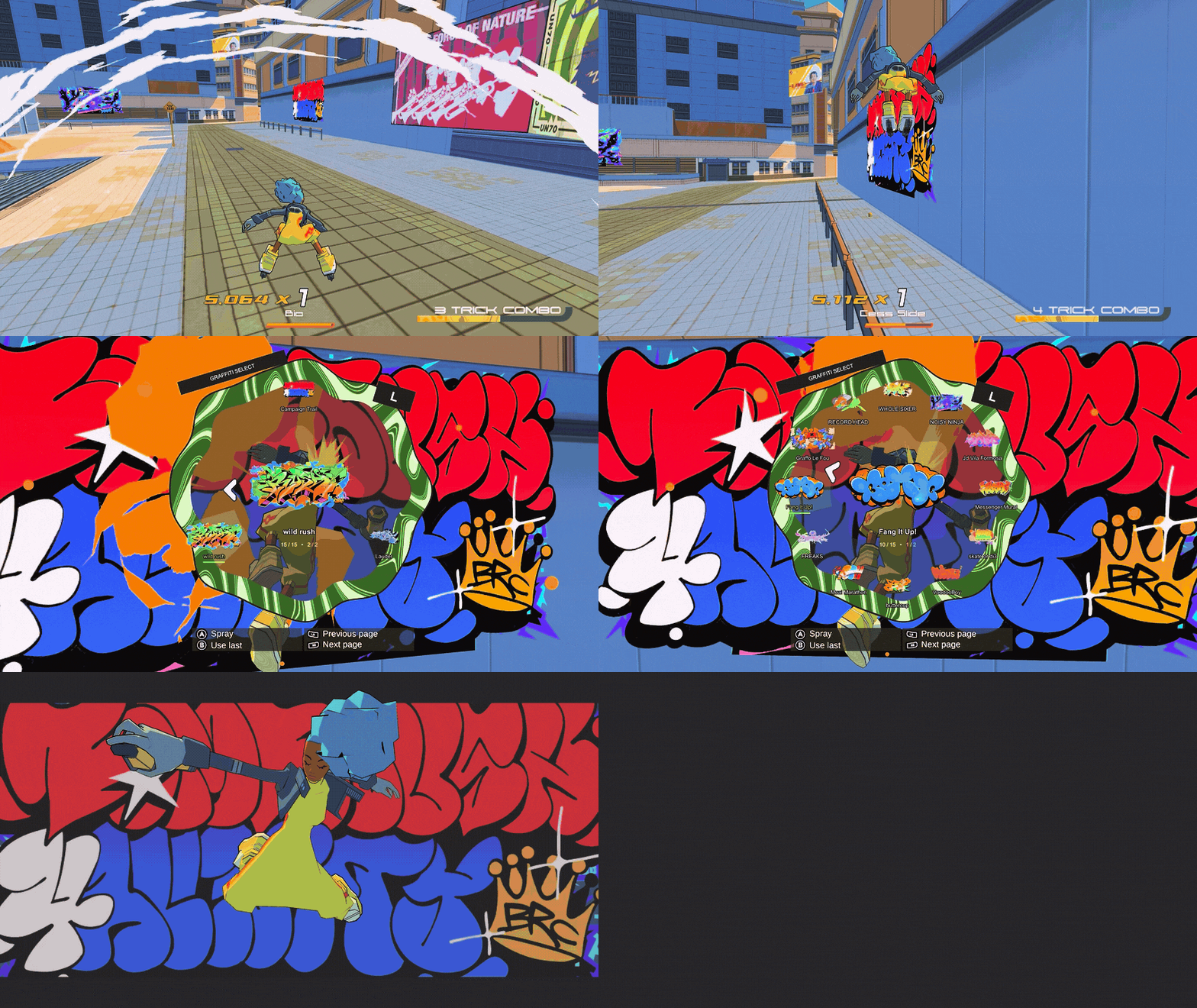
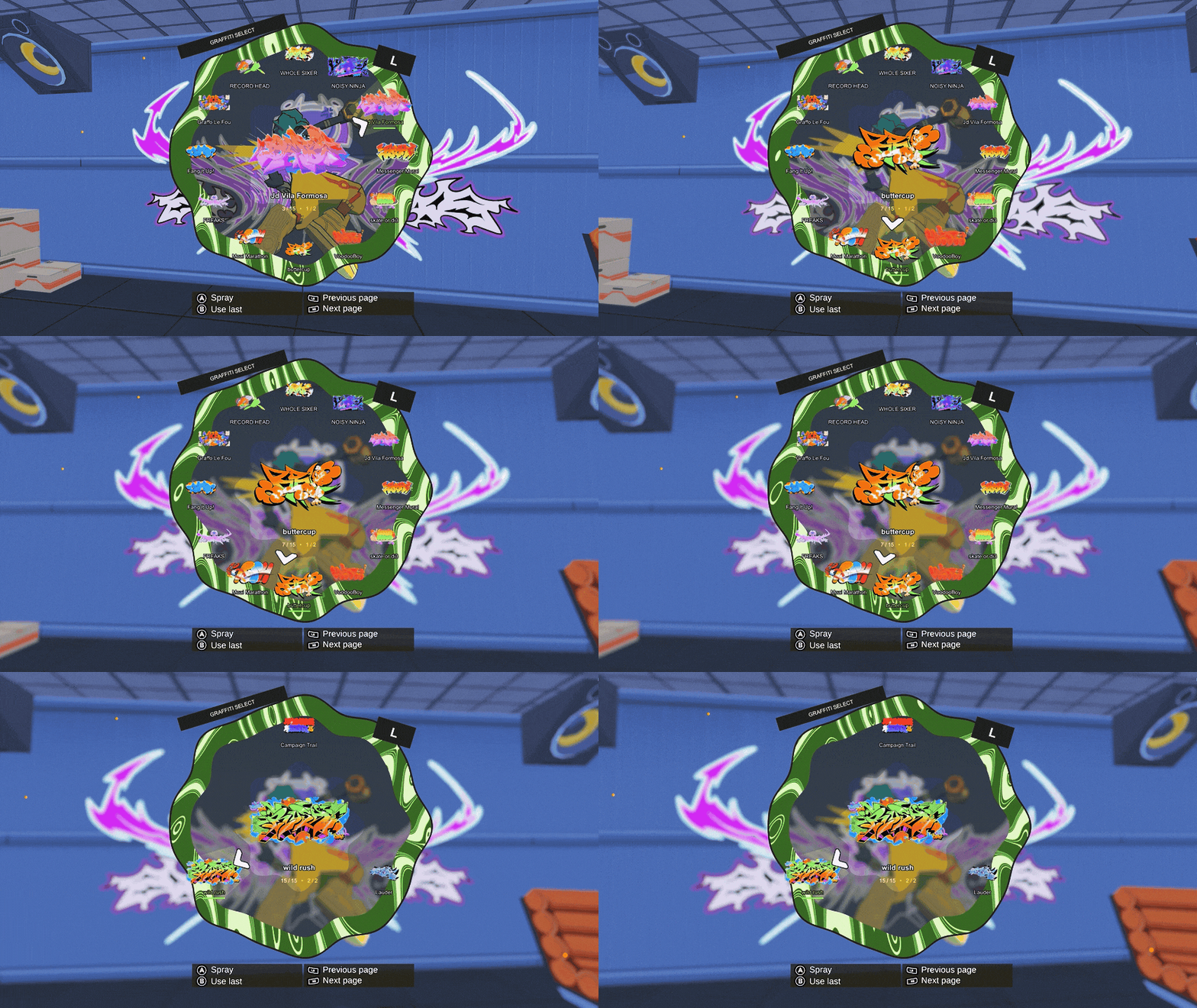
Replaces the Graffiti Minigame with a weapon wheel style selector. Press cancel to spray last used piece.
| Date uploaded | 4 days ago |
| Version | 1.0.2 |
| Download link | Stooo-QuickSpraySelector-1.0.2.zip |
| Downloads | 147 |
| Dependency string | Stooo-QuickSpraySelector-1.0.2 |
This mod requires the following mods to function

BepInEx-BepInExPack
BepInEx pack for Mono Unity games. Preconfigured and ready to use.
Preferred version: 5.4.2100README
QuickSpraySelector
Replaces the Graffiti Minigame with a weapon wheel style selector. Press cancel to spray last used piece.
- Supports controller and Keyboard+mouse
- Uses the original minigame animations
- Blur quality is configurable
The screen may hang for a second on the first spray after launching the game.
Installation
Install through Thunderstore Mod Manager or r2modman with BepInEx, then launch modded. Disable other mods that replace the graffiti minigame.
Blur settings
In BepInEx/config/codex.quickpickgraffiti.cfg, under Graphics, use NativeBlurQuality = Small for less GPU work, or NativeBlurEnabled = false to turn blur off.
Created by Stooo. Icon: Graffo Le Fou by Greunouylle. The pointer comes from the game’s dance selector. Game artwork belongs to its creators; mod code is MIT licensed.
CHANGELOG
Changelog
1.0.2
- Show the longer gameplay GIF first.
- Documentation update; gameplay is unchanged.
1.0.1
- Added two gameplay GIFs and shortened the package description.
- Documentation update; gameplay is unchanged.
QuickSpraySelector
1.0.0
- First public release of QuickSpraySelector by Stooo.
- Replace the graffiti minigame with a weapon wheel style selector for collected artwork, with a central preview and controls that follow the game's bindings.
- Support either analog stick, mouse, D-pad and keyboard; cancel sprays the last used piece for the current size.
- Keep native character poses, paint effects and finishing animations, with animated paint styling, selection sounds and camera motion.
- Keep foreground dots sharp and background blur working across area changes, with adjustable blur quality.
- Known issue: The screen may hang for a second on the first spray after launching the game.
0.22.3
- Keep the native blur volume alive across area changes.
- Rebuild incomplete blur state and bind the current camera after transitions, restoring the previous camera settings safely.
- Clean up destroyed camera-layer references when binding another camera.
0.22.2
- Let yellow dots drift briefly, slow to a complete stop after 1.5 seconds, and remain suspended while choosing.
- Reduce the opening dot emission by 25% and stop emitting after preparation, keeping a smaller fixed field.
- Preserve sharp foreground dots, the separate cloud tail and native finishing effects.
0.22.1
- Give the native yellow dots a separate, gentle playback clock so later wheel openings no longer fling them away at the native effect's initial 100x speed.
- Prepare the dots once per opening while preserving their native shape, motion, sizes and lifetime; keep them sharp in front of the wheel.
- Keep the large cloud's finite tail and regular finishing effects unchanged.
0.22.0
- Draw the native yellow dots in front of the wheel, preserving their world positions, sizes and colors while keeping them sharp during background blur.
- Limit randomized can-lid selection sounds to three owned voices, reusing an idle voice or replacing the oldest.
- Replace repeating camera shake with subtle, irregular handheld sway and roll.
- Reuse one particle buffer and the native dot texture; no additional scene camera, render target or blur pass.
0.21.3
- Let the large native paint cloud continue moving and shrinking slowly, then expire instead of freezing over the wall.
- Preserve the floating yellow dots and native opening burst/hit-pause.
- Stop only the separate cloud and streak emitters after the opening burst; keep existing particles alive until their natural expiry.
- Freeze the owned effect during gameplay pause and clean it up on selector exit.
0.21.2
- Match the native paint effect's two-stage slowdown and brief animation hit-pause.
- Preserve the native prefab's particle and animation settings, removing the custom speed floor and emission/deletion timers.
- Remove the independently owned cloud when leaving the selector, keeping normal finishing effects intact.
0.21.1
- Let the native yellow paint cloud animate on opening rather than holding a frozen sample.
- Stop emission after one brief burst, allow live particles to expire and remove the effect automatically.
- Keep the random selector pose, original pose option, hidden cursor and native finishing spray intact.
0.21.0
- Include the original incoming character pose as an equal option alongside the eight directional selector poses.
- Hide the system mouse cursor during selection while retaining mouse aiming, clicks and scrolling.
- Show the native yellow paint-cloud effect attached to the display character, sampled once and held without continual particle emission or simulation.
- Remove the owned cloud on confirmation, cancellation and unload, keeping native finishing effects and rewards unchanged.
0.20.0
- Move random character poses to the open selector and keep the existing yellow graffiti boost attached to the character.
- Restore the unchanged native finishing spray animation after confirmation; remove the added directional paint slash from completion.
- Aim with either analog stick or the mouse, with deliberate device handover and resting-input suppression after D-pad/page changes.
- Add left-click to spray, right-click to use last/cancel, and mouse-wheel paging. Restore cursor and animator state on exit.
0.19.0
- Randomly play one of the game's eight directional graffiti poses when confirming an artwork or spraying the last-used piece.
- Keep the matching native yellow paint slash and recovery animation within the existing spray sequence.
- Preserve native reveal timing, painting, rewards and cleanup; small tags and safe cancellation keep their usual behavior.
0.18.1
- Make the initial camera attachment pull about 20% quicker while keeping the same orbit strength and smooth settling.
0.18.0
- Replace the selection camera kick and rubber-band rebound with smooth medium-strength orbital attachment to highlighted artwork.
- Pull clockwise for pieces on the left and counterclockwise for pieces on the right, with vertical orbit guidance too.
- Move position and aim together around the character while retaining the slow circular drift and subtle shake.
- Follow the initial or remembered selection as well as subsequent highlights, with consistent motion across frame rates.
- Preserve camera restoration, the lighter graphics defaults and the existing ten-second delay/five-second blur fade.
0.17.0
- Add circular horizontal/vertical camera drift with a random starting direction and slightly stronger subtle shake.
- Kick the camera toward highlighted artwork with a strong, bounded, frame-rate-independent rubber-band return.
- Delay blur by ten seconds, then fade over five seconds with a linear ramp and a curved final second.
- Reduce liquid geometry by about 62%, use 2x antialiasing and cap the render target at 2048 pixels.
- Default native blur to Medium and expose blur quality and enable/disable settings.
- Cache collected-graffiti filtering and artwork text helpers instead of recreating them every wheel frame.
0.16.0
- Slowly sway the scene camera around the character with a subtle shake; keep the wheel steady.
- Wait six seconds before fading native blur in over three seconds with a smooth S-curve.
- Restore the scene camera before the native spray animation, on pause and on exit.
0.15.2
- Remove startup blur preparation in WarmResources.
- Ensure blur uses only already loaded resources when wheel opens.
0.15.1
- Replace the inactive shader-based blur with the game's native depth-of-field effect.
- Read native post-processing resources directly and restore camera settings when the selector closes.
0.15.0
- Add a live FPS-style background blur beneath the selector.
- Keep the wheel, graffiti preview and configured button hints sharp.
- Remove blur immediately on confirmation, cancellation, pause and cleanup.
0.14.0
First public release preparation.
- Choose collected graffiti from a wheel with thumbnails and a center preview.
- Analog-stick, D-pad and keyboard navigation, with configured button helpers.
- Remember the last sprayed piece for each size; cancel recalls it.
- Preserve the game's native spray animation and reward sequence.
- Animated paint styling and random spray-can lid sounds on selection changes.
Known issue: the first graffiti interaction after starting the game may briefly hang.
