
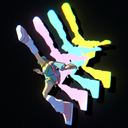
After Images
Adds three customizable delayed afterimages to player characters, with LD_CrewBoom and All City Network multiplayer compatibility.
By V3S
| Last updated | 2 months ago |
| Total downloads | 1171 |
| Total rating | 0 |
| Categories | Tools Misc |
| Dependency string | V3S-After_Images-1.1.7 |
| Dependants | 0 other packages depend on this package |
This mod requires the following mods to function

BepInEx-BepInExPack
BepInEx pack for Mono Unity games. Preconfigured and ready to use.
Preferred version: 5.4.2305
LazyDuchess-LD_CrewBoom
Yet another plugin fork for custom characters. Now with streaming!
Preferred version: 4.2.0
README
After Images
Adds a customizable three-clone afterimage effect to Bomb Rush Cyberfunk.
Features
- Three delayed afterimage clones
- Individual color controls for each clone
- Adjustable delay for each clone
- LD_CrewBoom custom character support
- Character switching support
- Dynamic Bone / spring-bone pose support
- All City Network multiplayer support
- Multiplayer afterimage color synchronization
- Remote afterimages only appear when the other player also has After Images installed and enabled
- Configurable particle and trail options
- Overlap/clipping prevention when an afterimage is too close to the live character
- BepInEx Configuration Manager compatible
Manual Installation
Download and extract V3S-After_Images-1.1.7.
Open the extracted folder, then copy the V3S-After_Images-1.1.7 folder into:
/BepInEx/plugins/
The final folder should be:
/BepInEx/plugins/V3S-After_Images-1.1.7/
The plugin DLL will then be located at:
/BepInEx/plugins/V3S-After_Images-1.1.7/plugins/AfterImages.dll
Make sure the required dependencies are also installed manually.
Configuration
After Images uses BepInEx configuration entries.
If you use BepInEx Configuration Manager, the settings can be changed in-game.
Main Settings
- Enable / disable After Images
- Clone 1 delay
- Clone 2 delay
- Clone 3 delay
- Clone 1 color
- Clone 2 color
- Clone 3 color
- Particle options
- Trail options
- Minimum visible distance
Minimum Visible Distance
MinimumVisibleDistance prevents an afterimage from rendering when its delayed world position is too close to the live character.
This helps prevent transparent afterimages from clipping through the current character while standing still, moving slowly, slowing down, or landing.
The default value is:
0.08
If clipping is still visible, try increasing it to around 0.10 - 0.15.
Multiplayer
After Images integrates with All City Network.
When connected to ACN:
- Your three afterimage colors are synchronized to other players running After Images.
- A remote player's afterimages are only shown if that player also has After Images installed and enabled.
- Players without After Images do not receive visible remote afterimages from this plugin.
- Disabling After Images stops your remote afterimages from being shown to other supported clients.
Both players need a compatible version of After Images for plugin-specific multiplayer behavior.
LD_CrewBoom
After Images is designed to work with LD_CrewBoom characters and rebuilds its clone setup when the active character model changes.
This includes switching between custom characters during gameplay.
Performance
For the smoothest trail behavior, the plugin can sample and update poses every frame.
If you experience performance issues with especially complex custom characters, adjust the timing/update options in the configuration.
Version
1.1.7
Clones Update!
Other players' afterimage clones can now be toggled on and off!
Created for the Bomb Rush Cyberfunk modding community.
Multiplayer integration uses All City Network by Freesoul.
Custom character support is designed around LD_CrewBoom by LazyDuchess.
Character From The Icon
Want the character model shown in the icon?
Check out the model by Monad on GameBanana:
Rainbow Preset without Hue Shifts!
An optional rainbow configuration is included with the mod.
To use it manually, copy the included com.brc.afterimage3clone.cfg file from the presets folder into:
BepInEx/config/
Replace the existing com.brc.afterimage3clone.cfg file when prompted.
Back up your existing config first if you want to keep your current After Images settings.
