
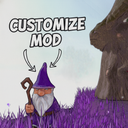
Customize
Customize your gnome's body and clothing colors! Features a full color wheel, multiplayer sync, and a preset saving system.
By BurglinHub
| Last updated | 3 months ago |
| Total downloads | 4107 |
| Total rating | 1 |
| Categories | Mods Misc AI Generated |
| Dependency string | BurglinHub-Customize-1.0.0 |
| Dependants | 0 other packages depend on this package |
This mod requires the following mods to function

BepInEx-BepInExPack
BepInEx pack for Mono Unity games. Preconfigured and ready to use.
Preferred version: 5.4.2304README
Universal Gnome Customizer (Color Mod)
Stand out from the crowd! This mod adds a fully functional customization system to the game, allowing you to change the color of your gnome's body, clothing, and equipment.
Whether you want to be a stealthy ninja in all black, or a glowing neon-pink gnome, this mod makes it possible. And best of all? It fully synchronizes in multiplayer, so everyone with the mod sees your style!
Features:
===
1. The Customization Station
To change your colors, simply find the Garden Gnome statue. Note: This statue is ONLY available on the base gnome island (in the lobby). Look at it and press [E] Customize to open the native, fully integrated UI menu.
2. Advanced Color Picker (HSV)
The mod includes a beautiful, fully functional Color Wheel.
- Select any hue and saturation from the wheel.
- Adjust the brightness/lightness using the slider.
- See the color preview in real-time before applying it to your character.
3. Part-Specific Coloring & Pre-configuration
You don't have to paint your whole gnome one color. The UI lists all available clothing and body parts. You can select specific hats, shirts, or body parts and paint them individually, or select "ALL" to paint everything at once. Bonus: You can pre-configure colors for items you haven't even equipped yet! As soon as you put that specific item on later during the game, it will automatically apply your chosen color.
4. Multiplayer Synchronization
The mod uses custom network messaging to ensure that the moment you apply a color, every other player in the lobby sees your new look instantly. New players joining the game will also automatically download your custom colors. IMPORTANT: Other players MUST have this mod installed to see your custom colors. To players without the mod, you will simply appear in default colors.
5. Preset Saving System
Created the perfect outfit and don't want to lose it?
- Switch to the Presets tab in the menu.
- Type a name and click Save.
- Your color configurations are saved to a file on your PC. You can load or delete them at any time, even after restarting the game!
