
ControllerSupport
Full controller support for Burglin' Gnomes — navigation, gameplay, UI, menus, settings, task list, hand range control, and native bug fixes. Equipment item moving still requires mouse and keyboard.
By TeeTeeArrr
CHANGELOG
Changelog
1.7.97
- Fixed host multiplayer papyrus close getting stranded after using foldouts. Explicit papyrus close paths now resolve the local player's
EquipmentControllerinstead of using the firstEquipmentControllerfound in the multiplayer scene, which could target another player's controller on the host.
1.7.96
- Cached
IsGameplayBlockingUiOpen()result per frame (usingTime.frameCount). The game'sInputSystemHandler.GetBool— called ~12+ times per frame for all gameplay actions — previously triggered ~72 reflection calls + hierarchy walks per frame. Now only the first call per frame evaluates UI state; all subsequent calls return the cached result.
1.7.95
- Cached description overlay reflection lookups (
descriptionPanel,panelBgFieldInfo) to eliminate per-frameAccessTools.Fieldcalls during gameplay. - Stockpile panel query is now cached on first access instead of re-querying the UI tree every frame.
- Cached description overlay fields are cleared on game restart to handle scene reloads cleanly.
1.7.94
- Fixed per-frame HarmonyX warning spam (369 warnings per session) when the dead/tied task list overlay was open. The
TiedOrDeadproperty lookup onPlayerControlleris now searched once and cached instead of retrying every frame.
1.7.93
- Fixed deadzone regression introduced in recent camera debugging: look axes now always return the mod's processed stick value (including zero) when a gamepad is present, preventing small stick movements from leaking through the Input Manager's smaller deadzone.
- Removed experimental camera timing overrides (v1.7.90–1.7.92) that caused periodic hitching. Camera timing is now back to the stable v1.7.86 behavior.
- Cached all reflection FieldInfo lookups at patch initialization to eliminate per-frame reflection overhead.
- Fixed braceless-if bug in
GetAxisPostfixandGetAxisRawPrefixwhere camera blocking during dead/tied overlay only worked every 60th frame. - Fixed missing "Camera X"/"Camera Y" axis names in
GetGamepadAxisthat could bypass the mod's deadzone processing. - Added Camera InputAction gamepad binding injection for compatibility with the game's InputSystemHandler.
1.7.86
- Added stockpile quick-deposit: pressing X on the controller while the stockpile panel is open automatically deposits all resources. Works only when the DepositResources button is visible (i.e., when you have depositable resources in your inventory).
1.7.85
- Added stockpile quick-deposit: pressing X on the controller while the stockpile panel is open automatically deposits all resources. Works only when the DepositResources button is visible (i.e., when you have depositable resources in your inventory).
- Fixed mouse look remaining locked after closing the dead/tied task list overlay. The
ToggleTaskListpostfix cleared state flags but never re-enabled the Look/Camera InputActions, and the per-frame handler skipped cleanup because all flags were already cleared. Look/camera actions are now re-enabled immediately in the postfix, with an additional safety net in the per-frame handler. TheToggleTaskListpostfix cleared state flags but never re-enabled the Look/Camera InputActions, and the per-frame handler skipped cleanup because all flags were already cleared. Look/camera actions are now re-enabled immediately in the postfix, with an additional safety net in the per-frame handler.
1.7.84
- Fixed LB/RB suppression (ragdoll/drop block) not firing during Gnomium Gloves target acquisition phase. Previously the suppression only triggered during active levitation (when a pushable target was locked). Now it also fires while RT is held and the gloves are searching for a target, preventing accidental ragdoll/drop when trying to lock onto objects.
1.7.83
- Fixed LB/RB suppression (ragdoll/drop block) breaking during Gnomium Gloves use after a few uses. The suppression was placed after the keyboard/mouse recency check in the GetBool postfix, so mouse movement during glove aiming caused the early-return to skip ALL gamepad overrides — including the LB/RB block. The suppression now runs before the recency check, ensuring it applies regardless of which input device was used most recently.
1.7.82
- Fixed mouse look not being locked when the dead/tied task list overlay is open on mouse and keyboard. The game's "Camera" input action (which reads mouse delta) is now disabled alongside the gamepad "Look" action while the overlay is visible.
1.7.81
- Fixed cursor being invisible on mouse and keyboard when the dead/tied task list overlay is open. The game's
RefreshMouseStatedid not account for the task panel being active, causing it to hide the cursor every frame. This mod now patchesRefreshMouseStateto keep the cursor visible when the task panel is open.
1.7.80
- Added prominent Steam Input warning to README: Steam lists Burglin' Gnomes as not supporting controllers, so the default Steam controller config emulates WASD instead of passing through gamepad input. Users must switch their Steam controller layout to Xbox Controller (or similar native gamepad template) for this mod to work properly.
1.7.79
- Added GloveRangeAdjust integration: when GloveRangeAdjust is installed, LB/RB are suppressed (ragdoll/drop) while actively levitating an item with Gnomium Gloves, allowing the bumpers to control glove range instead. No hard dependency — behavior is unchanged when GloveRangeAdjust is not installed.
1.7.78
- Documented known limitation: equipment inventory dragging requires mouse and keyboard.
- Documented included native bug fixes for stamina drain, dead/tied overlay cursor visibility, and revive/untie cleanup.
- Added documentation for hand range controls (hold Push + LB/RB to retract/extend).
- Added documentation for task list navigation (right stick) and foldout scrolling (LB/RB in info overlay).
1.7.77
- Thunderstore metadata update.
1.7.76
- Initial Thunderstore release.
- Full controller navigation for all menus, shop, catalog, papyrus, task list, and overlays.
- Configurable deadzones for left stick, right stick, and left trigger.
- Four response curve types (Linear, Exponential, Aggressive, Smooth) per stick.
- Look and movement sensitivity sliders.
- Toggle or hold modes for crouch and sprint.
- Invert look Y option.
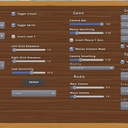
- In-game settings menu integration.
- Default gamepad bindings for all gameplay actions.
- Co-op and push-to-talk support.
