
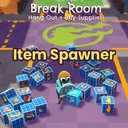
CrashoutCrewItemSpawner
In-game item spawner panel for CrashoutCrew. Search the full item list, pick a quantity with the keyboard, and spawn items at the host player's feet.
| Last updated | 3 months ago |
| Total downloads | 213 |
| Total rating | 0 |
| Categories | Mods Tools Items Client-side |
| Dependency string | SuperseinMods-CrashoutCrewItemSpawner-1.0.0 |
| Dependants | 0 other packages depend on this package |
This mod requires the following mods to function

BepInEx-BepInExPack
BepInEx pack for Mono Unity games. Preconfigured and ready to use.
Preferred version: 5.4.2100README
CrashoutCrewItemSpawner
A BepInEx plugin for CrashoutCrew (Unity Mono) that adds an in-game item spawner panel. Search the full item database, pick a quantity with the keyboard, and spawn items at the host player's feet.
Features
- GUI panel anchored to the right edge of the screen
- Search filter (type to narrow the list, no Enter needed)
- Keyboard-only quantity controls
- Configurable keybinds
- WildCard / mystery-box items are hidden by default
Installation
- Install BepInEx for CrashoutCrew if you haven't already.
- Copy the
CrashoutCrewItemSpawner.dllinto your game'sBepInEx/plugins/folder: - Launch the game once. A config file will be generated at
BepInEx/config/com.crashout.itemspawner.cfg.
Hotkeys
All hotkeys are rebindable in the BepInEx/config/com.crashout.itemspawner.cfg file. Defaults:
| Key | Action |
|---|---|
| F6 | Toggle the spawner panel |
| F1 | Open the in-panel hotkey help |
| Esc | Close help, then the panel |
| ↑ / ↓ | Move selection up / down |
| PgUp / PgDn | Page up / down through the list |
| Home / End | Jump to first / last item |
| = / + | Increase spawn quantity by QuantityStep |
| - | Decrease spawn quantity by QuantityStep |
| Enter / Space | Spawn the selected item × quantity |
The
=key doubles as+when held with Shift — same physical key, no remap needed. Numpad+and-are also accepted automatically as a fallback.
Configuration
Edit BepInEx/config/com.crashout.itemspawner.cfg. Every value has a
description; key ones:
| Setting | Default | Purpose |
|---|---|---|
DefaultQuantity |
1 | Initial quantity each time the panel opens |
QuantityStep |
1 | How much each press of = / - adjusts qty by |
DropDistance |
1.5 m | How far in front of the player items drop |
DropHeight |
0.0 m | Vertical offset from the camera for the drop point |
HideWildCards |
true | Hide items whose worldItemPrefab is a WildCard mystery-box |
All Keybinds.* values are also in the same file. Format:
[Keybinds]
ToggleUI = KeyboardShortcut(F6)
IncreaseQuantity = KeyboardShortcut(Equals)
