
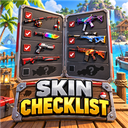
Skin Checklist
Browse every item skin and directly apply collected skins from a draggable in-game checklist.
By PonyFisher
CHANGELOG
1.1.1
- Performance fix: caches skin ownership and selected-state snapshots instead of rescanning saves/inventory during every IMGUI event.
- Full item/boat catalog is now built once per session instead of every time the checklist is opened.
- Fishmen menu interop reflection is cached instead of repeated from OnGUI.
- Runtime state refresh is throttled to twice per second while the checklist is open and forced only on open/apply.
Changelog
1.1.0
- Added an Apply button beside every collected skin.
- Added a teal Selected state showing the currently equipped skin for each item.
- Reused the game's normal networked skin-change path so selections update and save like vanilla cycling.
- Prevented missing skins from being applied and retained the vanilla Z/C controls.
1.0.1
- Merged internal game prefabs that share the same displayed item name into one checklist tab.
- Removed the duplicate broken Knife tab while retaining every unique Knife skin in one scrollable list.
- Made merged skin ownership check every underlying item ID so collected status remains accurate.
1.0.0
- Added a gold Skin Checklist button to the pause menu below Fishmen Invasion Options.
- Added a draggable red, silver, gray, and black collection browser.
- Added dynamic tabs for every discovered item with skins.
- Added live owned and missing states, rarity markers, search, filters, and completion totals.
