
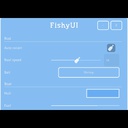
FishyUI
Windows for mods, cloned from the game's own widgets.
| Last updated | 2 months ago |
| Total downloads | 377 |
| Total rating | 2 |
| Categories | Mods Tools Libraries |
| Dependency string | Sopika-FishyUI-0.1.1 |
| Dependants | 0 other packages depend on this package |
This mod requires the following mods to function

BepInEx-BepInExPack
BepInEx pack for Mono Unity games. Preconfigured and ready to use.
Preferred version: 5.4.2305README
FishyUI
Disclaimer AI has been used to help me make this so some problems from that are expected until I get a full grasp on everything.
A window library for How to Fish mods. Windows cloned from the game's real widgets at runtime.
This mod draws nothing on its own. Install it because another mod asked you to. (Might only be used for my mods for cleaner look)
For players
Mods built on this get real windows instead of grey developer boxes. They drag, resize, collapse and remember where you left them, the mouse is freed while one is open, and Escape closes it instead of pausing.
Positions are saved in BepInEx/config/fishyui.windows.cfg. It is plain text and
safe to delete, everything just goes back to the middle.
For mod authors
var win = Window.Create("Weather", 640f, 600f);
win.Rows()
   .Header("Storms")
   .Slider("Strength", cfgStorm)
   .Colour("Sky", cfgSky)
   .Keybind("Toggle rain", cfgRainKey);
win.Toggle(); // bind this to a key
Rows cover toggles, sliders with value boxes, dropdown lists, text, a colour picker
fed by the game's own palette, rebindable keys, live bars and readouts, and rows of
your own making with Page.Custom. More than one Tab("name") gives the window a
tab strip. ScrollBody() gives you a scrolling area to fill yourself, and Native
hands out the game's widgets for that.
A window frees the mouse and holds the player while open, steps aside for the game's own screens, and remembers its spot, and all of that is yours to override.
Everything is in REFERENCE.md inside the download or on Github.
This is 0.1.0 and it's only purpose for now is windows. Plans: Settings pages in the options screen, hud pieces, and putting buttons on the game's screens.
