

LwfFpsBoost
Runs Spine animation and mesh generation on worker threads. Frame time drops by about half in factories with many familiars. A load test on the title screen reports PASS or FAIL, and every run is logged for reporting.
| Last updated | 20 hours ago |
| Total downloads | 1 |
| Total rating | 0 |
| Categories | Mods AI Generated |
| Dependency string | KiyonakaNata-LwfFpsBoost-2.1.1 |
| Dependants | 0 other packages depend on this package |
This mod requires the following mods to function

BepInEx-BepInExPack
BepInEx pack for Mono Unity games. Preconfigured and ready to use.
Preferred version: 5.4.2305README
LWF FPS Boost
Threaded Spine animation and mesh generation for Lazy Witch's Factory (tested on ver 0.27.0).
Experimental build. Attach the two log files below when you report a problem.
- Frame time drops by about half in factories with many familiars
- The gain scales with logical CPU cores; a single core gains nothing
- Panel text follows the game language
Install
- Install with a mod manager, or put
LwfFpsBoost.dllintoBepInEx/plugins/ - Start the game
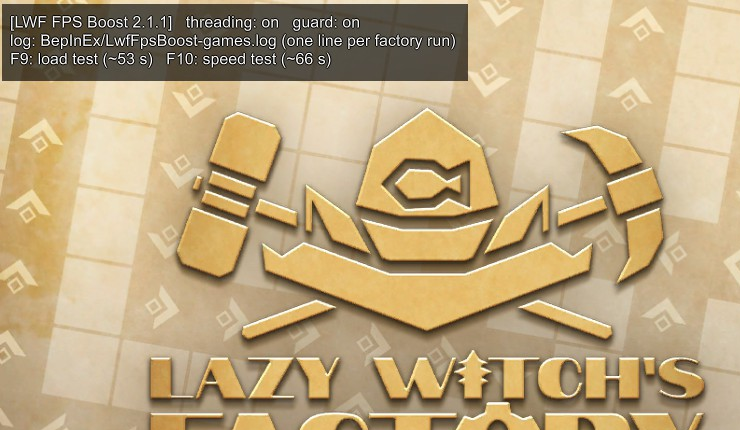
- The title screen shows the panel above
Check it works
- Press F9 on the title screen and wait for the verdict
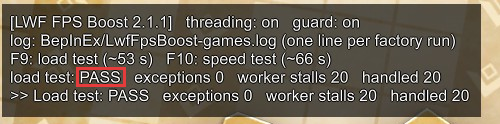
PASS→ doneINCONCLUSIVE→ press F9 againFAIL→ report it withBepInEx/LwfFpsBoost-incidents.log
| Key (title screen) | Action |
|---|---|
| F9 | load test, ~53 s |
| F10 | speed test, ~66 s |
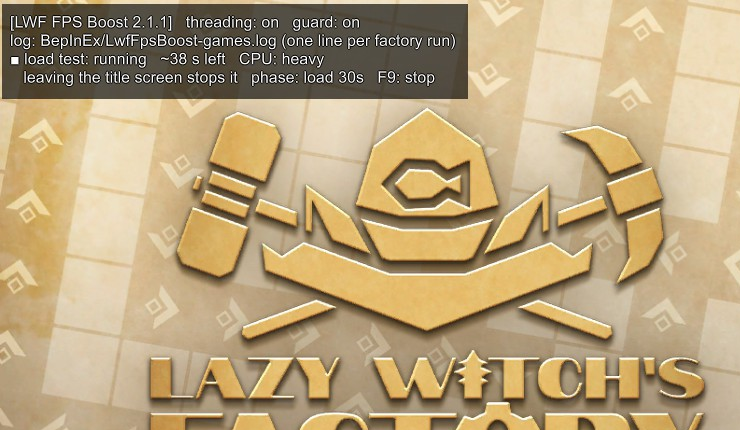
- The PC is under heavy load during a test
- Leaving the title screen during a test stops the test and turns threading off; restart the game
- After a test that produced an error, the game shows its error screen once on the next start; close it and restart
Measured on the author's PC
Ryzen 7 5700X (8C/16T), 1500 familiars.
| Threading | Frame time | fps |
|---|---|---|
| on | 21.9 ms | 45.6 |
| off | 51.1 ms | 19.6 |
Report
- Post in the Mod channel of the official Discord
- Attach
BepInEx/LwfFpsBoost-games.log, written once per factory run - Attach
BepInEx/LwfFpsBoost-incidents.logwhen the file exists
Remove
- Delete
BepInEx/plugins/LwfFpsBoost.dll - When the game ships threaded Spine updates, this mod applies nothing
- Delete it when the title screen reads
The game runs Spine threaded - Delete it before reporting a game bug to the developer
Settings
BepInEx/config/kiyonakanata.lwffpsboost.cfg
| Setting | Default | Values |
|---|---|---|
1. General/Enabled |
true |
false = off |
The 9. Developer section is for development.
Links
- GitHub
- DEVELOPER.md — cause, reproduction, and a fix for the game
