
Please disclose if any significant portion of your mod was created using AI tools by adding the 'AI Generated' category. Failing to do so may result in the mod being removed from Thunderstore.

Player Status Bars
Health and infection status bars above other players, with exact health between players running the mod.
| Last updated | a week ago |
| Total downloads | 6132 |
| Total rating | 2 |
| Categories | Tweaks & Quality Of Life BepInEx Client-side Mods AI Generated Server-side |
| Dependency string | Aueser-Player_Status_Bars-0.3.0 |
| Dependants | 3 other packages depend on this package |
This mod requires the following mods to function

BepInEx-BepInExPack
BepInEx pack for Mono Unity games. Preconfigured and ready to use.
Preferred version: 5.4.2100README
Player Status Bars



中文
预览
| 十格样式(默认) | 经典样式 |
|---|---|
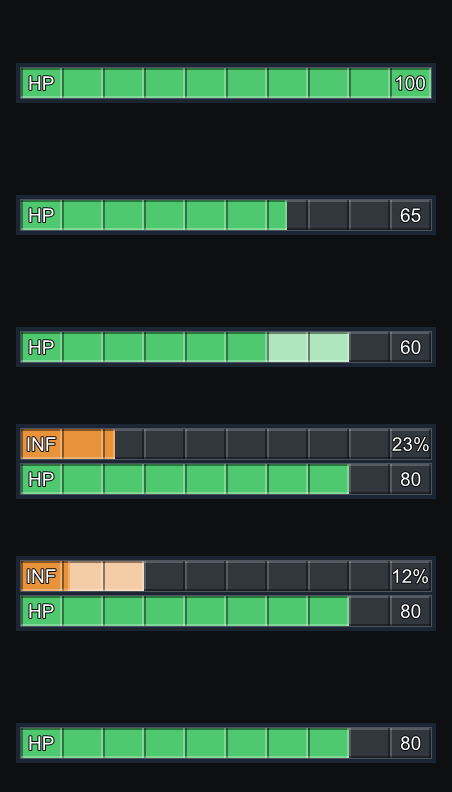 |
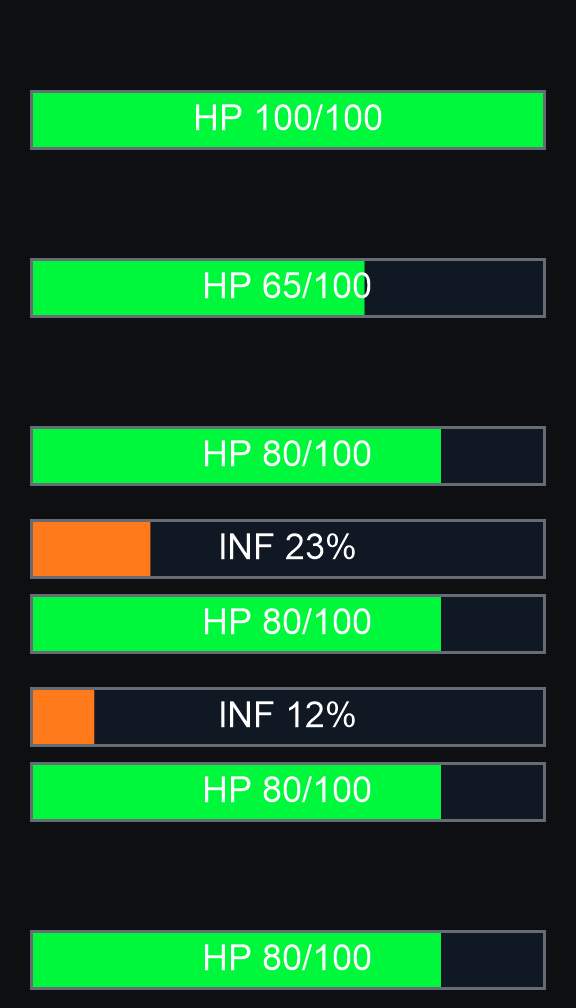 |
常用配置
| 配置 | 默认值 | 说明 |
|---|---|---|
Bar Style |
Segmented |
Segmented 十格样式,Classic 经典样式 |
Show Infection Bars |
true |
主机设置,决定整个房间是否显示感染条 |
Max Display Distance |
18 |
最大显示距离 |
Hide In Orbit |
true |
飞船在轨道时隐藏 |
Show Text |
true |
显示血量数字和感染百分比 |
配置保存在 BepInEx/config/playerstatusbars.cfg,修改后立即生效。
安装
通过 r2modman / Thunderstore Mod Manager 安装,需要 BepInExPack 5.4.2100。手动安装时,将 PlayerStatusBars.dll 放入 BepInEx/plugins/PlayerStatusBars/。
多人
- 血条:本地安装即可使用;主机和对方也安装时,血量更准确。
- 感染条:需要主机安装 Player Status Bars 并开启
Show Infection Bars。
兼容
- LC_Chinese_Project:自动使用中文配置与说明。
- LethalConfig:在游戏内修改配置,立即生效。
遇到问题请在 Issues 附上复现步骤、模组列表及 BepInEx/LogOutput.log。项目采用 GPL-3.0 许可。
English
Preview
| Segmented (default) | Classic |
|---|---|
|
|
Common settings
| Setting | Default | Description |
|---|---|---|
Bar Style |
Segmented |
Segmented ten-cell bars, Classic original style |
Show Infection Bars |
true |
Host setting that decides whether the room shows infection bars |
Max Display Distance |
18 |
Maximum display distance |
Hide In Orbit |
true |
Hide while the ship is in orbit |
Show Text |
true |
Show health numbers and infection percentage |
Settings are saved to BepInEx/config/playerstatusbars.cfg and apply immediately.
Installation
Install through r2modman / Thunderstore Mod Manager. Requires BepInExPack 5.4.2100. For a manual install, place PlayerStatusBars.dll in BepInEx/plugins/PlayerStatusBars/.
Multiplayer
- Health bars: work with a local install; more accurate when the host and that player install it too.
- Infection bars: require the host to install Player Status Bars and enable
Show Infection Bars.
Compatibility
- LC_Chinese_Project: Chinese setting names and descriptions are used automatically.
- LethalConfig: change settings in game; changes apply immediately.
Report problems through Issues, including reproduction steps, your mod list and BepInEx/LogOutput.log. Licensed under GPL-3.0.
