
Please disclose if any significant portion of your mod was created using AI tools by adding the 'AI Generated' category. Failing to do so may result in the mod being removed from Thunderstore.
if the game shows you squares like this `ロ ロロ`, then read this!
Updated 2 years ago**
NOTE: if the game shows to you square letters like this ロ ロロ, then you need to add an sdf to the game
**
<iframe width="560" height="315" src="https://www.youtube.com/embed/7IDLCnwF11E?si=XIba7dqsdH6HVY_J" title="YouTube video player" frameborder="0" allow="accelerometer; autoplay; clipboard-write; encrypted-media; gyroscope; picture-in-picture; web-share" allowfullscreen></iframe>-
You need to install the square_letters_fix file
-
You have to go to
%appdata%on your PC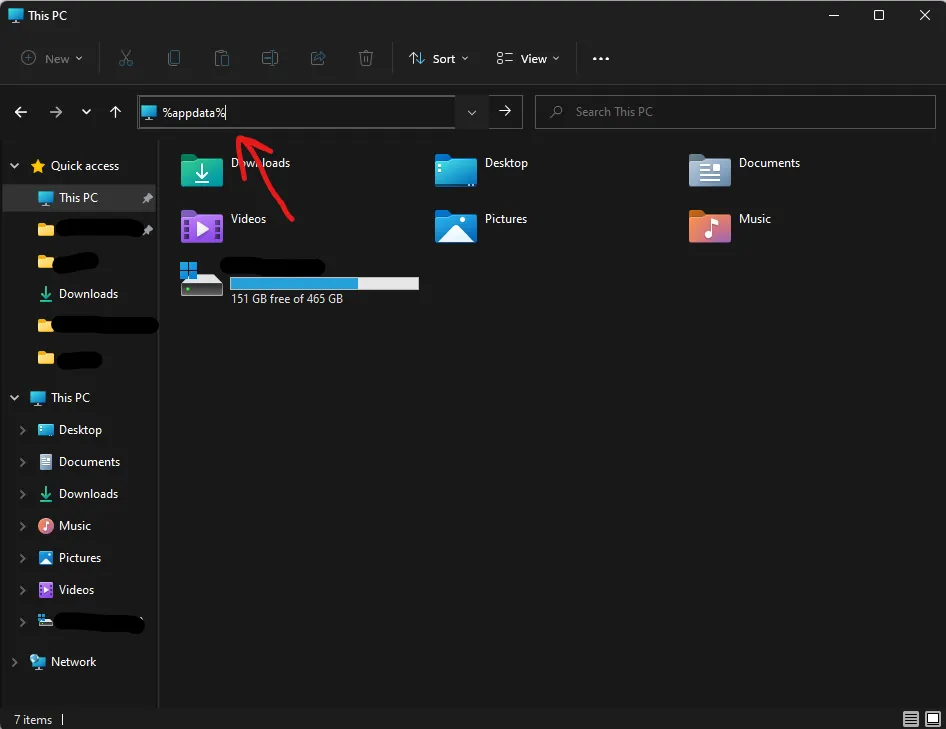 **
**
then press enter.
**
-
take the
arabicsdffile from thesqaure_letters_fix.zipand put it in the%appdata%.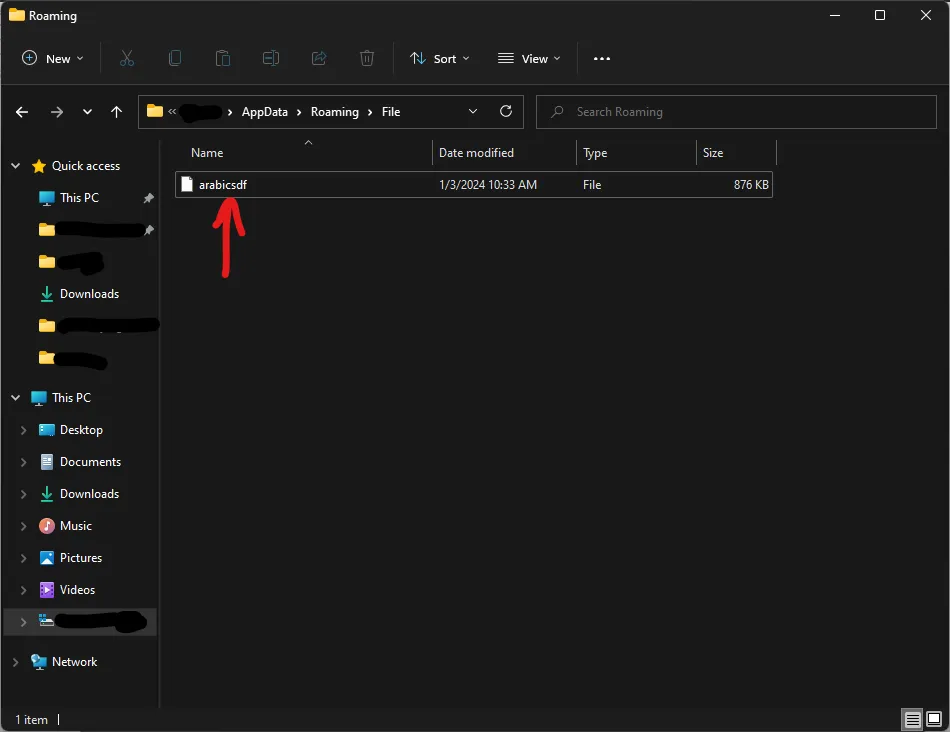
-
take the
AutoTranslatorConfig.inifile from thesqaure_letters_fix.zipand put it in yourBepInEx\configfolder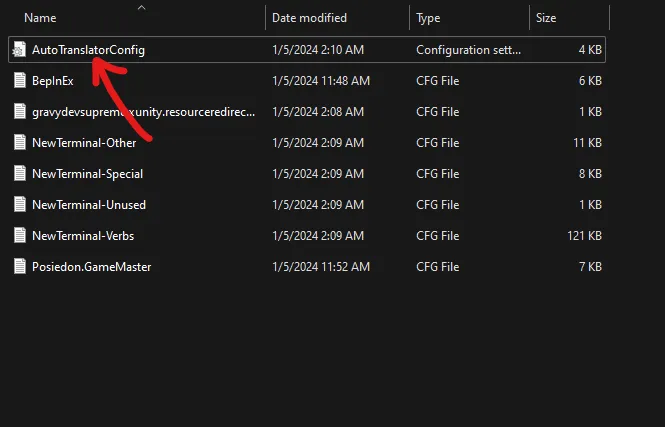
thats hopefully all! Enjoy the Game!
